
Kling AI has a free plan (Basic) and four paid tiers (Standard, Pro, Premier and Ultra). Monthly prices range from $6.99 to $127.99 at the first-subscription discount. Paid plans give 660 to 26,000 credits per month. A credit is a usage unit that is deducted each time you generate a video or image. Prices and credits follow the pricing guide on the official Kling blog and the credit policy as of October 14, 2026. Kling itself says that "credits, prices and plan benefits may change," so check the membership screen once more before you pay.

Kling AI plan prices compared
Kling AI puts four paid tiers on top of the free Basic plan. The official pricing guide lists the first-subscription price, the renewal price and the monthly credits for each plan. In the table, Standard shows a $10 list price, a first-subscription price of $6.99 and a renewal price of $8.8. The first-subscription discount applies only to the first month, so the renewal price is charged from the second month.
| Plan | First subscription price (monthly) | Renewal price (monthly) | Monthly credits | Official estimate |
|---|---|---|---|---|
| Basic | $0 | None | No monthly credits | Daily login credits only |
| Standard | $6.99 | $8.8 | 660 | 33 videos at 720p |
| Pro | $25.99 | $32.56 | 3,000 | 150 videos at 720p |
| Premier | $64.99 | $80.96 | 8,000 | 400 videos at 720p |
| Ultra | $127.99 | $159.99 | 26,000 | 1,300 videos at 720p |
The cost per 100 credits is about $1.33 on Standard and about $0.62 on Ultra. Higher plans lower the cost per credit. So heavy video makers get more value from a higher plan, and occasional users are fine with Standard. If you buy credits on their own, the standard price is 66 credits per $1.
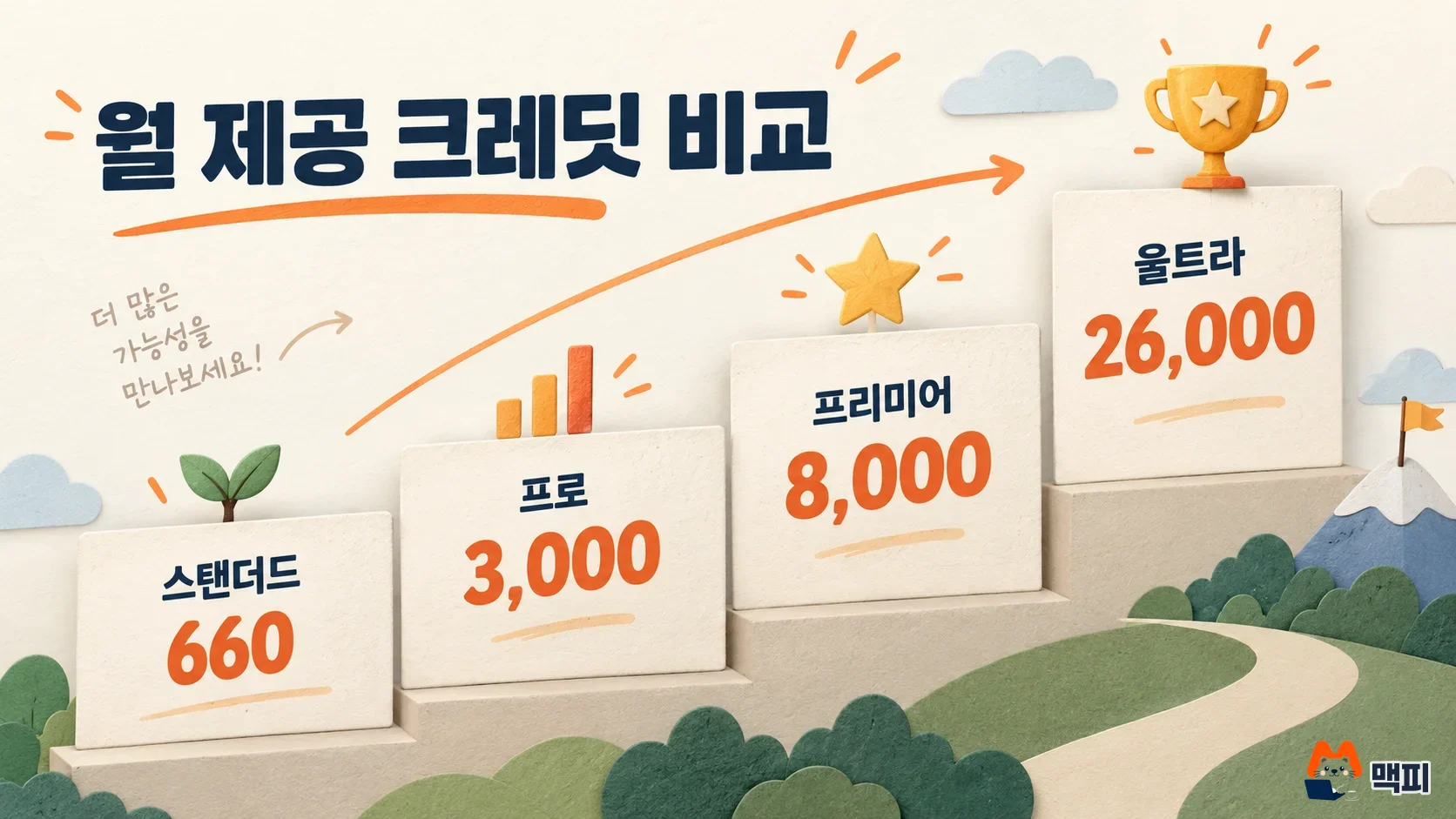
Looking at monthly credits alone, Ultra gives about 39 times more than Standard. The chart below shows the same values as bars.
| Plan | Monthly credits |
|---|---|
| Standard | 660 |
| Pro | 3,000 |
| Premier | 8,000 |
| Ultra | 26,000 |
What you can use for free on Kling AI
Basic is a free plan marked "free forever," and it has no monthly credits. Instead, free credits are granted on each day you log in, and they reset at 24:00 that day. The credit policy only says the amount follows "the platform notice" and gives no fixed number. So you need to check the credits shown on screen on the day you log in to know how much you can make for free.
How long Kling AI credits last and the order they are used
According to the Kling credit policy, credits from a membership subscription are valid for 1 month from the grant date. Credits from a 7-day membership are valid for 7 days. Credits you buy directly are valid for 2 years. When you spend credits, the ones with the shortest validity are deducted first. So subscription credits are used first, and purchased credits remain even after the subscription ends.
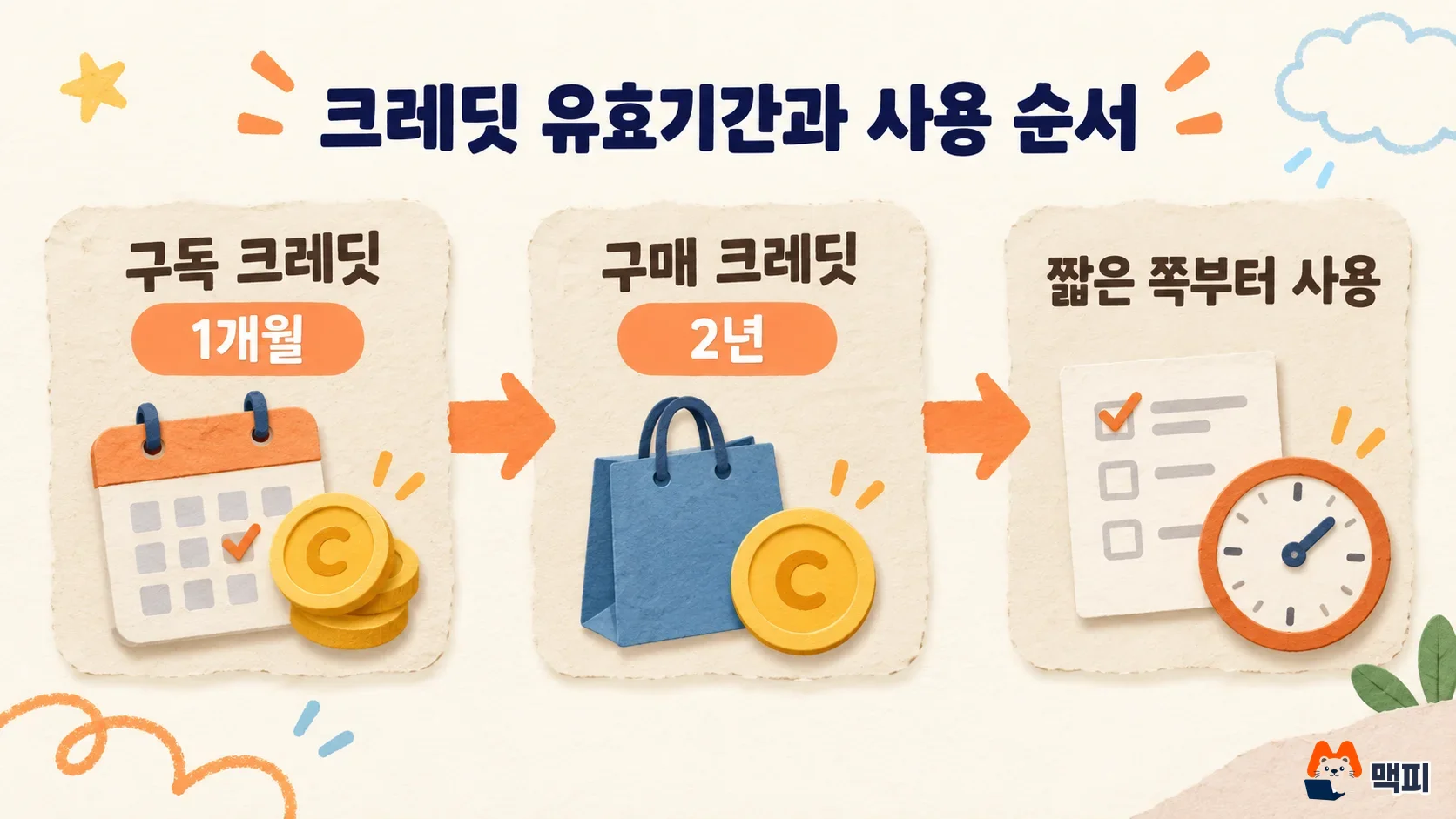
Subscription credits do not roll over to the next month. Even if you do not use all 660 monthly credits, they disappear after a month. If your usage is uneven, it wastes less to lower your subscription and buy only the credits you need. If a generation fails, the deducted credits are refunded.
How many credits one Kling AI video costs
By the official guide, Standard's 660 credits make 33 videos at 720p, which is about 20 credits per video. The 4K option in the Kling VIDEO 3.0 series costs 30 credits per second and supports lengths of 3 to 15 seconds. Credit use changes with resolution, length and model, so the number of videos you can make from the same credits varies a lot with your choices. The most accurate way is to check the credit cost shown on the generation screen before you start.
What to watch for in Kling AI payment and cancellation
The Kling payment policy says auto-renewing services are charged automatically on the expiry date. To stop renewal, you must cancel the subscription before the renewal billing cycle ends. The cancellation takes effect when the current billing cycle ends. The policy also states that payments are not refunded once a paid service is activated.
The first-subscription discount applies only once, so your charge goes up in the second month. Prices are quoted in US dollars. If you pay with a Korean card, the amount billed in Korean won can vary with the exchange rate and card issuer fees.
The order to follow before you pay for Kling AI
First, log in with Basic and make one or two short videos with that day's credits to check the output quality. If you like the results, multiply the number of videos you make in a month by about 20 credits at 720p. That gives the monthly credits you need, so choose the plan that fits. After paying, note the next renewal date on the Kling membership screen. If you do not plan to keep using it, cancel the subscription before that date.
Frequently asked questions
Do Kling AI credits roll over to the next month?
Subscription credits expire 1 month after they are granted and do not roll over. Only credits you buy directly are valid for 2 years.
What happens to my remaining credits if I cancel my Kling AI subscription?
Cancellation takes effect when the current billing cycle ends, so you can use your subscription credits until then. Purchased and promotional credits stay until their own expiry dates, regardless of membership status.
Can I get a refund on a Kling AI paid plan?
Under the payment policy, paid services are not refunded once activated. It is safer to check the results with free credits before you sign up.
Found this useful? Share it
Latest posts
Kakao Share Thumbnail Not Showing? Here's the Fix (JavaScript SDK 2025)
Learn why Kakao Share thumbnails don't appear even with a valid imageUrl, and fix it using scrapImage to convert your URL into a KAGE CDN URL. Step-by-step guide.
How to Generate CRM User Manuals in 20 Minutes with Claude Code Sub-Agents
Learn how Claude Code sub-agents can analyze your CRM codebase and auto-generate user manuals and visual guidebooks in just 20 minutes. See the real-world results.
GEO Generative Engine Optimization: The Complete 2025 AI Marketing Strategy Guide
Learn what GEO (Generative Engine Optimization) is, how it differs from traditional SEO, and discover 5 proven AI marketing strategies to get cited by AI search engines in 2025.
Related projects
Get new posts by email
Insights on marketing, analytics, and dev, delivered to your inbox.