
Suno AI is an AI music service that makes a song from a text description of what you want to hear. According to the official pricing page as of October 5, 2026, the free plan gives 50 credits per day. Paid plans are Pro at $8 per month (2,500 credits) and Premier at $24 per month (10,000 credits). Songs made while subscribed can be used commercially, while songs from the free plan are for personal, non-commercial use only. This guide walks first-time users through the steps to make a song, how credits are counted, download limits, and whether you can post songs to YouTube or Spotify.
How to use Suno AI: steps to make a song
The easiest route is Simple mode. The official help page tells you to choose Simple at suno.com/create and write the song you want to hear as a sentence. A short line like "a synthpop song about partying all night" works. You can also mix in genre, instruments and song structure. If you get stuck, click the dice icon to get a random description.
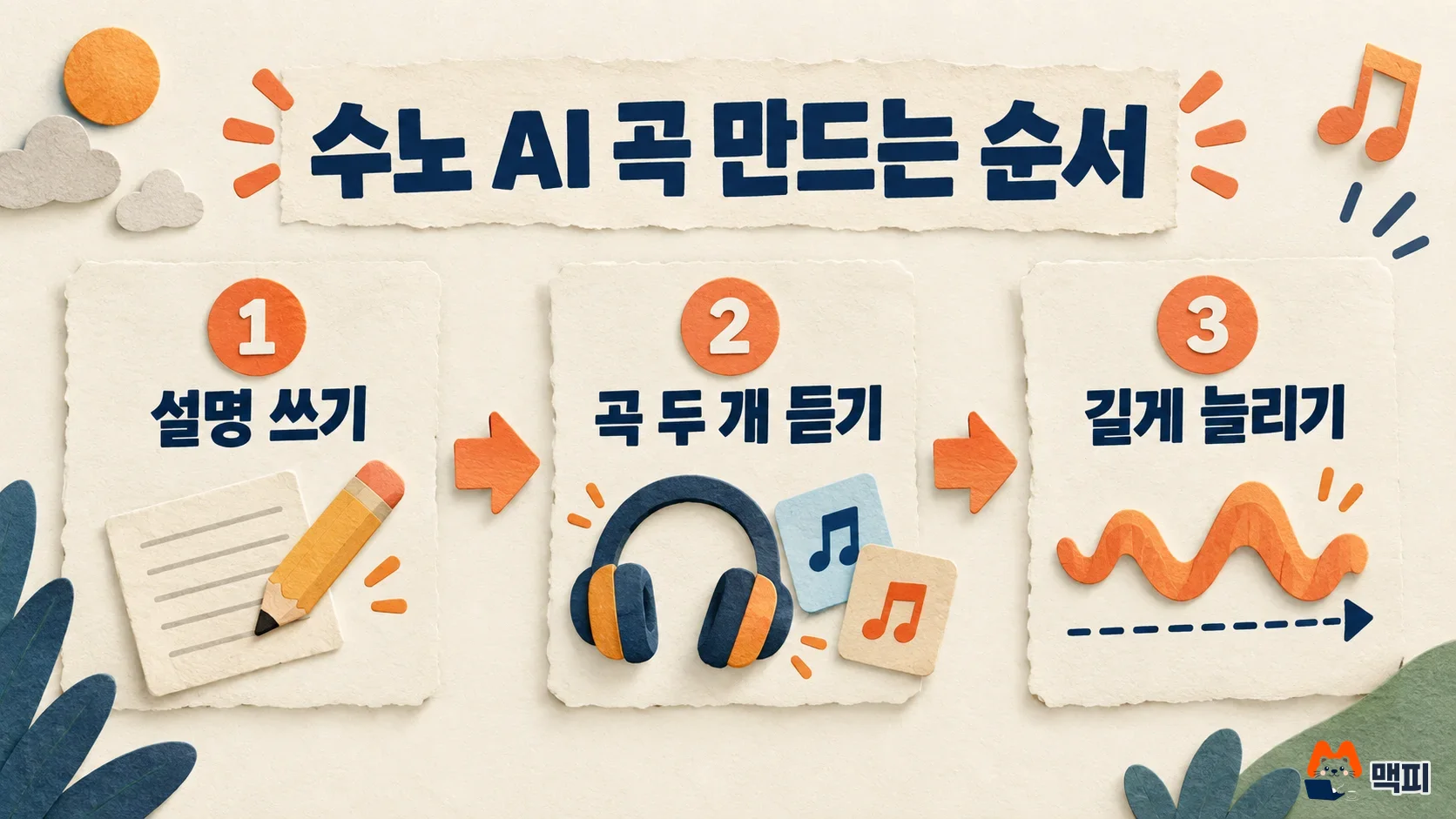
- Choose Simple at suno.com/create.
- Write the song description in one or two sentences and click Create.
- On the v6 model, one generation costs 10 credits and produces two songs. Listen to both and pick the better one.
- If neither song works, edit the description and generate again. To set the vocal gender, add male or female to the description. For example, write "90s alternative song, female vocals". The official help page describes this method.
When generation finishes and two songs appear, your first generation is a success. The free plan uses the v6-mini model, and Pro and Premier can choose v6 or v6-wild. Suno has retired all older models and kept only the v6 family. To check which plan you are on, go to suno.com/account.
Suno AI Custom mode: set lyrics and style yourself
Use Custom mode if you already have lyrics or want to set the genre precisely. According to the official help page, turning on Custom lets you enter lyrics, style, advanced options and title separately. In the lyrics field you can paste your own lyrics or let Suno write them. Turn on Instrumental if you want a track without vocals.
| Field | What to enter | Example |
|---|---|---|
| Lyrics | Paste your own lyrics or let Suno write them. Turn on Instrumental for a track without vocals | Two lines of lyrics you wrote |
| Style | Genre, instruments, mood | acoustic ballad, soft female vocal |
| Advanced options > Exclude | Instruments or elements to leave out | drums |
| Advanced options > Vocal Gender (guide) | Choose male or female vocals | Female |
| Title | Song name | A Letter on a Rainy Day |
Write anything you want to leave out in the Exclude field that appears when you open advanced options. Also note that the rights to lyrics you write yourself stay with you. The example phrases in the table are made up to give you a feel for the input.
Suno AI free vs paid plans compared
Suno has three plans: Free, Pro and Premier. Credits are the points you spend to make songs. The free plan refills 50 credits every day, enough for about 10 songs a day. On the v6 model, one generation costs 10 credits and produces two songs.
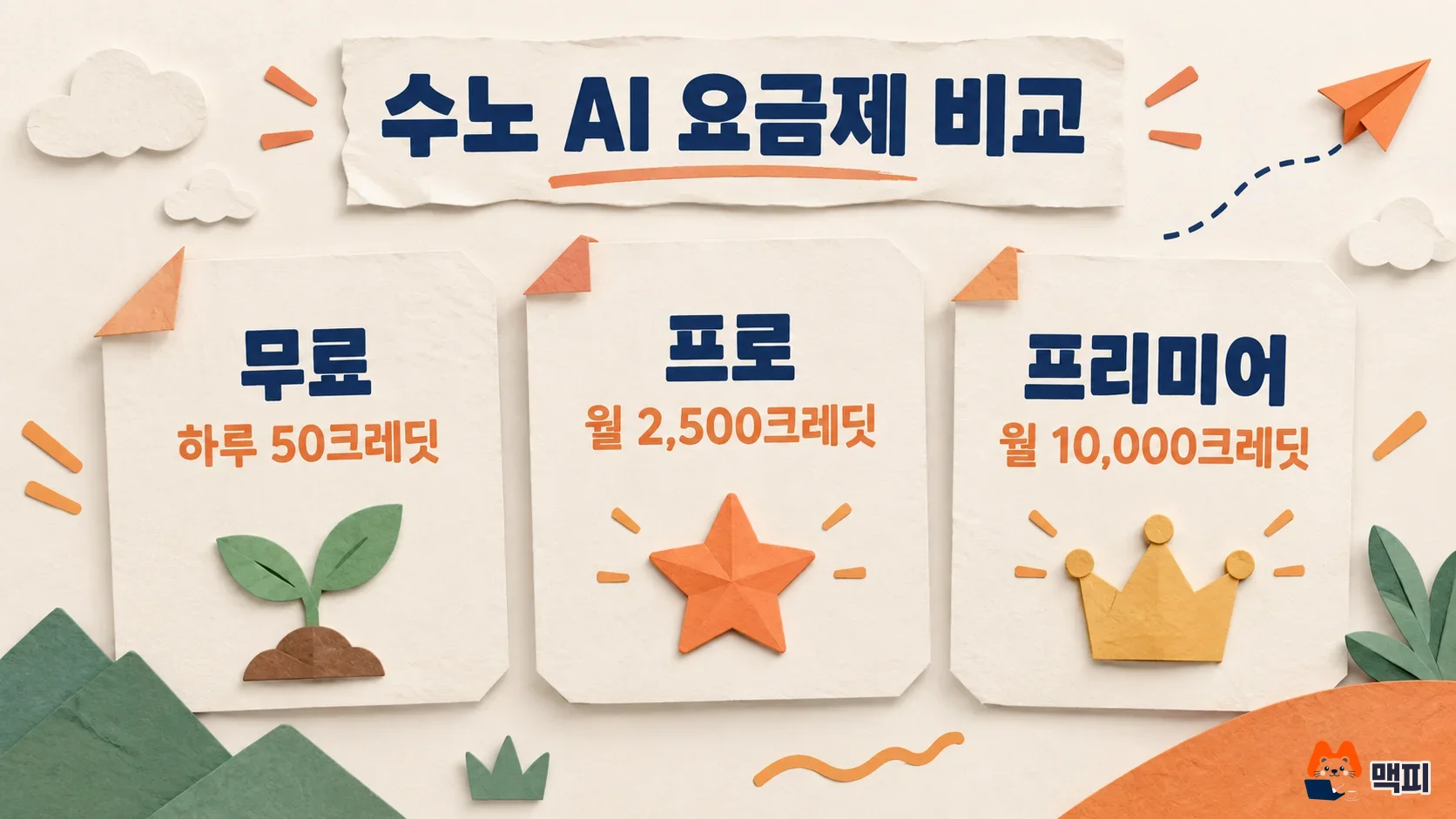
| Item | Free | Pro | Premier |
|---|---|---|---|
| Monthly price | $0 | $8 | $24 |
| Credits | 50 per day | 2,500 per month | 10,000 per month |
| Models | v6-mini | v6, v6-wild | v6, v6-wild |
| Monthly downloads | 7 lifetime (trial) | 20 | 60 |
| Commercial use | Not allowed | Allowed | Allowed |
| Stem separation (files split by instrument, such as vocals and drums) | None | 2 types | 3 types, Suno Studio included |
Prices, credits, models and stems follow the official Suno pricing page. Annual billing is 20% off, and the download limits come from the help page. Korean won prices and VAT were not shown on the pricing page, so use the amount shown at checkout.
Credits included in a subscription do not roll over when the day or month changes. Extra credits you buy separately do not expire, but you need an active subscription to use them. Dividing the 2,500 monthly Pro credits by 10 gives 250 generations. However, long songs, covers, Max Mode for vocal consistency, and image or video attachments use more credits, so you get fewer generations.
Whether free is enough depends on where you will use the song. If you just want to listen and enjoy it or test a video idea, start free. If the use is tied to money, such as YouTube monetization or background music for a product, make the song on a paid plan from the start. The reason is in the rights section below.
Suno AI song length and downloads
One generation gives up to 8 minutes. To go longer, use Extend, which adds a new section after an existing song. In the three-dot menu next to the song name, choose Remix/Edit and then Extend, drag the white arrow to set where the new part attaches, add new lyrics or style, and click Create. To merge the extended parts, choose Get Whole Song from the menu.
For downloads, MP3 is available on every plan, and WAV (an uncompressed, high-quality file) can be downloaded on the web by Pro and Premier. Whether you download the same song in several formats or download it again, it counts as one download. The limit applies to your whole library, including songs made earlier, so Pro's 20 downloads per month means 20 songs. Even after you use up the limit, you can still listen to songs and share them within Suno.
Suno AI commercial use and copyright
Song ownership and commercial use are the most confusing parts of Suno. The official help page decides by your subscription status at the time the song was made.

| Plan when the song was made | Song ownership | Commercial use |
|---|---|---|
| While subscribed to Pro or Premier | You | Allowed, and it stays after you cancel |
| Free | Suno | Not allowed, personal non-commercial only |
The table is based on the song ownership help page. If you subscribe later, a song made on the free plan does not automatically gain commercial rights. The help page says Suno may grant retroactive rights for specific songs, but it does not guarantee this. So make songs for commercial use fresh after you turn on a subscription.
Commercial use being allowed does not mean a song is automatically protected by copyright. Suno states that music made 100% by AI is not eligible for copyright protection because a human did not write the lyrics or music, and explains that writing a prompt is not the same as creating the song. If you wrote the lyrics yourself, there may be a way to register the lyrics, so it tells you to ask your local copyright office. Some music distributors exclude AI songs, so read their terms.
For streaming distribution such as Spotify, or monetization on YouTube and TikTok, the song must have been made while subscribed, and only a person who holds 100% of the rights to the song can monetize it. The help page warns that putting someone else's lyrics into a song without permission can lead to channel removal or distributor blocks.
Common mistakes when using Suno AI
Posting a free-plan song as video background music and earning from it. Free songs are non-commercial only, so monetizing one breaks the rules. Make songs for a revenue-earning channel while subscribed.
Assuming earlier songs are unlocked once you subscribe. Retroactive rights are not guaranteed. If there is a free song you want to use, subscribe and recreate it with the same description.
Counting the download limit by file. The same song counts once even if you download both MP3 and WAV. Splitting downloads by format neither saves nor costs you anything.
Saving leftover subscription credits for next month. Credits included in a subscription do not roll over. Prepare your song descriptions in advance so you do not end the month with credits left over.
Suno AI frequently asked questions
If I write the lyrics myself, are they mine on the free plan?
Yes. The help page says lyrics you write yourself belong to you on any plan. However, you still have no commercial rights to the whole song made on the free plan.
Can I upload a Suno AI song to Spotify?
If the song was made while subscribed to Pro or Premier, you can distribute it to platforms such as Spotify and Apple Music. Free plan songs cannot be monetized, and crediting Suno is optional.
Does re-downloading a song I already downloaded use up another download?
No. After the first download, downloading the same song again is not counted, and failed downloads are not counted either.
What to do today
At suno.com/create, write one line about the song you want in Simple mode and listen to the two results first. If you like them, refine the lyrics and style in Custom. If the song is for YouTube or a product, turn on a Pro or Premier subscription at suno.com/account and then make that song fresh.
Found this useful? Share it
Latest posts
Kakao Share Thumbnail Not Showing? Here's the Fix (JavaScript SDK 2025)
Learn why Kakao Share thumbnails don't appear even with a valid imageUrl, and fix it using scrapImage to convert your URL into a KAGE CDN URL. Step-by-step guide.
How to Generate CRM User Manuals in 20 Minutes with Claude Code Sub-Agents
Learn how Claude Code sub-agents can analyze your CRM codebase and auto-generate user manuals and visual guidebooks in just 20 minutes. See the real-world results.
GEO Generative Engine Optimization: The Complete 2025 AI Marketing Strategy Guide
Learn what GEO (Generative Engine Optimization) is, how it differs from traditional SEO, and discover 5 proven AI marketing strategies to get cited by AI search engines in 2025.
Related projects
Get new posts by email
Insights on marketing, analytics, and dev, delivered to your inbox.