
BigQuery Python UDF logging lets you see records written with Python's standard logging inside a UDF in Cloud Logging. Google Cloud introduced this method on October 20, 2026 on its official blog. Before you run the query, turn on enableDebugOutput in the session. Logging is off by default.
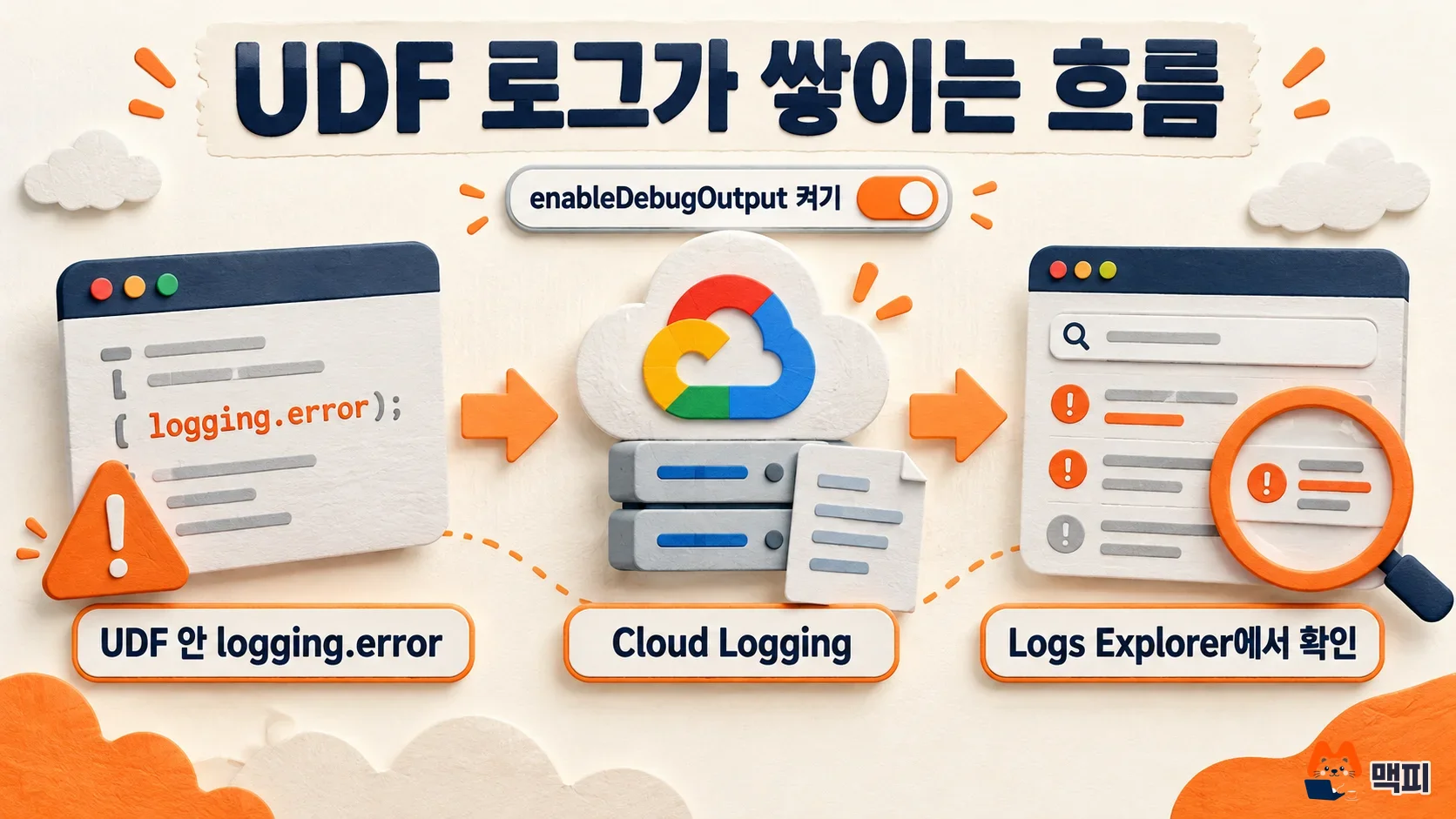
What changed Structured logs written with logging.info and logging.error inside a Python UDF now land in Cloud Logging.
Who is affected Data pipeline owners who use Python UDFs in BigQuery for JSON parsing and value cleanup.
What to do now Turn on debug output in the session, log only the problem rows, and update the UDF to return NULL for them.
When you need BigQuery Python UDF logs
Say you process millions of rows with a UDF and the whole query fails because of one row. Finding that row is hard. It is like a parcel sorting center where one box jams the conveyor belt and you cannot tell which box it is. If you stick a note on the bad box and move it to a side bin, the belt keeps running. Later, you can read the notes and find the cause. UDF logging plays the role of that note. Just be careful: if you write customer data into the note, everyone who can read the notes can see it.
The example in the Google Cloud blog is a UDF that logs an error when it meets invalid JSON and returns None (NULL in SQL). The bad record is isolated, and the whole query does not stop.
How to turn on logging in a Python UDF
According to the official BigQuery documentation, Python UDF logging is off by default to prevent data leaks. Before you run the query, run the statement below first in the same session.
SET @@udf.properties = JSON '{"enableDebugOutput": true}';Then use the logging library inside the UDF. The documentation says print() is not supported, so if your existing UDFs use print, switch them to logging. Only the python-3.11 runtime is supported.
CREATE OR REPLACE FUNCTION `YOUR_PROJECT.YOUR_DATASET.safe_parse_json`(
  raw_payload STRING, required_key STRING
) RETURNS STRING
LANGUAGE python
OPTIONS (entry_point='safe_parse_json', runtime_version='python-3.11')
AS r'''
import json
import logging

def safe_parse_json(raw_payload, required_key):
    try:
        data = json.loads(raw_payload)
        if required_key and (required_key not in data or data[required_key] is None):
            logging.error(json.dumps({
                "error_type": "MISSING_REQUIRED_KEY",
                "missing_key": required_key,
                "raw_payload": raw_payload[:200]
            }))
            return None
        return json.dumps(data)
    except Exception as e:
        logging.error(json.dumps({
            "error_type": "JSON_SYNTAX_ERROR",
            "error_message": str(e),
            "raw_payload": raw_payload[:200]
        }))
        return None
''';
This code is a shortened version of the Google Cloud blog example. If you write logs as JSON strings built with json.dumps, it is easy to count errors by type with SQL later.
Where to check BigQuery UDF logs
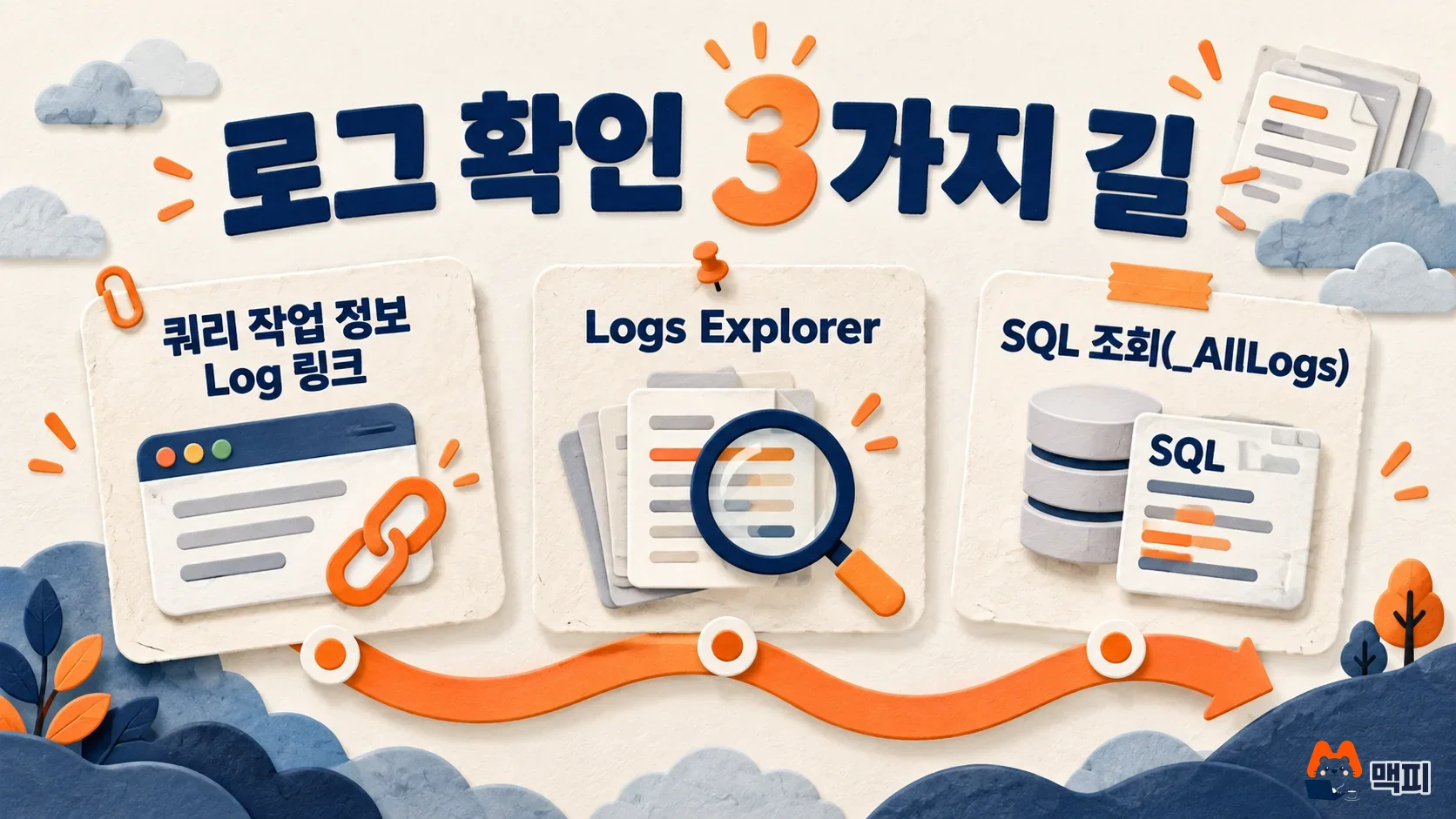
Logs are written to the bigquery.googleapis.com/ManagedRoutineInvocation resource in Cloud Logging. The official documentation describes three ways to check them.
| Method | Where and how |
|---|---|
| Query job information | In BigQuery, open the Log link on the job information tab of the query job. |
| Logs Explorer | Filter with resource.type="bigquery.googleapis.com/ManagedRoutineInvocation" severity>=ERROR. To see one specific run, narrow it with the query_job_id label. |
| SQL query | Enable Log Analytics on the Cloud Logging bucket, create a linked dataset, then query the _AllLogs view. |
With SQL, you can count right away how many errors of each type occurred. The example query from the Google Cloud blog is below.
SELECT timestamp, severity,
       JSON_VALUE(json_payload.error_type) AS error_type,
       JSON_VALUE(json_payload.missing_key) AS missing_key,
       JSON_VALUE(json_payload.raw_payload) AS raw_payload
FROM `YOUR_PROJECT.YOUR_LOGS_LINKED_DATASET._AllLogs`
WHERE log_name LIKE '%managed_routine_output%'
ORDER BY timestamp DESC
LIMIT 10;
To judge success, filter Logs Explorer by the query_job_id of the run you just made and check whether the JSON message from inside the UDF appears. If nothing shows up, first check that you ran SET @@udf.properties in the same session as the query.
Alerts, log costs, and security cautions
According to the Google Cloud blog, you can click Create alert in Logs Explorer to get error alerts through channels such as Slack, PagerDuty, and email. These alerts run on log-based metrics in Cloud Monitoring.
There are two cautions. First, log data follows Google Cloud Observability pricing. The official documentation recommends logging only for exceptions, data anomalies, and specific debugging periods. The blog also advises logging only errors or sampling in high-throughput pipelines. Second, users who can view the logs can see the recorded content even if they have no BigQuery permission on the underlying data. So it is safer to keep only the first 200 characters of the raw input, as in the example, or to not record personal data and secrets at all.
As of October 20, when this article was written, the official blog and documentation do not state the release stage (preview or general availability). Check the latest wording in the documentation before using it in your organization.
Frequently asked questions
Can I use print inside a UDF?
The official documentation says print() is not supported in Python UDFs. Use logging.info or logging.error.
Does leaving logging on always cost money?
Logs are stored in Cloud Logging, so Google Cloud Observability pricing applies. Logging is off by default, and logging only error rows keeps the volume down.
Found this useful? Share it
Latest posts
Kakao Share Thumbnail Not Showing? Here's the Fix (JavaScript SDK 2025)
Learn why Kakao Share thumbnails don't appear even with a valid imageUrl, and fix it using scrapImage to convert your URL into a KAGE CDN URL. Step-by-step guide.
How to Generate CRM User Manuals in 20 Minutes with Claude Code Sub-Agents
Learn how Claude Code sub-agents can analyze your CRM codebase and auto-generate user manuals and visual guidebooks in just 20 minutes. See the real-world results.
GEO Generative Engine Optimization: The Complete 2025 AI Marketing Strategy Guide
Learn what GEO (Generative Engine Optimization) is, how it differs from traditional SEO, and discover 5 proven AI marketing strategies to get cited by AI search engines in 2025.
Related projects
Get new posts by email
Insights on marketing, analytics, and dev, delivered to your inbox.