
A ChatGPT plugin packages skills (written task workflows) and an MCP server (a connection to an outside service) into one extension you install in ChatGPT and Codex. You can start with just two files in a folder: plugin.json and skills/name/SKILL.md. To share with your team, publish to a workspace. To open it to everyone, pass review and list it in the public directory (as of September 30, 2026). It shares a name with the old plugins that ended in April 2024, but it is a different thing.
This article covers what a plugin is made of, the build steps, the three ways to distribute it and the items that trip up review. It is based on five pages of OpenAI developer documentation: plugin concepts, packaging, skills, submission and guidelines. MCPY (Maekpi in the original) read the source pages directly on September 30, 2026. The docs reflect that date, and the submission screens and rules may change. Plugin extensions were mentioned at DevDay on September 29 and searches rose, but the steps below were in the docs before the announcement.
Read this first in three lines
- What it is: A plugin is an installable unit that holds skills, an MCP server and an optional screen (UI). ChatGPT and Codex share one public directory.
- How to build: Start with one portable
plugin.jsonand a skills folder. The fastest route is the@plugin-creatorskill in ChatGPT. - How to ship: Test in your own repository, have an admin publish to the workspace, or upload a ZIP and pass review to go public. A public submission must include the MCP server in the first ZIP.
What a ChatGPT plugin is and how it differs from the old plugins
OpenAI's docs define a plugin as a package that people find, install, share and publish in ChatGPT and Codex. A skill is a SKILL.md folder that describes the steps and success criteria of a repeated task. An MCP server is a program that connects to an outside service and gives the model tools it can call. MCP is an open standard for AI to access external tools and data.
Many people who search for this think of the 2023 plugins. Those plugins were blocked from new installs on March 19, 2024, and conversations with them ended on April 9. You can confirm that OpenAI said GPTs would replace them in the OpenAI community's plugin shutdown notice and Zapier's plugin sunset announcement. Today's plugin does not continue that structure. It is a new package that bundles skills and an MCP server. According to these docs, ChatGPT and Codex share a single public directory.
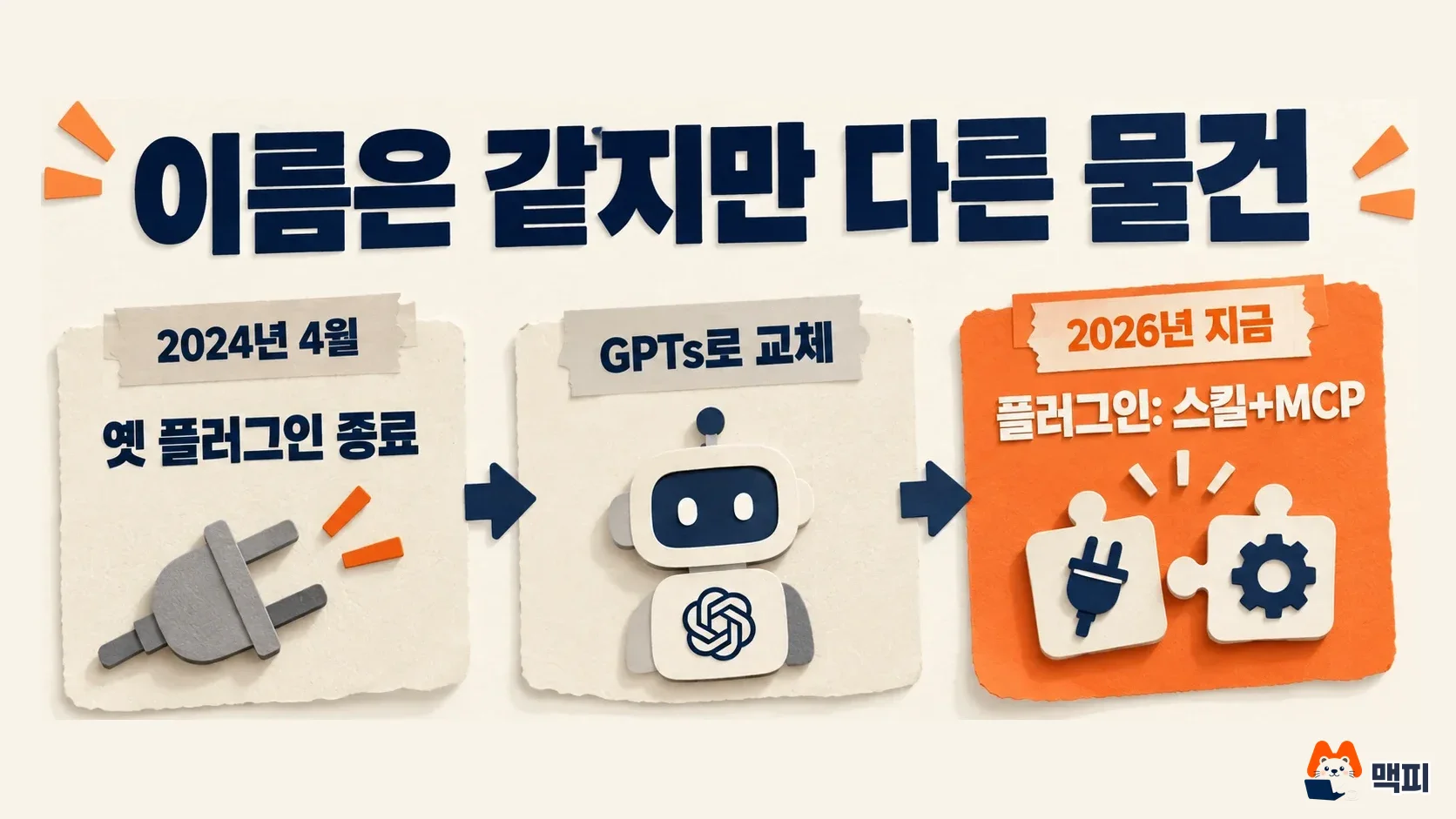
| Item | Old plugins (2023 to April 2024) | Current plugins (September 2026 docs) |
|---|---|---|
| Status | Conversations ended April 9, 2024 | Public directory in operation |
| Structure | Connected through an API spec | Skills, MCP server, optional UI |
| Where it works | ChatGPT | ChatGPT and Codex |
I could not find a document where OpenAI compares GPTs and current plugins in one table, so I left that comparison out.
A plugin is built from a few parts
The official concepts page describes four shapes for a plugin. You can include only skills, only an MCP server, both, or add a screen (UI) to the server. The screen is not required. The docs say to add one only when a person needs to compare, edit or confirm results. A product comparison table or a schedule editor are examples. A simple status lookup does not need one.
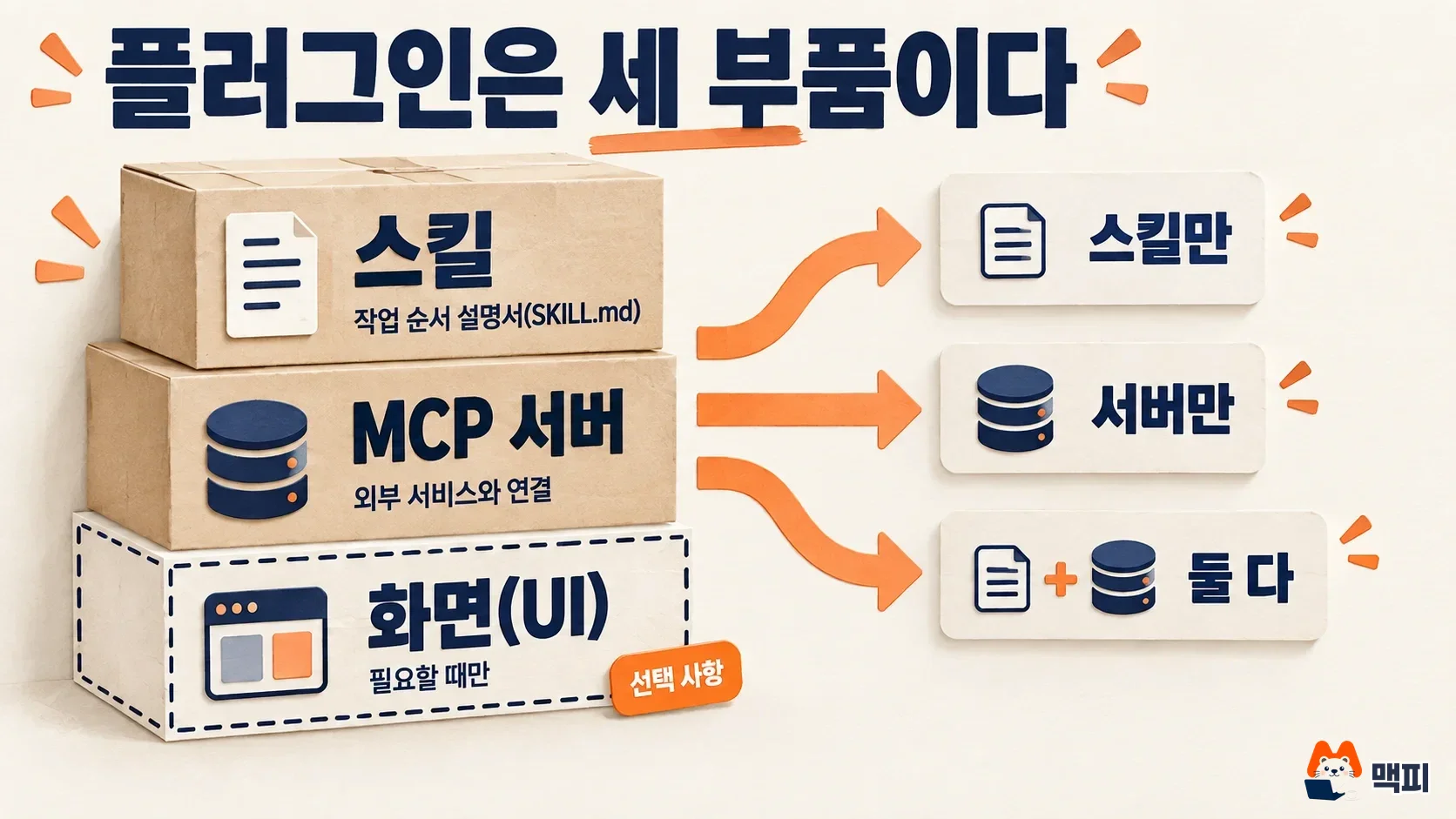
Here is how to choose between a skill and an MCP server. If you need a tool-calling order, decision rules, an output format or examples, use a skill. If you need live data, login, permission control or safely controlled actions, use an MCP server. As a hypothetical example, filling in an ad report template the same way every week works with a skill alone. Reading real performance numbers from an ad account needs an MCP server. This is an assumption made by MCPY and is not a case from the OpenAI docs.
Dots (an always-on agent) also connects to more than 4,000 apps through plugins. The eligible plans and safeguards for Dots are covered in our article on ChatGPT Dots requirements.
How to build a plugin in 5 steps
Reduced to the smallest example, the official packaging steps look like this.
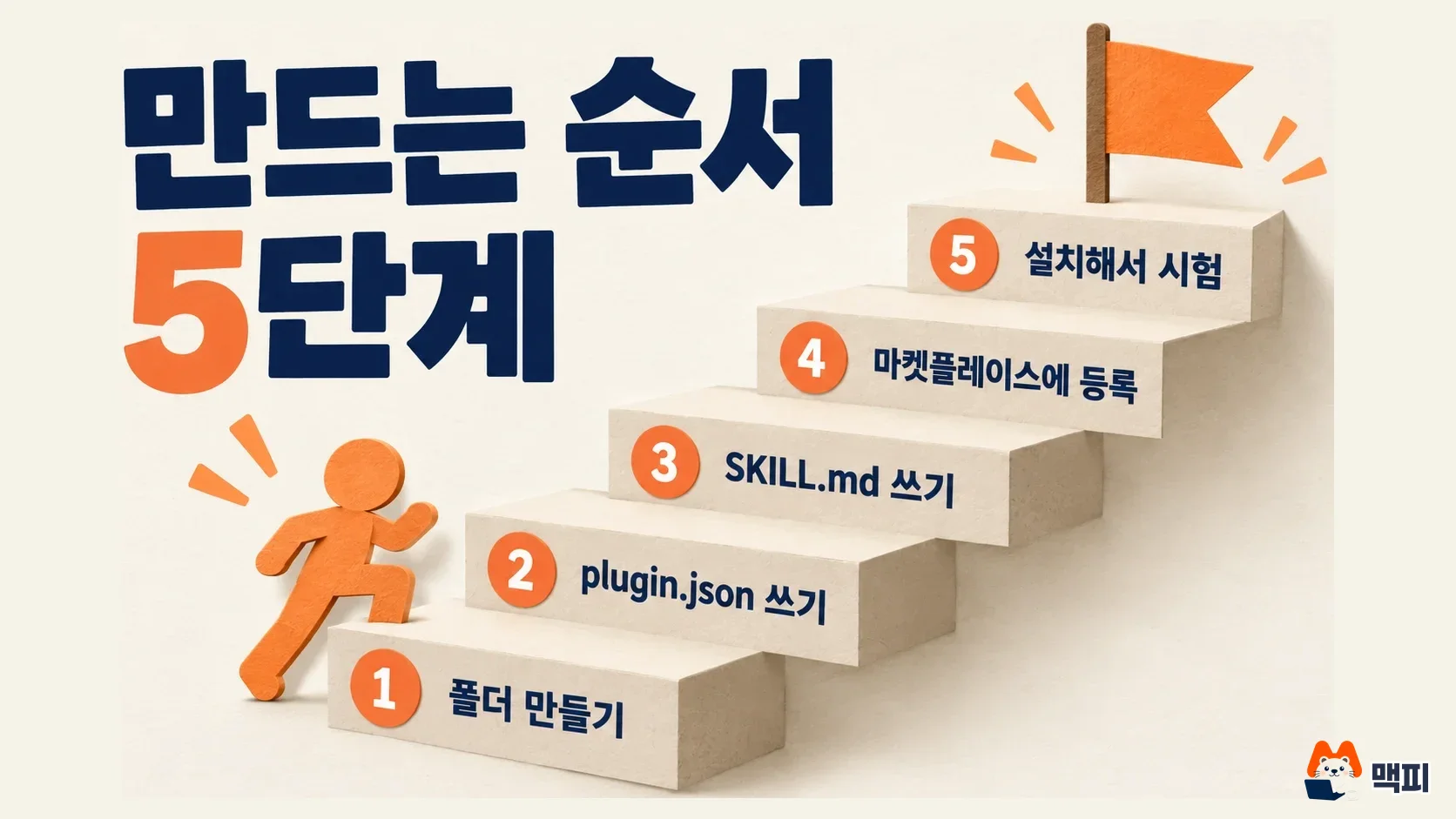
Step 1: Create a folder and put the portable manifest plugin.json in its root. Name it in lowercase kebab-case, because the host uses this name as the plugin identifier.
{
  "$schema": "https://agent-plugins.org/schemas/1.0.0/plugin.schema.json",
  "name": "my-first-plugin",
  "version": "1.0.0",
  "description": "Reusable greeting workflow"
}
Step 2: Write the skill in skills/hello/SKILL.md. A portable package finds the skills/ folder in the root automatically, so you do not list the skill path in the manifest. The name and description at the top are required. The model reads description to decide when to turn the skill on, so write the user's goal concretely.
---
name: hello
description: Greet the user with a friendly message.
---
Step 3: If you need an outside service, list the server in mcp.json. The portable format requires a communication type for each server. The example doc uses "type": "streamable-http" and a server address. The docs warn that you cannot just rename the .mcp.json made by scaffolding.
Step 4: Add the plugin to a marketplace for local testing. For a repository it is $REPO_ROOT/.agents/plugins/marketplace.json. For personal use it is ~/.agents/plugins/marketplace.json. There, point source.path at the plugin folder and set installation to AVAILABLE.
Step 5: Restart the ChatGPT desktop app, pick that marketplace in the plugin directory and check that the plugin appears. If it does, install it and test in a real conversation that the skill turns on.
If you do not want to build by hand, @plugin-creator is faster. Use @plugin-creator in ChatGPT's Work mode, or $plugin-creator in Codex. Note that this skill does not make a portable package. It makes a .codex-plugin/plugin.json compatible structure. The docs say they keep supporting this structure. If you plan to change the packaging later, it is better to build the portable version by hand from the start.
If you already have an MCP server, turn on developer mode under Security and login in ChatGPT settings. Then register the server address with the plus button at chatgpt.com/plugins. Once the connection is created, an ID starting with plugin_asdk_app appears in the browser address. Pass this ID to @plugin-creator and it creates a plugin with the server connection included.
Three ways to test and publish

First, a repository or personal marketplace. Put marketplace.json in the team repository and add it with the codex plugin marketplace add owner/repo command. This suits testing and internal team distribution.
Second, workspace publishing. Only workspace admins can do it. In Personal at chatgpt.com/plugins, open the three-dot menu on the plugin, click Publish and choose which roles get access. A plugin published this way is visible only inside that organization and is not listed in the public directory. Admins can also block this publishing with features.plugin_sharing = false.
Third, the public directory. Upload a ZIP at platform.openai.com/plugins, fix the results of the automated checks and request review. After approval, the developer chooses when to publish. After publishing, OpenAI scans MCP server changes every day and applies only those that pass the checks, so you do not need to upload the ZIP again. In contrast, changing metadata, skills or MCP server settings needs a new ZIP.
What to prepare for public review
- Identity: The submitter must be an individual or an organization that has completed business verification. Submission is done by an organization owner or someone with Apps Management Write permission.
- Server connection: Each plugin can connect to one MCP server. You prove domain ownership by uploading a token as text at the
/.well-known/openai-apps-challengeaddress. - Test materials: 5 positive cases, 3 negative cases (requests the plugin should not handle), a demo video URL, release notes and, if login is required, a test account for reviewers. Accounts that need MFA or SMS verification are not allowed.
- Name and description: Do not add MCP or Plugin after a company or product name. Price, free trial and discount wording are not allowed in the description.
- Audience: It must suit a general audience that includes ages 13 to 17. You cannot target children under 13.
- Originality: The guidelines say a plugin that just repeats what ChatGPT's built-in features already do does not fit the program's purpose.
If you are considering a public submission, MCPY recommends including the MCP server from the first ZIP. The docs say that adding an MCP server later to a skills-only plugin already listed is not currently supported. For internal use, it is fine to start with skills alone.
The DevDay announcement post says plugin extensions support sidebar items, interactive panels and file viewers. I could not confirm the detailed steps or the release timing, so this article leaves them out of the build steps. The full announcement is in our DevDay 2026 recap.
What to check in Korea
- Availability: The developer docs do not state coverage by plan. Whether you can install a plugin may differ by plan, workspace, role and region for each plugin, so check directly whether the install button appears on your account. Check coverage in OpenAI's help article Plugins in ChatGPT and Codex.
- Country availability: The public submission metadata has fields for availability by country and for translations. If you target Korean users, check that you have a Korean description and that Korea is among the countries where the plugin is offered.
- Privacy: If the plugin is an MCP server that reads ad accounts or customer data, the server operator becomes the party that processes that data. Korean requirements for entrusting personal data processing are outside what the OpenAI docs cover, so confirm them separately with legal or the person in charge.
- Cost: I did not find any mention in the docs of a separate fee for building or publishing a plugin. Limits by ChatGPT plan keep changing, so also see our article on ChatGPT plan limits (in Korean).
Common mistakes
The most common one is following 2023 material. Tutorials that build with an OpenAPI spec and ai-plugin.json are for the old plugins and cannot be used now. Second, renaming .mcp.json to mcp.json and leaving out type. The portable format needs the communication type for each server. Third, writing the skill's description carelessly. The model decides whether to turn on a skill from this sentence, so a line like "help out" will not trigger it well. Fourth, assuming a workspace publish makes the plugin public. The two paths are separate. Fifth, putting secret keys or account credentials in the ZIP. The docs explicitly forbid it. Sixth, adding wording to the description that tells the model to pick it before other plugins. That violates the fair competition clause of the guidelines.
Steps to try today
- Open chatgpt.com/plugins and check that the directory and install button appear on your account.
- Pick one repeated task of yours and write it as a single skill. Put the input, steps and output format in
SKILL.md. - Add it to a local marketplace with
@plugin-creatoror the 5 steps above, install it and test three times in real conversations that the skill turns on. - Attach an MCP server only when you truly need outside data. If you plan a public submission, read the plugin guidelines first.
The docs change often, so open the submission page of the developer docs once more right before you submit.
Sources
- OpenAI developer docs, Plugin architecture
- OpenAI developer docs, Package your plugin
- OpenAI developer docs, Build skills
- OpenAI developer docs, Upload and submit your plugin
- OpenAI developer docs, Plugin guidelines
- OpenAI developer community, DevDay 2026 announcements and developer resources (September 29, 2026)
- OpenAI Help, Plugins in ChatGPT and Codex
- OpenAI community, Plugins are no longer supported (old plugin shutdown)
- Zapier, Sunsetting the Zapier ChatGPT plugin
Found this useful? Share it
Latest posts
Kakao Share Thumbnail Not Showing? Here's the Fix (JavaScript SDK 2025)
Learn why Kakao Share thumbnails don't appear even with a valid imageUrl, and fix it using scrapImage to convert your URL into a KAGE CDN URL. Step-by-step guide.
How to Generate CRM User Manuals in 20 Minutes with Claude Code Sub-Agents
Learn how Claude Code sub-agents can analyze your CRM codebase and auto-generate user manuals and visual guidebooks in just 20 minutes. See the real-world results.
GEO Generative Engine Optimization: The Complete 2025 AI Marketing Strategy Guide
Learn what GEO (Generative Engine Optimization) is, how it differs from traditional SEO, and discover 5 proven AI marketing strategies to get cited by AI search engines in 2025.
Related projects
Get new posts by email
Insights on marketing, analytics, and dev, delivered to your inbox.