

The Gemini API request storage default (store) changes on October 26, 2026. New projects created on the paid tier save generateContent requests by default (store=true), and existing projects keep their current setting. This comes from the Google Gemini API changelog.
What changed For paid-tier projects created after October 26, Generate Content API requests and responses are saved to logs by default.
Who is affected Developers and marketers who create a new paid project and send personal data or internal documents to the Gemini API. Existing projects are not affected.
What to do now For a new project, check the log settings. For requests you do not want stored, add store=false or turn off project logging.
What changed in Gemini API request storage
Imagine you sign up for a shipping service that automatically keeps a copy of every receipt. The copy makes it easier to trace problems later. But if a box held someone's personal contact details, you need to know in advance that a copy remains. The Gemini API now works the same way for new paid projects: requests are kept in logs by default. This change applies only to new projects. A project you already use will not suddenly start storing requests.
According to the Google changelog, requests from new paid-tier projects using generateContent, streamGenerateContent, and batchGenerateContent are now stored by default. This matches how the Interactions API works. The logs and datasets documentation gives the exact cutoff date of October 26. Only new projects created on or after that date store requests by default. Projects created before it do not store anything unless you turn logging on yourself in AI Studio.
| Category | Default storage |
|---|---|
| Paid-tier projects created after October 26 | On (store=true) |
| Projects created before October 26 | Not stored unless you turn it on |
| Interactions API | Stored by default (store=true) |
| Free-tier projects | Logging not available (paid tier only) |

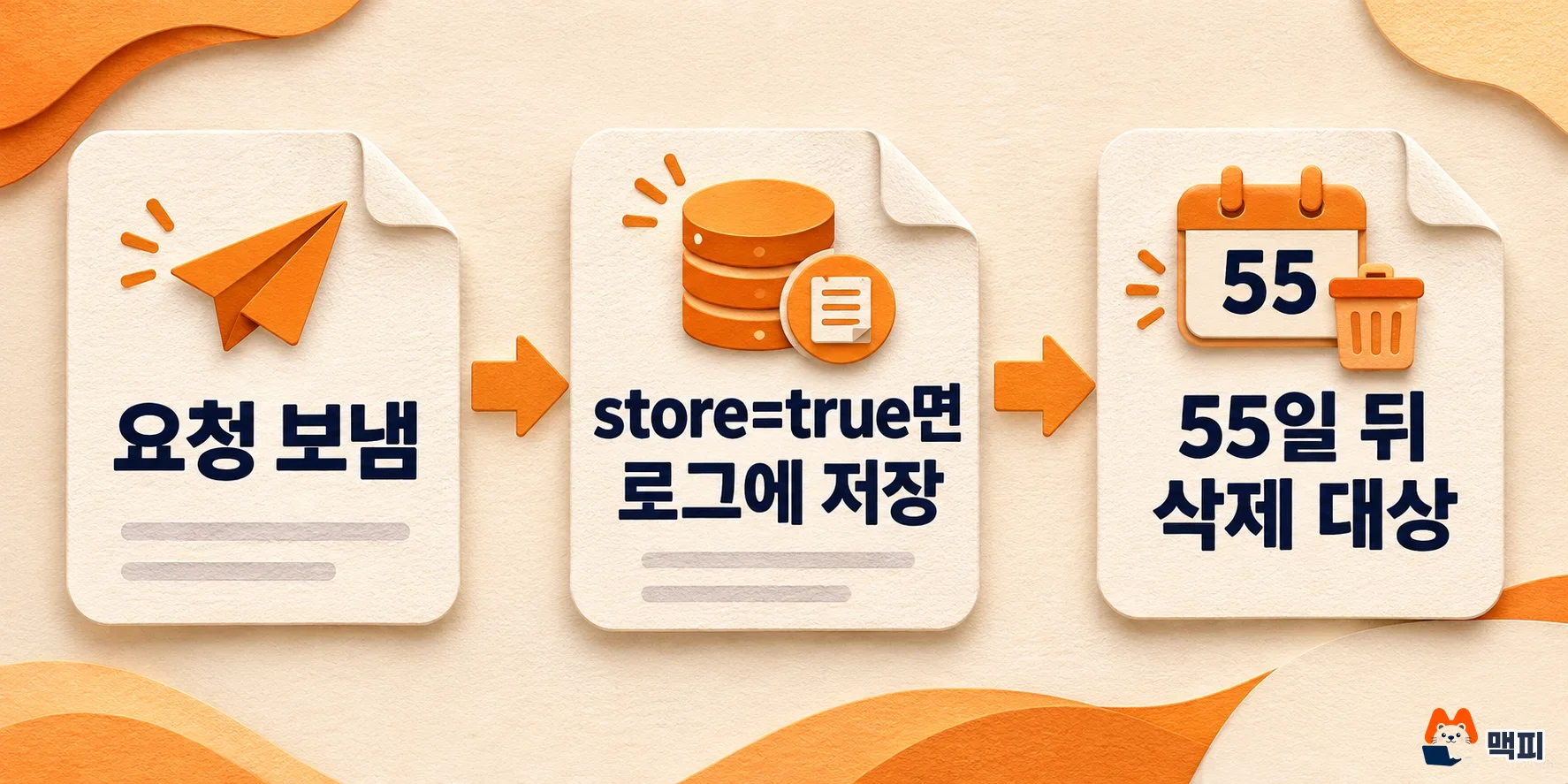
Stored requests stay in logs for up to 55 days
You can view stored requests in the log dashboard in AI Studio. According to the logs and datasets documentation, the default retention period is 55 days. You can choose 7, 14, 28, or 55 days. Logs you add to a dataset do not expire, and you can export them as CSV, JSONL, or Google Sheets. To view logs, the project needs at least one active API key.
Not every call is stored. The same document says logging is not supported for the image generation model Imagen, the video model Veo, embedding models, and inputs that contain video, GIF, or PDF files. Calls sent through the OpenAI-compatible endpoint, on the other hand, are included.
Storage and training use are separate issues. The Gemini API Additional Terms state that prompts and responses on paid services are not used to improve Google products. For free services, inputs and responses are used for product improvement and may be reviewed by humans, so Google advises against sending sensitive personal data or confidential information. Whether a service counts as paid depends on whether a billing account is linked. The changelog does not say that this change alters training use under the terms.
How to turn off Gemini API request storage
There are two ways to stop storage, and the per-request setting takes priority over the project setting. For requests you do not want to keep, such as personal data or customer inquiries, add store=false to each request. To turn it off for the whole project, disable Generate Content API logging in the settings panel of the AI Studio log dashboard. According to the logs and datasets documentation, Generate Content and Interactions are configured separately.

- Open the log dashboard (Logs and Datasets) for the project in AI Studio.
- Open the Settings panel.
- Turn off Generate Content API logging. If you also use the Interactions API, turn that off separately.
- To confirm the change, send one test request and check that no new entry appears in the log list.
To use store per request, your SDK version must be recent enough. The logs and datasets documentation lists minimum versions: Python google-genai 2.33.0 and JavaScript @google/genai 2.31.0. With an older version you cannot send the store setting, so upgrade first.
Turning off storage changes how the Interactions API works. According to the Interactions documentation, store=false cannot be combined with background execution, and the next turn cannot continue the earlier conversation through previous_interaction_id. In that case you must send the full conversation with every request. You can delete an already stored interaction with the delete method. Retention is 55 days on the paid tier and 1 day on the free tier.
Does this apply to your project, and what to do now
You can tell by the project creation date and tier. Based on the changelog, a paid-tier project created after October 26 is affected. A project created earlier does not store requests unless you turn it on yourself, as described in the logs and datasets documentation. Log storage is supported only for paid-tier projects. On a team account, check the creation date in the project list.
When you create a new project, check these items in order.
- Decide whether the service handles personal or confidential data, such as customer names, contact details, or contracts.
- If it does, turn off logging or add
store=falseto each request before you send the first one. - If the service needs logs (quality checks, collecting evaluation data), set a short retention period and decide who can view the logs.
- If requests are already stored, check the entries still within the retention period in the log dashboard.
If personal data passes through your service, turning storage off is the safer choice. Under the Additional Terms, prompts and responses on paid services are not used for product improvement. But once they are stored in logs, they remain visible in the log dashboard for the whole retention period. On the other hand, if you want to keep requests on purpose, for example to compare response quality or build evaluation data, storage actually helps. In that case, decide first which data you will send. Google has not said in this changelog whether the change will apply to existing projects or expand to other tiers. For other API changes such as model deprecations, see our summary of Gemini API model changes.
Frequently asked questions
Are requests from existing projects stored too?
No. Projects created before October 26 do not store requests unless you turn logging on yourself in AI Studio.
Does Google use stored logs for training?
The Additional Terms state that prompts and responses on paid services are not used to improve products. On free services, they may be used for product improvement.
When are stored logs deleted?
After the default 55-day retention period, they become eligible for deletion. You can shorten it to 7, 14, or 28 days. Logs added to a dataset do not expire.
Found this useful? Share it
Latest posts
Kakao Share Thumbnail Not Showing? Here's the Fix (JavaScript SDK 2025)
Learn why Kakao Share thumbnails don't appear even with a valid imageUrl, and fix it using scrapImage to convert your URL into a KAGE CDN URL. Step-by-step guide.
How to Generate CRM User Manuals in 20 Minutes with Claude Code Sub-Agents
Learn how Claude Code sub-agents can analyze your CRM codebase and auto-generate user manuals and visual guidebooks in just 20 minutes. See the real-world results.
GEO Generative Engine Optimization: The Complete 2025 AI Marketing Strategy Guide
Learn what GEO (Generative Engine Optimization) is, how it differs from traditional SEO, and discover 5 proven AI marketing strategies to get cited by AI search engines in 2025.
Related projects
Get new posts by email
Insights on marketing, analytics, and dev, delivered to your inbox.