
A Gemini prompt is the request you type into Gemini. Write four things (role, task, context, and format) and the answer gets closer to what you want. The Google Workspace guide to writing effective prompts presents these four elements as the basic frame. It also says you do not need all four in your first request. Review the result and refine it through conversation (as of October 7, 2026). Google's help page Get started with good prompts explains that this method applies to both the Gemini app (gemini.google.com) and Workspace apps such as Docs and Gmail.
How to write a Gemini prompt: role, task, context, format
The four elements in Google's guide cut down the blanks the model has to fill by guessing. Role sets whose point of view the answer takes. Task sets what you ask it to do. Context sets the background you are working in. Format sets the shape of the result you want back.
| Element | What to write | Example from Google's guide |
|---|---|---|
| Role | The viewpoint of the person answering | "You are a program manager in [industry]" |
| Task | An action such as summarizing, drafting, or generating | "Draft a summary email to executives" |
| Context | Relevant background and reference material | "Based on [details of the program document]" |
| Format | The shape of the output, such as bullet points or an email | "Limit it to bullet points" |

The same guide also lists six tips. Write in natural sentences, as if you were talking to a person. Be specific about what you need, but keep it short and avoid jargon. If the result falls short, fix it with a follow-up request. Reference documents in Google Drive to fit the answer to your situation. Finally, check the result for clarity and accuracy yourself before you use it for work.
Gemini prompt examples: weak requests vs. good requests
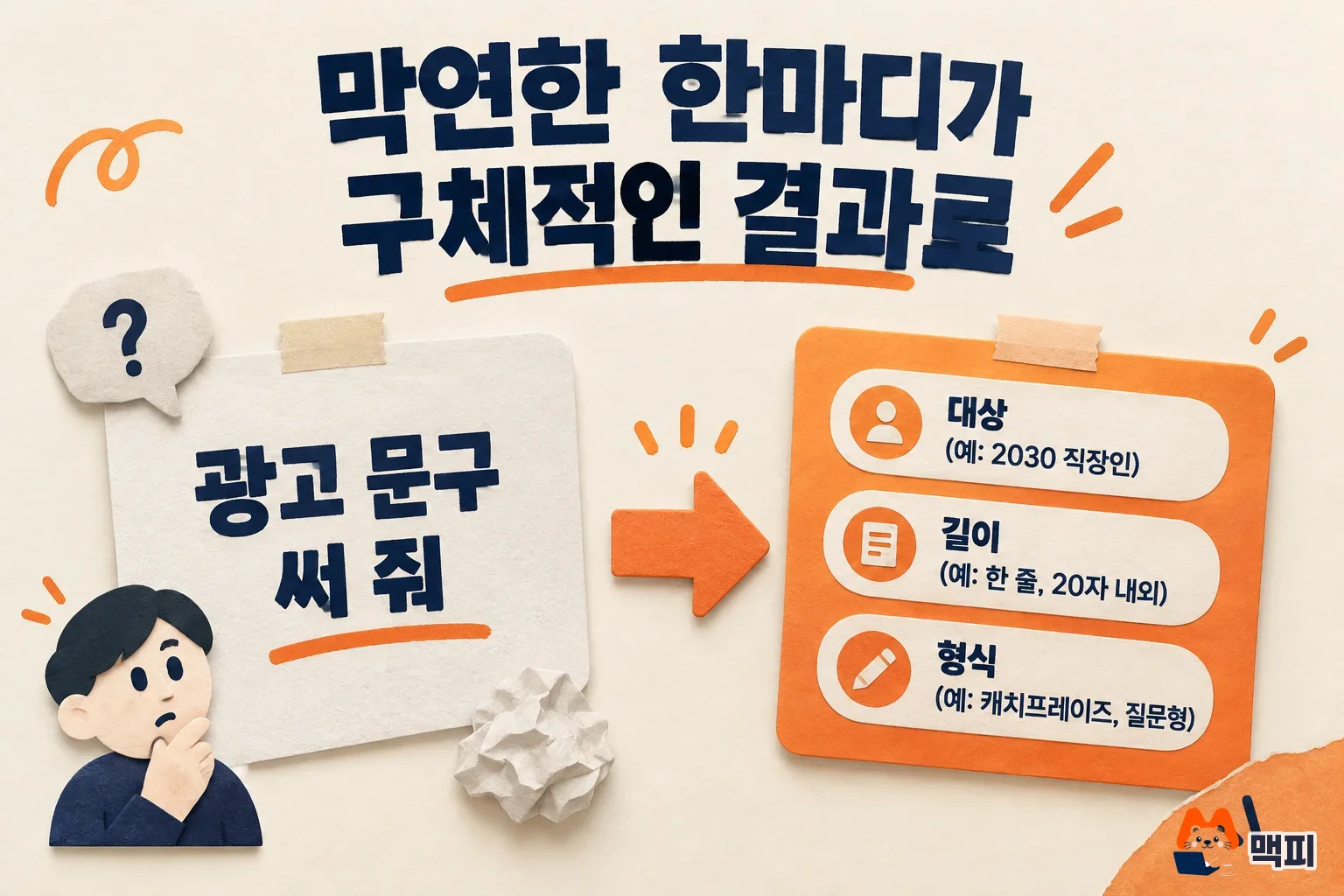
The Google support page Tips for writing prompts shows that a sentence like "Write a training plan for the sales team" works better than "Training plan". The table below applies this principle to advertising work. It is an illustrative example, not the output of a test run.
| Situation | Weak request | Request with all four elements |
|---|---|---|
| Ad copy | Write ad copy | As a copywriter at an ad agency, write Instagram ad copy for a lunch box subscription service aimed at office workers in their 20s and 30s. Give 3 options of 40 characters or fewer, in a table. |
| Meeting summary | Summarize this | As a marketing team lead, summarize the meeting notes below for an executive report. List decisions and owners in 5 bullet points or fewer. |
| Write an apology email | As a customer support agent, write an apology email to a customer whose delivery was 3 days late. Include info about a compensation coupon. Keep it polite but short. |
Each sentence in the third column takes one role, task, context, and format from the earlier table. In the ad copy example, "copywriter at an ad agency" is the role and "Instagram ad copy" is the task. "Lunch box subscription for office workers in their 20s and 30s" is the context, and "3 options of 40 characters or fewer, in a table" is the format. The Google guide also says that referencing documents in Google Drive makes the answer fit your situation. If you have reference material, name that document in the prompt.
How to revise a Gemini prompt and check the result
The Google guide says not to try to finish a prompt in one go. Refine the result with follow-up prompts instead. When the first answer misses, fix it in this order.
- Pick the one part of the answer that is most off. Start with the biggest problem among length, tone, and content.
- Ask again in the same conversation, changing only that part. For example, write "Too stiff. Rewrite it as if you were talking to an office worker in their 20s."
- Split the request if it has several tasks. The Google support page recommends separate prompts when you have several related tasks. Do not ask for research, copywriting, and translation at once. Check the earlier answer, then send the next request.
- If the prompt itself feels hard, hand it to Gemini. The Google guide suggests asking something like "Make this prompt more effective: [original prompt]" to get an improved version.
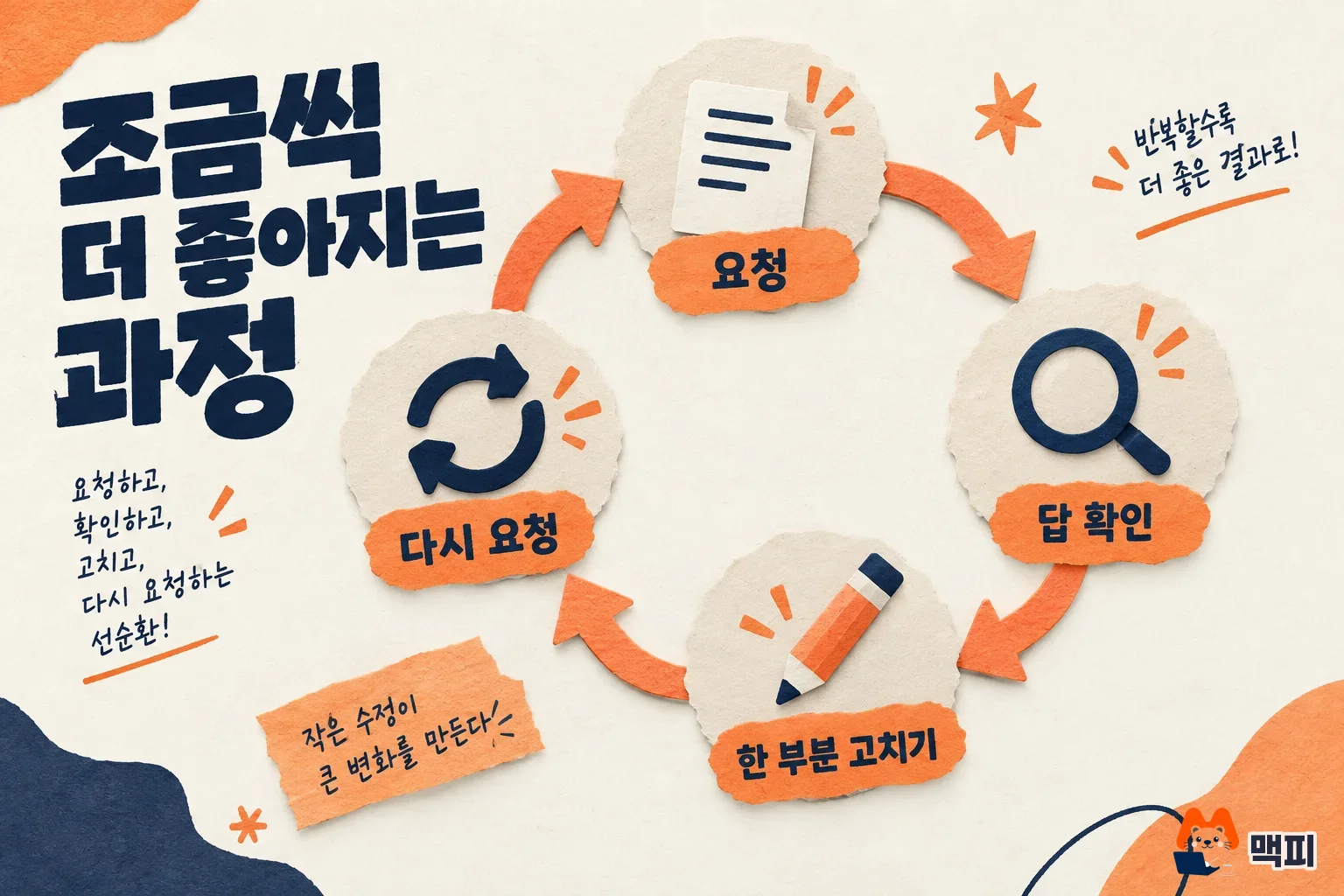
Check the revised result against the format conditions you wrote first. Conditions written as numbers and shapes, such as "3 options", "40 characters or fewer", and "table", can be counted right away as you read the answer. If an answer includes prices, dates, or statistics, check separately that the same numbers appear in the original source.
For developers: Gemini API prompt strategies
Developers who use Gemini through the API should read the prompt design strategies documentation separately. It overlaps a lot with the four elements for chat, but the API side puts more weight on items such as providing examples and marking structure.
| Strategy | What the documentation says |
|---|---|
| Clear instructions | Giving clear and specific instructions is an efficient way to shape model behavior |
| Include examples | Prompts with examples (few-shot) control the format, wording, and scope of the response, and the docs recommend always including examples |
| Add context | Put the instructions and information needed to solve the problem in the prompt |
| Break down tasks | Split complex tasks into steps or chain prompts together |
| Specify output format | Specify the response format, such as a table, a list, or sentences |
For Gemini 3 models, the same document advises writing prompts that are concise and direct, and separating parts consistently with XML tags or Markdown. Responses are direct by default, so ask explicitly if you need a detailed answer. It also strongly recommends keeping settings such as temperature at their default values.
Common mistakes when writing Gemini prompts
- Sending a two-word request: The Google support page advises avoiding vague wording and giving precise instructions. Write in sentences what to write, for whom, and how much.
- Asking for a result with no background: The same support page says more context produces more useful results. Add the product, the audience, and the goal, even if it is one line.
- Asking for several tasks at once: Follow the Google support page advice to split related tasks into separate prompts, and ask for one thing per request.
- Rewriting from scratch when the first answer misses: The Google guide says to refine through conversation, so point to the part that is off and send a follow-up request.
- Using the answer without reviewing it: The Google guide states that the person using the output must check its clarity, relevance, and accuracy.
Gemini prompt FAQ
Can I write Gemini prompts in Korean?
Yes. The Gemini web app help page says it supports more than 40 languages, and Korean and South Korea are included. The English examples in the Workspace support pages above work on the same principle when you rewrite them in Korean.
If I don't like the answer, do I have to rewrite the prompt from scratch?
No, you do not need to start over. The Google guide says to refine with follow-up prompts, so point to the part that is off and continue in the same conversation.
Found this useful? Share it
Latest posts
Kakao Share Thumbnail Not Showing? Here's the Fix (JavaScript SDK 2025)
Learn why Kakao Share thumbnails don't appear even with a valid imageUrl, and fix it using scrapImage to convert your URL into a KAGE CDN URL. Step-by-step guide.
How to Generate CRM User Manuals in 20 Minutes with Claude Code Sub-Agents
Learn how Claude Code sub-agents can analyze your CRM codebase and auto-generate user manuals and visual guidebooks in just 20 minutes. See the real-world results.
GEO Generative Engine Optimization: The Complete 2025 AI Marketing Strategy Guide
Learn what GEO (Generative Engine Optimization) is, how it differs from traditional SEO, and discover 5 proven AI marketing strategies to get cited by AI search engines in 2025.
Related projects
Get new posts by email
Insights on marketing, analytics, and dev, delivered to your inbox.