
From October 13, 2026, GitHub secret scanning includes Anthropic (Claude) API keys in the default blocklist of push protection. A commit that contains a Claude API key is stopped before it reaches the repository, and free public repositories are covered too. On the same day, Salesforce was added as a secret scanning partner, so Marketing Cloud OAuth2 tokens are now detected as well. This article uses the GitHub changelog and the official docs, as of October 15, 2026, to explain what changed and what to do when a push is blocked.
What GitHub secret scanning blocks for Claude API keys
Push protection stops a secret at push time, before it enters the repository. According to the GitHub docs, it checks not only command-line pushes but also commits made on the GitHub web, file uploads, and REST API requests. Two Anthropic key types were added to the default blocklist this time.
| Provider | Secret type | Push protection | When exposed in a public repository |
|---|---|---|---|
| Anthropic | anthropic_service_api_key (service account API key) | Blocked by default | Anthropic is notified |
| Anthropic | anthropic_user_api_key (user API key) | Blocked by default | Anthropic is notified |
| Salesforce | salesforce_marketing_cloud_api_oauth2_token | Supported | Salesforce is notified |
You can check support for each type in the list of supported secret scanning patterns. Detection of Cloudsmith API keys was also added on the same day. The changelog gives no plan-specific differences or separate rollout dates. The only prerequisite is that secret scanning is turned on for the repository.
There are two kinds of push protection. Repository-level and organization-level push protection is configured by admins where GitHub Secret Protection is enabled. Account-level user push protection is on by default on github.com and blocks you from pushing secrets to public repositories. To see which protection applies to your repository, check the security section of the repository settings.
How to fix a blocked push
When you see the block message, remove the key from the code and push again. If you resend the same commit without removing the key, it is blocked for the same reason. The GitHub command-line guide splits the method by where the key sits in your commits.
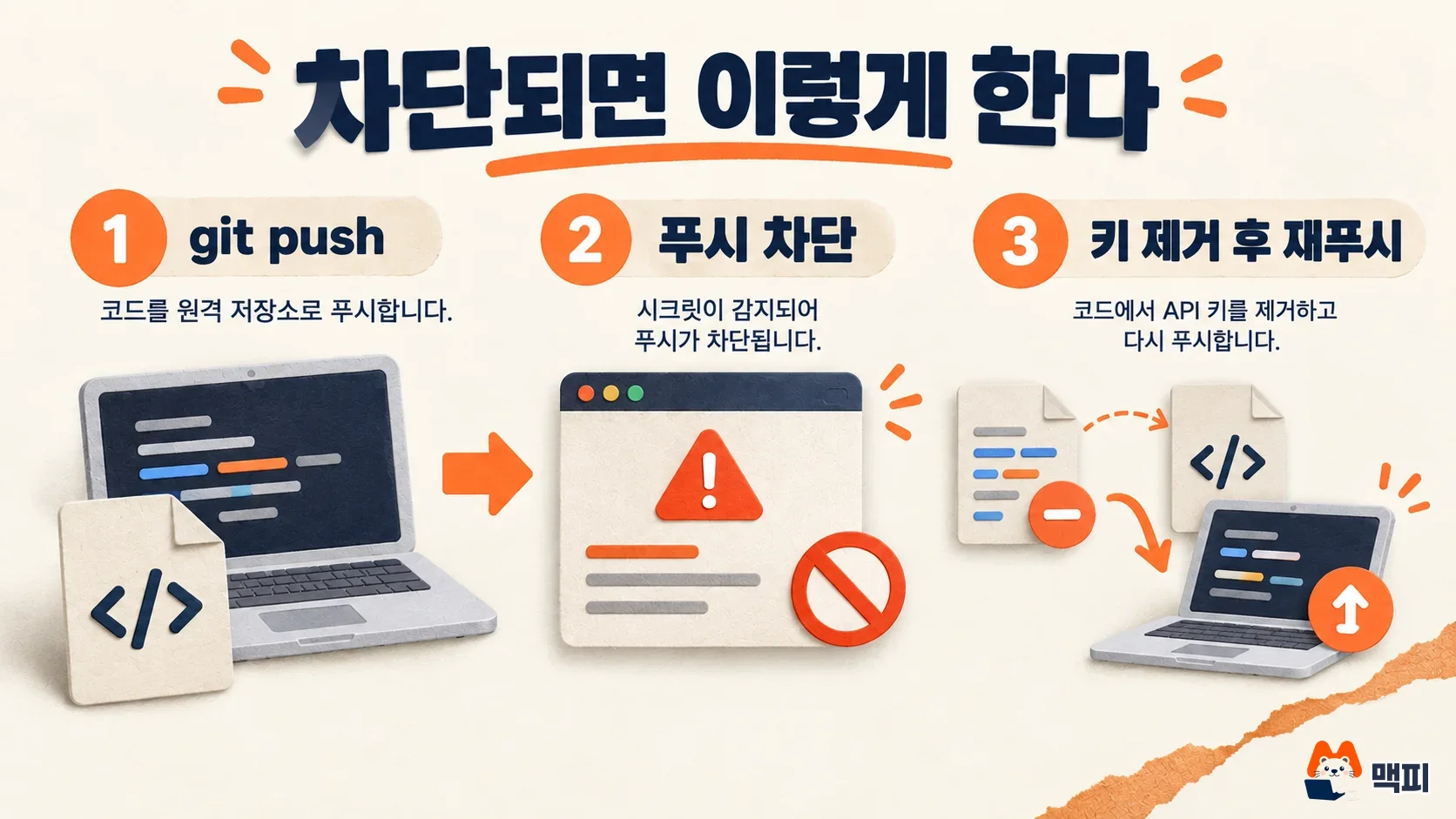
| Situation | Steps |
|---|---|
| The key is in the commit you just made | Remove the key from the code → git commit --amend --all → git push |
| The key is in an earlier commit | Find the oldest commit in the commit list of the error message → git rebase -i <커밋ID>~1 → change that line to edit and remove the key → git add . → git commit --amend → git rebase --continue → git push |
If the push goes through and the key is gone from the commits on GitHub, you succeeded. To check whether the same key remains in commits you pushed earlier, search the history with git log -p --all -S "키 앞부분 문자열". Next, change your code to read the key from an environment variable instead of hardcoding it, so the same block does not repeat. If you use a local .env file, also add it to .gitignore. Anthropic's API key management guide also recommends injecting keys through environment variables and separating development and production keys.
How to handle a Claude API key that was already pushed
Push protection only blocks keys that are about to be pushed. A key you already pushed remains in the commit history, so if you suspect a leak, it is safer to revoke the key and issue a new one. Deleting the key from a commit does not make an already exposed value safe again.
Anthropic takes part in the GitHub secret scanning partner program. According to the Anthropic guide, when GitHub finds a key exposed in a public repository and reports it, Anthropic automatically deactivates that key and notifies the user by email. Keys exposed in private repositories or elsewhere are not listed as covered by this automatic action, so revoke them yourself. To revoke, open the API keys page in the Claude Console, then use the ⋯ menu of the key → Delete API Key.
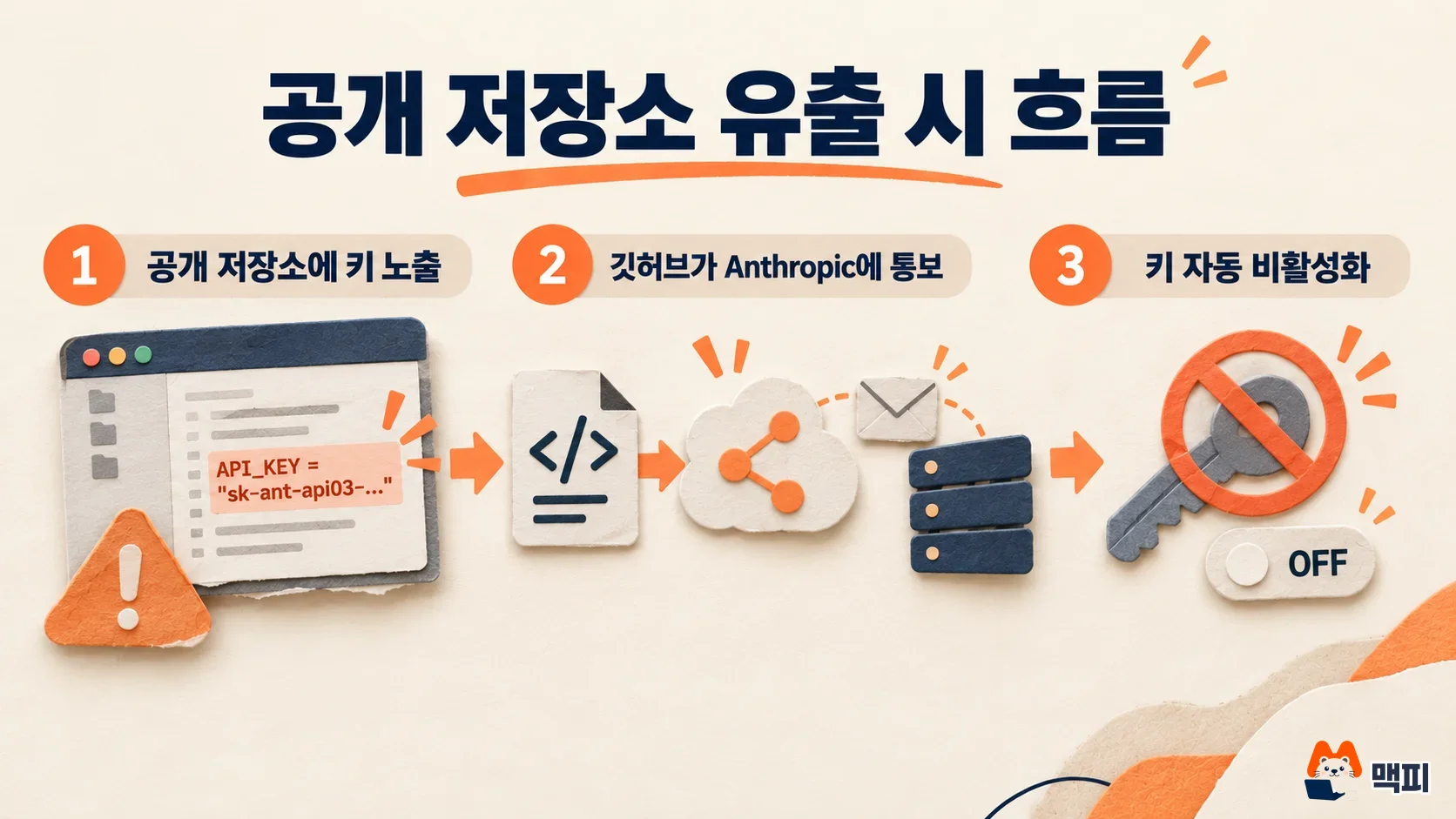
Verify in two ways. Check that the revoked key is gone from the key list in the console, and check that the service you switched to the new key still makes calls normally.
Push protection vs. secret alerts, and cautions when bypassing
Push protection blocks a secret before it is uploaded, and secret alerts find and report keys that are already uploaded. In the supported patterns list, both Anthropic key types are marked as supporting partner reporting, user alerts, and push protection.
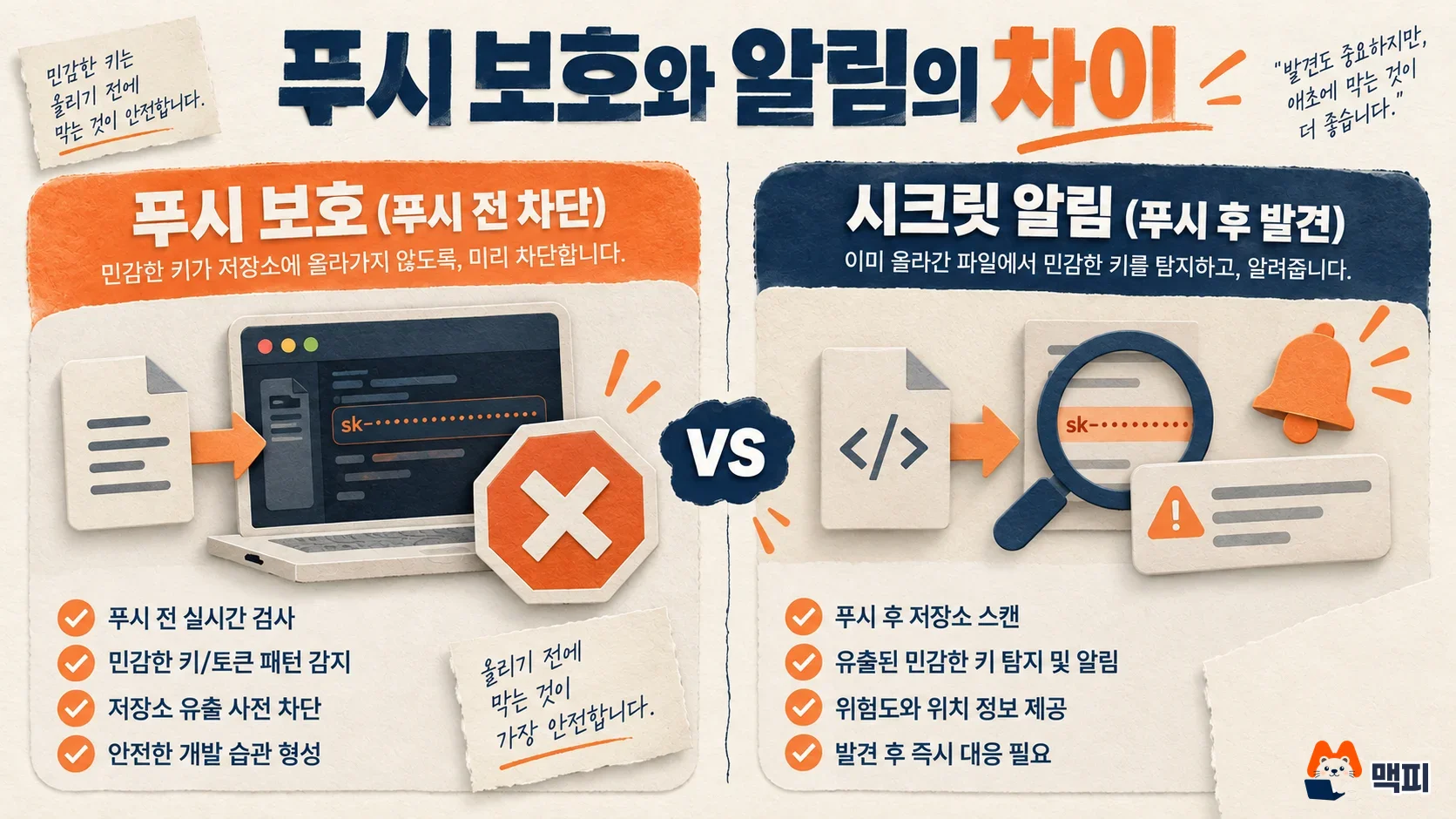
You can also bypass the block from the block screen. A user with write access can pick a reason and bypass, and then push again within 3 hours. The reason is chosen from "It's used in tests", "It's a false positive", or "I'll fix it later". If you choose "I'll fix it later", an open alert remains, and the bypass is also recorded in the audit log and in an email to admins. If it is a real Claude API key, do not bypass. Delete it. A key pushed through a bypass stays in the repository history, so the leak risk is unchanged. The bypass link must be opened by the same user who pushed. Opening it with another account returns a 404.
Frequently asked questions
Are Claude API key pushes also blocked in private repositories?
The changelog says repositories with secret scanning enabled are covered, and that free public repositories are included. It gives no separate explanation for private repositories, so check in the repository's security settings that secret scanning and push protection are turned on.
What changed for Salesforce tokens?
Salesforce was added as a partner. When a Marketing Cloud API OAuth2 token is found in a public repository, GitHub notifies Salesforce so the token can be revoked or replaced before it is abused.
What should I do if the block message is a false positive?
If you have write access, choose "It's a false positive" as the bypass reason and push again within 3 hours. If you do not see the bypass options, request bypass permission on the same screen.
Found this useful? Share it
Latest posts
Kakao Share Thumbnail Not Showing? Here's the Fix (JavaScript SDK 2025)
Learn why Kakao Share thumbnails don't appear even with a valid imageUrl, and fix it using scrapImage to convert your URL into a KAGE CDN URL. Step-by-step guide.
How to Generate CRM User Manuals in 20 Minutes with Claude Code Sub-Agents
Learn how Claude Code sub-agents can analyze your CRM codebase and auto-generate user manuals and visual guidebooks in just 20 minutes. See the real-world results.
GEO Generative Engine Optimization: The Complete 2025 AI Marketing Strategy Guide
Learn what GEO (Generative Engine Optimization) is, how it differs from traditional SEO, and discover 5 proven AI marketing strategies to get cited by AI search engines in 2025.
Related projects
Get new posts by email
Insights on marketing, analytics, and dev, delivered to your inbox.