

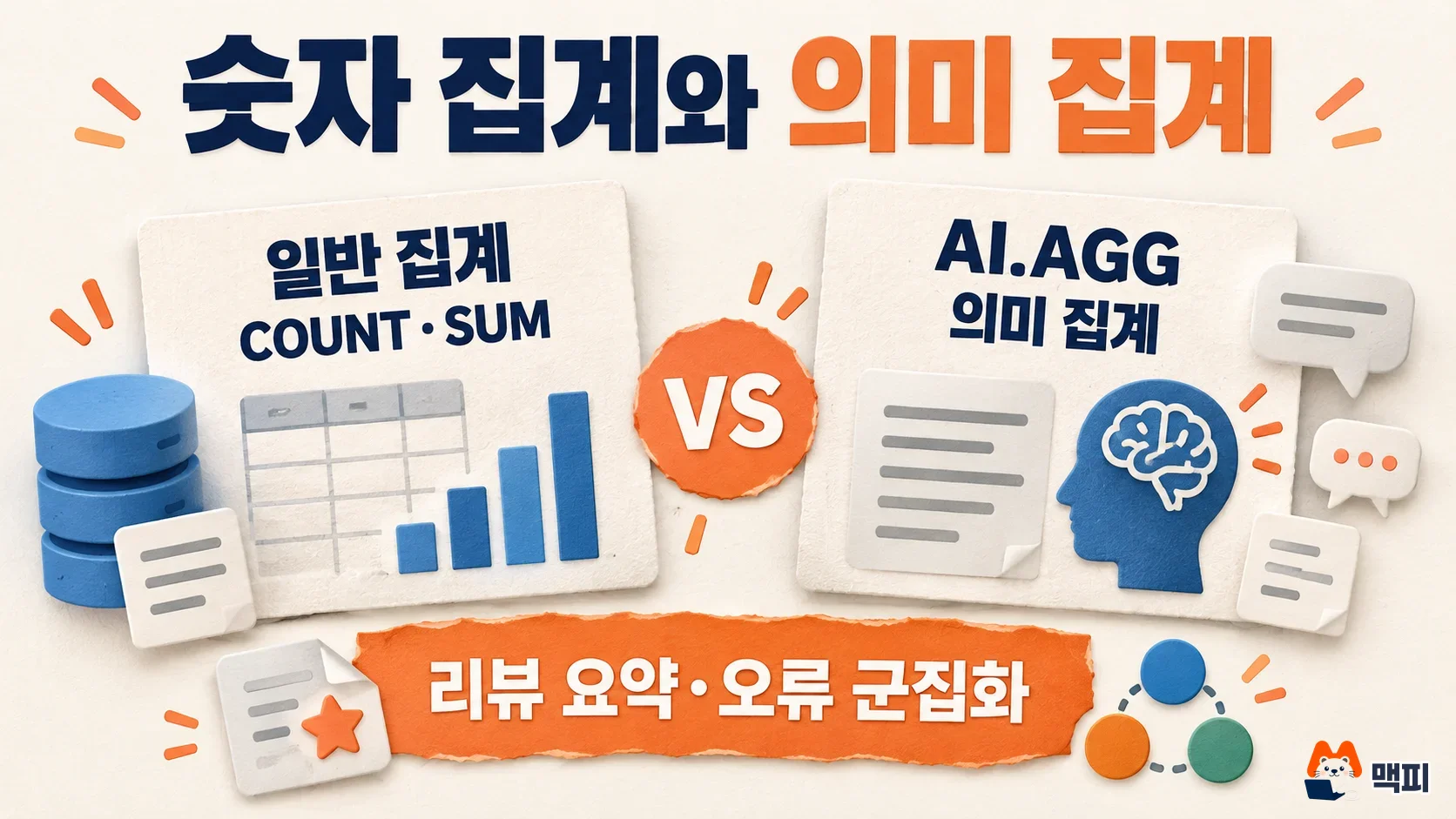
BigQuery AI.AGG is a function that aggregates text or images across many rows by meaning, following a natural language instruction, and returns one summary. Google Cloud announced in its October 13, 2026 release notes that the function is generally available (GA) (BigQuery release notes). It is not a numeric aggregate like COUNT or SUM. It is meant for tasks such as pulling "what customers complain about" out of thousands of reviews as a single paragraph.
What the AI.AGG function does
AI.AGG calls a Gemini model on Vertex AI, aggregates the input rows according to your instruction, and returns one STRING. The official docs recommend it for review sentiment analysis, multimodal data summaries, AI agent performance analysis, log analysis, and error clustering (AI.AGG reference).
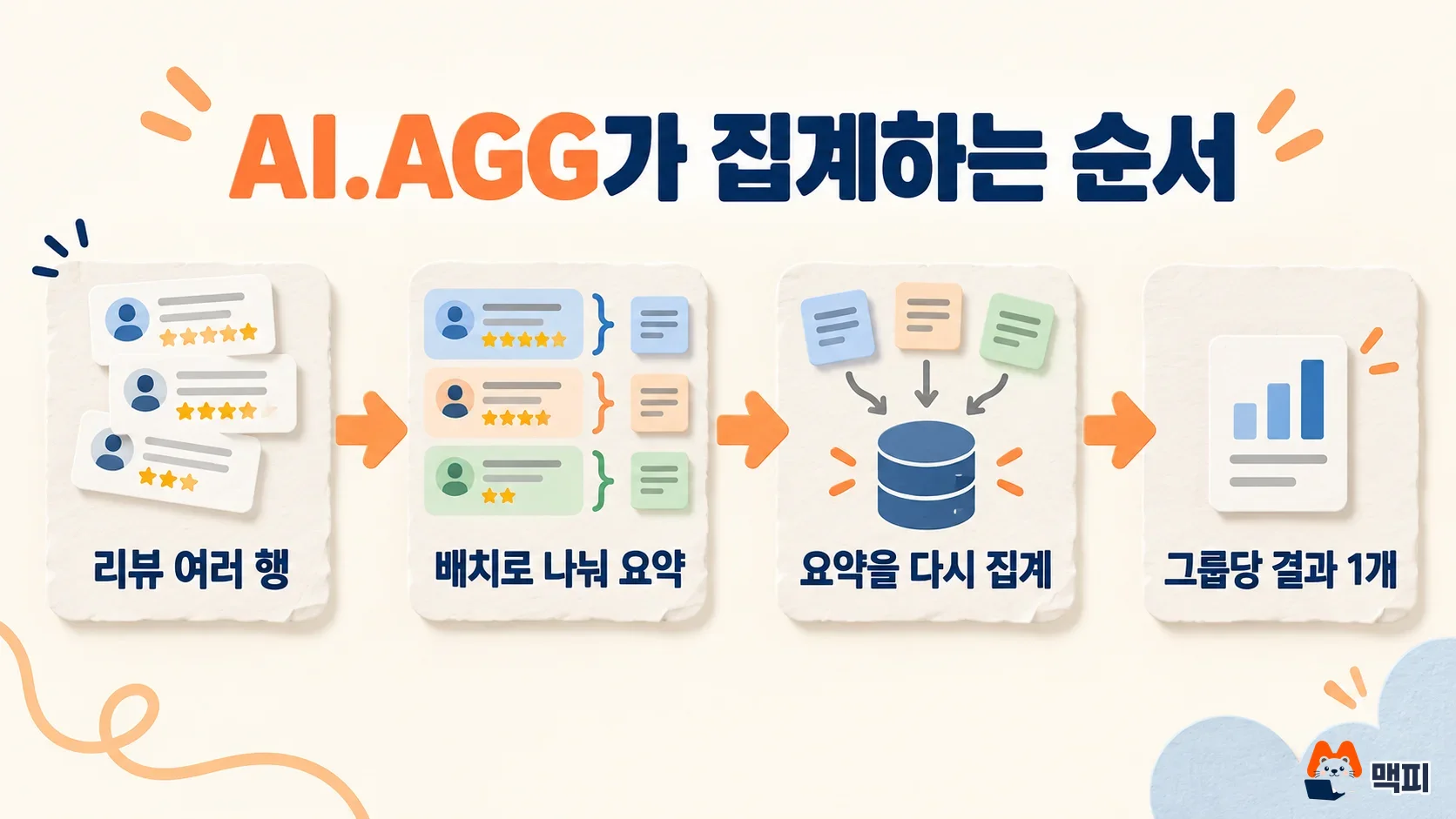
For aggregation work, the docs recommend AI.AGG over AI.GENERATE or AI.GENERATE_TEXT. It automatically splits data into batches, summarizes each batch, and then aggregates those results again. This lets it analyze data larger than the Gemini context window, and it returns only one result per input group (AI.AGG reference).
How to write a BigQuery AI.AGG query
The basic syntax needs only two things: an input column and an instruction. Below is the official example. It groups movie reviews by movie and summarizes the overall sentiment.
SELECT
  title,
  movie_id,
  AI.AGG(
    review,
    'You will be given user-provided reviews of a movie. Summarize the overall sentiment towards the movie.'
  ) AS sentiment
FROM `bigquery-public-data.imdb.reviews`
WHERE movie_id IN ('tt0339384', 'tt0084787', 'tt0029850')
GROUP BY movie_id, title;
With GROUP BY, you get one summary per group. Without it, all rows are aggregated at once. The optional arguments are listed in the table below. If you are stuck on the first draft of a query, you can turn a comment into SQL with the Gemini button in the BigQuery SQL editor.
| Argument | Role |
|---|---|
| INPUT | The STRING column to aggregate, or a value that references Cloud Storage files (images, video, audio, text, PDF) |
| INSTRUCTION | A natural language instruction describing how to aggregate |
| connection_id | The Cloud resource connection used for Vertex AI and Cloud Storage. If omitted, your user credentials are used |
| endpoint | The Gemini model to use. If omitted, BigQuery chooses one |
| max_error_ratio | The tolerated ratio of row-level failures (0.0 to 1.0, default 1.0) |
| output_schema | Field definitions when you want the result as a STRUCT |
Use output_schema when you want a fixed result format. The official docs advise adding NOT NULL to most fields. Without it, the model may return some fields as NULL (AI.AGG reference).
AI.AGG(
  t.text,
  'These are the hacker news blog posts of a single user. Tell me what topics the user talks about the most. Keep it concise.',
  output_schema => 'topics ARRAY<STRUCT<name STRING NOT NULL, explanation STRING NOT NULL>>'
)
AI.AGG input limits and failure handling
If you exceed the limits recommended in the docs, the query may fail or return only partial results. You can pass up to 10 images per row, and up to 1 file per row for audio, video, and PDF.
| Input type | Recommended limit per query |
|---|---|
| Text or image rows | 20 million rows |
| PDF rows | 100,000 rows |
| Audio rows | 10,000 rows |
| Video rows | 1,000 rows |
| Number of groups | 1,000 or fewer |
If some Vertex AI calls fail because of quota limits or model unavailability, you get a partial result. If all calls fail, or the failure ratio goes above max_error_ratio, the query ends with an error. For analyses where missing results are a problem, it is safer to lower the value, for example max_error_ratio => 0.05. Output is capped at 10,000 tokens per group (AI.AGG reference).
AI.AGG cost and what to check before use
The official docs describe Gemini inference as a relatively expensive operation. Batching and re-aggregation mean the total tokens sent to Gemini can exceed the tokens in your source data. Start by cutting the row count with WHERE or LIMIT while you test. You can estimate the token count of text input ahead of time with the AI.COUNT_TOKENS function (AI.AGG reference).
There are also known limitations. Passing NULL as the instruction can cause an internal error instead of an invalid query error. In complex queries such as JOIN or ORDER BY ... LIMIT, the number of rows the model actually processes may differ from what you expect. If you need strict control over the input row count, save the target rows to a separate table first and run AI.AGG on that table.
How to check that AI.AGG results are correct
Run the first test on a subset of rows, not the full data. The official example also applies AI.AGG to a subquery limited with LIMIT 5000 (AI.AGG reference).
- Confirm that the column to aggregate is a STRING, and save the target rows to a temporary table reduced with WHERE and LIMIT.
- Run AI.AGG on that table and check that the result comes back as one line per group.
- Pick a few topics or sentiments from the summary and search the source rows to confirm they really exist.
- If the summary holds up, set max_error_ratio and expand to the full data. If the query ends with an error, the message contains the most frequent error type.
Frequently asked questions
How is AI.AGG different from AI.GENERATE?
The official docs recommend AI.AGG over AI.GENERATE or AI.GENERATE_TEXT for aggregation work. AI.AGG uses automatic multi-step aggregation to handle data beyond the context window, and it returns one result per input group.
Which Gemini models can I use with AI.AGG?
You can set the endpoint argument to a Gemini model that does not require a thinking budget. If you do not set it, BigQuery picks a model. Check the endpoint entry in the reference docs for the list of supported models.
Can AI.AGG aggregate images or PDFs?
Yes. Pass an ObjectRef value that references a Cloud Storage file, and AI.AGG aggregates images, video, audio, and PDFs. The limits differ by input type.
Found this useful? Share it
Latest posts
Kakao Share Thumbnail Not Showing? Here's the Fix (JavaScript SDK 2025)
Learn why Kakao Share thumbnails don't appear even with a valid imageUrl, and fix it using scrapImage to convert your URL into a KAGE CDN URL. Step-by-step guide.
How to Generate CRM User Manuals in 20 Minutes with Claude Code Sub-Agents
Learn how Claude Code sub-agents can analyze your CRM codebase and auto-generate user manuals and visual guidebooks in just 20 minutes. See the real-world results.
GEO Generative Engine Optimization: The Complete 2025 AI Marketing Strategy Guide
Learn what GEO (Generative Engine Optimization) is, how it differs from traditional SEO, and discover 5 proven AI marketing strategies to get cited by AI search engines in 2025.
Related projects
Get new posts by email
Insights on marketing, analytics, and dev, delivered to your inbox.