
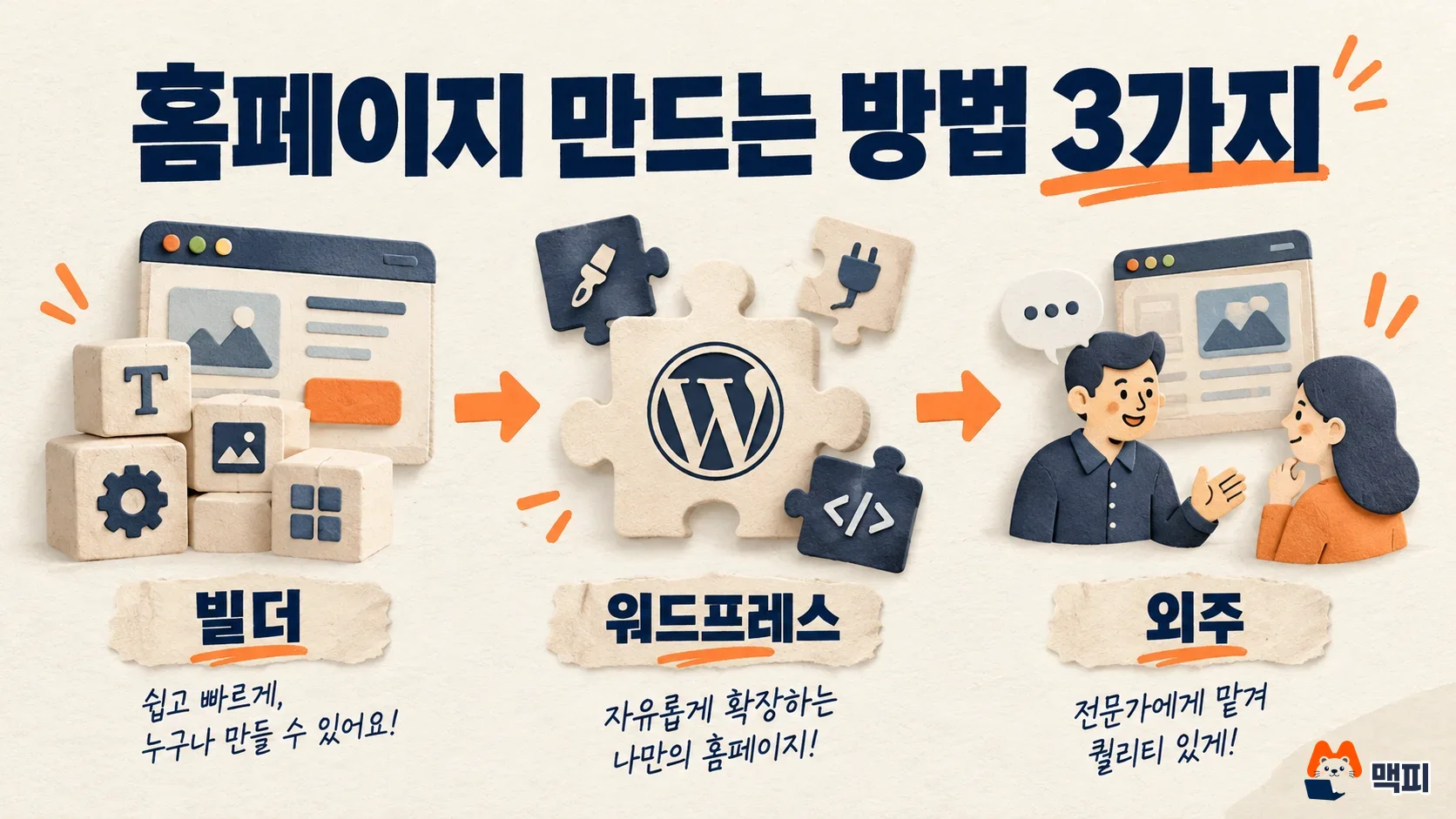
Making a website starts with choosing one of three methods: build it yourself with a website builder, build it yourself with WordPress, or hire a production agency. If you want to launch an introductory site in a few days without coding, a builder is the fastest. Imweb, a Korean website builder, starts at KRW 16,000 per month (billed yearly) after a 14-day free trial, based on its official pricing page. Prices and free conditions are as of October 12, 2026.
Three ways to make a website and how to choose
The three methods differ in how much work you do and where the cost comes from. A builder provides the editor and the server that hosts your site (hosting) together, so you only swap the text and images in a template. Some services, such as the Cafe24 AI website builder (Cafe24 is a major Korean e-commerce platform), also bundle the site address (domain) and the security certificate (SSL) by default. WordPress is software you extend with themes and plugins, so the person who builds the site handles setup and maintenance. An agency does this work for you, but charges separately for production and for revisions.
| Method | Best for | Where the cost comes from | What you manage |
|---|---|---|---|
| Website builder (Imweb, Cafe24, etc.) | Quickly opening a company or shop intro site, taking inquiries, or running a small online store | Monthly fee, domain | Editing text and images |
| WordPress | Blog-style sites with lots of articles, or when you need to add features yourself | Hosting, domain, paid themes and plugins | Updates, backups, security |
| Production agency | When design and features must be built from scratch and you have no staff to run the site | Production fee, maintenance fee | Checking the contract scope, reviewing the deliverables |
If you are a small business owner or marketer building a site for the first time, starting with a builder is the lighter option. If the site grows and the builder's features are no longer enough, you can move to WordPress or an agency then. Keep in mind, though, that when you leave a builder you cannot take the design with you. Only some data, such as members, products, and posts, can be moved through Excel. The FAQ on the Imweb pricing page explains this.
Depending on your business, you may not need a website at all. Naver, Korea's largest search engine, announced that it would shut down Modu, its mobile homepage creation service, on June 26, 2025. It said it would focus on industry-specific platforms such as Smart Place rather than general-purpose homepages. For a neighborhood shop, registering on Naver Place is the starting point for search visibility, more than a website.
How far a free website can go
You can start for free, but most options have a trial period or do not allow a custom domain. Imweb offers a 14-day free trial for each plan, and you must pay for a plan to keep using it after the trial ends. When the Cafe24 AI website builder launched on May 19, 2026, it advertised a single plan, a 1-month free trial for new users, and domain, hosting, and SSL certificate included by default.
On its official pricing page, WordPress.com keeps a Free plan at 0 dollars with no time limit. However, the Free plan cannot connect a custom domain and uses a WordPress.com subdomain. If you plan to print business cards with an address that includes your company name, treat the free plan as a test environment only.
| Service | What is free | Limits of the free option |
|---|---|---|
| Imweb | 14-day free trial for each plan | Payment required after the trial, custom domain from Starter and up |
| Cafe24 AI website builder | 1-month free trial for new users | Single plan payment after the trial |
| WordPress.com Free | 0-dollar plan with no time limit | No custom domain connection, subdomain only |
Imweb plans compared with WordPress.com pricing
Imweb has three plans: Starter, Pro, and Global. On the official page, the monthly prices with yearly billing are KRW 16,000 for Starter, KRW 24,000 for Pro, and KRW 40,000 for Global. Yearly billing is 20% cheaper than monthly billing. Starter is enough for an introductory site. From Starter, you get unlimited pages and custom domain connection, and you can register up to 10 products. Choose Pro if you sell many products or need reward points, shopping grades, and Naver Pay (Korea's major payment service). Choose Global if you need a site in 7 languages.
| Plan | Monthly price (yearly billing) | Target | Key differences |
|---|---|---|---|
| Starter | KRW 16,000 | Businesses getting started | Unlimited pages, custom domain, automatic text messages and Kakao notification messages, 10 products |
| Pro | KRW 24,000 | Dedicated online stores | Starter features plus unlimited products, shopping grades, reward points, simple payment |
| Global | KRW 40,000 | Global business | Pro features plus multilingual sites in 7 languages |
If you use WordPress.com, the monthly prices with yearly billing are 0 dollars for Free, 4 dollars for Personal, 8 dollars for Premium, 25 dollars for Business, and 45 dollars for Commerce. Yearly plans include a custom domain free for the first year, while monthly plans do not. Because the prices are in dollars, the amount you pay in Korean won depends on the exchange rate on the day you pay.

Look at the domain cost separately from the monthly fee. On Imweb, from Starter and up, you either buy a domain or connect one you bought elsewhere. If you already own a domain, connecting it is enough.
Steps to start a website with Imweb
Using Imweb as the builder example, getting started takes five steps. You can open a site with the 14-day free trial without choosing a plan first, so it is lighter to build with the lowest Starter trial at first.
- On the Imweb pricing page, click to start the 14-day free trial of Starter.
- Choose a template and open the site with the default address (in the form example.imweb.me).
- Change the text and images on each page and add your contact details for inquiries.
- Before the trial ends, decide which plan to pay for. If you want an address with your company name, connect a domain under Settings > Domain on Starter or higher.
- Set up search registration and visit tracking in the order below.
The completion standard is that your site opens when you type your custom domain into the address bar. If it opens only with the default address and not with the custom domain, first check that the address registered under Settings > Domain is correct. Right after you connect a domain, it can take time to take effect, so it may not open immediately.
Check search registration and visit tracking after building the site
Opening a site does not mean it shows up in search right away. Google adds public pages that meet its search essentials to its index. Site owners must verify ownership in Search Console to see index status and search performance. The Imweb plan comparison table includes search engine optimization, Naver Webmaster Tools, Naver Analytics, and Google Analytics integration, so most of this connects from the builder's settings screen.
There are three steps. First, register your site in Naver Search Advisor, verify ownership, and submit a sitemap. Next, register with Google Search Console in the same way. Finally, create a GA4 property and connect a web data stream to check that visits are recorded.

Check success in three places. See whether the ownership verification complete mark appears in Search Advisor and Search Console. See whether the sitemap submission status shows no errors. Then visit your own site and see whether the visit appears in the GA4 real-time report. Appearing in search results takes time, so do not conclude it is a setup error just because your site does not show up right after registration. If you plan to connect ads, also review what to check before building a landing page.
Frequently asked questions
Do I need to buy a domain separately?
According to the Imweb pricing page, you first open the site with the default address (example.imweb.me). On Starter or higher, you then buy a new domain or connect one bought elsewhere under Settings > Domain. The address cannot be edited. You must delete it and register it again.
Can I move my website to another service later?
Some data, such as members, products, posts, and purchase reviews, can be moved through Excel. The design and the security certificate (SSL) of the old site are hard to move, according to the guidance on the Imweb pricing page. So when you first choose a service, keep the original text and images saved separately.
Does a neighborhood shop really need a website?
If your visitors mostly find you through map search, registering on Naver Place comes before a website. Add a website when your reservation or product information grows longer.
Found this useful? Share it
Latest posts
Kakao Share Thumbnail Not Showing? Here's the Fix (JavaScript SDK 2025)
Learn why Kakao Share thumbnails don't appear even with a valid imageUrl, and fix it using scrapImage to convert your URL into a KAGE CDN URL. Step-by-step guide.
How to Generate CRM User Manuals in 20 Minutes with Claude Code Sub-Agents
Learn how Claude Code sub-agents can analyze your CRM codebase and auto-generate user manuals and visual guidebooks in just 20 minutes. See the real-world results.
GEO Generative Engine Optimization: The Complete 2025 AI Marketing Strategy Guide
Learn what GEO (Generative Engine Optimization) is, how it differs from traditional SEO, and discover 5 proven AI marketing strategies to get cited by AI search engines in 2025.
Related projects
Get new posts by email
Insights on marketing, analytics, and dev, delivered to your inbox.