
Naver Powerlink is a search ad product that shows your website and promo copy to users who search a keyword on Naver, Korea's largest search engine. Registering and showing ads is free, and you pay only when a click happens. The cost per click never exceeds the bid you set, within a bid range of 70 to 100,000 KRW (excluding VAT). There is no monthly fee. To start, you create an ad account in the Naver Ads center, top up Bizmoney (prepaid ad credit), register keywords and ad copy, and pass review. This article follows the Ads center help pages as checked on October 3, 2026. The Powerlink intro help page was last edited on September 21, 2026.
Naver Powerlink ad cost works like this
Powerlink uses cost per click (CPC) billing. Your monthly ad spend is the number of clicks multiplied by the cost per click. If your ad gets many impressions but no clicks, you pay 0 KRW. The cost per click depends on your bid for each keyword, and on factors at the moment the ad is shown: whether a next-ranked ad exists, how relevant the search term is to your site, and real-time user response. The source is the monthly ad cost help page in the Ads center.
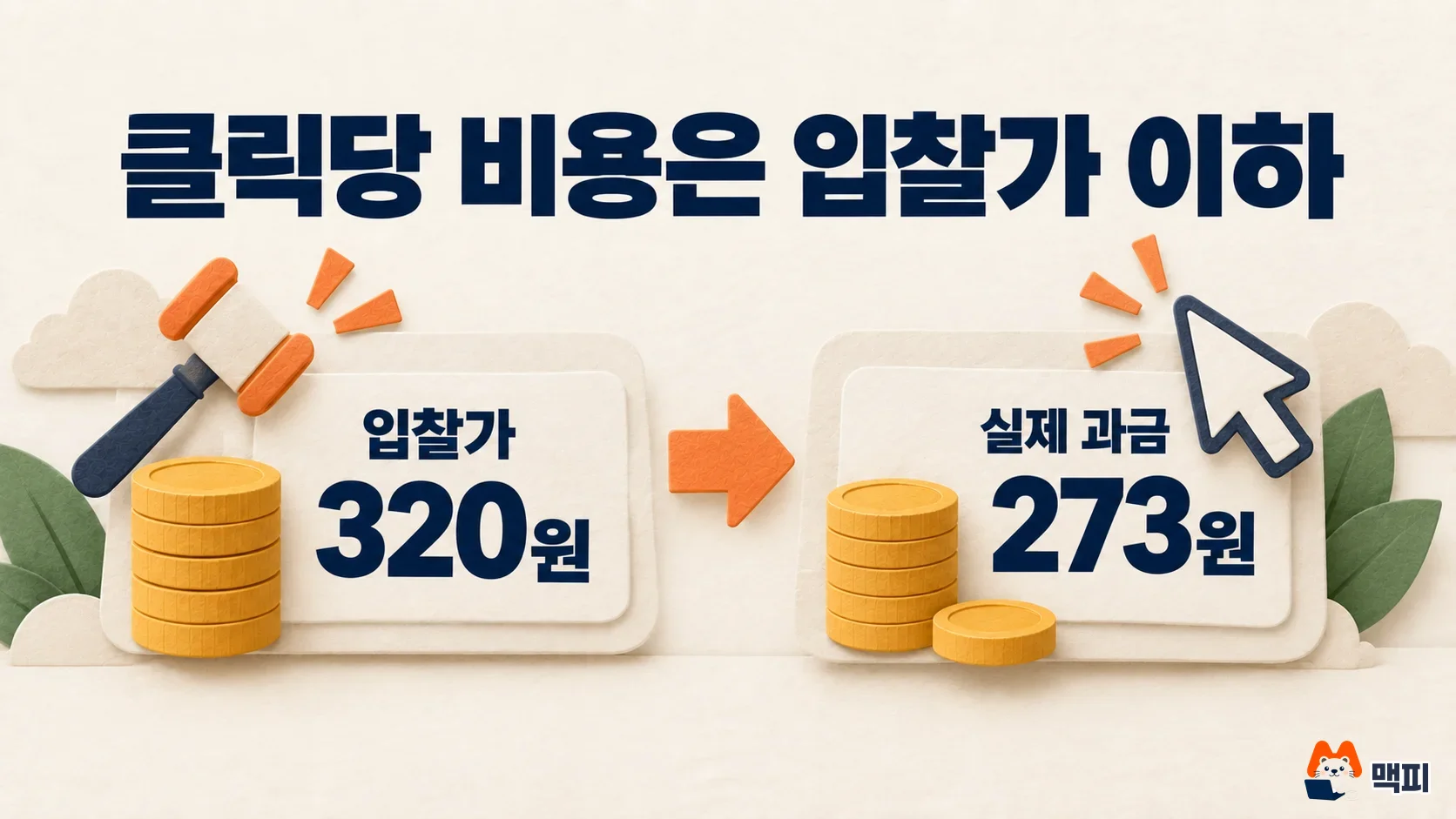
The table below turns the example from the same help page into a breakdown. The cost per click you actually pay is lower than or equal to your bid.
| Item | Amount | Description |
|---|---|---|
| Bid you set | 320 KRW | The maximum you can pay per click (excluding VAT) |
| Calculated cost per click | 273 KRW | A value set below your bid, reflecting competition |
| Final amount charged | 300.3 KRW | 273 KRW plus 10% VAT |
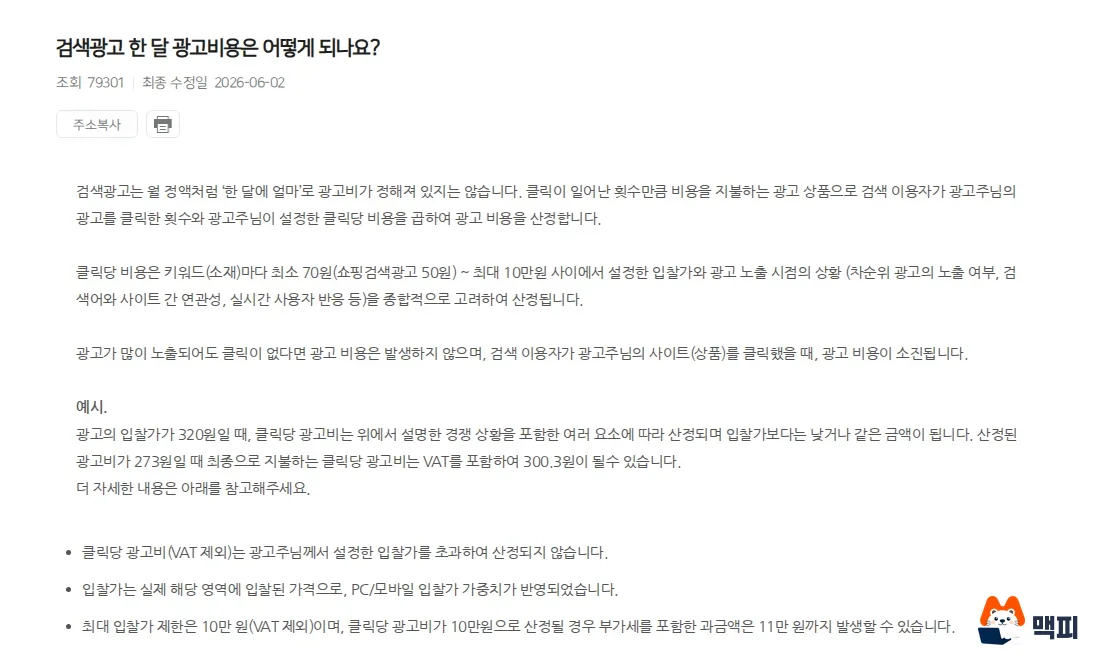
The bid cap is 100,000 KRW (excluding VAT). If the cost per click is calculated at 100,000 KRW, you can be charged up to 110,000 KRW including VAT. Plan your monthly budget with VAT added so it matches your invoice.
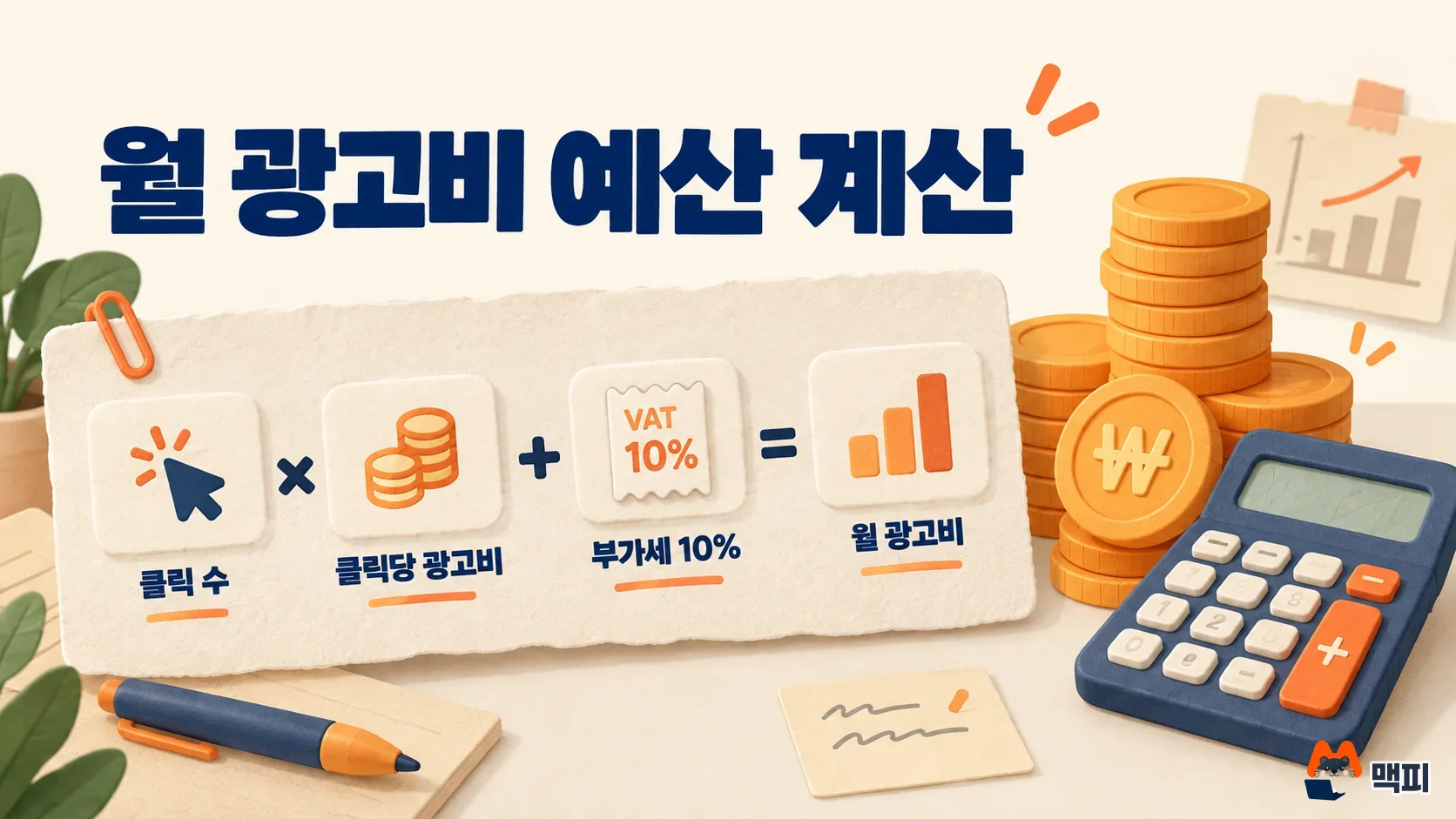
How to estimate your monthly ad spend
The Expected performance view on the ad group edit screen estimates clicks and cost for the next 4 weeks. It uses the default bid you enter and the data from the past 4 weeks. In the help page's hypothetical case, a default bid of 70 KRW gave 36 expected monthly clicks and an expected monthly cost of 3,292 KRW. The help page states that this estimate does not guarantee future performance or cost.
Cost levels can differ a lot between keywords, even in the same industry. In the example on the minimum exposure bid help page, "flower delivery" at a 100 KRW bid was expected to get 34 clicks for 3,400 KRW. "Flower delivery recommendation" at a 150 KRW bid was expected to get 2,811 clicks for 421,650 KRW. These are illustrative numbers, so you need to look up your own keywords to learn the cost in your industry.
How to start Naver Powerlink ads
You start in the Naver Ads center (ads.naver.com). First, you need a website to link your ad to. It does not have to be a new site. You can register a blog, a cafe, a Smart Store, or a general open market page as your ad destination. The main page of the site must show the business information of the advertiser who signed up for search ads.

- Create an ad account in the Ads center.
- Top up Bizmoney. Review does not start without a top-up.
- In Search Ads, create a Powerlink campaign with [Create ad].
- Create an ad group, set the default bid, and register keywords and creatives (ad copy).
- Your ad is shown once it passes review.
Ad review usually finishes within 1 to 2 business days. For a new ad group, the linked website (business channel) is reviewed first. Only after it passes do the creative and keyword reviews follow. Review goes ahead even if the campaign or ad group is turned off. If review does not move after several days, check the Bizmoney amount at the top of the Ads center first.
To confirm that everything is registered correctly, check that the business channel status in the ad group has changed to 'Eligible to run' and that the keywords and creatives have passed review. If the status is under review or restricted, review will not start even when you add new keywords. Once your ad is showing, check the ad performance report to see whether impressions and clicks are building up.
New advertisers can get the first ad spend support (based on the notice updated on July 15, 2026). Paid ad spend within 60 days from the Ads center sign-up date is added up, and you receive up to 500,000 KRW as a Biz coupon. The basis is the sign-up date, not the day you first spent money, and you must apply yourself before 60 days pass after sign-up.
Campaign, ad group and keyword structure
The Ads center runs ads around campaigns. A campaign groups ads by goal and sets the period and daily budget. An ad group decides who sees what and where they are sent. Keywords and creatives sit inside the ad group. Connection details such as a website address, phone number or Place listing are managed separately from the campaign, in the business channel.
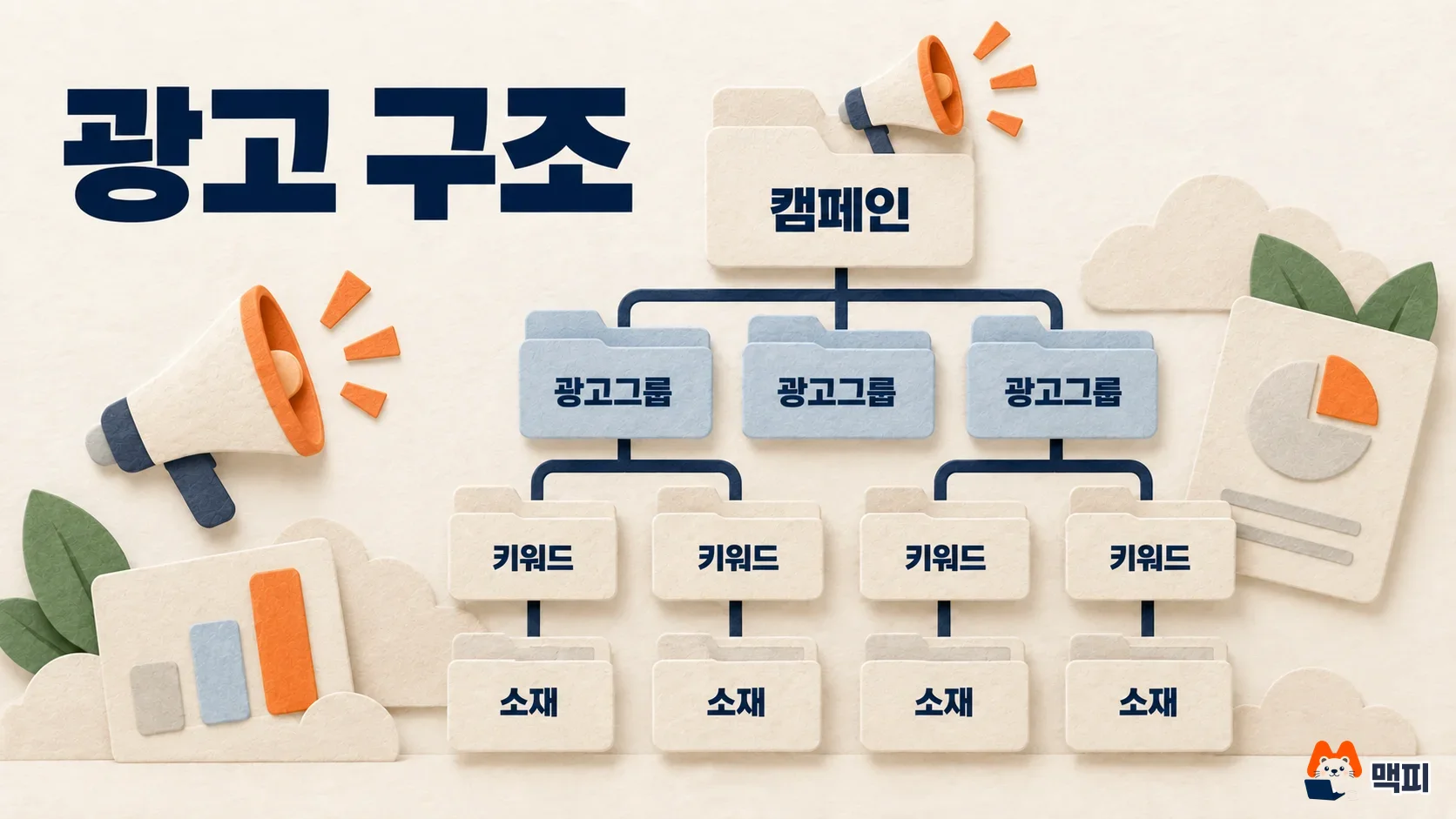
| Unit | Limit |
|---|---|
| Campaign | Up to 200 per advertiser account |
| Ad group | Up to 1,000 per campaign, up to 10,000 per account |
| Keyword | Up to 1,000 per ad group, up to 100,000 per account |
| Creative | Up to 8 per ad group (up to 5 single type, up to 3 responsive type) |
These limits come from the Powerlink ad structure help page (last edited September 9, 2026). You will not reach the limits at first. You can start with one campaign, one ad group and a few keywords. If you have several products or services, split them into separate ad groups so you can see performance and bids for each keyword separately.
How to set your Powerlink bid
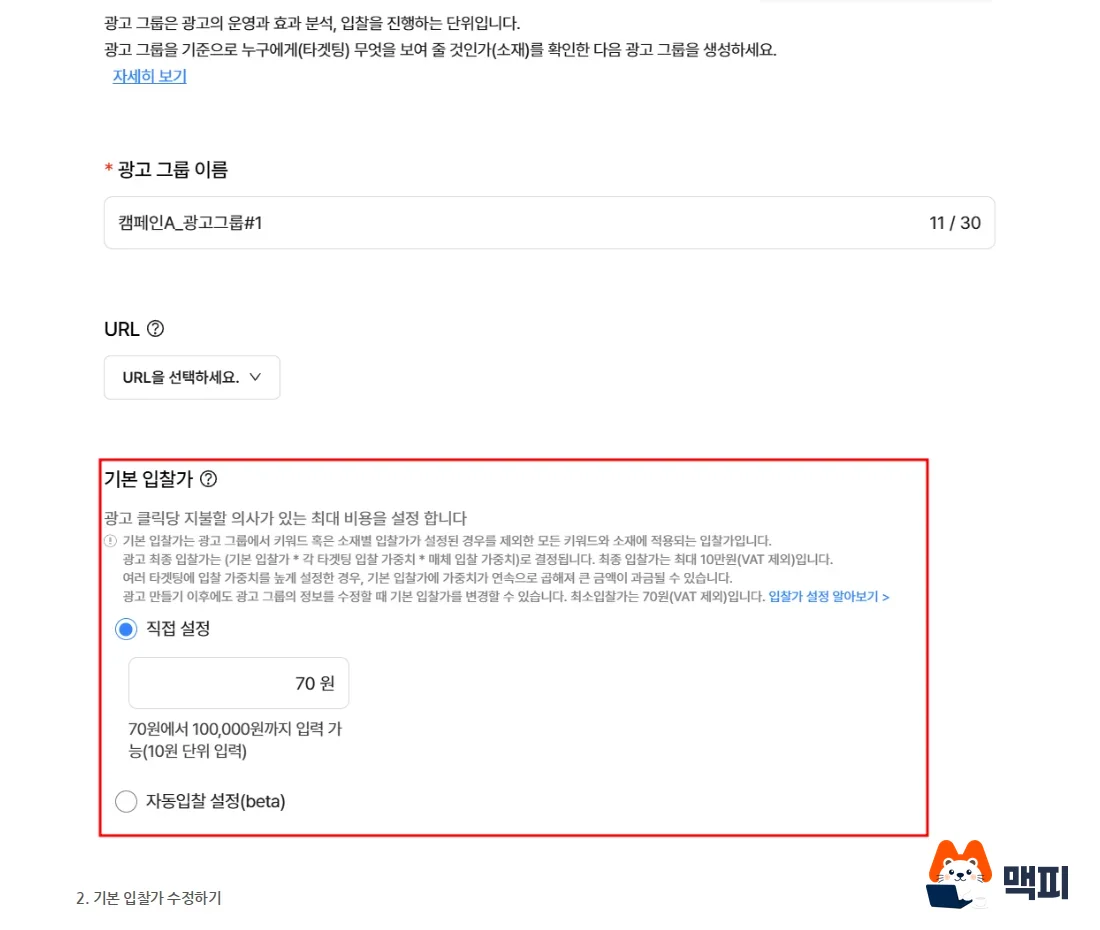
The bid is the maximum amount you will pay for one click. You can set it from a minimum of 70 KRW to a maximum of 100,000 KRW. The bid sets both your ad rank and the upper limit of what you are charged per click. But rank is not decided by the bid alone. The relevance between the search term and your site content, and creative quality, also count. Raising your bid usually increases impressions, but clicks and ad spend rise too.
You can set bids in three places, and each has a different range.
| Type | Set at | Range and notes |
|---|---|---|
| Default bid | Ad group | 70 to 100,000 KRW. When you create an ad group, the value first shown on screen is 70 KRW. |
| Keyword bid | Individual keyword | If set, it takes priority over the default bid. |
| Bid weight | Ratio by device or target | For PC and mobile it is 10% to 500%. For age group and gender it is 50% to 500%. |
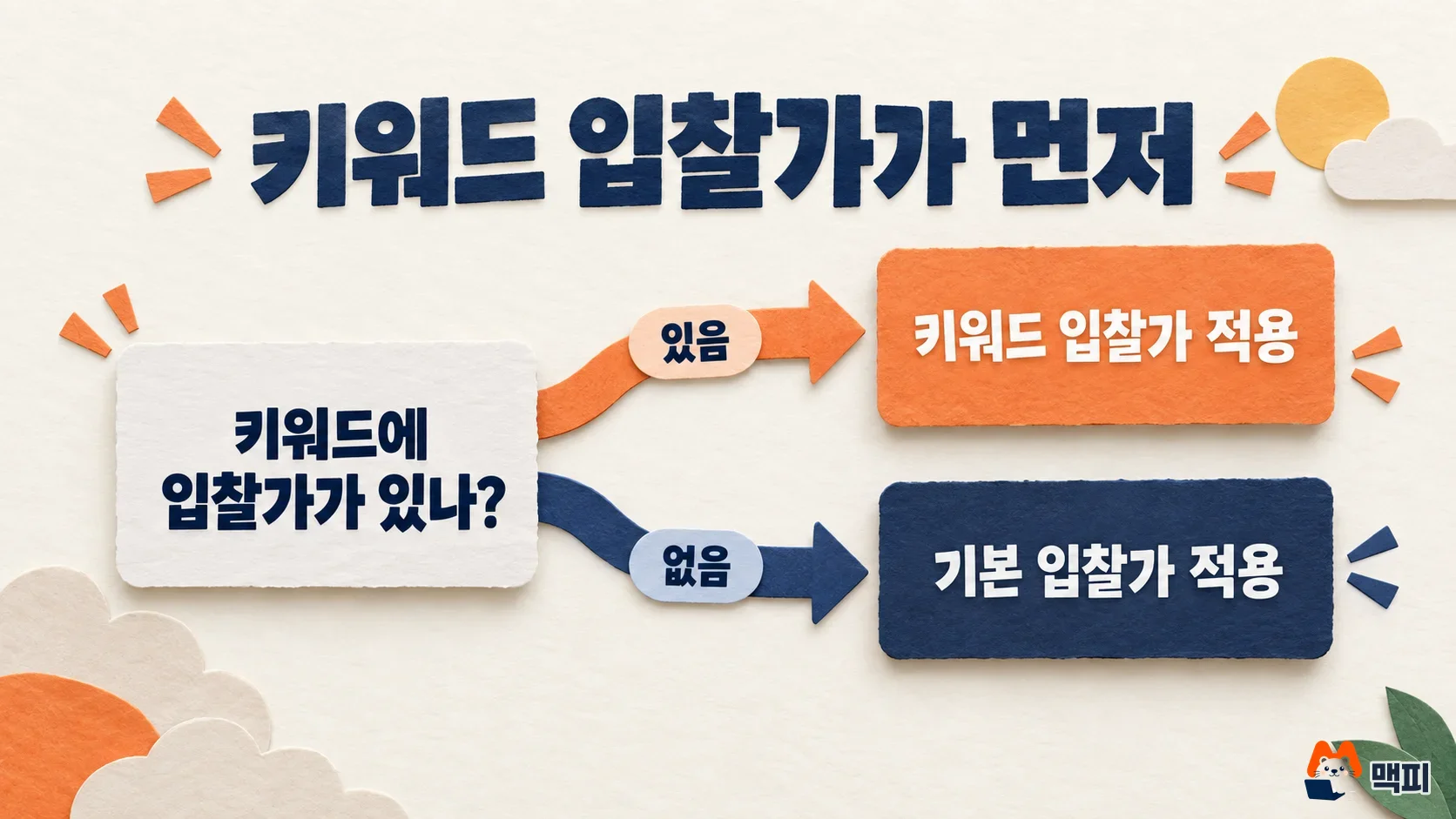
When you change a bid, it shows in the ad system screen right away, but it takes a few minutes, or tens of minutes when traffic is heavy, to take effect in actual ad delivery. Do not judge the effect from clicks right after a change.
The order for setting your first bid
The official help page says it is hard to pick a bid when you start, and it suggests the following method. Set a budget for each campaign and ad group first. Keep the default bid at the minimum of 70 KRW and start the ads. Then adjust the bid little by little while watching impressions, clicks and ad spend in the ad performance report. Never set it higher than the cost per click you can afford.
If you need a benchmark per keyword, look at the minimum exposure bid. It is the highest bid among the ads shown at the very bottom of the search results during the past 4 weeks. You look it up by selecting a keyword in the Keywords tab of the ad group. It is past data, so it does not guarantee exposure. Competition keeps changing as other advertisers change bids or turn ads on and off.
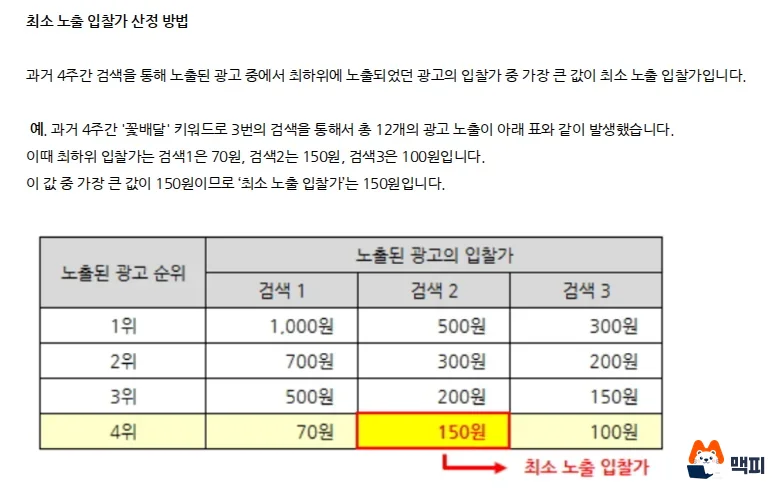
From here on, these are working tips, not official help content. As the example above shows, cost per keyword can differ by more than 100 times. The real cost per click of one keyword only shows after several days of clicks build up. So rather than adding hundreds of keywords at once, start with a few, watch costs for about a week, then expand. This keeps your budget steady.
Where Powerlink ads appear and what extended search means
Powerlink shows up to 10 ads in the Naver integrated search tab. It also shows in the search ad areas of search partners and on the content pages of content partners. Integrated search results are shown in this order: Brand Search, information Naver provides directly (people info, exchange rates, weather and so on), Powerlink, then Biz Site. So Powerlink does not always appear at the very top.
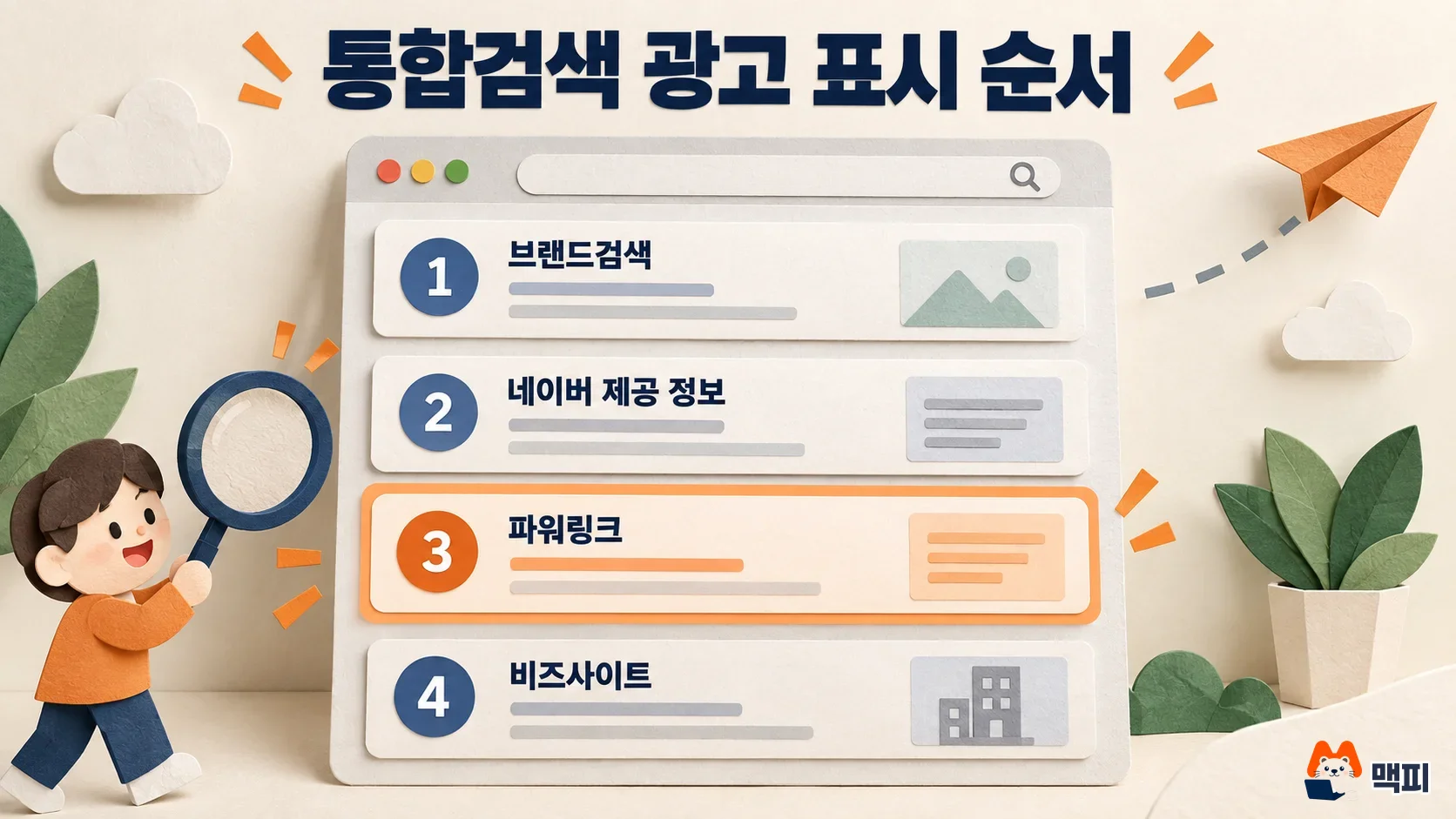
The default setting for a Powerlink ad group is extended search. Even if you do not register a keyword yourself, your ad is shown automatically for search terms closely related to the content of your landing page. To show ads only for your registered keywords, choose 'Exact match search' in the advanced options when you create or edit the ad group. You can check which search terms came in through extended search in the results and manage them as detailed keywords.
Billing methods of Naver search ad products compared
Naver Search Ads has several products besides Powerlink, and each bills differently, so the cost structure differs too. The table below follows the product intro page of the Ads center.
| Product | Billing method | Notes |
|---|---|---|
| Powerlink | Cost per click (CPC) | Bids of 70 to 100,000 KRW |
| Shopping Search | Cost per click (CPC) | Minimum bid of 50 KRW, Naver Shopping integration required |
| Power Contents | Cost per click (CPC) | Ads only on Naver Blog, Cafe and Post |
| Place Search | Cost per click | Only for businesses registered on Smart Place |
| Local Small Business | Fixed 0.5 KRW per valid impression | Up to 30,000 impressions per day |
| Brand Search | Fixed-term contract | Priced by product type and the last 30 days of searches for the purchased keyword |
| New Product Search, Searching View | Weekly bidding | New Product Search is on mobile, Searching View is on PC |
You can register Powerlink with just a website or a blog, and you pay nothing if there are no clicks. If your shop is registered on Smart Place, Place Search is also billed per click.
Common mistakes first-time Powerlink advertisers make
- They wait without topping up Bizmoney. Business channel review does not start without a top-up. If review is stuck after you create the ad, check your Bizmoney balance first.
- They trust the daily budget as a hard cap. The daily budget is a supporting feature. Even after an ad is switched to paused, it takes time to leave the live ad area, so you can be charged more than the set amount. If you plan 300,000 KRW a month, set the daily budget to about 10,000 KRW. Turning on even distribution prevents the budget from running out early, but impressions may fall short at certain times of day.
- They set a high bid from the start. A higher bid raises clicks and cost together. Start at 70 KRW and raise it while watching the report.
- They do not know a keyword can have its own bid. If a keyword has an individual bid, changing the ad group default bid does not affect that keyword. If nothing changes after you change the default bid, check the individual bids in the Keywords tab.
- They do not know the Bizmoney balance can go negative. If you add keywords, raise bids, or searches surge because of a seasonal issue, charges can exceed the amount you topped up. These are normal charges, and they are settled from your next top-up.
Powerlink frequently asked questions
Are Naver keyword ads and Powerlink the same thing?
Ads that you register by keyword and show in search results are commonly called keyword ads. The official product name in the Ads center is Site Search Ads (Powerlink). Shopping Search Ads and Content Search Ads (Power Contents) use the same auction method but are separate products.
Can I show Powerlink only on mobile?
Yes. In the advanced options when you create or edit an ad group, change the media to 'Select display media type' and choose 'Mobile' for PC/mobile media. The default setting is all media.
If I register the same keyword in several ad groups, will my ad show twice?
You can register it, but the ad is not shown twice. If the strategy settings are the same, only the ad from one ad group is shown, based on relevance, bid and creative quality together. You split the same keyword across groups when you use different strategies, such as when you want different creatives by region.
Before you build an ad, check two things in the Ads center: whether Bizmoney is topped up, and whether to start the default bid at 70 KRW.
Found this useful? Share it
Latest posts
Kakao Share Thumbnail Not Showing? Here's the Fix (JavaScript SDK 2025)
Learn why Kakao Share thumbnails don't appear even with a valid imageUrl, and fix it using scrapImage to convert your URL into a KAGE CDN URL. Step-by-step guide.
How to Generate CRM User Manuals in 20 Minutes with Claude Code Sub-Agents
Learn how Claude Code sub-agents can analyze your CRM codebase and auto-generate user manuals and visual guidebooks in just 20 minutes. See the real-world results.
GEO Generative Engine Optimization: The Complete 2025 AI Marketing Strategy Guide
Learn what GEO (Generative Engine Optimization) is, how it differs from traditional SEO, and discover 5 proven AI marketing strategies to get cited by AI search engines in 2025.
Related projects
Get new posts by email
Insights on marketing, analytics, and dev, delivered to your inbox.