

The Naver search redesign applies the same layout to web, blog, cafe, Knowledge iN and video search results from October 15, 2026. Naver is Korea's largest search engine. Its official search blog says it ran several A/B tests from June, showing the new screen to only some users to compare reactions. It says an early October test showed users found the documents they wanted more easily, so it rolled the change out. If you run a blog or cafe, open the new screen and check how your posts look.

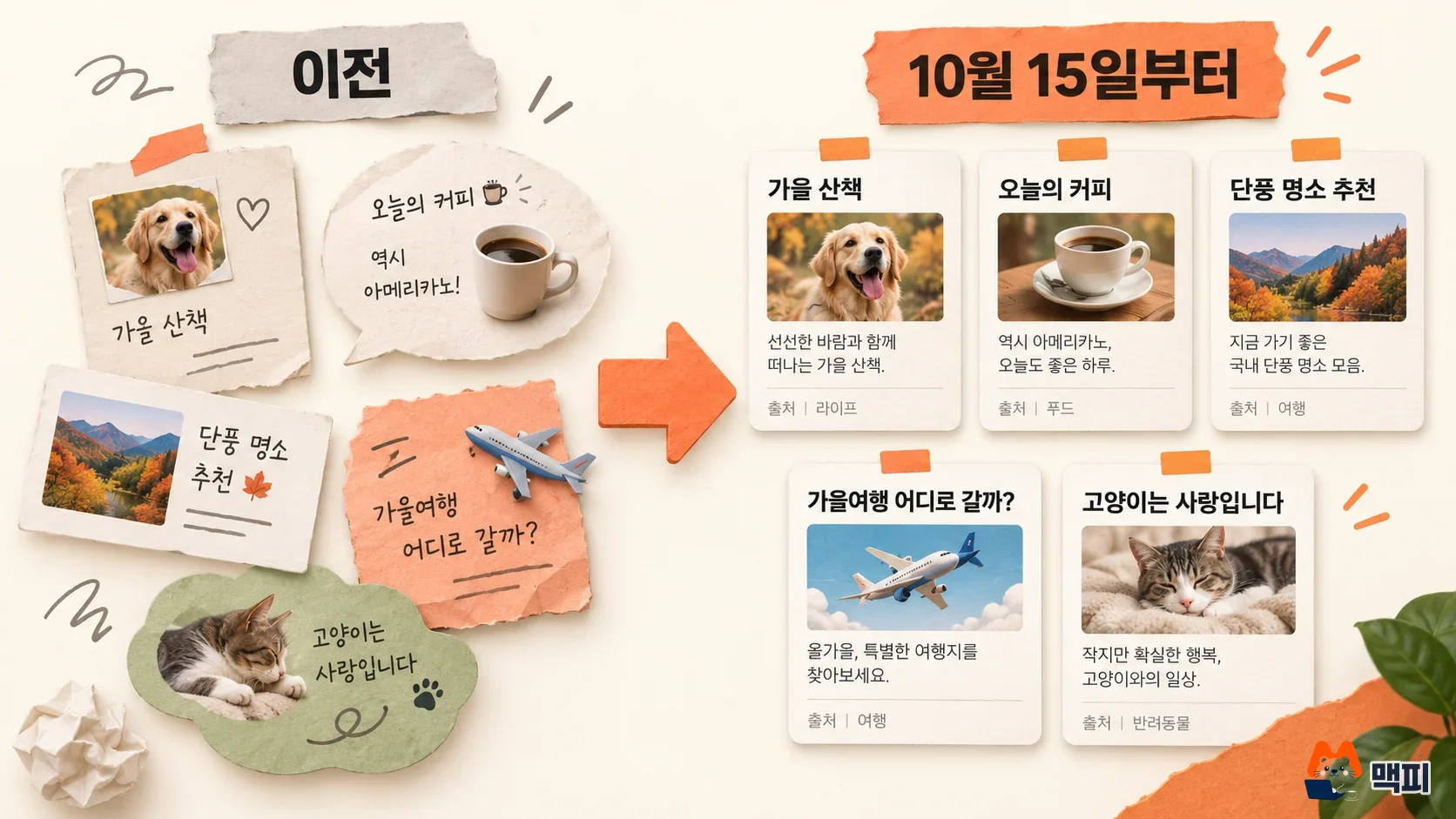
What changed Different result types now show the title, body text, image and source in the same format. Extra items such as 'See more related documents' (which grouped other documents from the same source) and 'Related channels' (a box that collected documents from other channels) have been cleaned up.
Who is affected Site owners and SEO managers who get traffic from Naver search through blog, cafe, Knowledge iN, video and web documents.
What to do now Open the new screen for your core keywords and check how the title, first line of the body, main image and source label appear.
What changed in the Naver search redesign
According to the announcement on Naver's official search blog, there are two main changes. First, documents of different types, such as web, blog, cafe, Knowledge iN (Naver's Q&A service) and video, now show key information like title, body text, image and source in a consistent format. Second, some extra items such as 'See more related documents' and 'Related channels' were cleaned up so individual content stands out more.
| Item | Details |
|---|---|
| Effective date | October 15, 2026 |
| Scope | Web, blog, cafe, Knowledge iN and video search results |
| Display | Title, body, image and source shown in a consistent format |
| Cleaned-up items | Some extra items such as 'See more related documents' and 'Related channels' |
| Testing | Several A/B tests from June, and an early October A/B test covering 5 result types |
How related-channel documents appear now
According to Naver's announcement, documents from other channels that used to appear in 'Related channels' now show as individual search results based on search ranking. Documents that were grouped in a box now appear at their own rank. The announcement goes no further than this. You can see how your own channel's documents appear in the checks below.

Your blog and cafe posts are affected too
Naver blog, cafe, Knowledge iN, video and web document results are all within the scope of this redesign. The announcement only describes changes to the screen layout and how some items are displayed. It does not mention any change to ranking criteria. So you need to search yourself to see whether your posts moved.
What to do now: check your posts on the new search screen
The checks below are MCPY's suggestion, based on the announcement's line that title, body, image and source are shown in a consistent format. Naver has not required any of these actions. Note down your keywords and the date first so you can compare the same queries before and after your changes.
- Search Naver for 3 to 5 core keywords your posts target, and open the blog, cafe, Knowledge iN and video tabs one by one.
- In results that show your post, check that the key words in the title are not cut off and that the first line of the body answers the question in the query.
- Check that the main image looks meaningful on the result card. If the text is small or cropped, replace the image.
- If two or more posts from your channel appear separately for the same query, compare whether their titles and first paragraphs answer the same question. If they overlap, merge one into the other or split the topics.
You can try a small experiment. Pick one query such as 'your industry + core keyword', and capture your post's position and title display on the blog tab. Then fix the title and main image, and capture the same query again a week later. If the key title words are not cut off and the image is recognizable on the result card, count the display check as passed. You cannot tell whether a rank change came from your title edit or from the redesign, so record display state and rank separately.
When the check is done, capture today's screen and keep it as a baseline. Open the same query again a week later and compare whether your post's position and title display are unchanged. If you already have screenshots or rank records from before the redesign, compare against those directly. Item-by-item guidance is in the Naver Search help center.
What to keep watching
Naver says it will keep improving the search experience. If your traffic shifts noticeably, check the search traffic statistics in Naver Search Advisor and whether the help center pages have been updated. For a way to count how a results page is actually composed, see our log of counting Naver SERP slots over 4 weeks.
Naver search redesign FAQ
Does this redesign change blog ranking?
The announcement does not mention any change to ranking criteria. It only describes layout changes. However, related-channel documents now appear as individual results, so the arrangement of results for the same query may differ.
How do I compare visibility before and after the redesign?
Open the same query in the same tab, capture your post's position and the title and image display, and compare again at regular intervals. If you have no record from before the redesign, today's screen becomes your baseline.
Found this useful? Share it
Latest posts
Kakao Share Thumbnail Not Showing? Here's the Fix (JavaScript SDK 2025)
Learn why Kakao Share thumbnails don't appear even with a valid imageUrl, and fix it using scrapImage to convert your URL into a KAGE CDN URL. Step-by-step guide.
How to Generate CRM User Manuals in 20 Minutes with Claude Code Sub-Agents
Learn how Claude Code sub-agents can analyze your CRM codebase and auto-generate user manuals and visual guidebooks in just 20 minutes. See the real-world results.
GEO Generative Engine Optimization: The Complete 2025 AI Marketing Strategy Guide
Learn what GEO (Generative Engine Optimization) is, how it differs from traditional SEO, and discover 5 proven AI marketing strategies to get cited by AI search engines in 2025.
Related projects
Get new posts by email
Insights on marketing, analytics, and dev, delivered to your inbox.