
Q. We agreed on a UTM convention, so why do the channel reports keep splitting apart?
Because UTM values are free text: the table you wrote is read only by you, while GA4 reads the same string by its own rules. Google's published default channel group logic checks source against a list of 819 sites and checks medium against fixed regular expressions, so for one identical link your table says referral and GA4 counts it as Organic Search. The convention document is only half the job. The other half is pulling out the violations with a query on a schedule.
Three lines you can use today
- GA4 never looks at the channel_group column you invented, only at its own list and regex
- Dynamic parameters filled in by ad platforms do not follow your convention
- A convention is held together by a recurring audit query, not by a document
Six months later, the channels have split
UTM tagging is easiest the day you start. You hang a few labels on the end of a link and you are done, and the five slots covered in the beginner's guide are all there is to it.
The trouble arrives half a year later. You open the channel report and one channel is spread across several rows, and nobody can say which row is the real one. A value with different capitalisation, a value with the domain attached, a value a new team member invented, all sitting side by side.
So you build a convention table. Source and medium fixed per platform, a naming rule for campaigns, even a reporting-level category as its own column. Most teams get this far. Then you reopen the report six months on and it is still split.
This article answers three things. Why it splits even with a table. How to write that table so it stops fighting the tool. And how to catch violations with a query instead of a person.
Two parties read the same line differently
The root of the splitting is plain. A UTM value carries no meaning of its own. It is a string, and whoever reads it attaches meaning.
There are at least two readers. One is GA4's default channel group. The other is the mapping table you built. Both look at the same string and sort it by different criteria.
Adding one more column to your table does not make GA4 read that column.
The split is dangerous because both sides use overlapping channel names. Your table has social and referral and paid_search, and GA4 has Organic Social and Referral and Paid Search. Same names, different membership.
So two reports land on the meeting table, both labelled "social", with different numbers. Nobody notices that the definitions differ, and the argument turns into which one is wrong.
Run our table through Google's rules and it splits like this
Google publishes the judging rules for default channel groups. In short, they use two kinds of material.
- A site list: whether the source value appears on a list Google maintains. It is sorted into search, social, video and shopping, and it is downloadable. Counting the entries gives 819.
- Medium regex: the paid family is
^(.*cp.*|ppc|retargeting|paid.*)$, display is a fixed list like display, banner and cpm, and referral is only referral, app and link.
Here is the decisive part. The condition for Organic Search is "source matches the search site list OR medium exactly matches organic". Either one on its own is enough. And naver sits on that list as a search site.
So a convention that standardises utm_source on naver drops everything into Organic Search the moment the medium fails to match the paid regex. It makes no difference whether you wrote blog or cafe.
| The label we assigned | source / medium | Our channel_group | GA4 default channel group |
|---|---|---|---|
| Official blog | naver / blog | referral | Organic Search |
| Agency ranking placement | naver / blog-top | referral | Organic Search |
| Brand search ad | naver / bs | paid_search | Organic Search |
| Paid Instagram content | instagram / sns | paid_social | Organic Social |
| Meta ad (Facebook·Instagram placement) | fb / da, ig / da | paid_social | Organic Social |
| Meta ad (other placements) | an / da, msg / da | paid_social | Unassigned |
| Messenger channel broadcast | kakao / message | social | Organic Social |
| Official video | youtube / video | video | Organic Video |
This table applies the published rules to our values. It is not a set of readings taken from a live property.
Three rows are worth pausing on. A brand search ad gets counted as organic. Write bs as the medium and it never matches the paid regex, while the source naver satisfies the search site condition on its own. Money you spent shows up in the report as free traffic.
Paid Instagram content also turns into organic social. The Paid Social condition asks for a social site and a medium matching the paid regex together, and sns does not pass that regex.
The last row is the nasty one. A single Meta campaign splits into Organic Social and Unassigned depending on placement. Why that happens comes up shortly, in the section on dynamic parameters.
Why these are stated flatly rather than hedged. Every row above was chosen because exactly one rule matches the combination. naver / cpc, for instance, satisfies both Paid Search and Organic Search, so the answer depends on the order in which rules are evaluated, and Google's documentation does not state that order. It was left out. If your own values fall into that group, checking a live property is the faster route.
So the convention gets written in two layers
By now it is clear why a convention table needs a separate column like channel_group. The values that go into the five UTM slots and the categories you use in reporting live on completely different layers.
Separate what you parse from what you map
One criterion divides them. Is the set of values finite and decided by a person, or does it keep growing?
Medium is finite. A dozen or so values cover it, and a person approves anything new. So this side gets mapped. A value outside the list becomes an incident signal by itself.
Campaign names, on the other hand, keep growing. New ones every month, different ones per product, impossible to hold in a list. So this side gets parsed. Structure is embedded in the value and split back out later.
Give the underscore and the hyphen different jobs and the query that splits them later stops breaking.
Splitting the separators into two roles looks trivial and pays off. The underscore is a structural separator inside utm_campaign only, and everywhere else hyphens join words. Then SPLIT(campaign, '_') always returns three pieces and the parsing holds.
Keep non-Latin text out of the values
Put Korean or any non-Latin text into a UTM value and the URL turns it into percent encoding. The report shows an unreadable string, and depending on which stage decodes it, the same value can appear in two shapes.
So the values stay lowercase Latin, and the human-readable name lives in a separate mapping table. What product signup refers to is a lookup, and the report joins the table to display it properly.
A finished convention ends up looking roughly like this. Platforms are generalised to types, and the brackets are slots to fill.
| Platform type | utm_source | utm_medium | utm_campaign | channel_group |
|---|---|---|---|---|
| Official blog | naver | blog | official_content_[yyyymm] | referral |
| Official community | naver | cafe | official_community_[yyyymm] | referral |
| Agency placement | naver | blog-top | agency_top_[yyyymm] | referral |
| Influencer partnership | naver | blog-influencer | [creator]_promo_[yyyymm] | affiliate |
| Search ads | naver | cpc | [product]_lead_[yyyymm] | paid_search |
| Messenger broadcast | kakao | message | official_push_[yyyymm] | social |
| Creator PPL video | youtube | ppl | [creator]_ppl_[yyyymm] | video |
| Meta ads | {{site_source_name}} | da | {{campaign.name}} | paid_social |
| Performance affiliate | [partner-code] | cpa | [partner-code]_cpa_[yyyymm] | affiliate |
utm_content is left out of the table because one line covers the rule. Write an identifier that points to exactly one creative or post, joined with hyphens. For a post, blog-[post-id]; for an ad, the ad ID. That value becomes the key for tracing a single link later.
Values the platform fills in do not know your rules
Everything so far concerned links you write by hand. Ad platforms work differently. The platform fills the value, not you.
Meta offers placeholders in double braces. Put {{campaign.name}} or {{ad.name}} in the link and it is replaced with the real name at click time. Google Ads has ValueTrack parameters like {keyword} and {creative}.
Convenient, and there are three traps.
Trap 1, the name freezes at first delivery
Meta's own documentation spells it out. Name-based parameters are set to the campaign, ad set and ad names used when the ad first delivers, and renaming afterwards leaves the parameter pointing at the original name.
So fixing a campaign name to match the convention later still ships the old name in the UTM. Changing the value means creating and publishing a new campaign. Which makes the moment of naming the only chance to honour the convention on Meta.
The example attached to that same document shows the problem directly. A campaign named Prospecting 2026 arrives in the URL as utm_campaign=Prospecting%202026.
The space becomes %20 and the capitals stay. The three-token underscore rule is already broken here.
Trap 2, placement splits source five ways
{{site_source_name}} returns five values. Audience Network is an, Facebook is fb, Instagram is ig, Messenger is msg, Threads is th.
Google's site list carries only fb and ig as social. an, msg and th are absent. That is why one Meta row in the earlier table came out as two channels.
One campaign on one budget scatters across two channels in the report.
The fix is not to touch source but to change medium to a value that matches the paid regex. Use cpc or paid-social instead of da, anything hitting .*cp.* or paid.*, and even a source missing from the list gathers into the paid family.
Trap 3, auto-tagging beats your UTM
Google Ads adds one more trap. The Analytics documentation puts it this way. If you use manual tagging and auto tagging together, then the source, medium, and other traffic-classification dimensions use the auto-tagged values.
So however carefully you tag the link, when a gclid rides along the channel classification follows the click ID rather than the UTM. In the reverse case, where the click ID cannot be used as intended, the same document states that a single UTM parameter on the URL makes all values come from UTM.
The sentence after that is the one that matters in practice. Google recommends setting every relevant parameter once you set any of them, because missing parameters end up as (not set) in reporting. A half-tagged link is the worst kind.
ValueTrack has a comparable hole. {keyword} returns the matched keyword on the Search Network, but returns a blank value on campaigns that match without keywords, such as Dynamic Search Ads and Performance Max.
The convention table says utm_term={keyword}, and that slot ships empty. The value is not wrong so much as absent, which means the report simply loses it.
Off-page links cannot be told apart by UTM alone
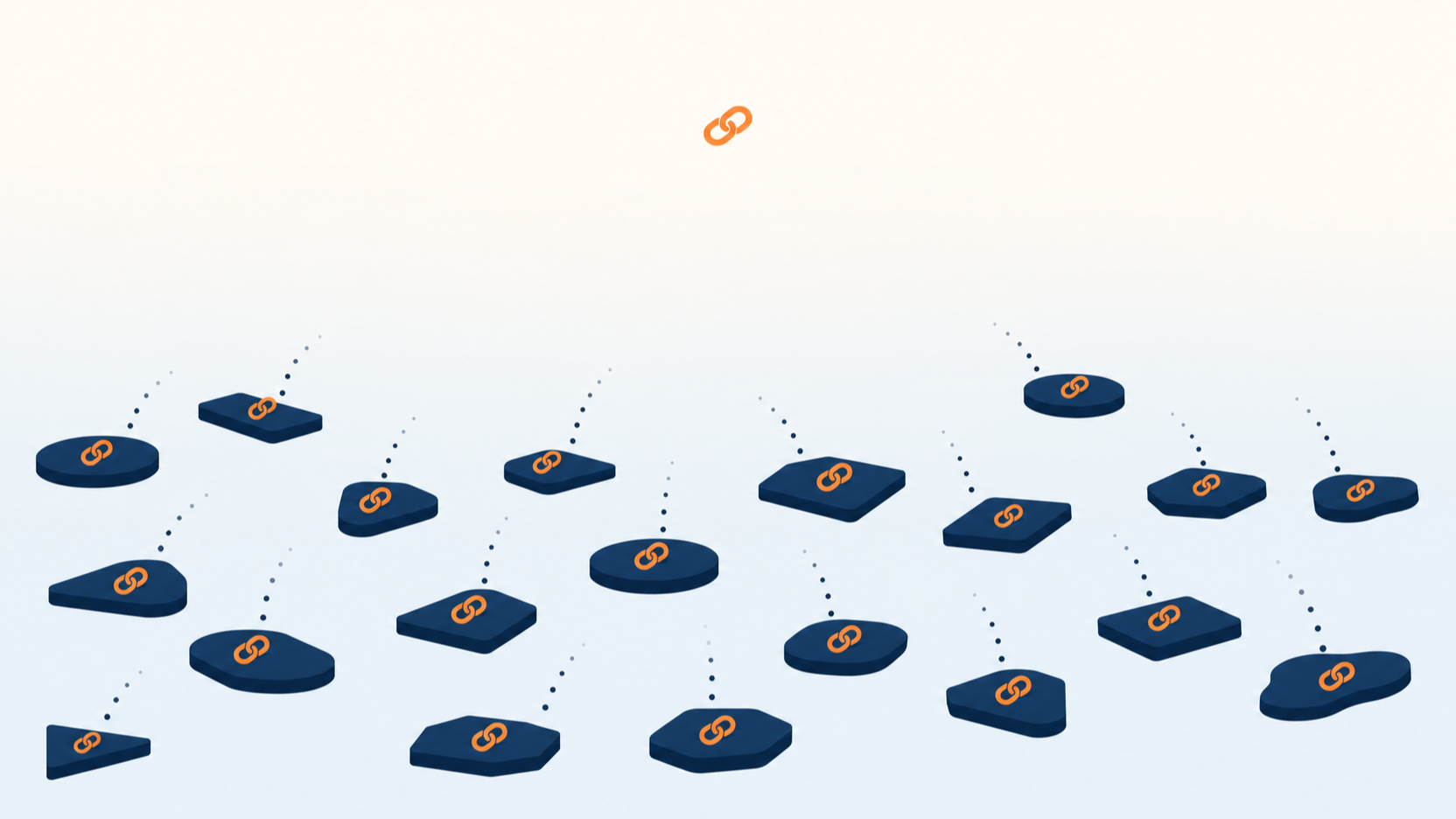
The moment a link spreads, the label stops remembering where it started.
This is where the tracking links from the previous article come back. Links planted outside your own site cannot be managed with UTM alone.
Two reasons. The first is that UTM is only read at the destination. A click on an off-page link happens before arrival, and counting it means routing through a redirect domain first. That was the reason for a subdomain like go. in the previous article.
The second is that the same link gets copied and spreads. A link posted to a community is screenshotted, quoted, moved to another room. The UTM follows along unchanged the whole way, so the report still credits the spot where it was first planted.
Redirect links therefore need a naming rule of their own, separate from UTM. One principle is enough.
- Issue link IDs per placement, not per asset: the same content planted in two places is two links. One link per placement, not one link per piece of content.
- Put only a platform type and a serial in the path: something like
go.example.com/c/blog-014. A partner name in the URL is exposed publicly, so keep a code and resolve it in a table. - Copy the same value into utm_content: the link ID in the redirect server log and
utm_contentin GA4 have to be the same value before clicks and arrivals can sit on one row.
The third is the crux. Two systems keyed differently cannot be joined, and then the gap between "the link was clicked" and "no session arrived" stays unexplained forever.
Catching violations with BigQuery
Convention documents do not hold. People move on, an urgent campaign cuts in, and a new value arrives without fail. Rather than growing the document, keep a query that surfaces the violations on a schedule.
If GA4 is exporting to BigQuery the material is already there. One trap has to be cleared first, though.
Three fields look like the UTM
The GA4 export schema carries traffic source in three separate places, and all three have similar names. Pick the wrong one and the query runs fine while the answer is wrong.
Auditing the convention means the middle field. The top one counts new users only.
The four queries below are written to show the shape, not lifted from a run. Dataset names and date ranges have to be swapped for your own.
Query 1, find which event carries the values
Which event the UTM attaches to varies by property. Counting beats guessing.
-- Illustrative query. It was never run and carries no result figures.
-- Check first which events carry a collected UTM.
SELECT
  event_name,
  COUNT(*) AS events,
  COUNTIF(collected_traffic_source.manual_source IS NOT NULL) AS with_utm
FROM `project.analytics_XXXXXXXXX.events_*`
WHERE _TABLE_SUFFIX BETWEEN '20260701' AND '20260731'
GROUP BY event_name
ORDER BY with_utm DESC
LIMIT 20;
They usually cluster on session_start and the first page_view. To count by session, narrow event_name in the queries below to that value; count across all events instead and one session gets picked up repeatedly, which distorts the ratios.
Query 2, gather the notation variants
The most common form of splitting is the same meaning written differently. Flatten to lowercase and it surfaces immediately.
-- Illustrative query. No result figures.
-- More than one raw value under a lowercase key means a notation variant.
WITH s AS (
  SELECT
    LOWER(TRIM(collected_traffic_source.manual_source)) AS norm_source,
    collected_traffic_source.manual_source AS raw_source
  FROM `project.analytics_XXXXXXXXX.events_*`
  WHERE _TABLE_SUFFIX BETWEEN '20260701' AND '20260731'
    AND event_name = 'session_start'
    AND collected_traffic_source.manual_source IS NOT NULL
)
SELECT
  norm_source,
  COUNT(DISTINCT raw_source) AS variants,
  ARRAY_AGG(DISTINCT raw_source ORDER BY raw_source LIMIT 10) AS samples
FROM s
GROUP BY norm_source
HAVING variants > 1
ORDER BY variants DESC;
If this query returns Naver and naver.com bundled under one naver, that is the splitting. What splits there stops at the report rows, though: naver and naver.com both sit on the list as search sites, so the channel group lands in the same place.
The variant that moves the channel group is a different one. The list carries naver as search and blog.naver.com as social, each on its own line. Same blog traffic, and whether the source was written as a domain decides between Organic Search and Organic Social. One notation choice moving the whole channel, not just splitting a row.
Query 3, catch off-list values and broken structure together
Medium, the mapped side, gets compared against the allowed list; campaign, the parsed side, gets checked for token count and forbidden characters. Easier to see them together.
-- Illustrative query. No result figures.
-- Off-list mediums plus broken campaign structure in one pass.
WITH allowed AS (
  SELECT medium FROM UNNEST([
    'blog','cafe','kin','blog-top','kin-top','cafe-affiliate',
    'blog-influencer','message','video','ppl','cpc','bs','da','sns','cpa','display'
  ]) AS medium
),
s AS (
  SELECT
    collected_traffic_source.manual_medium        AS medium,
    collected_traffic_source.manual_campaign_name AS campaign
  FROM `project.analytics_XXXXXXXXX.events_*`
  WHERE _TABLE_SUFFIX BETWEEN '20260701' AND '20260731'
    AND event_name = 'session_start'
)
SELECT
  medium,
  campaign,
  COUNT(*) AS sessions,
  medium IS NULL OR medium NOT IN (SELECT medium FROM allowed) AS unknown_medium,
  ARRAY_LENGTH(SPLIT(IFNULL(campaign, ''), '_')) <> 3        AS bad_token_count,
  REGEXP_CONTAINS(IFNULL(campaign, ''), r'[^a-z0-9_\-]')     AS bad_charset
FROM s
GROUP BY medium, campaign
HAVING unknown_medium OR bad_token_count OR bad_charset
ORDER BY sessions DESC;
The bad_charset column catches the Meta trap from earlier exactly as described. Campaign names carrying capitals and %20 land right here. So does any percent-encoded non-Latin text.
Query 4, count where our labels and the tool disagree
The last one turns this article's subject into SQL. Attach the mapping table, then check whether the traffic we call paid is also paid by GA4's standard.
-- Illustrative query. No result figures.
-- Count combinations where our channel_group and GA4's paid rule disagree.
WITH mapping AS (
  SELECT * FROM UNNEST([
    STRUCT('blog' AS medium, 'referral' AS channel_group),
    STRUCT('blog-top', 'referral'),
    STRUCT('bs',       'paid_search'),
    STRUCT('cpc',      'paid_search'),
    STRUCT('da',       'paid_social'),
    STRUCT('sns',      'paid_social'),
    STRUCT('cpa',      'affiliate')
  ])
),
s AS (
  SELECT
    collected_traffic_source.manual_source AS source,
    collected_traffic_source.manual_medium AS medium,
    COUNT(*) AS sessions
  FROM `project.analytics_XXXXXXXXX.events_*`
  WHERE _TABLE_SUFFIX BETWEEN '20260701' AND '20260731'
    AND event_name = 'session_start'
  GROUP BY source, medium
)
SELECT
  s.source,
  s.medium,
  m.channel_group                                   AS our_label,
  REGEXP_CONTAINS(IFNULL(s.medium, ''),
    r'^(.*cp.*|ppc|retargeting|paid.*)$')            AS ga4_paid_rule_hit,
  s.sessions
FROM s
LEFT JOIN mapping m USING (medium)
WHERE STARTS_WITH(IFNULL(m.channel_group, ''), 'paid')
  AND NOT REGEXP_CONTAINS(IFNULL(s.medium, ''),
        r'^(.*cp.*|ppc|retargeting|paid.*)$')
ORDER BY s.sessions DESC;
Any rows here mean traffic we call paid that GA4 does not count as paid. bs, da and sns are the ones that show up. Channels you spent money on, sitting in the report as organic.
Two ways to fix it. Change medium to a value that matches the paid regex, or build a custom channel group in GA4 and move our mapping inside the tool.
The first option changes data from today forward and leaves the past alone. Whichever you choose, marking the switchover date in the report has to travel with it.
These four are better scheduled than run by hand once a quarter. Wire an alert for any result that is not zero rows and the convention stops being a document and becomes a mechanism.
Honestly, this is where the limits are
Separating what was verified from what was not.
- Verified against official documentation: the default channel group conditions and regex, the contents of the site list, the descriptions of the three export schema fields, the five values of Meta's dynamic parameter and its name-freezing behaviour, the blank-value condition in ValueTrack, and the auto-tagging precedence rule. The inline links and the sources below are all primary.
- Inferred by applying the rules: the GA4 channel outcomes in the comparison table. Those are not readings taken from a live property; they are the published conditions with our values substituted in. Only combinations matching exactly one rule were used, and an inference is still an inference.
- Not executed: the four BigQuery queries are written to show the shape. They have never been run against any dataset, which is why no result figures appear anywhere in this article. Syntax and field names follow the schema documentation, but each one deserves a run in your own environment.
- Subject to change: Google updates the site list, and the channel rules get revised. Platform parameter specifications move too. Everything above reflects checks made in August 2026.
One thing a convention cannot fix by design. The person building the link never opens the table. An audit query only reports violations after the fact, so putting the rules into the link-building screen itself works far better. Keep one generator and ban hand-assembled links.
Thirty minutes today tells you where your labels stand
No need to build a new table. Start by looking at the values arriving right now.
- Count the variants first: flatten last month's source and medium to lowercase and group them. Any group holding more than one raw value shows how far the splitting has gone.
- Check the list: see whether the sources you use appear on Google's site list, and under which category. Anything on the list gets pulled into that category regardless of medium.
- Compare the paid side: test every medium you call paid against
^(.*cp.*|ppc|retargeting|paid.*)$. The ones that fail are where ad spend leaks into organic. - Open the slots the platform fills: check whether Meta campaign names carry spaces and capitals, and whether
{keyword}arrives empty on Performance Max. Names cannot be changed after first delivery. - Put the query on a schedule: run the audit weekly and alert on anything that is not zero rows. Documents get forgotten; alerts do not.
If you take away one thing, take this.
A convention is not about deciding the values. It is about deciding who reads them and how.
This is an advanced entry in the Digital Marketing Analytics series. The structure for measuring links outside your own site is covered in Off-Page Measurement, Tracking Links and MMPs, and if UTM itself is new, start with UTM Parameters, a Beginner's Guide. Naming systems for on-site events rather than links continue in Designing an Event Taxonomy, and the whole map lives in The Five-Layer Measurement Audit.
Sources
- Default channel group conditions, medium regex, and the downloadable site list: Analytics Help, Default channel group
- Definitions of traffic_source, collected_traffic_source and session_traffic_source_last_click in the export schema: Analytics Help, BigQuery Export schema
- Precedence when auto-tagging and manual tagging are used together, and (not set) from missing parameters: Analytics Help, Traffic-source dimensions, manual tagging, and auto-tagging
- Meta dynamic URL parameters, the five site_source_name values, and name-based parameter freezing: Meta Business Help Centre, Specifications for dynamic URL parameters
- ValueTrack {keyword} returning a blank value on Dynamic Search Ads and Performance Max: Google Ads Help, ValueTrack parameters
The BigQuery queries in this article are illustrative, were never executed, and contain no result figures. The GA4 channel outcomes are inferences drawn by substituting values into published rules, not readings from a live property. Site lists, channel rules and platform parameter specifications are all subject to revision, so the above reflects checks made in August 2026. Platforms and partners in the convention examples have been generalised to types.
Found this useful? Share it
Latest posts
Kakao Share Thumbnail Not Showing? Here's the Fix (JavaScript SDK 2025)
Learn why Kakao Share thumbnails don't appear even with a valid imageUrl, and fix it using scrapImage to convert your URL into a KAGE CDN URL. Step-by-step guide.
How to Generate CRM User Manuals in 20 Minutes with Claude Code Sub-Agents
Learn how Claude Code sub-agents can analyze your CRM codebase and auto-generate user manuals and visual guidebooks in just 20 minutes. See the real-world results.
GEO Generative Engine Optimization: The Complete 2025 AI Marketing Strategy Guide
Learn what GEO (Generative Engine Optimization) is, how it differs from traditional SEO, and discover 5 proven AI marketing strategies to get cited by AI search engines in 2025.
Related projects
Get new posts by email
Insights on marketing, analytics, and dev, delivered to your inbox.