
Vibe coding is a way of building software where you describe what you want in plain words, AI writes the code, and you check the result and ask for fixes until the app is done. In its official guide, Google Cloud explains that the term was coined in early 2025 by AI researcher Andrej Karpathy. You can start with little coding experience, but reading and verifying the generated code is still your job.
Vibe coding is describing an app and letting AI write the code
Google Cloud describes vibe coding as a way of working where the developer's role shifts from writing code line by line to guiding an AI assistant that builds, refines and debugs the app. For each piece of code, you repeat a loop: describe the goal, let the AI generate code, run it and look at the result, then ask again for what is wrong.

When you build a whole app, steps are added before and after the same loop. The sequence Google Cloud lays out is: describe the idea, generate the app, improve iteratively, test and verify, then deploy. Testing and verification is listed as the step where a human expert reviews security, quality and accuracy.
Vibe coding differs from regular coding and AI code assistants in input and role
In Google Cloud's comparison table, what changes is the input and the role. Traditional development means typing exact code yourself. Vibe coding means giving natural-language instructions and feedback.
| Item | Regular coding | Vibe coding |
|---|---|---|
| Writing code | A person writes every line by hand | AI generates code from natural-language prompts |
| User role | Architect, implementer, debugger | Director, guide, tester, refiner |
| Expertise needed | Knowledge of programming languages and syntax | Ability to describe the features you want |
| Error handling | Understand the code and debug it yourself | Ask for fixes through conversation |
| Maintainability | Depends on code quality and developer skill | Depends heavily on AI output quality and the user's review |
Even under the same name, there are two ways to work. Google Cloud splits them into "pure" vibe coding and responsible AI-assisted development. The pure approach is the attitude Karpathy described as "forgetting that the code even exists": you trust and use the output as it is, which suits throwaway weekend projects. The responsible approach treats the AI like a pair programmer. You review, test and understand the generated code, and you take responsibility for the final result.

Google Cloud describes the responsible approach as the professional, practical application. So build any app that other people will use, or that handles customer data, with the second approach. Limit the first approach to experiments you can throw away.
Vibe coding tools are chosen by where you work and what you want
Tools differ by where you work. Google Cloud advises choosing tools by goal, not by job title, and notes that even developers who want to see a prototype quickly can use AI Studio.
| Tool | Where you work | Best for |
|---|---|---|
| Google AI Studio | Web browser | Beginners who want to see an idea working right away, even with no coding experience |
| Gemini CLI | Terminal | Intermediate and above users comfortable in the terminal (open-source agent) |
| Google Antigravity | Editor, terminal, browser | People who want to hand complex engineering tasks to an agent |
| Claude Code | Terminal, IDE extension, desktop app, web | People who want the tool to read code in their own project folder and edit multiple files |

Google Cloud classifies AI Studio as a beginner tool that needs no coding experience and says it can build an app from a single prompt. If you are new, start here and watch how the preview changes as you refine. To edit a site or code folder you have already built, a tool that reads your project folder, such as Claude Code, fits better. According to the official docs, most environments require a Claude subscription or an Anthropic Console account. Installation and plans are covered separately in our guide to Claude Code installation, pricing and usage limits.
You can vibe code in AI Studio with one prompt
These are the steps to build and edit a web app from a single prompt in Google AI Studio's Build mode. They follow the Google Build mode documentation, and menu names may change.
- Open Build mode. Sign in with your Google account at aistudio.google.com/apps, the address given in the Google docs.
- Choose how to start. Describe the app you want in the prompt box. If you have no idea, click "I'm Feeling Lucky" and Gemini writes a prompt with a project idea. To start from an existing project, copy an app from the App Gallery with Copy App, or choose Import from GitHub in the Add files (+) menu of the input box.
- Choose a platform. The default is a web app, and you can also pick a native Android app.
- Run the prompt. Code and files are generated, and a running preview appears on the right.
- Ask for changes. According to the Google docs, you can write changes in the chat panel or edit directly in the Code tab. You can also use Annotation mode to mark a part of the screen and describe what to change.
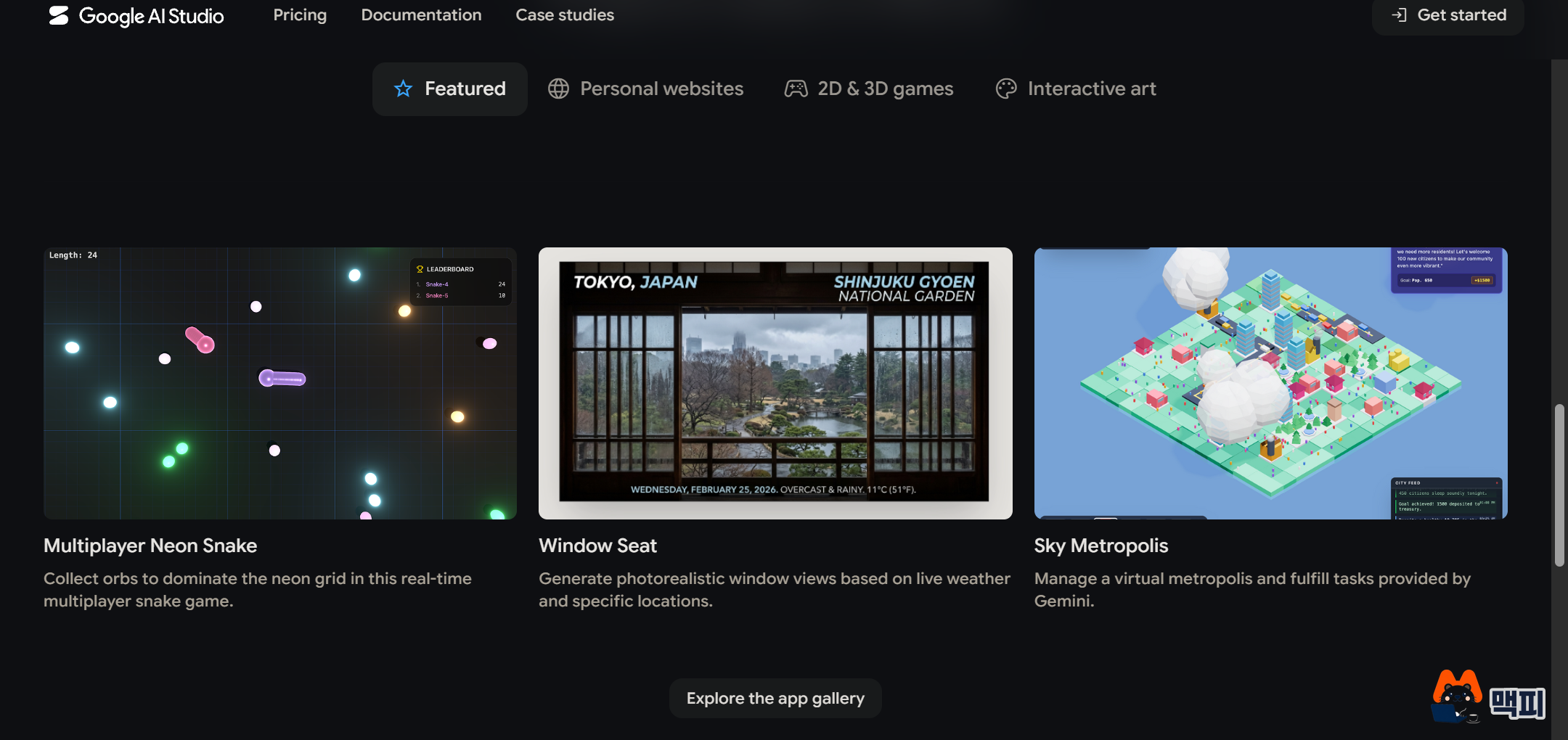
The Google AI Studio welcome page shows example apps built by others, grouped by category. You can see results made from a single prompt, such as a multiplayer snake game, an app that generates a window view to match the weather, and a city-running simulation. Looking at these first and then asking for a similar app gives you a feel for what results to expect.
The AI Studio example from Google Cloud spells out the input elements and the result, as in "Build a startup name generator with a text box for entering an industry and a button. When I press the button, show 10 creative names." After it is built, you refine it with follow-up prompts such as "Change the background to dark gray and make the title and button bright green." In the same format, an app for a Naver Smartstore (a Korean e-commerce platform) giveaway could be requested like this: "Create an input box where I can paste entrant names, one per line, and a draw button. When I press the button, show 3 winners on the screen."
You check success in two places. In the preview on the right, click the buttons and input boxes yourself to see whether they work as requested. Then open the generated code in the Code tab the docs describe and confirm that the feature you asked for is in there. To take the result with you, download the code as a ZIP file and open it in your own editor, or connect a repository in the GitHub tab of Settings and push and pull.
Terminal and editor vibe coding tools look like this in use
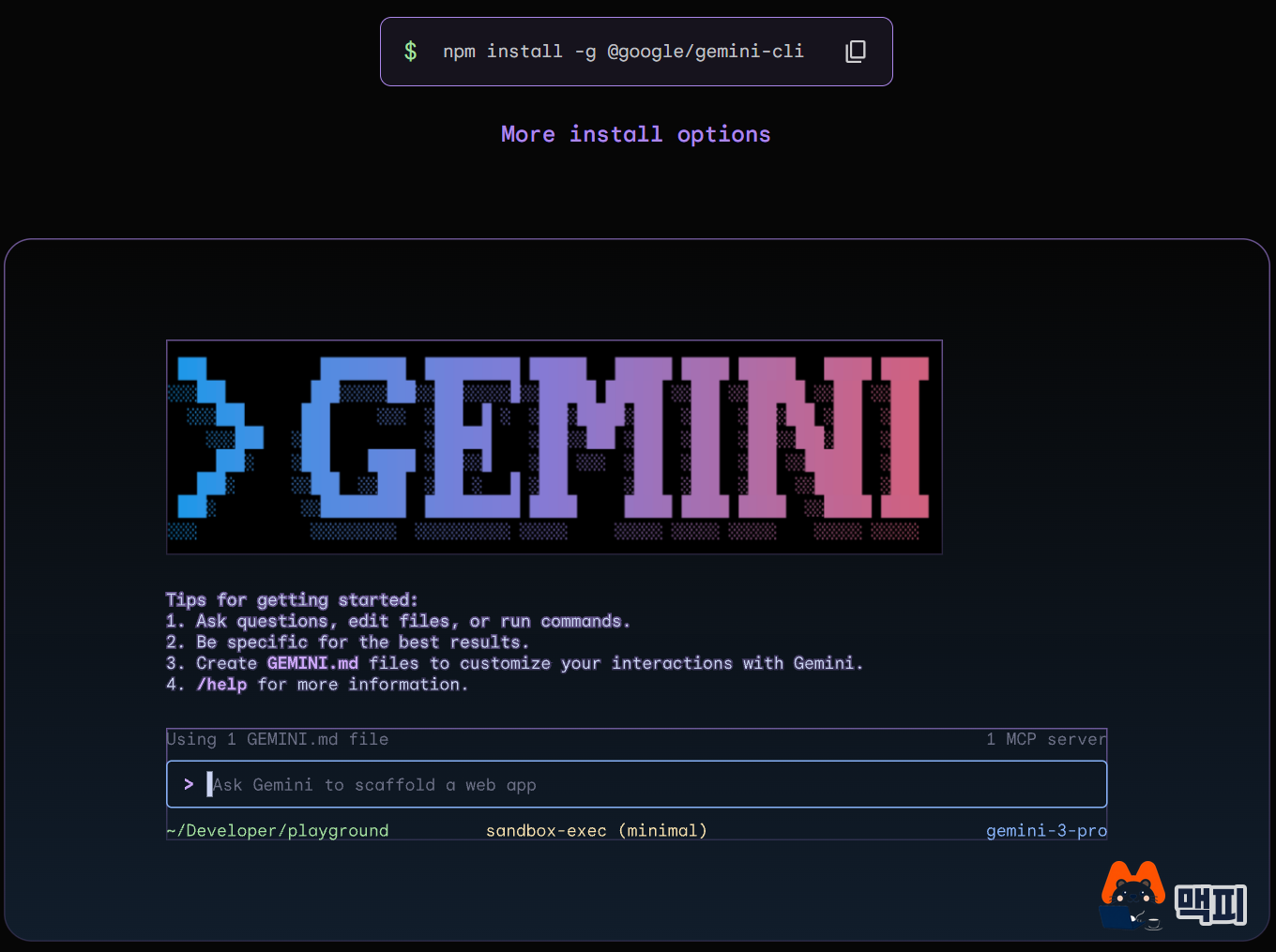
Gemini CLI is a tool you use inside the terminal. The official Gemini CLI site gives npm install -g @google/gemini-cli as the install command. Its demo screen shows an input box with the hint "Ask Gemini to scaffold a web app" and some starting tips. Asking questions, editing files and running commands all happen in this one input box.
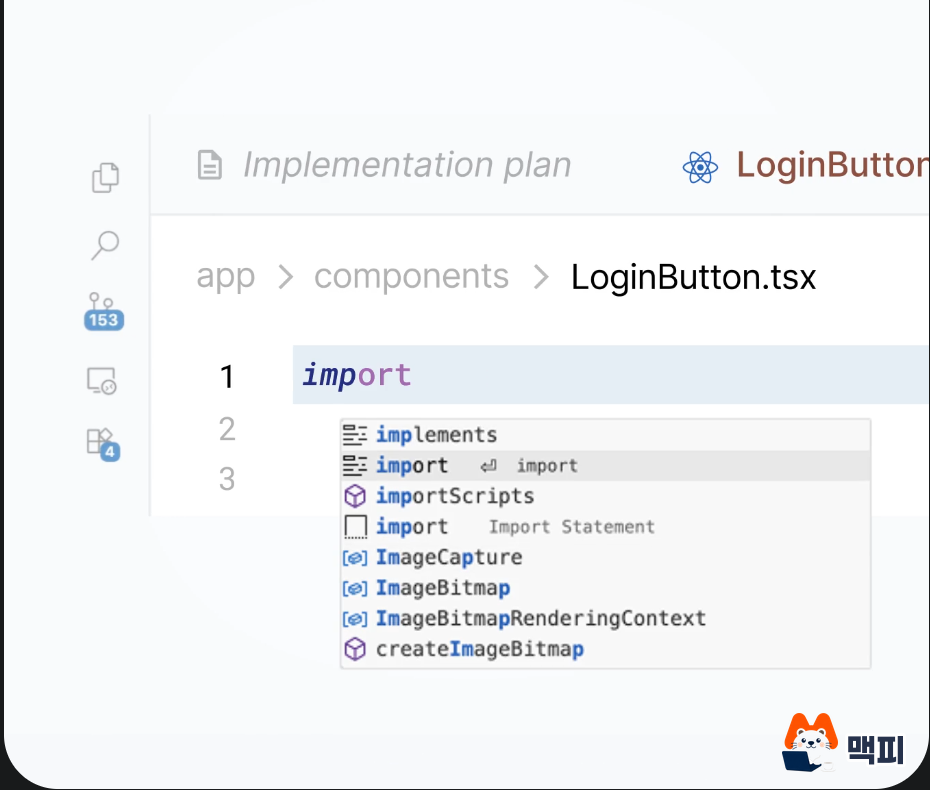
Google Antigravity is an IDE that combines an agent manager with an editor. The IDE screen on the official site shows an editor with a code file open, an autocomplete list that finishes the code you are typing, and an Implementation plan tab created by the agent, all side by side in one window. The flow is to check the plan the agent made while editing the code right in the editor.
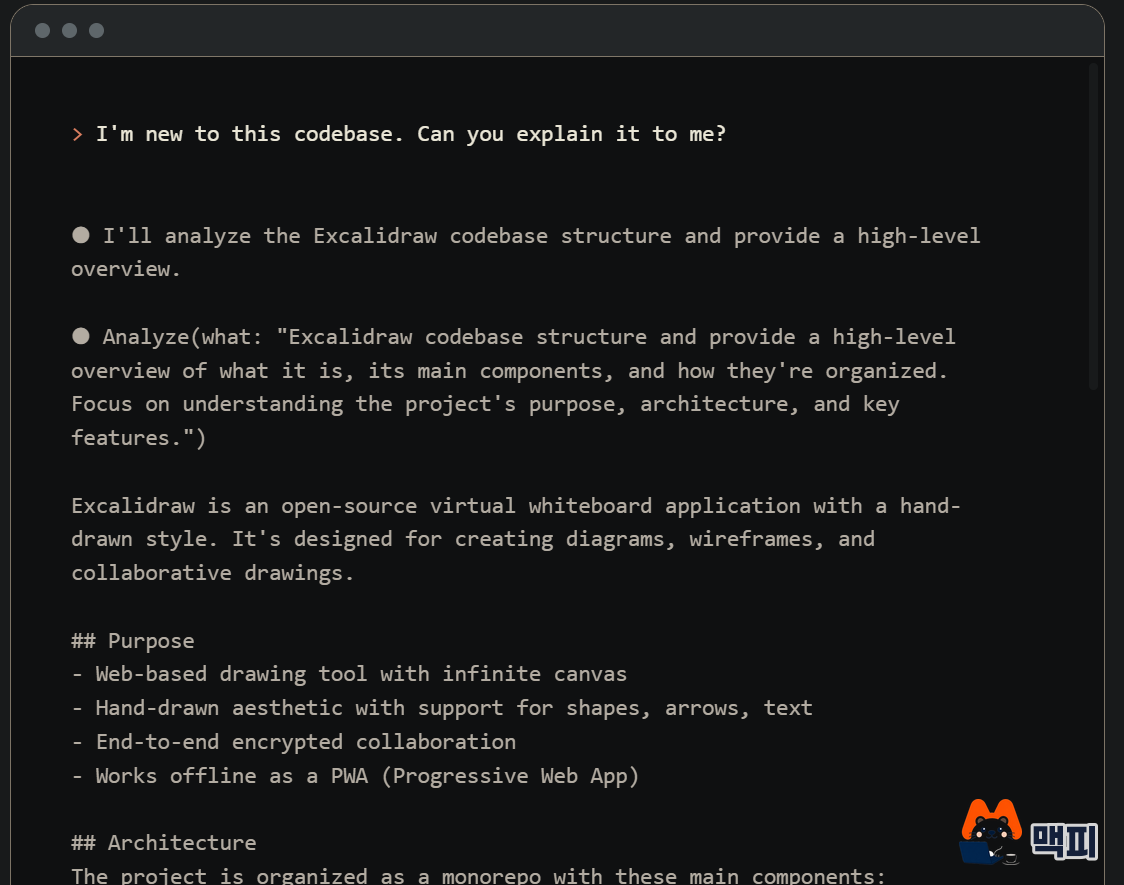
The terminal demo on the official Claude Code page shows what happens when you type "I'm new to this codebase. Can you explain it to me?" The agent scans the project structure and returns a summary of its purpose, main components and architecture. It is a way to get the big picture first when you join a new project, before opening the code yourself.
Vibe coding cautions cover review, sharing, API keys and cost
A preview that runs well does not mean the app is ready for a live service. Even in Google Cloud's lifecycle, there is a separate step where a human reviews security, quality and accuracy before deployment. On top of that, the AI Studio docs describe some operational limits.
- Sharing scope: According to the Google docs, apps are private by default. People you share with can view and fork the code, and they can edit it if you give them edit permission.
- API key: Per the same document, apps that use Gemini get GEMINI_API_KEY set automatically as a server-side secret. Put other keys in the Secrets panel in Settings. If you download a ZIP and host the app elsewhere, you must set GEMINI_API_KEY yourself in that hosting environment.
- Cost: The docs say API calls from shared apps count toward usage limits, and paid models and Cloud Run deployment may incur charges.
- Responsibility: The docs state that the app's behavior, data, legal compliance and misuse prevention are the creator's responsibility, and apps that violate policy may be removed.
- Collaboration: According to the docs, real-time co-editing is not supported, so if several people work together, share a GitHub repository.
The docs also describe responses to common problems. If a shared app shows a "403 Access Restricted" error, a browser privacy extension may be the cause. For build problems, ask the agent to "fix any build issues with the current code" and then share again. If an app you moved by ZIP does not work, first check whether you set GEMINI_API_KEY in the hosting environment.
Frequently asked questions
Can you vibe code for free?
It depends on the tool. The Google docs say API calls from shared AI Studio apps count toward usage limits, and paid models and Cloud Run deployment may incur charges. Claude Code requires a Claude subscription or a Console account in most environments.
Can you vibe code with no coding knowledge at all?
Google Cloud classifies AI Studio as a beginner tool that needs no coding experience. However, it states that maintainability depends heavily on AI output quality and the user's review, so an app meant for real users needs someone who can review it.
Can you publish a vibe-coded app as it is?
Google Cloud's workflow says a human should review security, quality and accuracy before deployment. If the app handles sensitive data such as customer information or payments, publish it only after that review.
Found this useful? Share it
Related posts
Related projects
Get new posts by email
Insights on marketing, analytics, and dev, delivered to your inbox.