
As of October 1, 2026, AI search optimization (GEO) comes down to this: allow search bots in robots.txt and decide on training bots separately. Google's official documentation says you need to do nothing extra to appear in AI Overviews and AI Mode. ChatGPT, Perplexity and Claude each use different bot names. OpenAI and Google both state that blocking a training bot is separate from search visibility.
Google needs no extra work for AI search
Google's official documentation says there are no additional requirements or special optimizations for appearing in AI Overviews and AI Mode. You do not need AI-specific markup or files. Your page just needs to be indexed in Google Search and eligible to show a snippet (the excerpt shown in search results). The document was last updated on December 10, 2025.
You control how your content is used in AI answers with your existing search settings. Meta tags such as nosnippet, max-snippet and noindex still apply. Visibility results are reported together under the "Web" search type in the Search Console performance report.
Based on this document, MCPY does not create a separate GEO workflow for Google. We first check that indexing and snippets work normally. This article covers only crawler allow and block rules. OpenAI also says only that allowing its bot makes it more likely you appear in search results. Allowing does not guarantee visibility.
Split AI bots into three types
A crawler is an automated program that reads web pages. AI companies run separate bots for different purposes. You need to know the purpose before you choose to allow or block.

- Training bots: collect content to train models. Per OpenAI and Google documentation, blocking them is separate from search visibility.
- Search bots: collect content so your site can appear in AI search results. If you block them, you drop out of that service's search answers or appear less often.
- User-request bots: visit a page only at the moment a user asks, such as "read this page for me."
Bot names by company and what happens when you block them
robots.txt is an access notice placed at the top level of your site (for example, example.com/robots.txt). A bot looks for the block with its own name and reads whether it is allowed or blocked. Use the exact names in the table below.
| Company | robots.txt name | What it does | If blocked |
|---|---|---|---|
| OpenAI | OAI-SearchBot | Shows your site in ChatGPT search results | Your site does not appear in ChatGPT search answers. Changes take about 24 hours to take effect |
| OpenAI | GPTBot | Collects content for model training | Your content is not used for training. This is separate from search visibility |
| OpenAI | ChatGPT-User | Visits a page when a user asks | These are user-requested visits, so robots.txt rules may not apply |
| Perplexity | PerplexityBot | Shows your site in Perplexity search results | You must allow it to appear in search results. Perplexity says it does not use this for training |
| Perplexity | Perplexity-User | Visits a page to answer a user's question | Perplexity says it generally does not follow robots.txt |
| Anthropic (Claude) | ClaudeBot | Collects content for model training | Content you publish from now on is excluded from training data |
| Anthropic (Claude) | Claude-SearchBot | Indexes content to improve search result quality | Your visibility in search results may drop |
| Anthropic (Claude) | Claude-User | Visits a page when a user asks Claude | Access is blocked during user questions, so visibility may drop |
| Google-Extended | A token that sets whether content is used to train Gemini models | No effect on inclusion in Google Search or on rankings |
The sources are each company's official documentation: OpenAI bot documentation, Perplexity bot documentation, Anthropic crawler guide, Google crawler documentation. Everything in the table was checked against these documents on October 1, 2026. MCPY did not put numbers on AI search optimization effects in this table, because the official documentation gives no basis for them.
A copy-ready robots.txt example
Use this combination when you want to keep search visibility and block only training use. There are three steps.

- Allow the search bots (OAI-SearchBot, PerplexityBot, Claude-SearchBot).
- Set the training bots (GPTBot, ClaudeBot, Google-Extended) according to your site policy.
- Save, then open
/robots.txton your domain to verify.
If search visibility is your priority, MCPY recommends the combination below. This is MCPY's judgment, not an official recommendation. The names use the same spelling as the table above.
User-agent: OAI-SearchBot
Allow: /

User-agent: PerplexityBot
Allow: /

User-agent: Claude-SearchBot
Allow: /

User-agent: GPTBot
Disallow: /

User-agent: ClaudeBot
Disallow: /

User-agent: Google-Extended
Disallow: /
Whether to block training bots is a site policy decision. To allow training, delete the matching block or change it to Allow: /. User-request bots are not in the example. If you do not list them, they are not blocked.
If User-agent: * already has Disallow: /, every bot you do not name is blocked. You must name the bots you want to allow, as in the example above.
What Korean sites should check
You cannot ignore Naver, Korea's largest search engine, for search traffic in Korea. According to Naver Search Advisor guidance, Naver's search crawler is Yeti, and it follows the rules in robots.txt. If there is no robots.txt at your site root, it assumes all content may be collected.
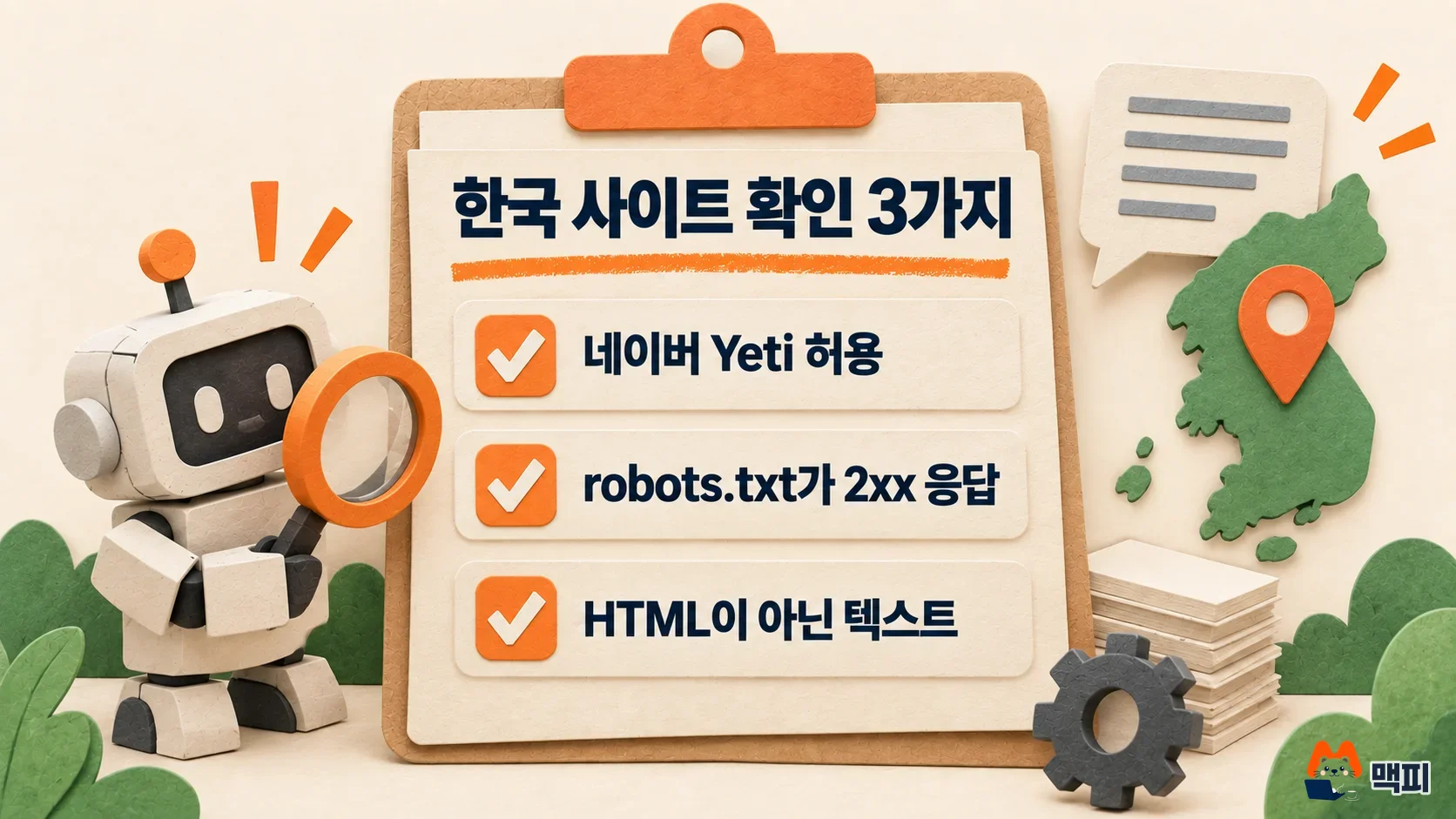
The guidance lists three things to check.
- Allow Yeti: the
User-agent: Yetiblock must not be set to block. - robots.txt returns a normal response (2xx): the crawler must be able to read the file for the rules to apply.
- Serve it as a text file: if it is returned as an HTML document, it may be read as "no robots.txt" even when valid rules are inside.
Sometimes the robots.txt address returns a regular web page (HTML). Open /robots.txt on your domain in a browser and check that only the rule text appears. For detailed setup, see the Naver Search Advisor robots.txt guide.
Common mistakes
- Thinking that blocking training bots removes you from AI search. OpenAI's documentation separates the two: GPTBot is for training, and OAI-SearchBot handles search visibility. Google also says Google-Extended does not affect inclusion in search.
- Believing robots.txt blocks every visit. User-request bots may not follow the rules, depending on the company. Protect content that must not leave your site with other methods, such as a login.
- Creating a separate file or markup for Google AI Overviews. The official documentation says you do not need it.
- Expecting results right after a change. OpenAI says OAI-SearchBot settings take about 24 hours to take effect.
Frequently asked questions
Is GEO optimization different from traditional SEO?
For Google, MCPY treats them as the same work. Google's documentation says there are no additional requirements for appearing in AI Overviews. If indexing and snippets work, you meet the conditions to appear in AI Overviews. For ChatGPT, Perplexity and Claude, the first condition is whether each company's search bot can read your site.
Should I allow user-request bots?
If you do not block them separately, they are allowed. Anthropic says that blocking Claude-User blocks access during user questions, which may reduce your visibility.
You have one task today. Open your site's /robots.txt and check that OAI-SearchBot, PerplexityBot, Claude-SearchBot and Yeti are not blocked.
Found this useful? Share it
Related posts
Related projects
Get new posts by email
Insights on marketing, analytics, and dev, delivered to your inbox.