
You can use ChatGPT Ads Manager self-serve in Korea. But being in a supported country is not the same as having your ads run right away. Your business must meet advertiser requirements and pass account review, and you need to decide what counts as success before you launch.
Eligibility, the question your ad answers, and measurement after the click. Let's prepare these three in order.
Korea is supported. What conditions remain?
In the official list of supported countries, checked on September 26, 2026, Korea is marked 'Available'. The test is not the country of your ChatGPT login. It is the ad account conditions, such as where the business that advertises and is billed is located.
The official account setup guide separates business information entry and verification, account review, and account information and billing setup. Creating an account does not finish these steps automatically. If your company already has an account, first check whether an admin can invite you, before you create a new one.
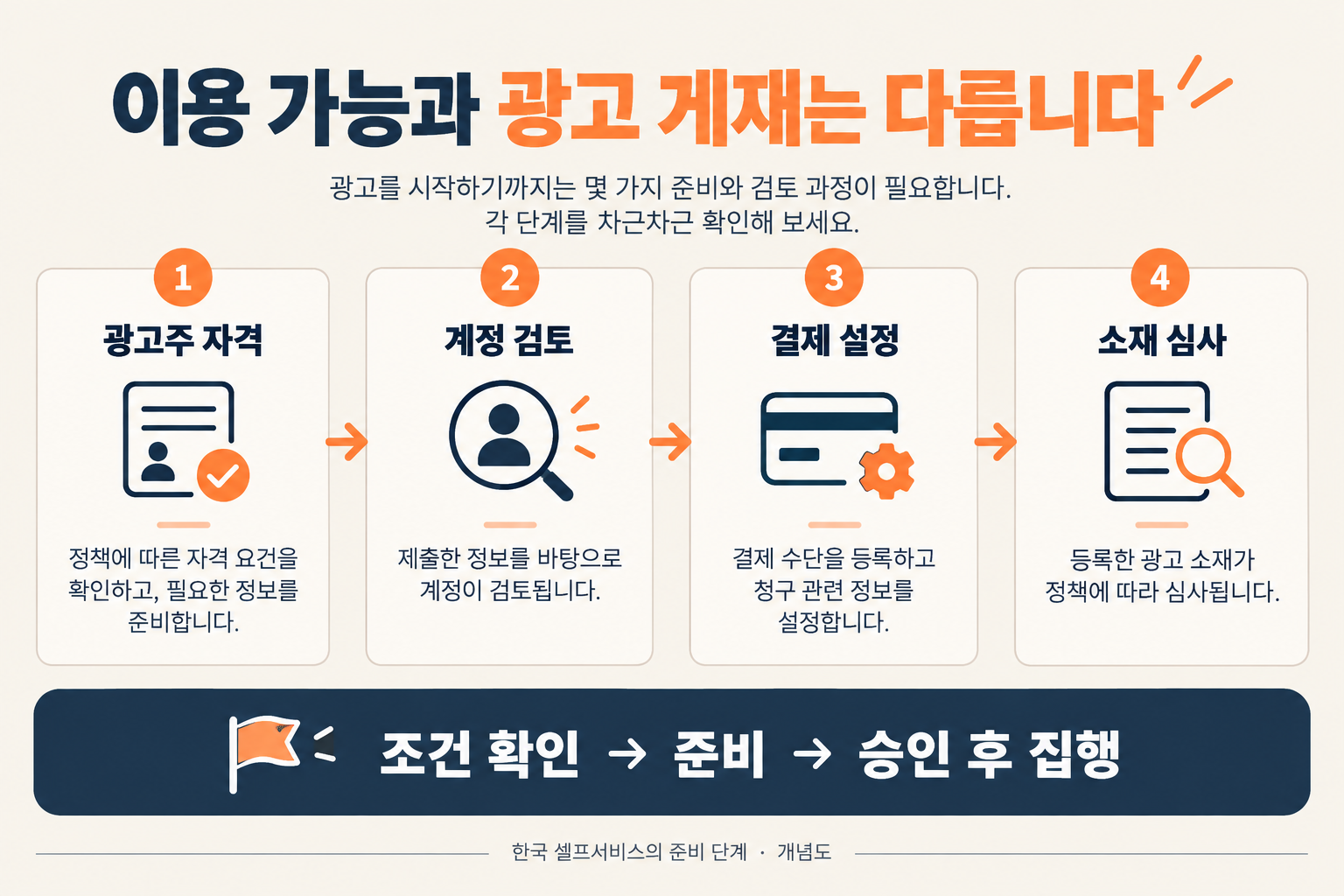
There is one more distinction. The path that sets up an account through Ads Manager inside ChatGPT is meant for eligible business advertisers. The guide says this path does not support onboarding of individual advertisers, or agencies creating new accounts on behalf of clients. Agencies should check the route where the client creates the account and then invites them. Do not read this limit as a general rule for every way of creating an account.
Before you move search keywords over, write down your audience's questions
According to OpenAI's basic guide to ads, ads appear below ChatGPT responses. They are selected using several signals, including the context and intent of the current conversation, the ad copy, and the landing page. The context hints an advertiser provides describe the conversations that are relevant. They are not exact-match keywords, and they do not guarantee delivery in any specific conversation.
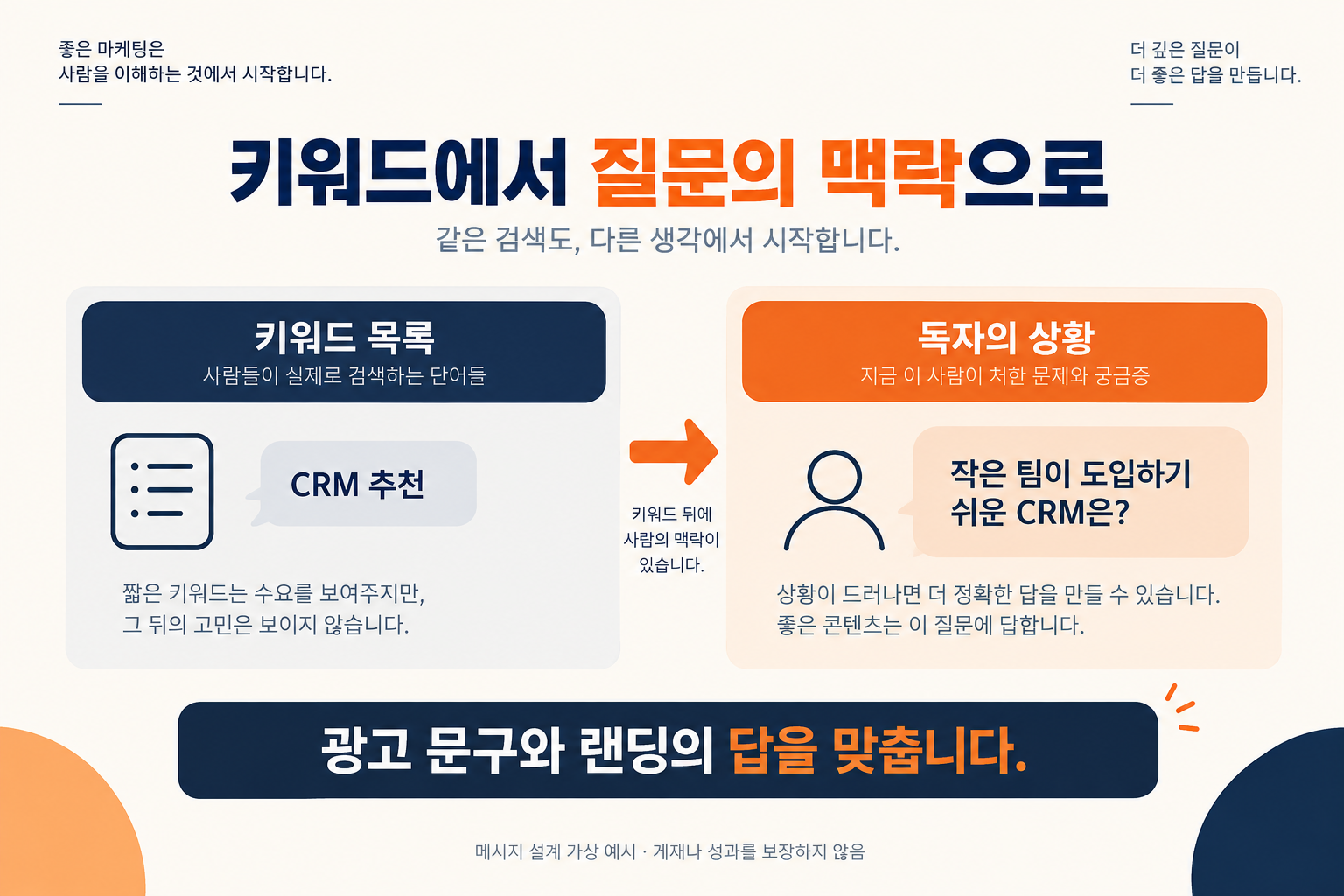
Say you are advertising a CRM for small teams, as a hypothetical. Writing only 'CRM recommendation' shows just the product category. Change it to 'Can a team without a dedicated admin adopt it easily?' and what the landing page must explain changes. You could lead with initial setup, how team members learn it, and the features they need first. The answer must stay within what the real product offers.
This does not mean ChatGPT ads perform better. It is a way to make the message and landing page hypotheses for your first test more specific. What matters is whether the page after the click keeps the promise the ad made.
Before you collect clicks, connect what happens after them
If you cannot tell visitors who came from an ad apart from existing visitors, you will have less to base your judgment on later. The official guide says you can add tracking parameters, such as static UTMs, to the landing URL. If you have no standard yet, start with UTM parameter basics and common mistakes.
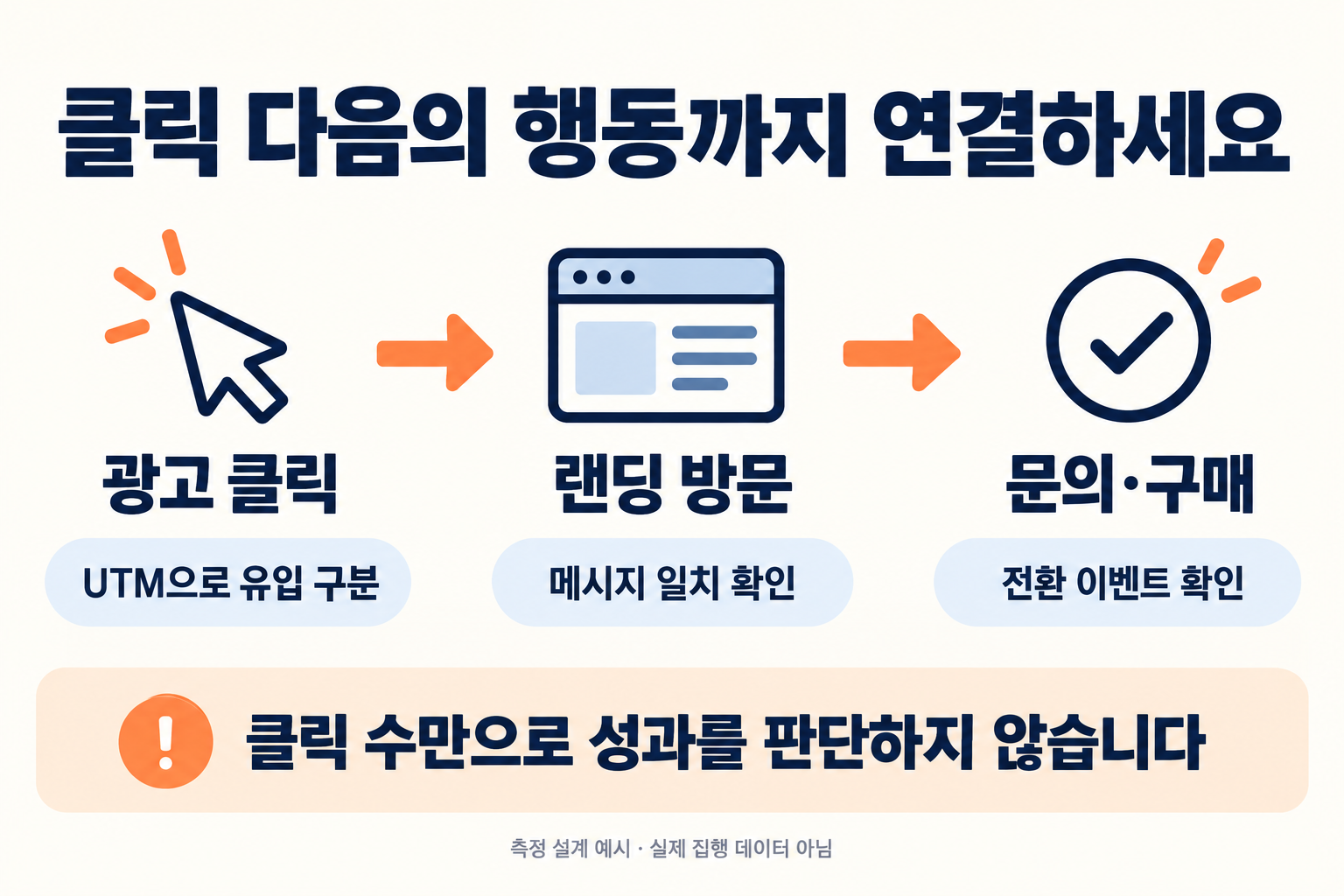
UTMs help you tell where a visit came from. To learn whether that visitor made an inquiry or a purchase, you also need a conversion event. If this difference is confusing, read on with the roles of pixels, click IDs, and server-side conversion tracking.
My practical suggestion is to write down three things before you launch. Whose question you will answer, where you will send them, and which action you will check. 'Increase visits' is vague. 'See whether visitors who checked adoption requirements leave an inquiry' gives you a clearer hypothesis to review. Set target numbers and cost thresholds separately, to fit your product and sales process.
Frequently asked questions
Does 'available in Korea' mean the date ads first launched in Korea? No. This article describes the self-serve eligibility conditions as of the check date. The first ad launch and the expansion of account setup features are separate things.
Do all paid ChatGPT users see ads? The official basic guide says ads are not shown on Plus, Pro, and Business plans, or to accounts identified as under 18.
Today, prepare one hypothesis to test, not just one account
- Eligibility: Check where your business is located, your account status, and the review and billing steps you need.
- Message: Pick one question from your prospects, and make the ad and landing page give the same answer.
- Measurement: Set your UTM rules and conversion events, then confirm they are actually recorded.
If your measurement connections are missing, I recommend filling that gap first instead of rushing to create an account. If you are stuck on where to start, read the five-layer diagnosis of marketing measurement design next. It lets you check your existing measurement connections before you add a new channel.
Official documents checked: September 26, 2026. This article is a preparation guide, not a report from a live ad experiment. Images are explanatory diagrams.
Found this useful? Share it
Latest posts
Kakao Share Thumbnail Not Showing? Here's the Fix (JavaScript SDK 2025)
Learn why Kakao Share thumbnails don't appear even with a valid imageUrl, and fix it using scrapImage to convert your URL into a KAGE CDN URL. Step-by-step guide.
How to Generate CRM User Manuals in 20 Minutes with Claude Code Sub-Agents
Learn how Claude Code sub-agents can analyze your CRM codebase and auto-generate user manuals and visual guidebooks in just 20 minutes. See the real-world results.
GEO Generative Engine Optimization: The Complete 2025 AI Marketing Strategy Guide
Learn what GEO (Generative Engine Optimization) is, how it differs from traditional SEO, and discover 5 proven AI marketing strategies to get cited by AI search engines in 2025.
Related projects
Get new posts by email
Insights on marketing, analytics, and dev, delivered to your inbox.