
Q. What do the Meta Pixel, gclid, and Conversions API each actually do?
The Meta Pixel is a JavaScript snippet that observes a website visitor's behavior and sends it to the ad platform's servers. A click ID like gclid or fbclid is a tracking number issued for every single ad click, used later, when a conversion happens, to match it back to the person who came from that click. Server-side methods like the Conversions API or Enhanced Conversions bypass the browser entirely, with the advertiser's own server sending data directly to the platform's server, recovering conversions the pixel misses due to cookie blocking.
Three lines you can use today
- Check whether both the Meta Pixel base code and the noscript tag are present in your site's head.
- Check that auto-tagging is turned on in Google Ads, and that the Conversion Linker tag is installed.
- Check whether the conversion action you're currently tracking actually matches a real business goal (purchase, lead, contract).
You Installed the Code, But No One Tells You What It Does
The instructions a marketing agency or ad platform sends are usually short: just one line asking you to put this script inside the
tag. The developer copies and pastes the code, and the marketer just knows this means the pixel is installed, and moves on.The trouble starts after that. To answer questions about the conversion counts showing up in ad reports, purchase data, and how much revenue this campaign actually generated, you need to know exactly what that code observes and where it sends what, and without that, when the numbers spike, you can't pin down why.
So this post tries to answer three questions in order. What exactly does the pixel do? Why is a click ID like gclid needed? What's different about server-side methods like the Conversions API or Enhanced Conversions, compared to the pixel? Once you understand these three separately, you won't need to ask what "please install the pixel" even means, ever again.
What a Pixel Really Is: One Invisible 1x1 Image
The name pixel, or more precisely tracking pixel, actually came from a genuinely tiny image. A transparent 1x1-pixel image, usually a GIF file, embedded in a web page or email. Nothing shows up on screen, but the moment this image loads, the browser sends a request to a server, and the server logs that request. Other names for the same thing: pixel tag, web beacon, web bug, clear GIF.
This technique first appeared in the 1990s under the name web bug, a way to track users invisibly. It coincided with cookies being standardized in 1997, and has been one of the central pillars of the web privacy debate for the past 20-plus years, making it the root of every conversion tracking technology in use today.
Today's Meta Pixel, on the surface, isn't a 1x1 image at all, it's a piece of JavaScript. It works by loading a small function library that logs and sends off a record every time a site visitor takes some action, but even though it looks like code, there's no need to be intimidated. The structure splits neatly into two parts.
The base code (script) initializes with a pixel ID and automatically fires off one PageView event every time a page opens. The noscript code is a fallback for environments with JavaScript turned off, sending a PageView via a single image tag, and this is the exact trace of the original 1x1 pixel technique. It's still sitting right there at the bottom of the Meta Pixel code today, worth scrolling down to check for yourself.
The flow of a pixel tag running in the browser and sending an event to the ad platform's server
An event is one action the pixel reports, things like PageView, AddToCart, Purchase. A parameter is the detail attached to that event, so a Purchase event comes with the payment amount, currency, and purchased product ID riding along. The pixel takes these collected events and cross-references them against a cookie Facebook has already planted, to match this visitor to which Facebook account is the same person.
The Simplest Way to Connect an Ad Click to a Conversion
Now that you know what the pixel observes, you need to see how that observation gets tied back to which ad caused it, and Google Ads' conversion tracking is the most basic model for that.
Here's how it works. When a customer clicks a search result or a display ad, a temporary cookie gets planted on that device, and later, when the customer takes a predefined action, like completing a purchase or submitting a form, the code installed on the site recognizes that cookie and logs it as a conversion that came from the ad.
Setup is just two steps. Create a conversion action in your Google Ads account, and install the Google tag (a code snippet) on your site, and that's it. Some types, like phone calls, get picked up without any code install, but most conversions follow this two-step basic form.
Here's the thing to understand: the ad platform knows that a click and a conversion are, by nature, two separate events happening apart from each other. The click happens on the ad server, the conversion happens on your site, so a bridge is needed to connect the two. That bridge is the cookie, or the click ID covered in the next section.

matching receipt halves, hand a half to the customer at the click, match it against the other half when a conversion happens
Thinking of it as matching receipt halves makes it easier to picture. Imagine that the moment someone clicks an ad, a receipt gets torn in half and one half gets handed to the customer. Later, when a conversion happens, the half the customer was holding gets matched against the other half the shop kept, and if the two torn edges line up exactly, that confirms it's the same customer. That's matching.
A Tracking Number Issued Per Click: The Click ID
The cookie from the previous section is mostly actually implemented in the form of a click ID, a long string automatically appended to the URL the instant an ad is clicked. Google calls this gclid (Google Click Identifier).
gclid gets appended automatically once you turn on Google Ads' auto-tagging setting, and it encodes information about which campaign and which ad group this click came from.
The question is where this gclid gets stored, and a tag called Conversion Linker automatically reads this value out of the landing page URL and stores it in a 1st-party cookie (a cookie stamped with your own site's domain) and in browser local storage. The default cookie names are _gcl_aw and _gcl_gs.
Why bother storing it again in a 1st-party cookie? Because browser policies like Safari's ITP (Intelligent Tracking Prevention) started aggressively blocking 3rd-party cookies (cookies stamped with the ad platform's domain). Once 3rd-party cookies are blocked, the ad platform has no way to remember, across the browser, that this is the same person who clicked that ad earlier, and Conversion Linker works around this by moving the click ID over into a 1st-party cookie, which browsers trust for much longer.

a click ID is a unique number tag issued for every single click
There's a trap that comes up often in practice: gclid itself doesn't expire, but the _gcl_aw cookie that holds it disappears after about 90 days by default, a figure that shows up consistently across several marketing blogs. That said, this 90-day figure couldn't be directly reconfirmed from Google's own official support documentation during this research, so treat it honestly as an approximate reference of about 90 days for practical use. To bring in offline conversions, you need to upload the gclid before this window closes.
Offline conversion matching runs in these 3 steps: gclid gets automatically appended to the URL on an ad click, the site's code detects it and stores it in a cookie or a hidden field on a lead form, and later, when an actual offline conversion happens, like signing a contract, that person's gclid and conversion data get uploaded to Google Ads to be matched. There's a capitalization trap here too, gclid is case-sensitive, so if even a single character is off during upload, the match fails.
Meta's side has the exact same structure. fbclid (Facebook Click Identifier) gets automatically appended to the URL on an ad or link click, and the Meta Pixel moves it into the _fbc cookie (formatted as fb.1.creation-time.fbclid-value, valid for 90 days). Separately, the _fbp cookie is a visitor identifier the pixel issues on its own, arising from the visit itself, not a click. Both get sent together via the Conversions API when a conversion event happens, boosting match probability.
Does Naver's ad platform have an equivalent to a click ID? It does. A parameter called NaPm plays a similar role, and exactly how it's stored, how long it survives, and how it gets lost alongside UTM (the URL tag distinguishing ad performance) is actually measured and written up in the deep-dive measurement post.
A click ID is issued at the ad click, travels through the URL and a cookie, and gets cross-checked again at the moment of conversion
Why the Browser Keeps Losing This Tracking Number
Everything described so far, this structure of storing a click ID in a cookie and matching it at the moment of conversion, rests on one assumption: that the browser keeps holding onto that cookie.
The problem is that browsers today keep breaking that assumption. Safari's ITP shortens the lifespan not just of 3rd-party cookies but even 1st-party cookies set via JavaScript, and ad blockers stop the pixel script itself from ever loading. Incognito mode wipes cookies out entirely the moment the session ends.
Here's something worth being honest about. Specific figures, like what percentage of iOS users fall out of tracking, or what percentage of people use ad blockers, only turned up in this research at the level of marketing agency blog posts, secondary sources, and no official published figures from Meta or Google were found. So this post doesn't include those numbers. The one thing that is certain is qualitative: a pixel running in the browser structurally misses some conversions.
This is exactly why server-side methods emerged, if the advertiser's own server sends data directly to the ad platform's server without ever going through the browser, the browser's cookie policy and ad blockers have no way to get in the way in the first place.

browser policy and ad blockers bounce the pixel's signal back at the door
The Server-Side Trio That Bypasses the Browser
Server-side conversion tracking goes by a different name at every company, but they all do roughly the same thing. Three are enough to know: Meta's Conversions API, Google's Enhanced Conversions, and Google's Offline Conversion Import.
The browser path gets blocked by cookie restrictions and ad blockers, but the server path connects the advertiser's server directly to the platform's server, leaving nowhere for a block to happen
The Conversions API (CAPI) is Meta's server-to-server connection. Data from the advertiser's server, website, app, or CRM gets sent directly to Meta's systems by the advertiser's own server, and events sent from the server are processed identically to events sent by the browser pixel, feeding into measurement and optimization the same way. Setup involves steps like securing a pixel ID, preparing a business account, and issuing an access token.
Enhanced Conversions is Google's approach, and the mechanism is a bit different. Instead of servers exchanging events with each other, customer personal information like email, name, address, or phone number gets encrypted with a hash algorithm called SHA-256 before being sent, and Google matches that hash value against a logged-in Google account.

a hash is like comparing only stamped patterns without ever showing the original
Worth pausing on what a hash actually is here. A hash is a one-way function that scrambles original data according to a fixed rule into a short value, where the same input always produces the same output, but there's no way to work backward from that output alone to recover the original input. It's a bit like comparing stamped patterns instead of showing an ID card. The same email address always stamps the same pattern (hash value), confirming it's the same person, but that pattern alone gives you no way to trace back what the original email was.
Offline Conversion Import is best understood as exactly the gclid matching structure covered in the previous section. Upload the gclid saved at the click, together with an actual offline conversion, a signed contract or an in-store purchase after a visit, at the moment it happens, and Google matches it.
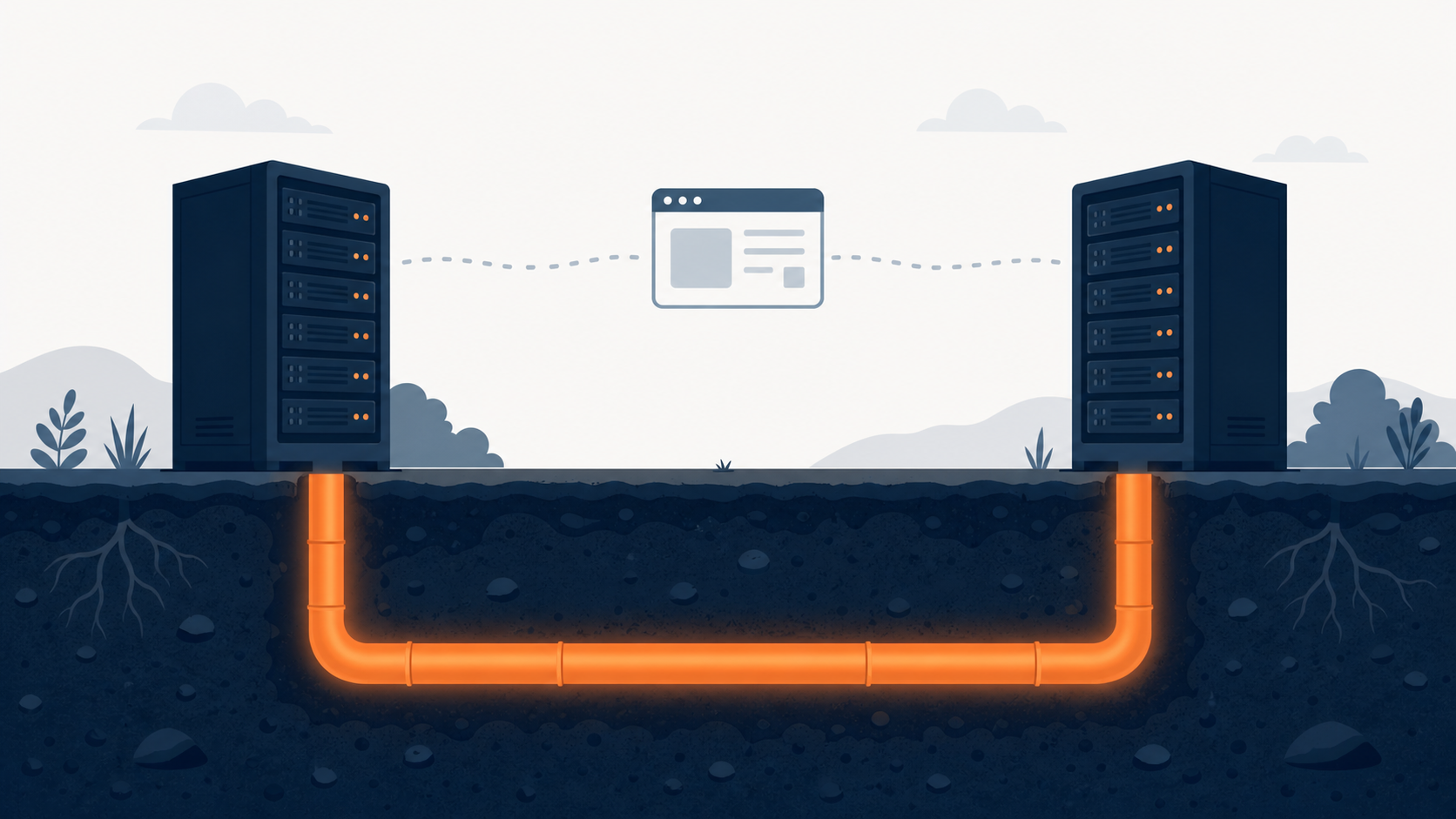
a server-to-server path that bypasses the browser isn't affected by cookie policy
| Method | What it sends | Matching basis | Typical use |
|---|---|---|---|
| Conversions API (CAPI) | Server events sent directly (purchase, signup, etc.) | event_id + account matching | Online conversions in general |
| Enhanced Conversions | Hashed customer personal info (email, etc.) | Hash compared against logged-in Google account | Web conversions + leads |
| Offline Conversion Import | gclid + conversion data | gclid string match | Offline contracts following up a sale |
How to Avoid Counting the Same Conversion Twice
Running the browser pixel and server-side together naturally creates a problem: the same purchase gets reported once by the pixel and once by the server, and ends up counted twice.
Meta solves this with event_id-based deduplication. It only treats two events as the same one if the eventID sent by the browser pixel matches the event_id sent by the Conversions API, and the event name (event/event_name) matches at the same time, both conditions have to hold.
The handling itself is fairly simple. If two events aren't meaningfully different, the one that arrives first is kept and the later one discarded, though this deduplication only applies to events that arrive within 48 hours of the first event. Miss that window, and they may be treated as separate events, so sending the same event_id on both the pixel and the Conversions API needs to be implemented first for this to work.
Even Hidden Behind a Hash, Consent Is Still Required
Hearing about Enhanced Conversions might make you think, it's hashed, so isn't it no longer personal information? That's not the case, a hash is a device that hides the original, not one that erases who that value points to. In particular, a value with a narrow combinable range, like a phone number, can still be re-linked back to a specific individual even after hashing, and under Korean law, data that's been through this kind of processing isn't treated as "not personal information," it's treated as pseudonymized information.
ad_user_data. Even if a tag is set up to collect and send personal information, Enhanced Conversions won't work without the required consent (actual consent, in regions like Europe where a consent banner is legally required). Since March 2024, sending this consent signal (Consent Mode) along with every Google Ads request has become mandatory.In regions without consent, Google fills that gap with statistical modeling, and it's worth reading reports with the awareness that this isn't measured data, it's a value filled in by estimation.
What to Check Today
That covers the principles, now it's time to hold them up against your own site.
- Pixel installation: are both the Meta Pixel base code and the noscript tag present in your site's head? Check in the browser dev tools' network tab that a page-view request is actually going out.
- Auto-tagging: is auto-tagging turned on in your Google Ads account? Click an ad once and check that gclid is actually appended to the end of the landing page URL.
- Conversion action definition: does the conversion action you're currently tracking actually line up with a real business goal (purchase, consultation request, contract)? If there are conversions the pixel alone can't catch, look into a server-side integration.
If you only take one thing away, let it be this.
The pixel observes, the click ID matches the pair, and server-side fills in whatever the browser missed.
Series note. This post is Part 5 of the "Intro to Digital Marketing Analytics" series. Foundational concepts like sessions, cookies, and events are covered in Part 1: UTM Parameters Basics and Getting Started with GA4, advanced techniques for capturing ad performance without a pixel are covered in Dark Funnel Tracking, and measured results on exactly where and how much gclid and NaPm actually leak are covered in the deep-dive post: UTM Tracking Measured.
Build this click-ID structure for your own channels and off-site clicks join the same way. The off-page measurement piece covers issuing a click number at a redirector and carrying it to the destination.
Sources
- Tracking pixel definition and history (secondary sources): Improvado, What Is a Tracking Pixel? · Ryte Wiki, Tracking Pixel
- Meta Pixel base code and event structure (primary): Meta Pixel Documentation · Get Started - Meta Pixel
- Google Ads conversion tracking principles (primary): About conversion measurement
- gclid definition and Conversion Linker (primary): Google Click Identifier (GCLID) · Conversion linker - Tag Manager Help
- Offline conversion gclid matching (primary): Set up offline conversions using GCLID
- fbclid, _fbc, _fbp parameters (primary): ClickID and the fbp and fbc Parameters
- Conversions API overview (primary): Conversions API - Meta for Developers
- Enhanced Conversions overview (primary): Enhanced Conversions - Google Ads Help
- event_id deduplication rules (primary): Deduplicate Pixel and Server Events
- Consent Mode, Enhanced Conversions consent requirement (primary): About consent mode · Enhanced conversions consent
The exact expiration figure of about 90 days for the _gcl_aw cookie, and precise loss figures from iOS tracking restrictions, couldn't be directly confirmed in Google's or Meta's official documentation, so they aren't stated as concrete numbers in this post. SHA-256 hashing was confirmed to be a one-way function that can't recover the original, but it's also noted that within a narrow value space, re-identification remains possible even after hashing, which is why such processed data is treated under Korean law as pseudonymized information rather than as non-personal data.
Found this useful? Share it
Latest posts
Kakao Share Thumbnail Not Showing? Here's the Fix (JavaScript SDK 2025)
Learn why Kakao Share thumbnails don't appear even with a valid imageUrl, and fix it using scrapImage to convert your URL into a KAGE CDN URL. Step-by-step guide.
How to Generate CRM User Manuals in 20 Minutes with Claude Code Sub-Agents
Learn how Claude Code sub-agents can analyze your CRM codebase and auto-generate user manuals and visual guidebooks in just 20 minutes. See the real-world results.
GEO Generative Engine Optimization: The Complete 2025 AI Marketing Strategy Guide
Learn what GEO (Generative Engine Optimization) is, how it differs from traditional SEO, and discover 5 proven AI marketing strategies to get cited by AI search engines in 2025.
Related projects
Get new posts by email
Insights on marketing, analytics, and dev, delivered to your inbox.