

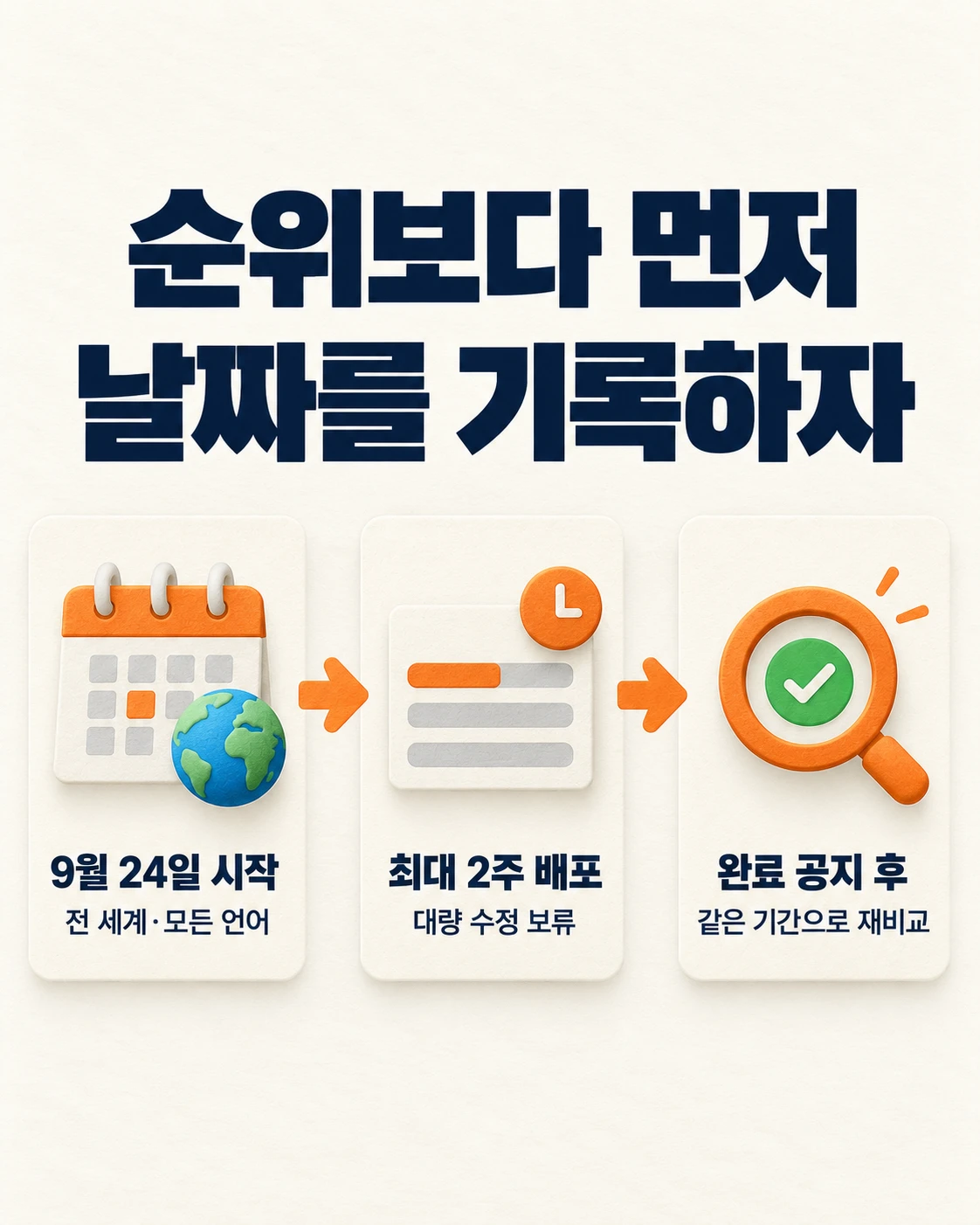
Even if rankings are volatile, now is not the time to revise pages all at once. Start by recording dates and change history. Google’s Spam Update, which began on September 24, is not yet complete. This update applies globally, across all languages, and can take up to two weeks to roll out. As of September 28, the Google Search Status Dashboard has not posted a completion notice.
Even if rankings fluctuate during this period, there is no need to rush into fixes. First, record what changed and when. That is how you can distinguish the update’s impact from changes to your own site.
What has been confirmed
| Item | Details |
|---|---|
| Start | September 24, 2026, 09:15 (US Pacific Time) |
| Scope | Global, all languages |
| Duration | Up to two weeks |
| Current status | No completion notice, rollout in progress (status page) |
Google continuously runs automated systems to filter spam. When it makes significant changes to those systems, it gives the change a name and announces it. That is a Spam Update. See Google’s Spam Updates documentation.
The original announcement did not call this a link spam update. Claims that narrow the cause to AI content, affiliate pages, or specific links are not official facts.
Is a ranking drop caused by the update
You cannot say for certain. If the timing overlaps, a connection is possible. But your own site may also have changed during the same period. Templates, titles, internal links, and server settings are common examples.
Making broad page changes during the rollout creates more confusion. The update’s effect and the effect of your edits become mixed together. Unless there is a clear error, first allow time for observation.
Some issues should be fixed immediately. These include server errors, incorrectly applied noindex directives, robots.txt blocks, and obvious policy violations. They are problems regardless of the update.
Seven steps to check now
The sequence below is not an official Google procedure. It is MCPY’s recommended review process.
- Set a baseline date. Compare the 14 days before and after September 24. Document your date, country, device, and search type filters.
- Separate queries from pages. In Search Console, identify the query and page combinations that declined. Review clicks, impressions, click-through rate, and average position together.
- Distinguish indexing issues from ranking issues. Use URL Inspection and indexing reports to check crawling failures, canonical settings, and noindex changes first.
- Overlay deployment history from the same period. Record template, internal link, structured data, title, redirect, and response-code changes by date.
- Check each item against spam policies. Determine whether your site actually involves hidden text, doorway pages, mass-generated low-quality pages, deceptive redirects, or site reputation abuse. Use Google Search spam policies as the standard.
- Do not touch healthy pages. Make narrowly scoped fixes only for supported violations and technical errors. Record the time of each fix.
- Review again after the completion notice. Once the status page shows completion, measure again using the same comparison period.
If differences between Search Console and Naver DataLab, Korea’s search-trend analytics service, are confusing, first read this comparison of Google Search Console and Naver DataLab.
When will rankings recover after a fix
Google does not promise a recovery timeline. According to its official guidance, even after fixing violations, automated systems may take several months to relearn the changes. If it is a link spam update, rankings may not return even after a fix. That is because the benefit previously provided by spammy links has been removed.
That is why records matter. Put the update period and your site changes on one timeline. Review results by query, page, device, and country, rather than only at the sitewide average. An average can hide declines on individual pages.
If you want to understand the relationship between SEO fundamentals and visibility in AI search, continue with the SEO, AEO, and GEO guide (in Korean).
30-minute checklist
- Check the start and completion times on the status page
- Compare 14 days before and after September 24 in Search Console
- Export a list of declining queries, pages, countries, and devices
- Check indexing, canonical settings, robots, and server errors
- Compare code and content deployment history from the same period
- Record whether each spam-policy item applies and the supporting evidence
- Schedule a remeasurement using the same conditions after completion
Frequently asked questions
Should I do nothing until the rollout is finished?
No. Fix server errors, incorrect noindex directives, robots.txt blocks, and obvious policy violations immediately. Avoid broad edits only to normal pages whose cause of decline has not been confirmed.
Can I ignore it if traffic is unchanged?
No. Even if overall traffic is unchanged, some queries or pages may have declined. Check at the query and page level at least once.
Official information checked: September 28, 2026. The image is a generated illustration explaining the review flow. It is not an actual Search Console screen or measurement result.
Found this useful? Share it
Related posts
Related projects
Get new posts by email
Insights on marketing, analytics, and dev, delivered to your inbox.