
A ChatGPT prompt is the request you type into ChatGPT. When you include the job to do, the background, and the shape of the output you want, the answers get much more stable. OpenAI Academy gives three basics for writing a prompt: describe the task, provide helpful context, and describe the ideal output. The OpenAI Help Center also says it is faster to read the answer and rewrite than to try to write a perfect prompt the first time (as of October 4, 2026). Neither document shows a publication or effective date. They are posted as ongoing guidance, so this article reflects what they said when opened on the reference date.
How to write a ChatGPT prompt: task, context, and output
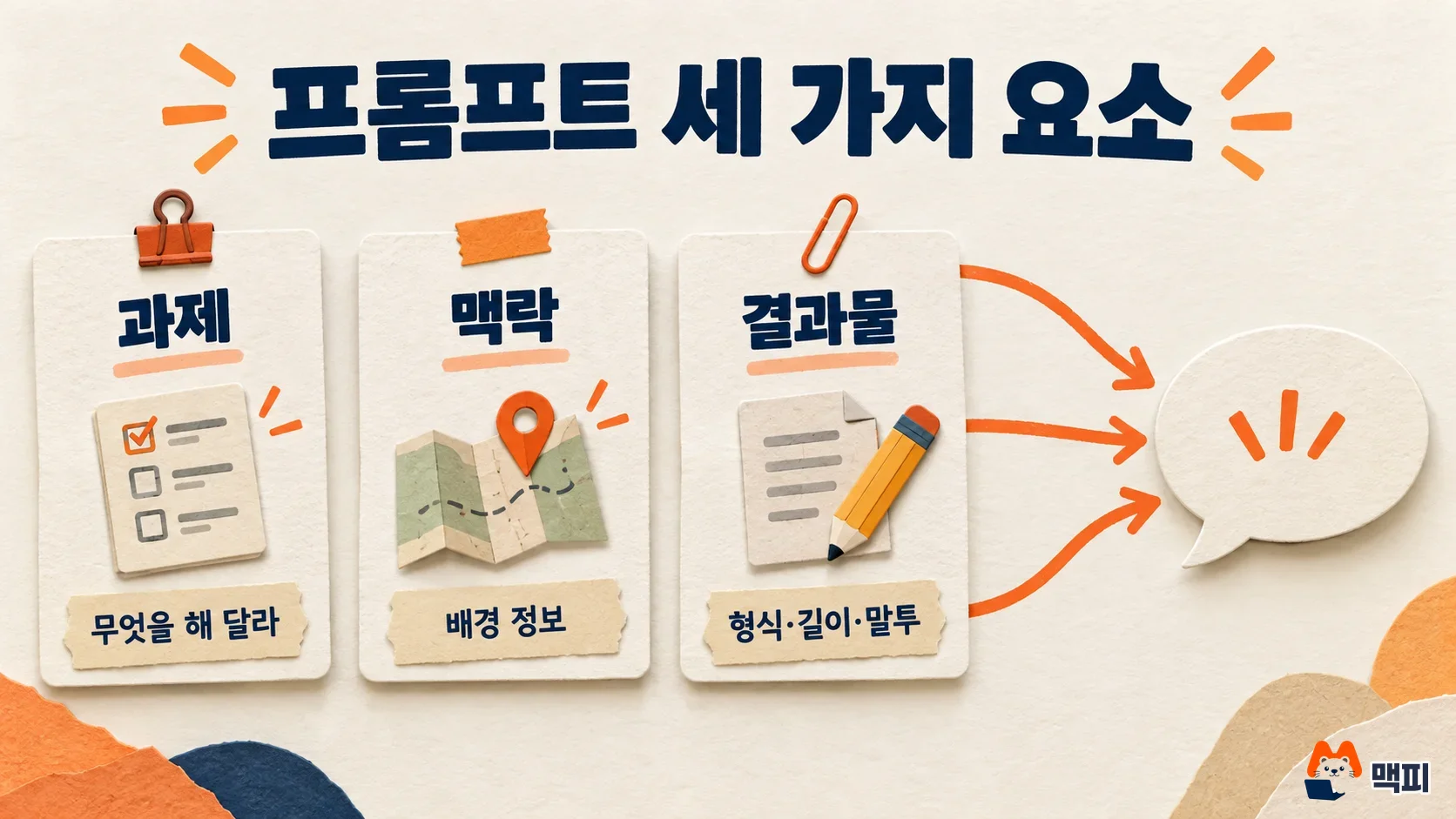
The Academy material explains that an AI model does not simply know things. It predicts an answer from patterns in text, so the wording changes the result a lot. If a request has no task, context, or output shape, the model has to guess that part. The three items below fill in those blanks yourself.
| Element | What to write | Example |
|---|---|---|
| Task | What you want done, and why you need it | "Write Instagram ad copy announcing a new product launch" |
| Context | Background such as the product, target customer, and reference material | "It is a lunchbox subscription service for office workers in their 20s and 30s, priced at 3,900 KRW" |
| Output | Format, length, tone, and who will read it | "Three options in a table, each within 40 characters, in a friendly tone" |
The OpenAI Help Center adds a way to set the tone. Adjectives such as formal, friendly, professional, or humorous let you adjust the voice. The help page's example is "explain it in a friendly and engaging tone."
ChatGPT prompt examples: a weak request vs a good request
Even for the same job, a request missing the three elements and a request that includes them get different answers. The examples below apply the table above. They are not results from an actual run.
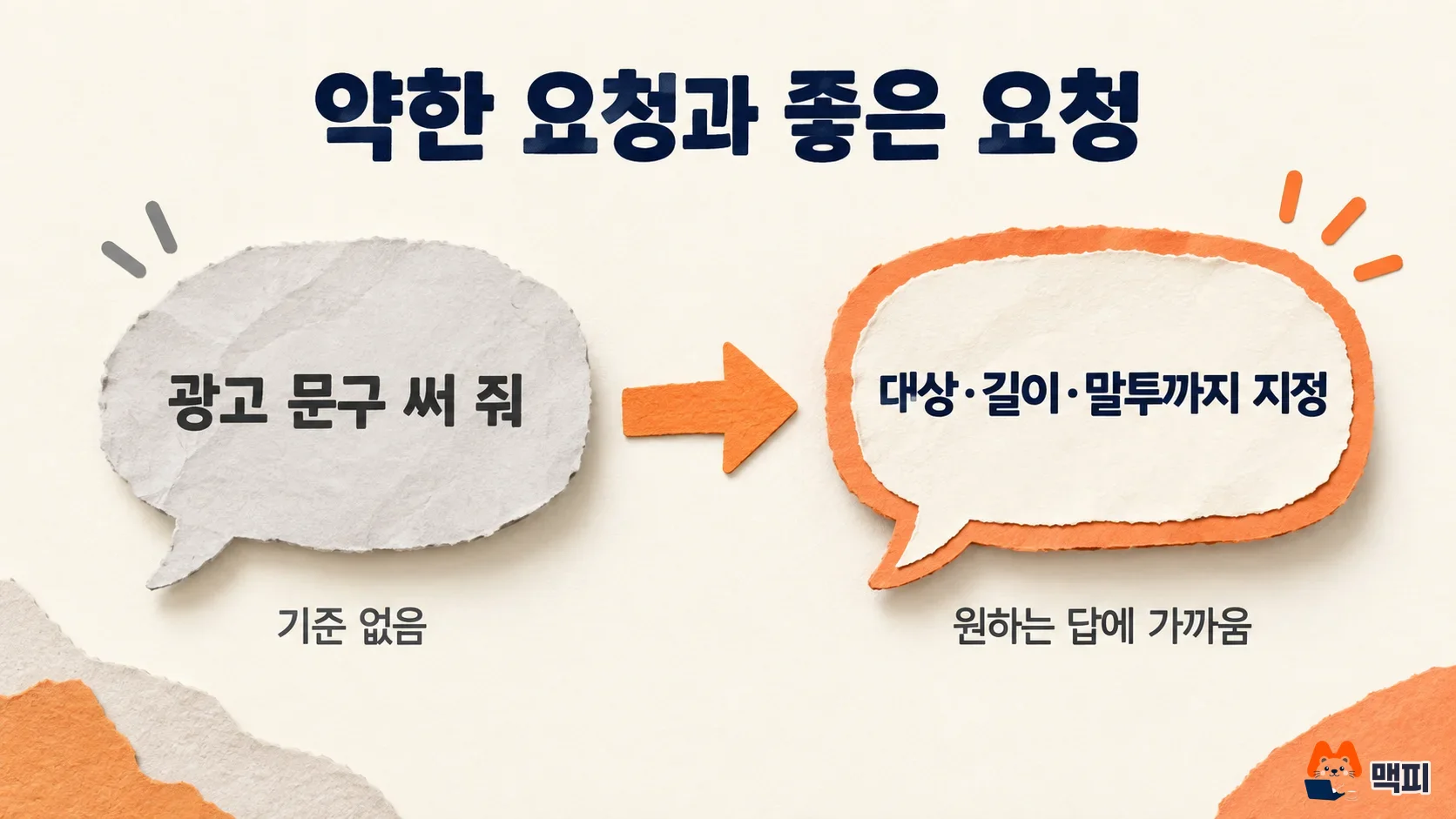
| Type | Prompt | What is missing or included |
|---|---|---|
| Weak request | Write ad copy | It is unclear what is being sold, who will see it, or how many characters it should be |
| Good request | Write Instagram ad copy announcing a 3,900 KRW lunchbox subscription service to office workers in their 20s and 30s. Mention that the first subscription is discounted, and show 3 options in a table, each within 40 characters, in a friendly tone. | Task, context, and output are all included |
The last sentence of the good request fixes the shape of the output in advance: 3 options, within 40 characters, in a table. The Academy material includes a tip to ask for multiple options when needed. That works for tasks like ad copy, where you need choices.
The order for rewriting a prompt when the answer disappoints
The OpenAI Help Center says to get an answer from your first prompt, then look at the result and refine it by changing the wording, adding context, or simplifying the request. Following that, here is the order for fixing a first answer that missed.
- Pick one part of the answer that missed. Start with whichever of length, tone, or content is off the most.
- Add or change only the condition for that part, and ask again in the same conversation. For example: "This is too stiff. Make it sound like talking to a friend, and drop the emoji."
- If the request is big, split it. The Academy material recommends breaking a large request into smaller steps, and being specific without overwhelming with detail.
- State your priorities if you have them. The Academy material recommends making clear whether accuracy, creativity, or speed matters most.

Check whether the rewrite works against the output conditions you set at the start. Conditions written as numbers and formats, such as 3 options, within 40 characters, and table format, can be counted right away as you read the answer.
What changes when you write prompts for ChatGPT and Claude
The principles of the two services overlap. The official Claude documentation, in its prompting best practices, also says to be specific about output format and constraints. It sets a test too: show your request to a colleague who lacks context and check that they are not confused. Below are the methods from that document that you can also carry over to ChatGPT requests. It is a document for Claude models, so test the effect in ChatGPT yourself.
- Give the reason too: the Claude documentation explains that adding a reason, as in "do not use ellipses because a text-to-speech engine will read this aloud" rather than just "do not use ellipses," helps the model generalize the intent better.
- Say what to do rather than what not to do: the same document says to describe the form you want, such as "write in smoothly flowing paragraphs" instead of "do not use markdown."
- Give 3 to 5 examples: if you want a certain style or format, include similar examples. The Claude documentation says to make examples relevant and varied, and to keep them separate from the instructions.
In long prompts, dividing sections makes them easier to read. The OpenAI developer guide says to use Markdown headings or XML tags to mark the logical boundaries of a prompt, and it introduces a structure of role and style, instructions, examples, then reference material. This guide is written for developers building prompts through the API. In a chat window, you can use it as a reference for dividing sections when instructions and reference material get mixed and long.
Reasoning models, which spend longer thinking, also take instructions differently. The same developer guide explains that for reasoning models it is better to give a high-level goal than detailed steps, and to treat the model like a senior colleague you hand a goal to. For standard GPT models, it says precise instructions that spell out the needed logic and data fit better.
Common mistakes when writing ChatGPT prompts
- Making a request with no criteria, like "write it well": the OpenAI Help Center says to avoid vagueness and be as precise as possible. Write the audience, length, and tone first.
- Packing several jobs into one sentence: the Academy material says to break large requests into smaller steps, so ask for analysis, copywriting, and translation in separate steps, and move on after checking the previous answer.
- Listing only prohibitions: the Claude documentation says to describe the form you want instead of "don't," so write the result you want, such as "two sentences, in plain statements," rather than "don't write long."
- Giving up after the first answer and rewriting from scratch: the OpenAI Help Center explains that prompt engineering is an iterative process. Point out the part that missed and ask again with a fix.
ChatGPT prompt FAQ
Is prompt engineering different from writing a prompt?
The OpenAI Help Center defines prompt engineering as the process of designing and refining input prompts to steer the model's answers in the direction you want. Rewriting the request you give ChatGPT as an individual is the same kind of work.
Is it better to write short prompts or long prompts?
The test is whether information is missing, not length. The Academy material says to be specific without overwhelming with detail, and recommends breaking large requests into smaller steps. If you have piled up many conditions, split them into steps instead of putting everything in at once.
Found this useful? Share it
Latest posts
Kakao Share Thumbnail Not Showing? Here's the Fix (JavaScript SDK 2025)
Learn why Kakao Share thumbnails don't appear even with a valid imageUrl, and fix it using scrapImage to convert your URL into a KAGE CDN URL. Step-by-step guide.
How to Generate CRM User Manuals in 20 Minutes with Claude Code Sub-Agents
Learn how Claude Code sub-agents can analyze your CRM codebase and auto-generate user manuals and visual guidebooks in just 20 minutes. See the real-world results.
GEO Generative Engine Optimization: The Complete 2025 AI Marketing Strategy Guide
Learn what GEO (Generative Engine Optimization) is, how it differs from traditional SEO, and discover 5 proven AI marketing strategies to get cited by AI search engines in 2025.
Related projects
Get new posts by email
Insights on marketing, analytics, and dev, delivered to your inbox.