
Claude Sonnet 5.5 is Anthropic's general-purpose model, built to balance speed and intelligence. It launched on September 28, 2026, with a 1M token context window and adaptive thinking. API pricing is $2 per 1M input tokens and $10 per 1M output tokens. The best settings differ by use case: coding agents, chatbots, structured output, and research tasks.
The Anthropic model page gives the launch date, specs, and rates. The official prompting guide explains settings by use case. The migration guide covers what changes when you move from Sonnet 5.
Three lines to read first
- Key features are fast speed, a 1M token context, 128,000 output tokens, and adaptive thinking.
- Each use case has its own starting setting. Start coding at medium and fast responses at low.
- Pricing is the same as Sonnet 5. Sonnet 5 code needs fixes in five places to avoid 400 errors.
Anthropic released claude-sonnet-5-5 in its September 28, 2026 release notes. You can use it on the Claude API, Amazon Bedrock, Google Cloud, Microsoft Foundry, and Claude Platform on AWS. The official docs list no Korea-specific KRW rate. This article covers USD figures only.
Sonnet 5.5 is defined by fast speed and a 1M token context
The official model page describes Sonnet 5.5 as the model with the best balance of speed and intelligence. The values below are the specs we checked on that page on September 29, 2026.
| Item | Official value | What it means in practice |
|---|---|---|
| Context window | 1M tokens | Fit long documents and long conversations in one request. |
| Max output | 128,000 tokens | Up to 300,000 tokens in the Batch API beta. |
| Thinking | Adaptive, default effort is high | The model decides how much to think, and you tune it with effort. |
| Input and output | Text and image input, text output | It also reads PDFs and images. |
| Latency | Fast | Faster than Opus 5.5, slower than Haiku 4.5. |
| Knowledge cutoff | June 2026 | Check later changes with a search tool. |
| Retirement | Not before September 28, 2027 | Kept for at least one year after launch. |
There are constraints to note. Sending temperature, top_p, or top_k with a non-default value returns a 400 error. The minimum cacheable prompt length is 512 tokens.
It is also worth knowing how refusals work. A refused request returns HTTP 200 with stop_reason: "refusal". There are five reasons: cyber, bio, frontier_llm, reasoning_extraction, and general_harms. A prompt that tells the model to write its reasoning into the answer can trigger a reasoning_extraction refusal. We cover billing rules by refusal type and a retry checklist separately in Claude API refusal billing rules and how to check retries.
API pricing is $2 for input and $10 for output
The base rates on the official model page and the pricing table are $2 per 1M input tokens and $10 per 1M output tokens. This matches Sonnet 5. Cache reads cost $0.20, 5-minute cache writes cost $2.50, and 1-hour cache writes cost $4. The Batch API gives a 50% discount on input and output.
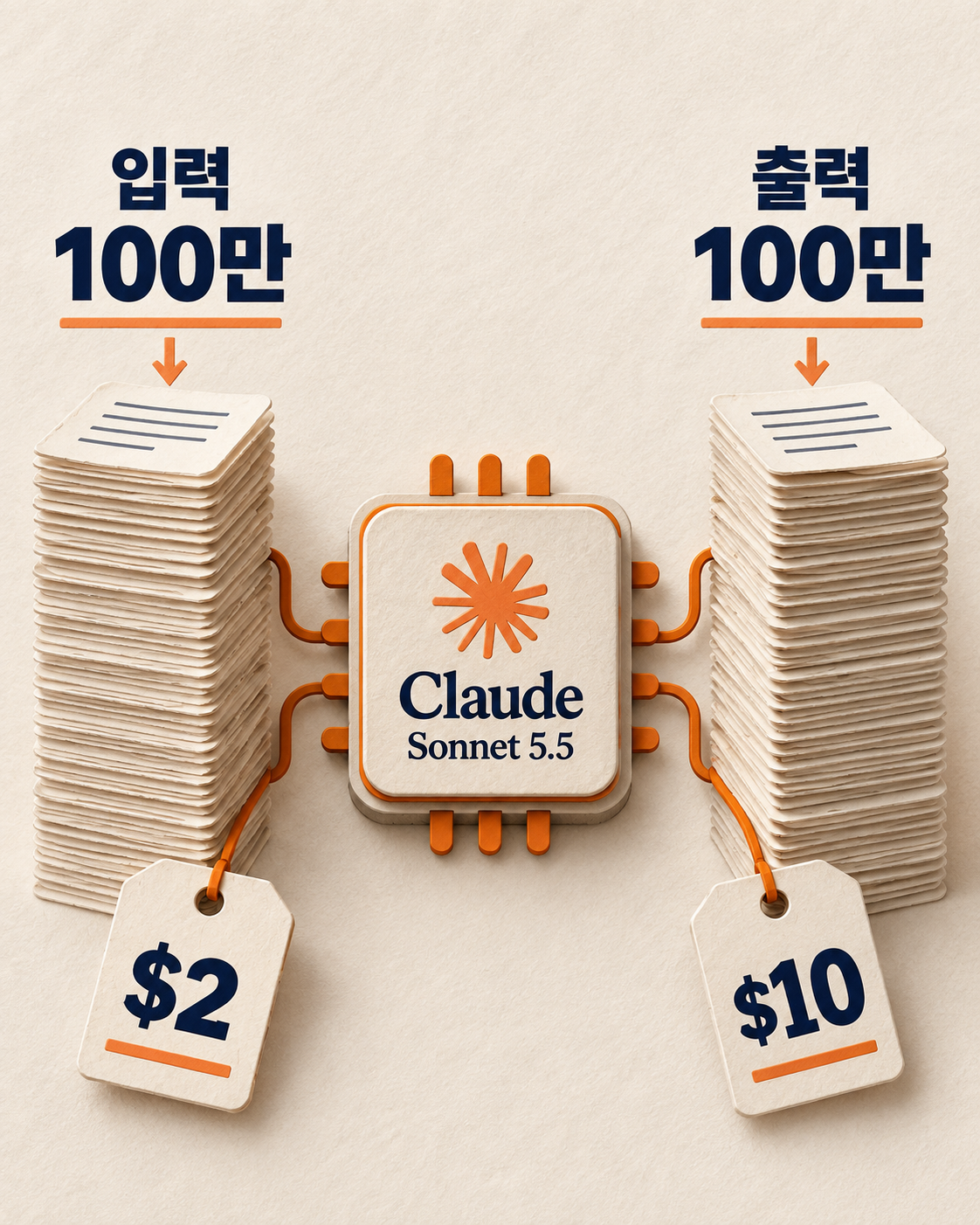
Thinking tokens are billed as output tokens. When you estimate cost, calculate input, output, and cache separately. For example, 10,000 input tokens and 2,000 output tokens come to $0.04 at base rates alone. That is $0.02 for input plus $0.02 for output. This is an arithmetic example, not an actual bill.
Some new features are in beta, so check the labels
The official What's new page lists the features Sonnet 5.5 supports. Per-request effort, mid-conversation system messages, and mid-conversation tool changes are not supported by Sonnet 5. Features marked beta need a header and may change.
- Per-request effort (beta): Change the thinking amount on each request within a conversation. The cache is preserved.
- Mid-conversation system messages: Change instructions without editing earlier messages.
- Mid-conversation tool changes (beta): Change the tool list during a conversation.
- On-demand compaction (beta): Shrink a long conversation into a signed summary block. It needs the
compact-2026-09-04header. - Inline tool definitions (beta): Put tool definitions inside the message. It needs the
inline-tools-2026-09-15header.
The model also supports the Files API, PDF support, vision, prompt caching, and batch processing. Support can differ by platform. Check the official page for the path you plan to use first.
Each use case has a different starting setting
The official prompting guide gives a starting point for each use case. The effort levels in Sonnet 5.5 are tuned differently from Sonnet 5. Do not copy your Sonnet 5 settings as they are. Measure again with your own evaluation set.
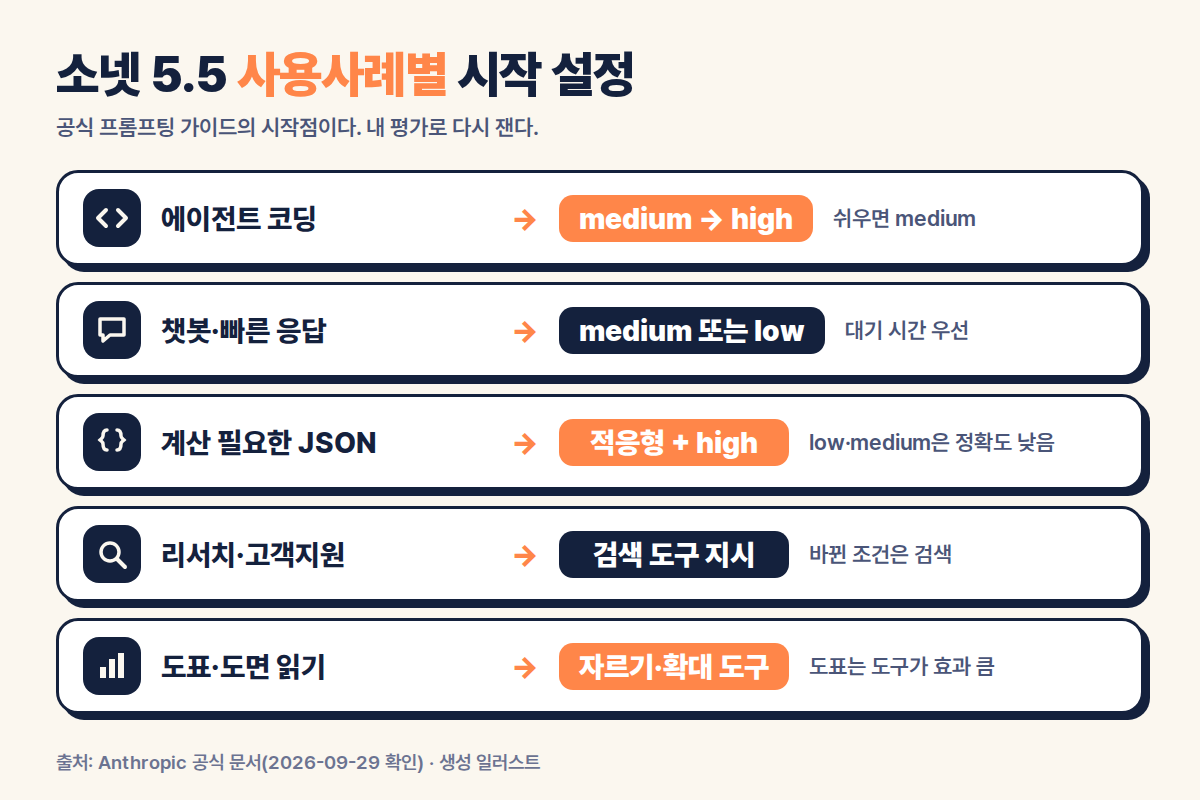
| Use case | Official recommendation | Why |
|---|---|---|
| Agentic coding and multi-step tool use | Medium for clear tasks, high for hard or long ones | At low, it may skip verification or stop to ask for confirmation. |
| Chat and latency-sensitive work | Medium or low | Higher effort delays the first response. |
| JSON output that needs calculation | Adaptive thinking at high or above, and end the system prompt with "Think the problem through before you answer." | Accuracy drops when it answers without thinking. |
| Research and customer support | Tell it to verify changeable conditions with a search tool | It may answer prices and eligibility rules from training knowledge. |
| Chart and diagram images | Provide crop, zoom, and code execution tools | For charts, using tools was more accurate than raising effort. |
Here is how this maps to marketing work. These examples are inferred from the official recommendations. They are not results MCPY measured.
- Ad performance summary bot: Response speed matters, so start at medium or low. If the bot sums numbers, test high.
- CRM inquiry classification: If rules must be applied, use structured output with adaptive thinking and measure accuracy at high. Structured output is not available on Amazon Bedrock.
- Policy and pricing FAQ chatbot: Instruct it to verify changing conditions with a search tool.
- Dashboard screenshot interpretation: Attach a tool that zooms into charts.
In long agent tasks, progress may not be visible. Long notes between tool calls arrive as thinking blocks, and their text is empty by default. To show them to users, use display: "updates" (beta) or between_tools.
Here is how it compares with the models above and below it
In the official comparison table, Sonnet 5.5 sits at the midpoint of price and speed. The official prompting guide says an Opus model is better for the hardest long-running work.
| Model | Context | Price (input / output) | Latency |
|---|---|---|---|
| Claude Fable 5.1 | 1M | $10 / $50 | Slow |
| Claude Opus 5.5 | 1M | $4 / $20 | Moderate |
| Claude Sonnet 5.5 | 1M | $2 / $10 | Fast |
| Claude Haiku 4.5 | 200K | $1 / $5 | Fastest |
Check five places when moving from Sonnet 5
The official What's new page lists five compatibility changes for Sonnet 5 code. Not every app hits all five. Start with the features you actually use.
| What to check | What can happen in existing code | Action |
|---|---|---|
| Thinking setting | thinking.type=disabled returns a 400 error. | To turn off upfront thinking, use between_tools and keep effort at high or below. |
| Forced tool use | any or tool in tool_choice returns a 400 error. | Switch to auto and check your tool input validation. |
| Reusing thinking blocks | Editing past conversation and resending thinking blocks can return a 400 error, depending on account conditions. | Do not edit existing conversation. Only append new messages. |
| Computer use tool | The older computer_20251124 tool is not allowed on the Claude API and Google Cloud. | Move to computer_toolset_20260801. |
| Advisor tool | Naming Opus 4.8, Opus 4.7, or Sonnet 5 as the advisor is rejected when Sonnet 5.5 is the executor model. | Switch to a model that Sonnet 5.5 accepts. |

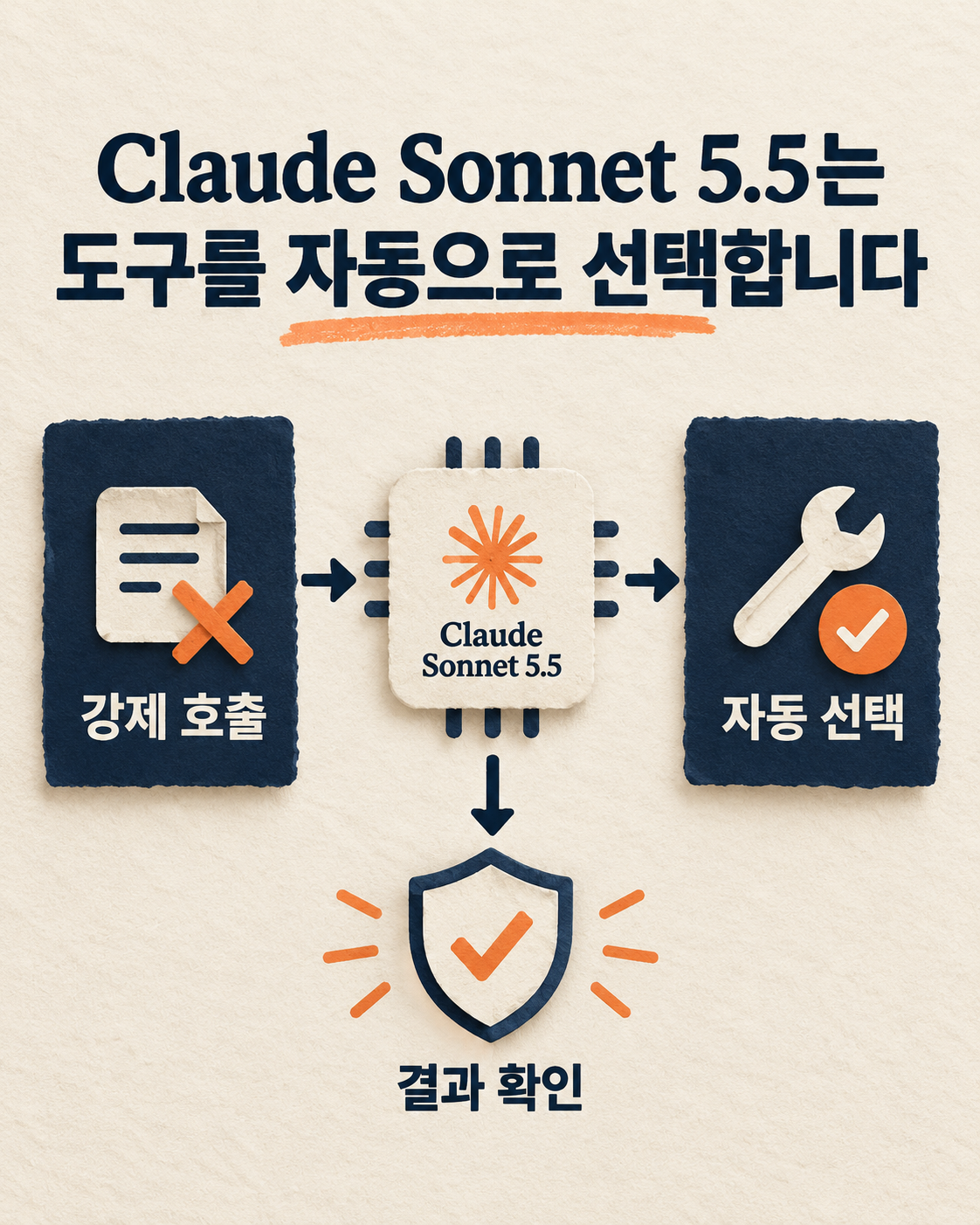
Automations that force tool calls hit this first. Sonnet 5.5 accepts only auto and none. The official guide says to pair auto with strict: true or to use structured output. Note that with auto, the model may answer without using a tool. For steps where a tool run is required, check the result in your code. On Amazon Bedrock, structured output including strict tools is not offered for this model. There, send only auto without strict and validate tool input in your code.
Follow this order when you swap models
This checklist is based on the official changes. It is not the result of an experiment migrating a real customer system.
- Collect your request formats. Write down the model ID, thinking setting, effort, whether tools are forced, the computer use tool, and the advisor model.
- Replace values you can no longer send. Clean up
disabledand forcedtool_choicefirst. - Test with representative tasks. Check whether tools are called, what shows on screen, and how thinking blocks are passed along. Record successes, 400 errors, and empty responses separately.
- Re-measure your cost baseline. Record input, output, and thinking tokens, and cache, separately.
- Widen rollout from the paths with no problems. Prepare a setting that can roll back to the previous model ID.

The migration guide covers Messages API code. It says that if you use Claude Managed Agents, no change is needed beyond the model name.
Frequently asked questions
What is the biggest feature of Sonnet 5.5?
The official docs stress the balance of speed and intelligence. In the specs, the 1M token context, 128,000 output tokens, and adaptive thinking stand out.
Is Sonnet 5.5 more expensive than Sonnet 5?
The base public rates are the same: $2 per 1M input tokens and $10 for output. Check your actual bill against per-task usage and your contract terms.
How much do you pay in Korea?
The official model page gives USD rates only. No fixed KRW price or billing exchange rate has been confirmed.
Is changing the model name enough?
Not if you use the settings above on the Messages API. Check your current code's parameters and response parser first.
Official source links
- Launch date: Anthropic release notes
- Specs, rates, and model comparison: Sonnet 5.5 model page, pricing table
- New features and compatibility changes: What's new in Claude Sonnet 5.5
- Migration steps: Migrating to Claude Sonnet 5.5
- Settings by use case: Prompting Claude Sonnet 5.5
Official sources checked: September 29, 2026. The calculation example is an arithmetic illustration, not real billing data. The marketing examples are inferred from the official recommendations. The images are generated illustrations, not real API screens or evidence of an outage.
Found this useful? Share it
Latest posts
Kakao Share Thumbnail Not Showing? Here's the Fix (JavaScript SDK 2025)
Learn why Kakao Share thumbnails don't appear even with a valid imageUrl, and fix it using scrapImage to convert your URL into a KAGE CDN URL. Step-by-step guide.
How to Generate CRM User Manuals in 20 Minutes with Claude Code Sub-Agents
Learn how Claude Code sub-agents can analyze your CRM codebase and auto-generate user manuals and visual guidebooks in just 20 minutes. See the real-world results.
GEO Generative Engine Optimization: The Complete 2025 AI Marketing Strategy Guide
Learn what GEO (Generative Engine Optimization) is, how it differs from traditional SEO, and discover 5 proven AI marketing strategies to get cited by AI search engines in 2025.
Related projects
Get new posts by email
Insights on marketing, analytics, and dev, delivered to your inbox.