

Gamma AI is a presentation tool that turns a topic or text into a slide draft, and a free account starts with 400 credits given at sign-up. These credits do not renew each month, so once they run out you need a paid plan to keep using AI features. Below you will find the steps to build a deck, credits by plan, Korean language use, and what to watch for when exporting to PowerPoint, based on the official Gamma help pages as of October 5, 2026. The free credit figure appears in the Gamma credits help page.
How to make a PPT with Gamma AI
On the Gamma dashboard, click Create New AI and pick one of three ways to start. If you are new, Generate, where you type only a topic, is the fastest. The Gamma help page describes the three methods as follows.
| Method | Input | Pick it when |
|---|---|---|
| Generate | One line on a topic | You have no material and want a first draft |
| Paste | Text or notes you already wrote | You want to turn a report or planning memo into slide layouts |
| Import | A PPT or document file, or a URL | You want to rebuild existing material in Gamma's design |

If you choose Generate, you can decide whether to include images. You can leave images out or keep only placeholders. Once the draft appears, use the sparkle icon on a slide to have the AI revise just that slide, or edit the text and images yourself. The menu at the top right lets you change the theme.
If a single line is not enough to set the direction, use Create with Agent. Type a rough sentence into the dashboard input box, and the agent asks about your goal and audience, shows an outline based on your answers, and then builds the deck. You can review the outline before it is built and ask for changes in plain language. The help page does not say which plans include this method or how many credits it uses.
Once the draft is ready, open the slides one by one, check numbers and proper nouns against your source material, and fix any sentence that is factually wrong.
Gamma pricing and monthly credits by plan
Gamma works on a credit system, and credits go down each time you use an AI feature. According to the credits help page, a free account gets 400 credits at sign-up and they do not renew. The most you can hold at one time is 2,000. Paid plans refill credits every month, and unused credits roll over up to 2 times the plan size.

The differences between plans, as laid out in the subscription upgrade help page, are below. Prices vary by billing cycle and timing, so check the Gamma pricing page. Annual billing is stated to be 28% cheaper than monthly billing.
| Plan | Monthly credits | What changes |
|---|---|---|
| Free | 400 at sign-up, no renewal | Up to 10 slides per AI generation, Gamma badge on exports |
| Plus | 1,000 | Export badge removed |
| Pro | 4,000 | API, 10 custom domains, per-viewer analytics |
| Ultra | 20,000 | Early access to new features, 100 custom domains (no annual billing yet) |
Free credits do not renew, so if you only make a PPT now and then, use the 400 credits first and move to Plus when you need to remove the badge from exported files. Unless you need the features that start at Pro in the table (API, domain connection, viewer analytics), there is no reason to go above Plus. If you run short of credits, paid subscribers can buy extra credits in units of 1,500 credits for 6 dollars, and these credits do not expire while you keep your subscription. According to the credits help page, even when credits hit 0 on a paid plan, you can still use features that do not involve AI and edit by hand.
To upgrade, go to the overview under Settings and Members, click Upgrade workspace, choose a plan and billing cycle, and pay.
How to make a Gamma PPT in Korean
According to the Gamma language help page, Korean is among the languages Gamma supports, and it generates content in the language you type. If you need a Korean PPT, just write your topic in Korean. To change the interface language, open Language Settings from the avatar at the bottom left of the dashboard and switch to Korean. Gamma detects your browser language automatically, so it may already display in Korean.
Mobile use needs some care. The Gamma mobile app help page says the app is open only to the US and Canada as early access. In Korea, you use it by opening gamma.app in a smartphone browser.
How to export a Gamma PPT to PowerPoint or PDF
According to the Gamma export help page, click Export under Share at the top right, pick a format, and the file downloads. Supported formats are PDF, PNG, and PowerPoint (PPTX), and every plan can export.
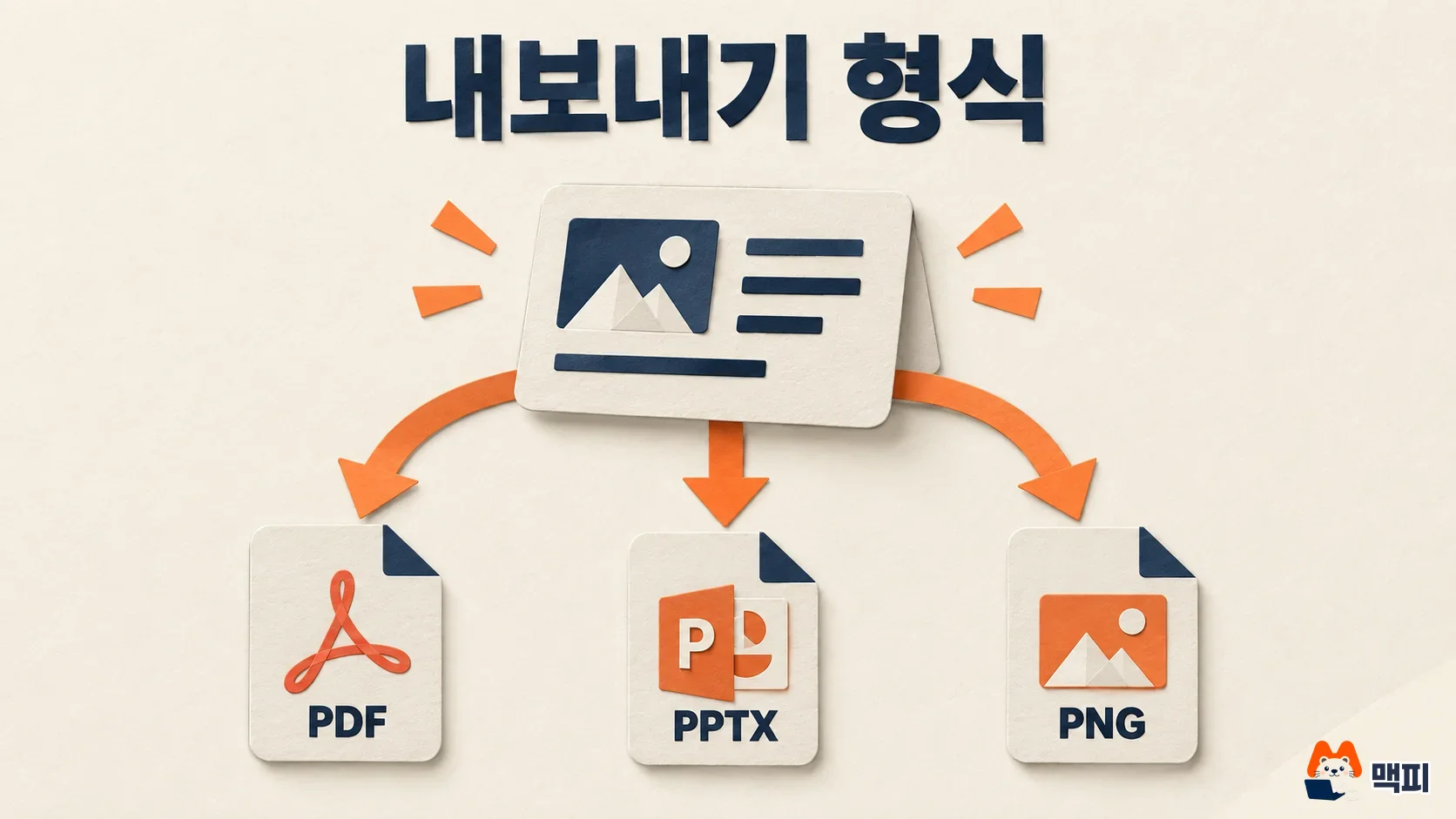
On the free plan, a Gamma badge is added to PDF and PPTX files. The badge depends on your plan at the moment you export, not when you made the document. So a document made on the free plan loses the badge if you upgrade and export it again. Tables export by default as tables you can edit in PowerPoint, and speaker notes come along too.
Sometimes the exported file looks different from the screen. The Gamma help page explains that exports are built from present mode, not the edit view. Fixes by symptom are below.
| Symptom | Fix |
|---|---|
| Diagrams look small or are misplaced | Check the Zoom to fit option in the export window and export again |
| Fonts change in Google Slides | Google Slides ignores fonts embedded in a PPT and swaps in its own. If fonts matter, export to PDF, which embeds the fonts in the file |
| Page background is missing | Set the background in each card's style instead of the theme, or export to PNG |
| Export fails | Reduce images, and if you have more than about 150 slides, export in parts and merge them outside Gamma |
Open the downloaded file in PowerPoint and check that the slide count, tables, and speaker notes came through intact. Gradient titles and semi-transparent backgrounds may look different, so check those two yourself.
Frequently asked questions
Can I move a PPT made in Gamma to Google Slides?
Export it as PPTX and upload the file to Google Slides. The fonts may change to Google Slides' default fonts.
What happens when I use up my free credits?
Free credits do not renew, so you need a paid plan to keep using AI features. Paid subscribers can keep editing by hand even when credits reach 0.
Can I use Gamma on a smartphone?
The mobile app is limited to the US and Canada, so in Korea you open gamma.app in a mobile browser.
Found this useful? Share it
Latest posts
Kakao Share Thumbnail Not Showing? Here's the Fix (JavaScript SDK 2025)
Learn why Kakao Share thumbnails don't appear even with a valid imageUrl, and fix it using scrapImage to convert your URL into a KAGE CDN URL. Step-by-step guide.
How to Generate CRM User Manuals in 20 Minutes with Claude Code Sub-Agents
Learn how Claude Code sub-agents can analyze your CRM codebase and auto-generate user manuals and visual guidebooks in just 20 minutes. See the real-world results.
GEO Generative Engine Optimization: The Complete 2025 AI Marketing Strategy Guide
Learn what GEO (Generative Engine Optimization) is, how it differs from traditional SEO, and discover 5 proven AI marketing strategies to get cited by AI search engines in 2025.
Related projects
Get new posts by email
Insights on marketing, analytics, and dev, delivered to your inbox.