
According to Google Help, from October 9, 2026, the free version of Gemini will use only the Flash-Lite model on personal accounts without an AI subscription. The Gemini model access and limits change notice opens Flash from AI Plus and Pro from AI Pro. It also says AI Plus subscribers get a separate email with their own start date. In the same notice, Deep Think, the maximum parallel reasoning mode, is for AI Pro and AI Ultra subscribers. The details below are accurate as of October 5, 2026.
What changes for the free Gemini version on October 9
The Gemini app has three models. The Gemini app help page describes Flash-Lite as an efficient model focused on speed. It calls Flash a more capable model that balances speed and reasoning. It describes Pro as the most capable model, strong at complex math and coding. According to the change notice, from October 9 the only choice for users without a subscription is the lightest one, Flash-Lite.
If you have been picking Flash or Pro on a free account, you can no longer use them from October 9. The help page presents Flash-Lite for everyday tasks such as summaries and organizing ideas, and Pro for complex math and coding. If you do the latter kind of work, run the same request on Flash-Lite ahead of time, using the checklist below.
Gemini models by plan and Korean prices
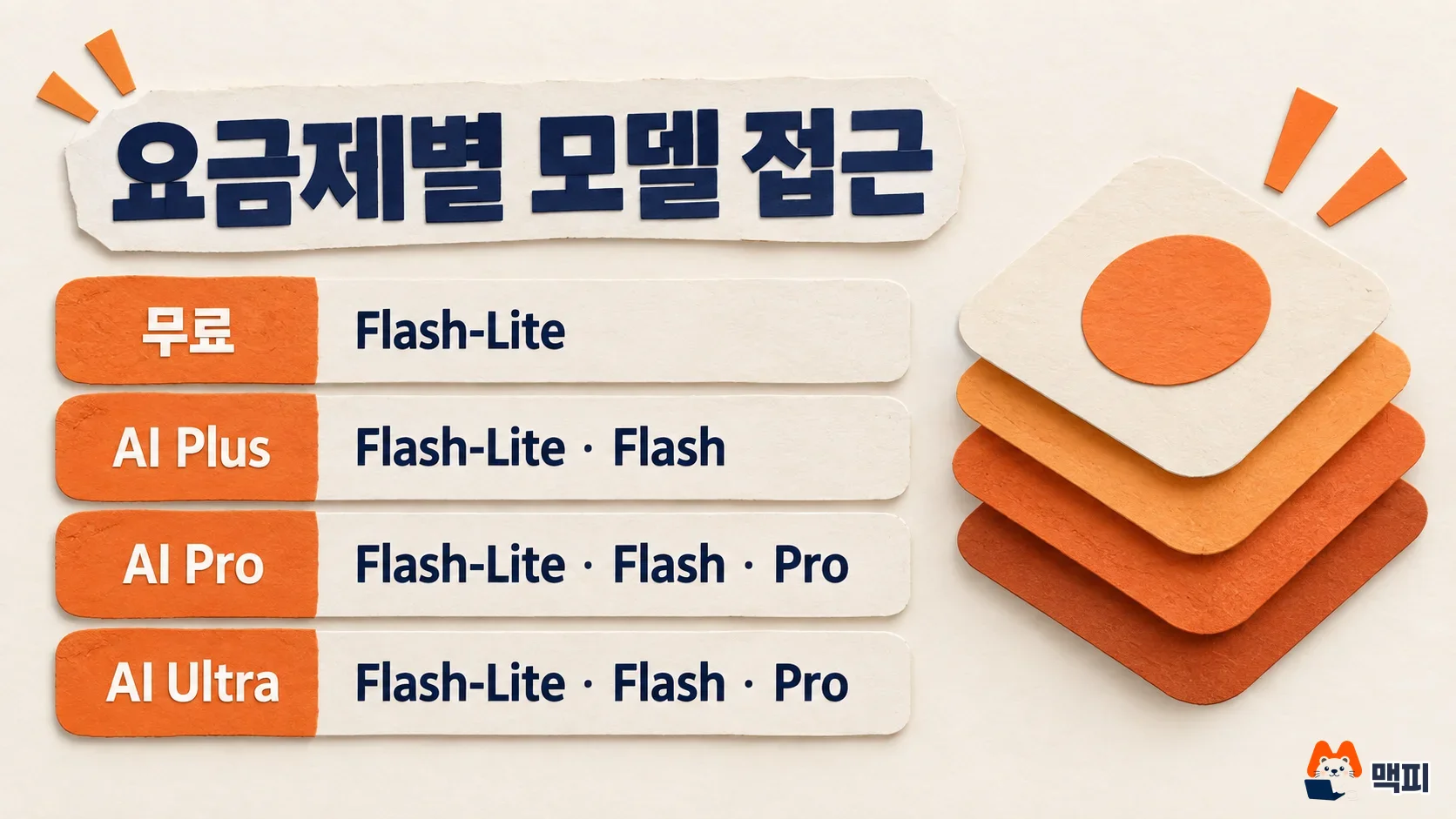
Combining the model table and limit multipliers from the change notice gives the table below. Limits are multiples of the standard limit for users without a subscription, which is set to 1.
| Plan | Flash-Lite | Flash | Pro | Deep Think | Usage limit | Monthly price in Korea |
|---|---|---|---|---|---|---|
| No subscription (free) | Yes | No | No | No | Standard | 0 KRW |
| AI Plus | Yes | Yes | No | No | 2x standard | 7,500 KRW |
| AI Pro | Yes | Yes | Yes | Yes | 4x standard | 29,000 KRW |
| AI Ultra | Yes | Yes | Yes | Yes | 5x or 20x AI Pro | From 119,000 KRW |
Prices are taken from the Gemini subscription page (AI Plus at 7,500 KRW and AI Ultra from 119,000 KRW) and the Google One plans page (AI Pro at 29,000 KRW with 5TB of storage). The Google One page separately lists AI Plus with 2TB of storage at 11,900 KRW per month, so check the amount and storage shown on the checkout screen before you subscribe. A full plan comparison is in our Gemini plan price and limit comparison.
AI Plus loses the Pro model, and AI Pro gains Deep Think
AI Plus does not change for everyone on October 9. The help page says AI Plus subscribers receive an email explaining when the change applies, so check that email for your account's date. If you used the Pro model on Plus and still need it, the lowest option is AI Pro at 29,000 KRW per month. The Pro model is open only to AI Pro and AI Ultra.
AI Pro goes the other way, with more to use. The Gemini app help page currently lists Deep Think as AI Ultra only, but the change notice says subscribing to AI Pro or AI Ultra unlocks the Deep Think option. Google calls Deep Think maximum parallel reasoning. It reasons through one question along several paths at the same time.
Gemini usage limits reset every 5 hours
According to the Gemini app help page, usage limits reset every 5 hours until you reach the weekly limit. The change notice states limits not as a number of requests but as a multiple of the standard limit, which is the base limit for users without a subscription. AI Plus gets 2x, AI Pro gets 4x, and AI Ultra gets 5x or 20x that of AI Pro. Limits are calculated by compute, so they drop faster with more complex prompts, more features in use and longer conversations. That is why the same plan lasts a different number of days for different people.

The same notice says that for each model you can use, you can choose an effort level, meaning how much effort goes into producing an answer: low, medium or high. The notice does not say how much each setting uses of your limit. If your limit drains quickly, try each setting and compare before you change plans.
What to check before October 9
If you use Gemini for free, prepare in the following order.
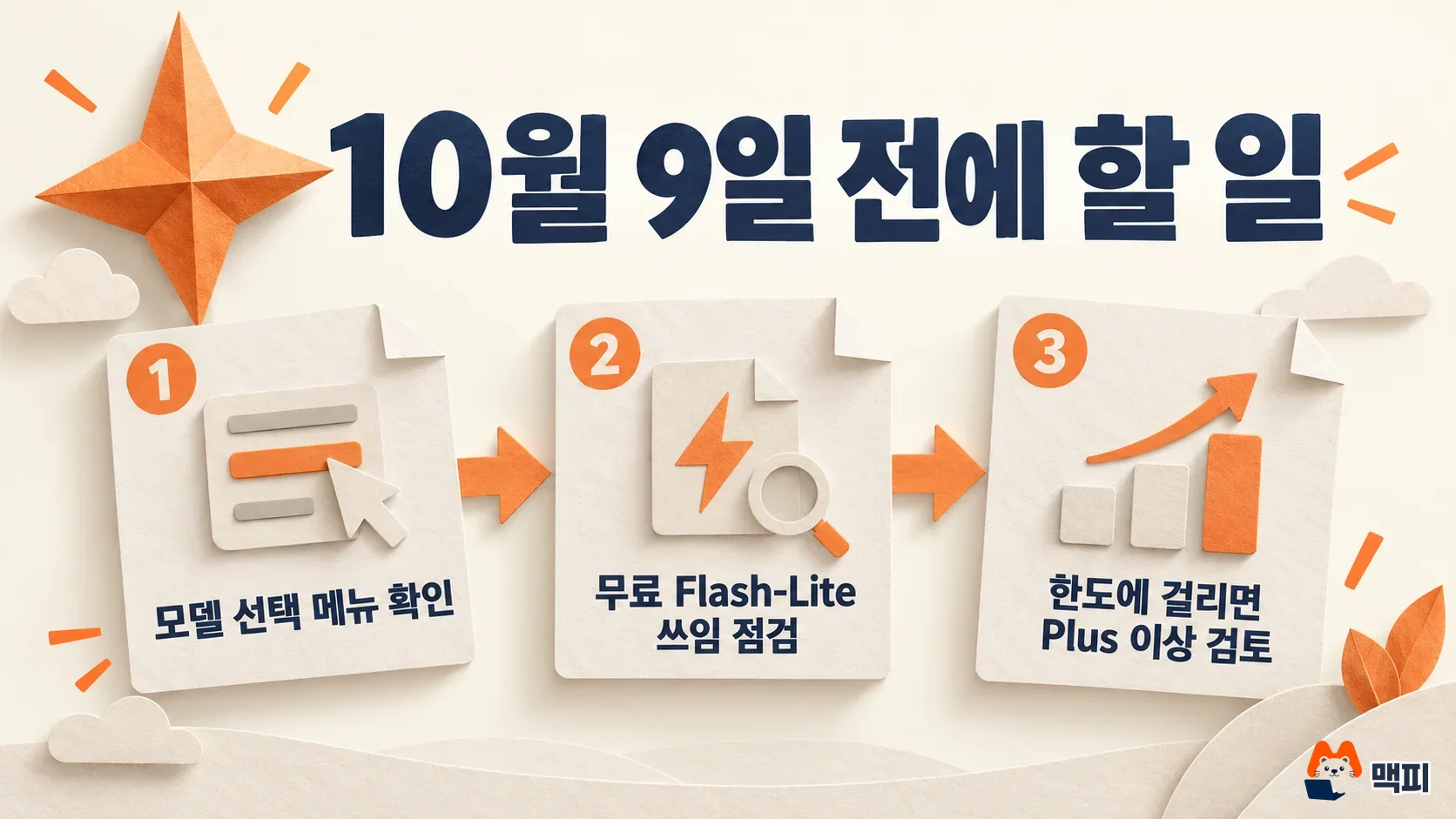
- Open the model selection screen in the Gemini app and note the models your account shows now. Menu names can differ by app version. If the list for an account without a subscription shows only Flash-Lite after October 9, it matches Google's change notice.
- Pick one or two tasks you often do with Flash or Pro and run the same prompts on Flash-Lite ahead of time. Note any gaps where the result falls short for your work.
- If Flash-Lite falls short on tasks that come up every day, compare AI Plus for access up to Flash. If you need the Pro model or Deep Think, compare AI Pro. Before paying, check the Korean won amount on the checkout screen.
Common mistakes about the Gemini free change
- Reading that AI Plus subscribers also change on October 9: October 9 is the start date for users without a subscription. For Plus, the date in your email applies.
- Assuming the Pro model stays open on paid Plus: In the model table in the change notice, Plus shows only Flash-Lite and Flash.
- Converting limit multipliers into request counts: 2x and 4x are ratios to the standard limit, and the help page gives no number of requests per day.
- Assuming work or school accounts change too: This notice covers personal accounts. Work and school accounts have a separate help page.
Gemini free: frequently asked questions
Can I still use Gemini Pro for free after October 9?
Not on a personal account without a subscription. In the table of the Google change notice, the Pro model appears only for AI Pro and AI Ultra.
Which plan includes Gemini Deep Think?
The Google change notice says you can use the Deep Think option by subscribing to AI Pro or AI Ultra. In the table, AI Plus and users without a subscription do not have Deep Think. The Gemini app help page explains that responses usually take a few minutes.
Where can I check when Gemini AI Plus changes?
According to the Google change notice, AI Plus subscribers receive an email explaining when the change takes effect. October 9 is the date the change starts for users without a subscription.
Before October 9, find your plan's row in the help table, and run one task you usually do with Flash or Pro on Flash-Lite first.
Found this useful? Share it
Latest posts
Kakao Share Thumbnail Not Showing? Here's the Fix (JavaScript SDK 2025)
Learn why Kakao Share thumbnails don't appear even with a valid imageUrl, and fix it using scrapImage to convert your URL into a KAGE CDN URL. Step-by-step guide.
How to Generate CRM User Manuals in 20 Minutes with Claude Code Sub-Agents
Learn how Claude Code sub-agents can analyze your CRM codebase and auto-generate user manuals and visual guidebooks in just 20 minutes. See the real-world results.
GEO Generative Engine Optimization: The Complete 2025 AI Marketing Strategy Guide
Learn what GEO (Generative Engine Optimization) is, how it differs from traditional SEO, and discover 5 proven AI marketing strategies to get cited by AI search engines in 2025.
Related projects
Get new posts by email
Insights on marketing, analytics, and dev, delivered to your inbox.