
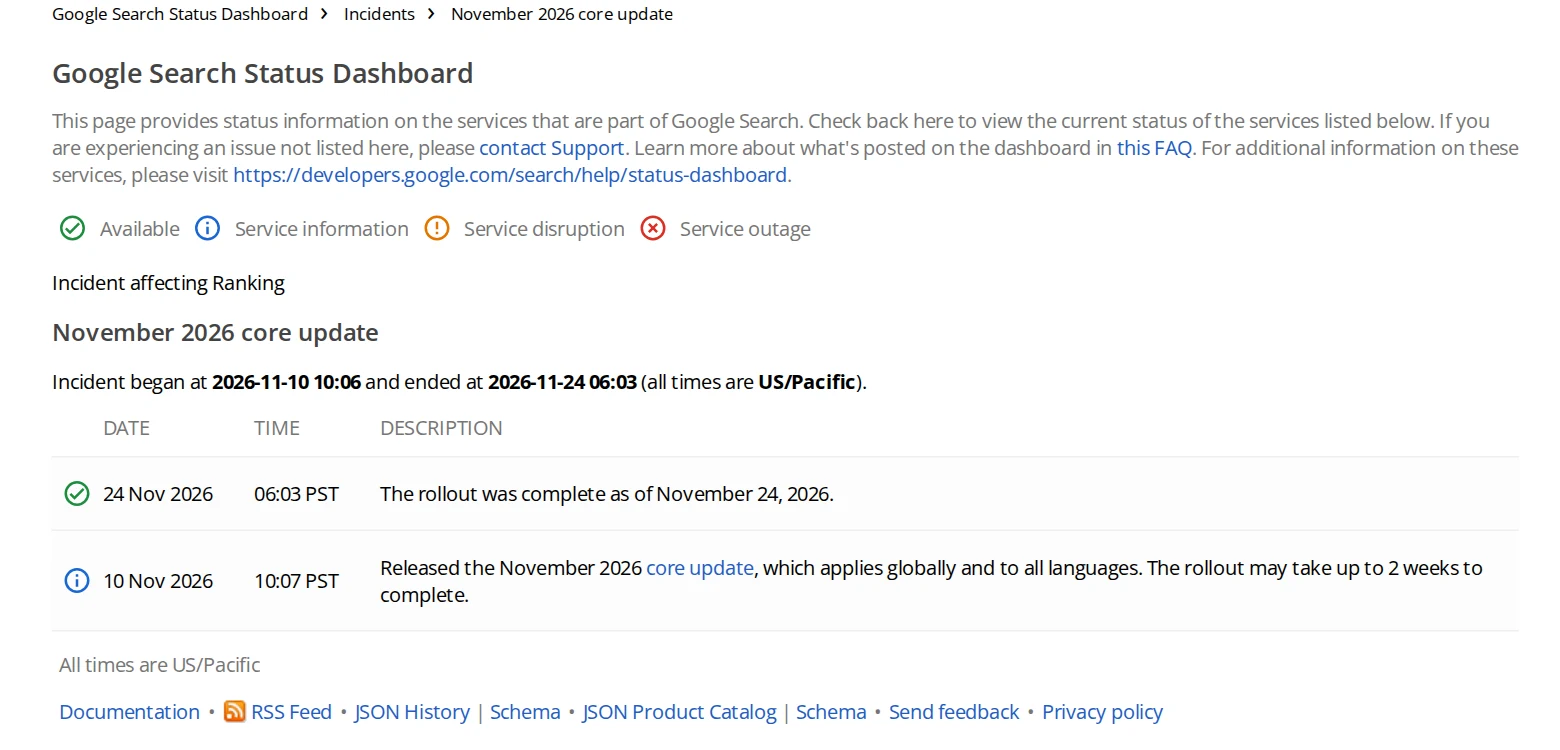
The Google November core update finished rolling out on November 24, 2026 (Pacific Time), and Google announced the December core update in advance the same day. The Google Search Status Dashboard says the November update started on November 10 at 10:06 and ended on November 24 at 06:03. A core update is a regular overhaul of the systems that rank search results. If your rankings look shaky, do not change anything right away. Check the dates below first.
The November core update applied to all languages worldwide and finished in 13 days and 20 hours. In Korea Standard Time, it started on November 11 at 3:06 AM and ended on November 24 at 11:03 PM.
The December core update is announced as an improvement to how Google understands long and complex queries, and to personalized results. It has no start date yet. The notice only says "during December 2026."
Google advises waiting at least one week after a core update ends before you analyze it. For the November update, that means December 1 (Pacific Time) or later.
The Google November core update started on November 10 and ended on November 24
In its notice, Google said the November update applies to all languages worldwide and could take up to two weeks to roll out. It actually took 13 days and 20 hours. All times on the dashboard are in Pacific Time. To convert to Korea time, add 17 hours (based on Pacific Standard Time in winter).
| Stage | Pacific Time | Korea time |
|---|---|---|
| Start | Nov 10, 10:06 | Nov 11, 03:06 |
| Complete | Nov 24, 06:03 | Nov 24, 23:03 |
| Analysis can begin (1 week after completion) | Dec 1 or later | Dec 1, afternoon or later |

There were three core updates this year: March (12 days 4 hours), May (11 days 21 hours), and November (13 days 20 hours). All ended within 11 to 14 days. This one was the longest.
| Update | Length (days) |
|---|---|
| March | 12.2 |
| May | 11.9 |
| November | 13.8 |
Source: Durations from the Google Search Status Dashboard summary (12 days 4 hours, 11 days 21 hours, 13 days 20 hours), converted to days.
The December core update changes how Google understands queries
On November 24 at 7:03 AM Pacific Time (12:03 AM on November 25 in Korea), Google announced the December core update in advance. According to the notice, it improves in several ways how Google systems understand and rank relevant content, including long and complex queries. It also improves personalized results shown to users who turn on personalization. It applies to every region and language where Google Search is available, and it launches in December 2026.
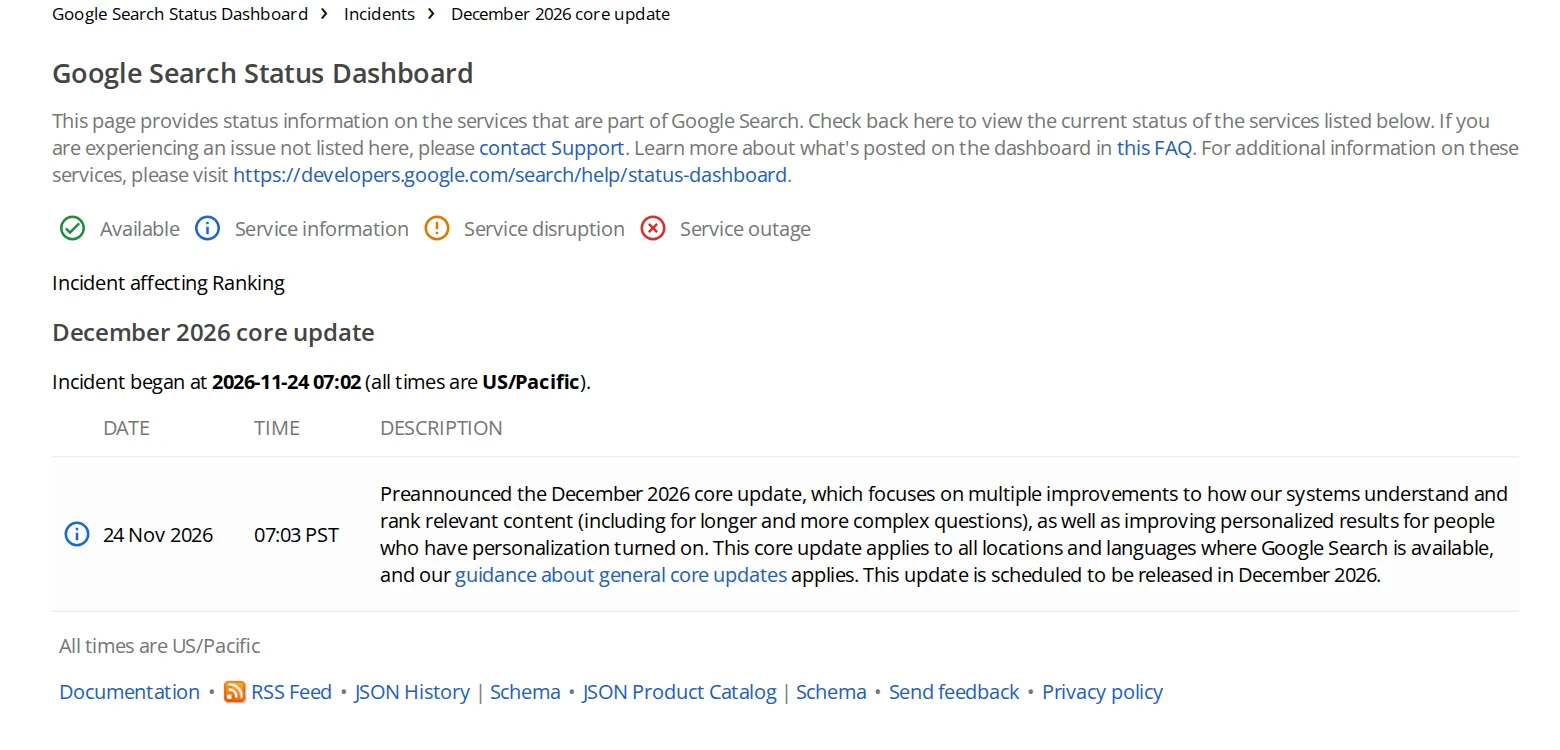
The notice has no start date. The dashboard entry shows a start on November 24, but it has no end time and no status text, and Google only calls it a pre-announcement. The December update could begin before you finish analyzing the November one, so it is safer to set your comparison windows early.
Compare rank changes one week before the start and one week after completion
Google's core update guidance recommends waiting at least one week after an update ends before you analyze it. In the performance report of Search Console, compare the week after the update ended with the week before it started, using the same search type for both.
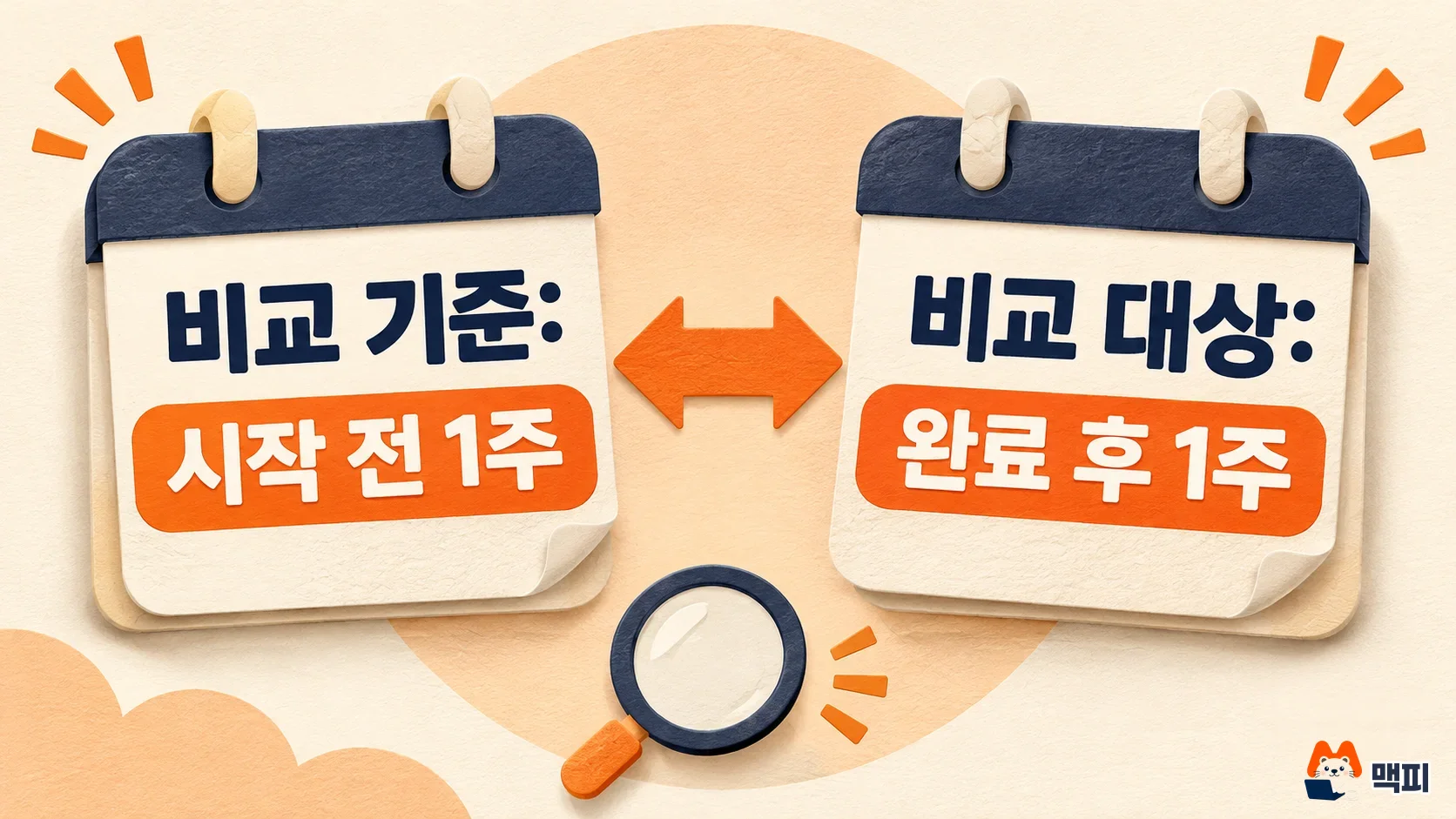
For this update, the windows are as follows. The baseline is the week before the start, November 3 to 9. The comparison is the week after completion, December 1 to 7. If the December update starts in between, its effects will mix into the December window. In that case, cut the window at the day before the December update starts.
- In the Search Console performance report, set the search type to Web and pick the two windows with the date filter's compare feature.
- In the Queries tab and the Pages tab, look at the items with the biggest click losses, starting from the top.
- Check the Image, Video, and News tabs separately. Google advises analyzing by search type.
- Check how far rankings dropped. The right response differs if a strong query slipped from 2nd to 4th, or fell from 4th to 29th.
This comparison tells you whether the drop is spread across the whole site or concentrated on a few pages. Google advises checking first whether a large drop persists across the site. So if the top 20 losing items include pages on different topics, read it as a site-wide drop. If they cluster on one topic, check the pages on that topic first. The 20-item rule is a check we suggest you try yourself. It is not a number set by Google.
If your rankings fell, know what to do and what to avoid
Google says small drops need no rushed action, and you should not touch content that already works well. For a large drop, check whether it persists across the whole site. Then review the most affected pages with Google's self-assessment questions for helpful content.
| Situation | What to do | What to avoid |
|---|---|---|
| Small drop, such as 2nd to 4th | Wait for the fluctuation period to pass, then look again | Rushing to rewrite content that was performing well |
| Large drop, such as 4th to 29th | Check whether the drop is site-wide, and review the most affected pages with the self-assessment questions | Removing elements at random because you heard they are bad for SEO |
| Low-quality pages that cannot be fixed | Try fixing them first | Making deletion your first response (Google calls deletion a last resort) |
Recovery takes time. Google says improvements can take months to show up, and if nothing changes after a few months you may have to wait for the next core update. Improvements also do not guarantee higher rankings. To separate out a spam update as the cause, use the steps in our 7-step Google spam update check alongside this guide.
Which side your site falls on: hiring an agency or checking it yourself
Google has said improvements do not guarantee higher rankings and can take months to show. So if an agency promises recovery within a few weeks, ask for the basis of that promise. We listed the questions to ask in how to choose an SEO agency. If you manage the site yourself, the comparison windows and the drop-size judgment above are enough to decide what to do now in most cases.
Common mistakes after a core update
| Mistake | Problem it causes | How to fix it |
|---|---|---|
| Judging by numbers from mid-November, while the rollout was running | You mistake mid-rollout swings for the final result | Wait one week after completion, as Google advises, then compare |
| Comparing only the average rank over the whole period | Pages that fell and pages that rose cancel out in the average | Look by query and page, in order of the biggest click loss |
| Checking only web search | You miss drops that happened only in images or video | Check each search type separately |
| Including the period after the December update starts | The effects of two updates mix in one window | Cut the window at the day before the start |
Frequently asked questions
When exactly does the December core update start?
The Google notice has no start date. It only says the update launches during December. When the dashboard entry gets an end time, the rollout is finished.
My rankings rose after the November update. Is there anything to do?
No. Follow Google's advice not to touch content that works well. Just compare the windows before and after the December update in the same way.
How is a core update different from a spam update?
The Google status dashboard announces them as separate entries. To separate spam update effects within this guide's comparison windows, use the steps in the spam update check article mentioned earlier.
Found this useful? Share it
Related posts
Related projects
Get new posts by email
Insights on marketing, analytics, and dev, delivered to your inbox.