
Edit Instagram story is a new feature that lets you fix text, music, stickers and drawings within 15 minutes of sharing, without deleting the story. Instagram head Adam Mosseri announced it on November 18, 2026. According to Gizmodo's report, views, likes and replies stay in place after an edit. The rollout is still gradual, so the menu may not be in your app yet.
Within 15 minutes of sharing a story, you can fix text, music, stickers and drawings without deleting and reposting.
Views, likes and replies on the edited story are kept, and an "Edited" label appears at the top right of the story.
Open the three-dot icon at the bottom right of the story and choose "Edit story". The feature is rolling out account by account.

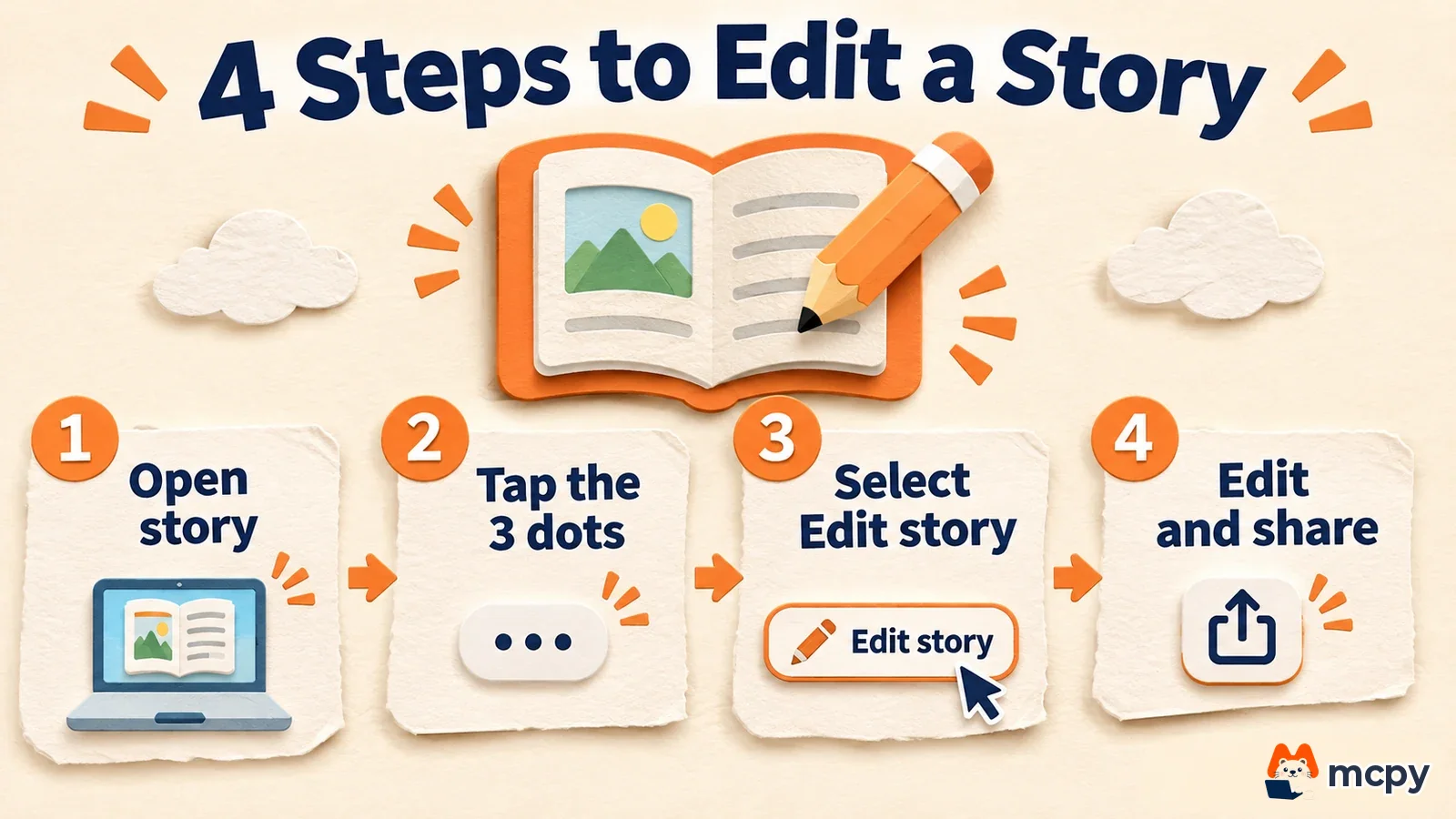
How to edit Instagram story after posting
You start from your own story that is already live. 9to5Mac says you tap the three-dot button below the story and then choose "Edit story". Per 9to5Mac's report, the menu label in the Korean app may differ slightly.
- Tap your profile photo to open the story you just posted.
- Tap the three-dot icon at the bottom right of the screen.
- Choose "Edit story" from the menu (the Korean app shows a Korean label).
- Fix the text, change the music, and add or remove stickers and drawings.
- Finish editing and share. An "Edited" label appears on the story.
You can confirm success in two ways. Check that the "Edited" label shows on the story, and check that the viewer list and view count did not drop from the number before the edit. If the three-dot menu has no edit option, the feature has not reached your account yet, or you hit one of the limits below.
What you can and cannot edit in an Instagram story
Mosseri said you can edit text, music, stickers and drawings. Those four items are the only ones in the announcement. To swap the whole photo or video, deleting and reuploading is still the safer route.
| Item | Details | Source |
|---|---|---|
| Can be edited | Text typos, music, stickers, drawings | Mosseri's announcement as quoted by Gizmodo |
| Edit window | 15 minutes after sharing | Gizmodo, 9to5Mac |
| Kept after editing | Views, likes, replies | Mosseri's announcement as quoted by Gizmodo |
| When the menu may not appear | Stories older than 15 minutes, stories also shared to Facebook, and stories with some stickers such as "Add Yours" (a sticker that lets other people continue the thread in their own stories) | Yahoo Tech report |
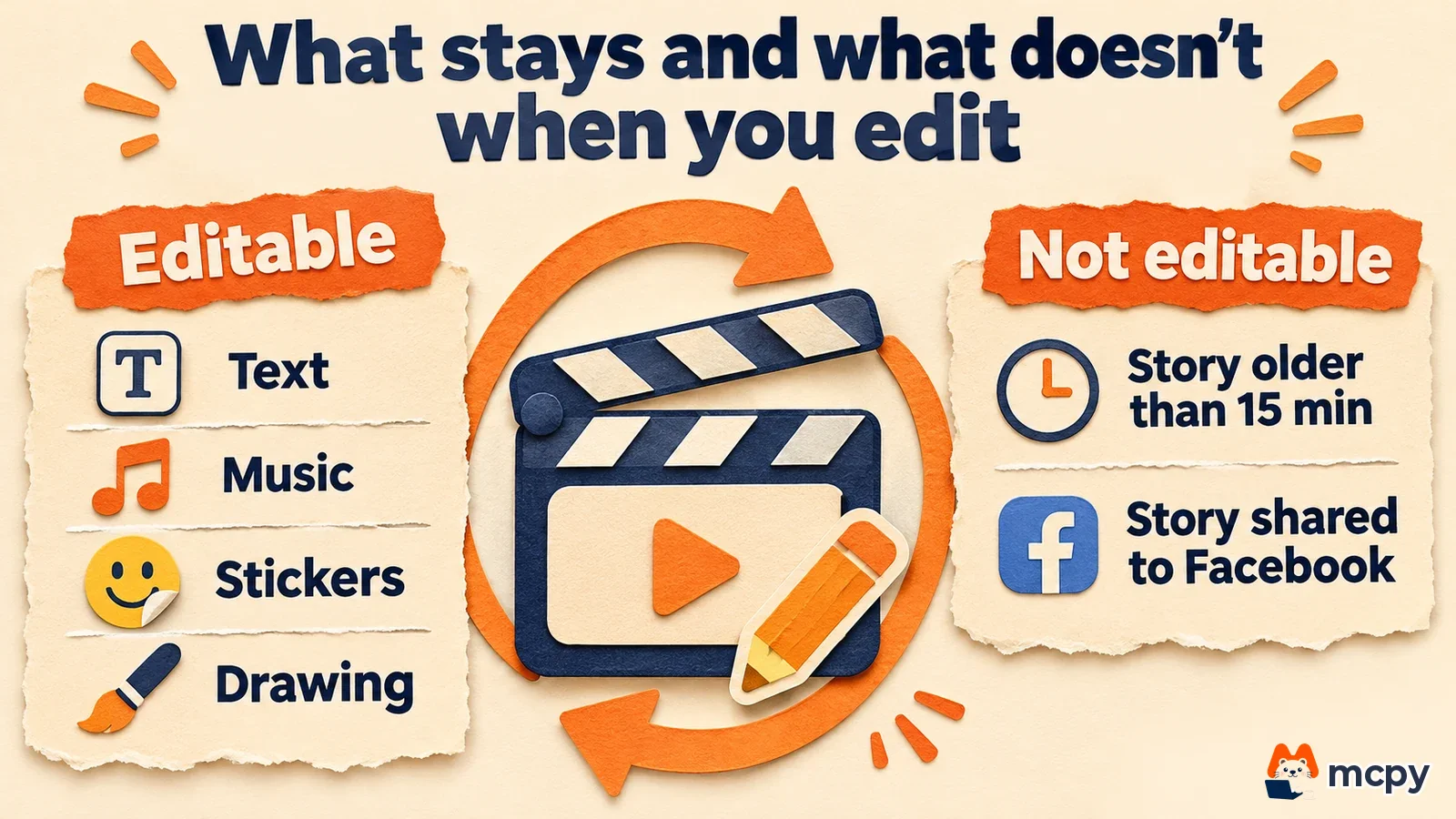
The Facebook sharing and special sticker limits are conditions reported by some outlets, so they may vary by account. When you post an important story, review it once within 15 minutes and finish any fixes inside that window.
Why story editing matters to marketers and solo business owners
Story views are the number of times a story was viewed in Instagram Insights, and marketers use this number to compare how people respond to promotions.
Before, fixing a typo or a price in a story meant deleting it and posting again. That wiped the views and reactions the story had collected. Gizmodo reported that a prototype spotted in April deleted the original and reset likes and replies to 0, but it describes the released feature as not doing that.
You can read how to use stories as a marketing channel in How to choose an SNS marketing channel and where to start. A wrong price or deadline in a promo story is the classic case. If you fix it within 15 minutes, the views already collected stay, and your story performance data is not cut off. After 15 minutes, you have to delete and reupload as before, and that story's performance starts again from zero.
What to do when the edit story menu is missing
The feature has been rolling out gradually, account by account, since November 18, so timing differs between accounts. If you do not see the menu, check the following in order.
- Check whether more than 15 minutes have passed since you posted the story.
- Check whether you also shared the story to Facebook.
- Update Instagram to the latest version in the App Store or Google Play Store.
- If it is still missing, the feature has not reached your account yet, so check again in a few days.
Frequently asked questions
Will people who already viewed the story see the changes?
The edited story replaces the original and carries an "Edited" label, so anyone who opens the story afterward sees the edited version.
How do I fix a story after 15 minutes?
The edit menu will not open, so you need to delete the story and post a new one the old way. Views and reactions then build up from zero on the new story.
Can every account use the edit feature?
Public and private accounts are treated the same. If the edit option appears in the three-dot menu, you can use it, and the timing differs by account.
Found this useful? Share it
Latest posts
Kakao Share Thumbnail Not Showing? Here's the Fix (JavaScript SDK 2025)
Learn why Kakao Share thumbnails don't appear even with a valid imageUrl, and fix it using scrapImage to convert your URL into a KAGE CDN URL. Step-by-step guide.
How to Generate CRM User Manuals in 20 Minutes with Claude Code Sub-Agents
Learn how Claude Code sub-agents can analyze your CRM codebase and auto-generate user manuals and visual guidebooks in just 20 minutes. See the real-world results.
GEO Generative Engine Optimization: The Complete 2025 AI Marketing Strategy Guide
Learn what GEO (Generative Engine Optimization) is, how it differs from traditional SEO, and discover 5 proven AI marketing strategies to get cited by AI search engines in 2025.
Related projects
Get new posts by email
Insights on marketing, analytics, and dev, delivered to your inbox.