
Dynamic workflows in Claude Managed Agents let an agent handle a job with many pieces, such as reviewing hundreds of documents. The agent writes a program that runs multiple agents in stages, and that program runs on the server. In its release notes, Anthropic said it opened this feature in beta on October 9, 2026. As of October 10, 2026, this article covers how to turn it on, how to follow a run, and what the limits and costs are.
What Claude Managed Agents is
Claude Managed Agents is a service where Anthropic handles the agent loop, tool execution and the sandbox (an isolated execution environment). Developers work with only four things: the agent (model, system prompt and tools), the environment, the session and events. It suits asynchronous jobs that take minutes to hours. During the beta, every request needs the managed-agents-2026-04-01 beta header (the SDK adds it automatically).
What dynamic workflows change
The multiagent docs describe three ways an agent can hand off work. This release adds the second one.
| Approach | Who decides the flow | Best for |
|---|---|---|
| Subagents | The agent delegates directly and reads each report | A small number of subtasks |
| Dynamic workflows | A program written by the agent runs many agents and merges the results | Large jobs, such as reviewing hundreds of documents or cross-checking many sources |
| Advisor | The agent works and asks an advisor model for guidance | Checking points where judgment is hard |
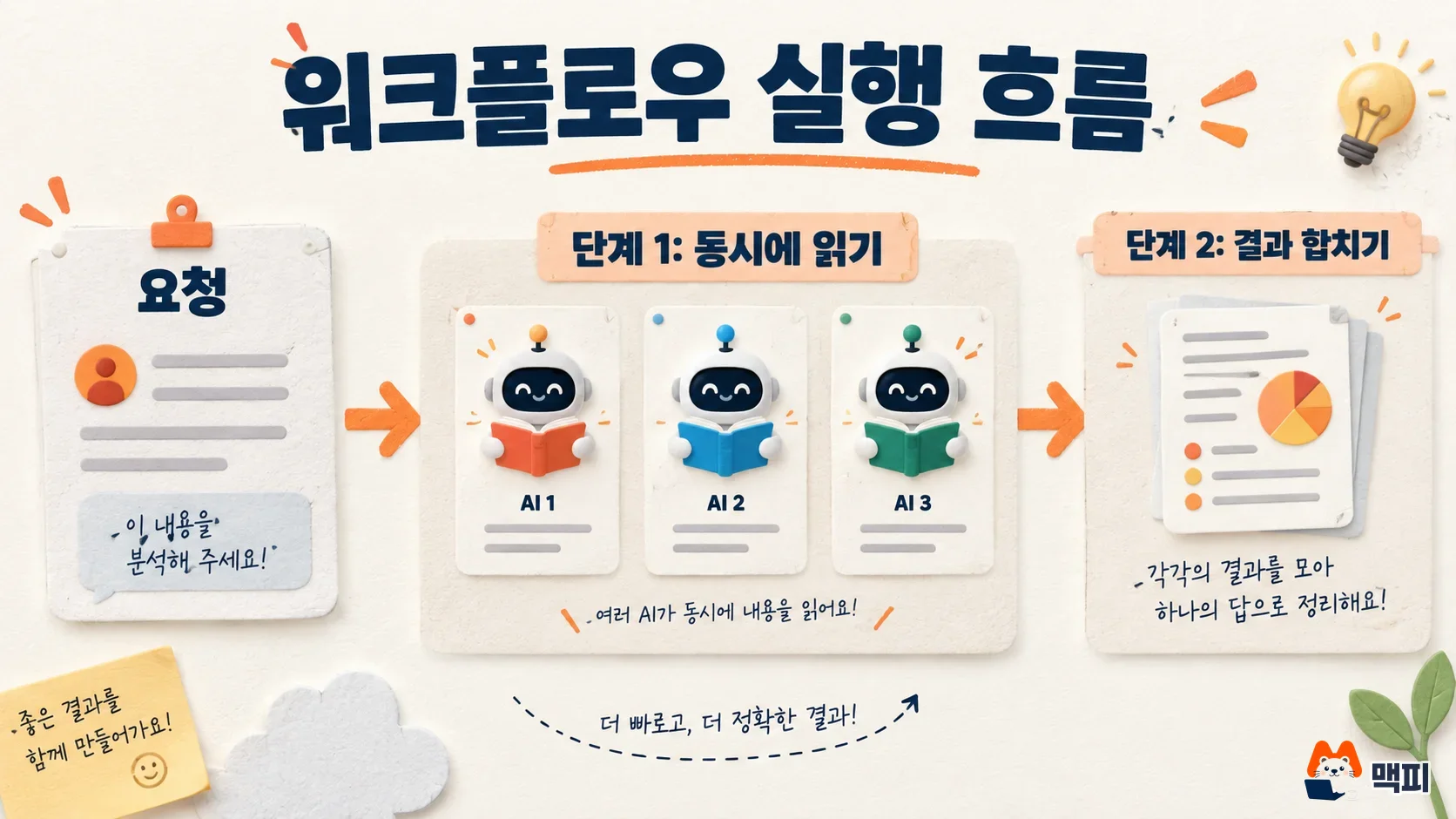
The workflow program runs agents in parallel (fan-out). It passes results from one stage to agents in the next stage. It repeats a step until a review passes. It also handles the case where one agent fails. When the run ends, the session agent reads the result and answers the user or starts a new run. While a run is going, the agent can keep doing other work or end its turn.
How to turn on dynamic workflows
As the official docs describe, set the multiagent field to type multiagent_20261001 when you create the agent, and enable workflows. With this type, both workflows and subagents are on by default. To use only workflows, add "subagents": {"type": "disabled"}. The contract review example from the docs looks like this.
{
  "name": "Contract Reviewer",
  "model": "claude-opus-5-5",
  "system": "You review contracts. When you're asked to review more than a few contracts, start a workflow run that reads them in parallel and combines the findings. Review one or two contracts yourself, without a run.",
  "tools": [{"type": "agent_toolset_20260401"}],
  "multiagent": {"type": "multiagent_20261001", "workflows": {"type": "enabled"}}
}
There is no separate API call to start a run. The user describes the job in a user.message, and the agent decides whether to use a workflow. As in the example above, you guide that decision by writing a threshold in the system prompt, such as "start a run when there are more than a few." Before you change multiagent.type on an existing agent, read the migration guide in the official docs.
The agents inside a run are either inline agents defined by the workflow itself or agents you registered ahead of time in workflows.predefined_agents. Inline agents use the same model as the session agent. If you want a different model for some tasks, create that agent separately and add it to predefined_agents.
How to check workflow run status and events
According to the official docs, the server runs the job in the background, and you receive progress on the session event stream as workflow_run.* events. Following the stream saves read limits compared with polling.
| Event | Meaning |
|---|---|
workflow_run.created | The agent started a run. It carries the run name and the declared phases |
workflow_run.status_running / status_idle | Running, or paused, for example when the budget is reached |
workflow_run.phase_started / phase_ended | A phase started and ended |
workflow_run.status_ended | The run ended |
workflow_run.error | An error, such as a rejected start or an exceeded limit |
Do not judge that the work is done just because the session went idle. The work is done only when status_ended has arrived for every run started so far, and then a session.status_idle with stop_reason of end_turn that is unrelated to a user request arrives. A run stopped at its budget is still open even if the session is idle. Each agent in a run works in its own session thread, so you can also fetch a thread and read what each agent did.
You can confirm success in three checks. First, see that workflow_run.created appears in the session events and that the phases you declared show up in phases. Second, see that phase_started and phase_ended arrive as a pair for each phase. Third, see that after status_ended, the agent takes a turn to read the result and answer. If a workflow_run.error arrives along the way, use error.type to tell the cause apart.
Limits and costs: the numbers to know before you use it
Runs have no separate price. The tokens the agents use are billed at each model's rate, together with the other tokens in the session. Model requests in a run count toward the session budget, and when the budget is reached, all open runs stop. Raise or remove the budget and they resume. The limits stated in the workflow runs docs are below.
| Item | Value | When the limit is reached |
|---|---|---|
| Threads working at the same time in one run | 64 | No more are created until one finishes (the number may change) |
| Agents a workflow starts across the whole run | 1,000 | Ends with thread_limit_error |
| Run lifetime | 24 hours by default | Ends with timeout_error |
| Runs open at the same time in a session | 10 by default | max_workflow_runs_error, and idle runs are counted too |
The docs explain that agents in one run work at the same time, so long jobs can finish faster. Before you hand off a big job, set the session budget first. To check the usage of one run, add up the usage for that workflow_run_id in the session thread list. For pricing itself, see the Managed Agents pricing table.
There are two common mistakes. One is reading the moment the session goes idle as job completion. A run stopped at its budget stays open even when the session is idle, so check both conditions above before you collect the result. The other is leaving workflows on without a rule. The docs recommend writing when to use a run in the system prompt to guide the agent's judgment, so add a condition such as running only above a certain number of items.
Other Managed Agents news from the same week
The release notes also include a change from October 7. For cloud environments with networking set to limited, allowed_hosts now also applies to the web_search and web_fetch tools. If the web tool's allowed_domains contains an entry outside allowed_hosts, session creation fails with a 400 error. Also, web_fetch only fetches URLs that have already appeared in that session. If you already use an allow list on an existing environment, check whether session creation now returns an error.
Frequently asked questions
Do I need to apply separately for dynamic workflows?
The official docs say Managed Agents is open by default for all API accounts. You only need to turn on the agent's multiagent setting. Because the feature is in beta, its behavior may change.
Does it support ZDR or a HIPAA BAA?
No. The official docs state that Managed Agents stores session history and sandbox state on the server, so it is currently not eligible for zero data retention (ZDR) or a HIPAA BAA.
Can I turn on subagents and workflows together?
Yes. The multiagent_20261001 type enables both by default. To use only workflows, set subagents to disabled.
Found this useful? Share it
Latest posts
Kakao Share Thumbnail Not Showing? Here's the Fix (JavaScript SDK 2025)
Learn why Kakao Share thumbnails don't appear even with a valid imageUrl, and fix it using scrapImage to convert your URL into a KAGE CDN URL. Step-by-step guide.
How to Generate CRM User Manuals in 20 Minutes with Claude Code Sub-Agents
Learn how Claude Code sub-agents can analyze your CRM codebase and auto-generate user manuals and visual guidebooks in just 20 minutes. See the real-world results.
GEO Generative Engine Optimization: The Complete 2025 AI Marketing Strategy Guide
Learn what GEO (Generative Engine Optimization) is, how it differs from traditional SEO, and discover 5 proven AI marketing strategies to get cited by AI search engines in 2025.
Related projects
Get new posts by email
Insights on marketing, analytics, and dev, delivered to your inbox.