
Influencer marketing runs in four steps: find creators, have them post with a sponsorship label turned on, get partnership ad permission, and use that post as an ad. Instagram marks sponsorship with the paid partnership label (shown as "sponsored ad" in the Korean app). YouTube uses the paid promotion setting. This guide follows the Meta and YouTube help pages as of October 10, 2026.
Influencer marketing runs in 4 steps
Publishing a sponsored post and using that post as an ad are separate tasks. As the Meta help page explains, to run it as an ad the partner must grant partnership ad permission. Permission to tag branded content on a sponsored post is granted separately.
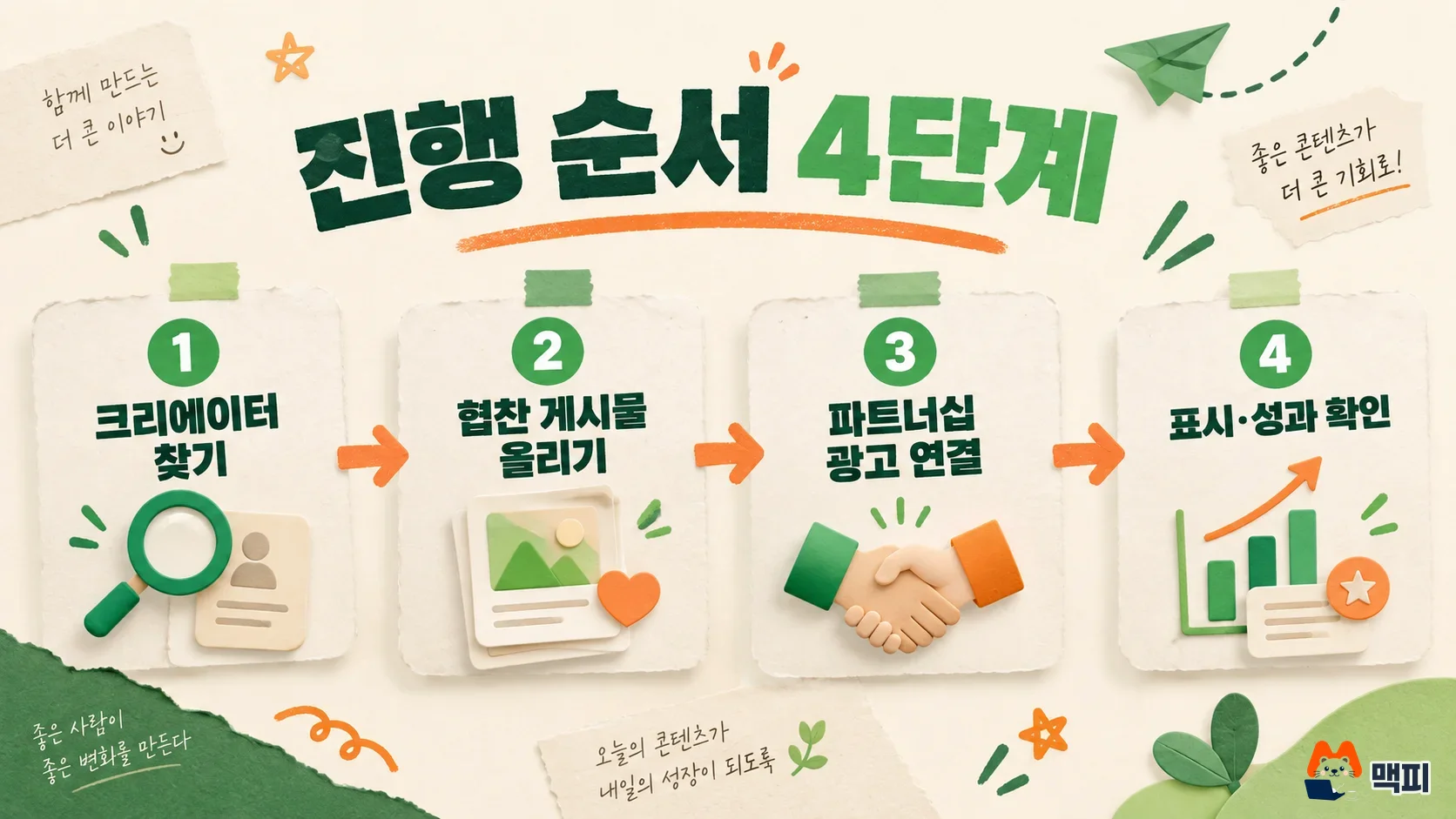
- Find creators and contact them.
- The creator turns on the sponsorship label and publishes the post.
- To use the post as an ad, get an ad code or account-level permission and create the ad.
- Check that the sponsorship disclosure is visible and that the ad is approved and running.
Find influencers with Browse creators
If you use Meta, follow the Meta help page and open the Browse creators tab under the Creator Marketing menu in Meta Business Suite. Search by keyword, then narrow results by interest, age, or follower count. This feature works only with Instagram business accounts and creator accounts, and it is currently open to only some businesses. The first time you use it, you need to sign up and accept the terms.
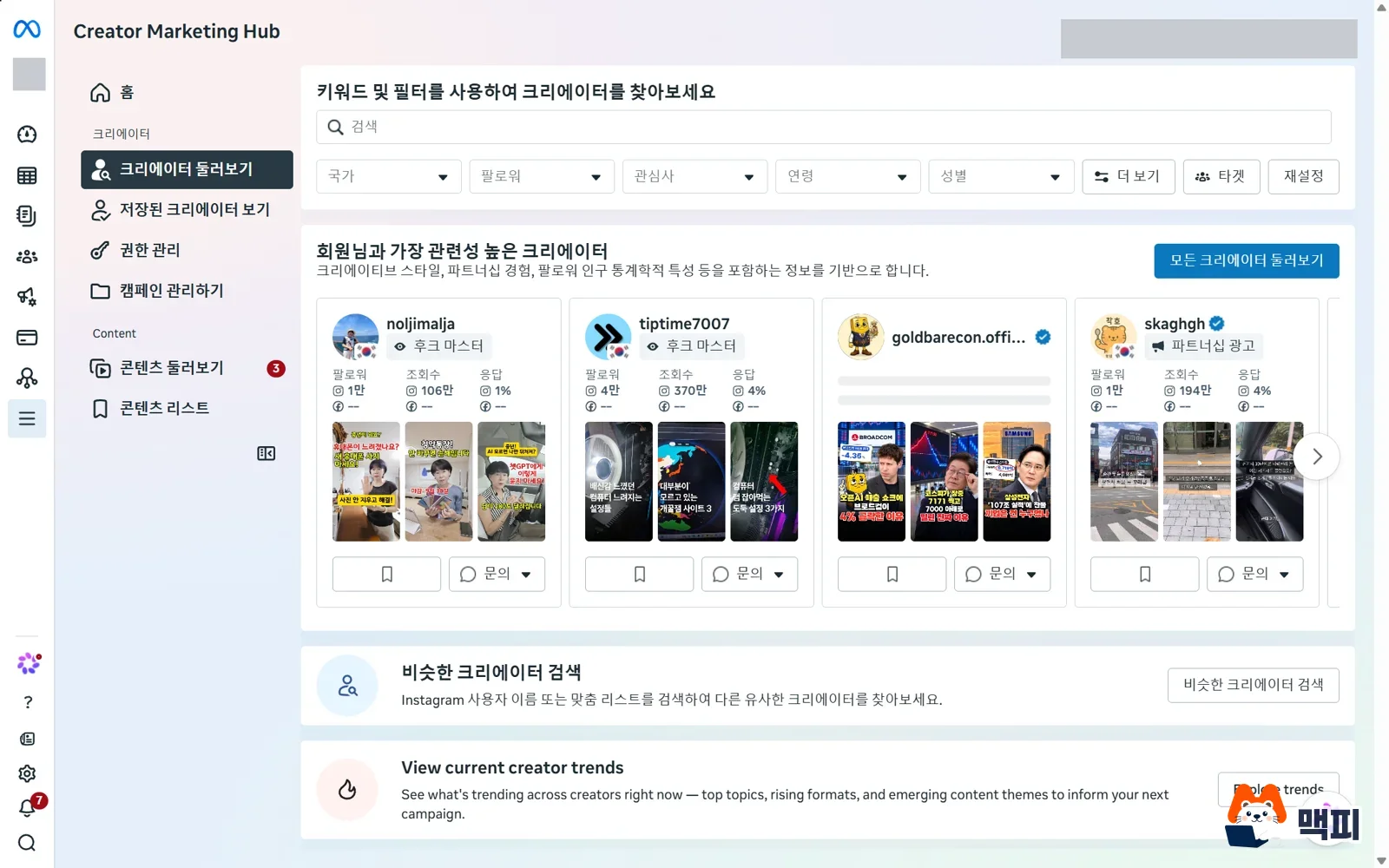
Click a candidate card to see that creator's past and ongoing partnership ads, branded content, previous partners, and metrics. Use the contact button on the card to send a message or copy the email address. You can bookmark creators you like and collect them in a list.
If your account is not eligible for this tool, you need to contact creators directly. The sponsorship label used in the later steps is turned on by the creator in the Instagram app, so it works the same way no matter how you found them.
Instagram sponsored posts: turn on the paid partnership label
Branded content that a creator is paid for is marked with Instagram's paid partnership label. According to the Meta help page, this feature works only in the Instagram mobile app. The creator must turn on branded content in account settings, and the tagged brand must have a professional account. The label can be added to posts, Stories, Reels, Live, and broadcast channel messages. In the Korean app, this label appears as Hyeopchan gwanggo (sponsored ad).
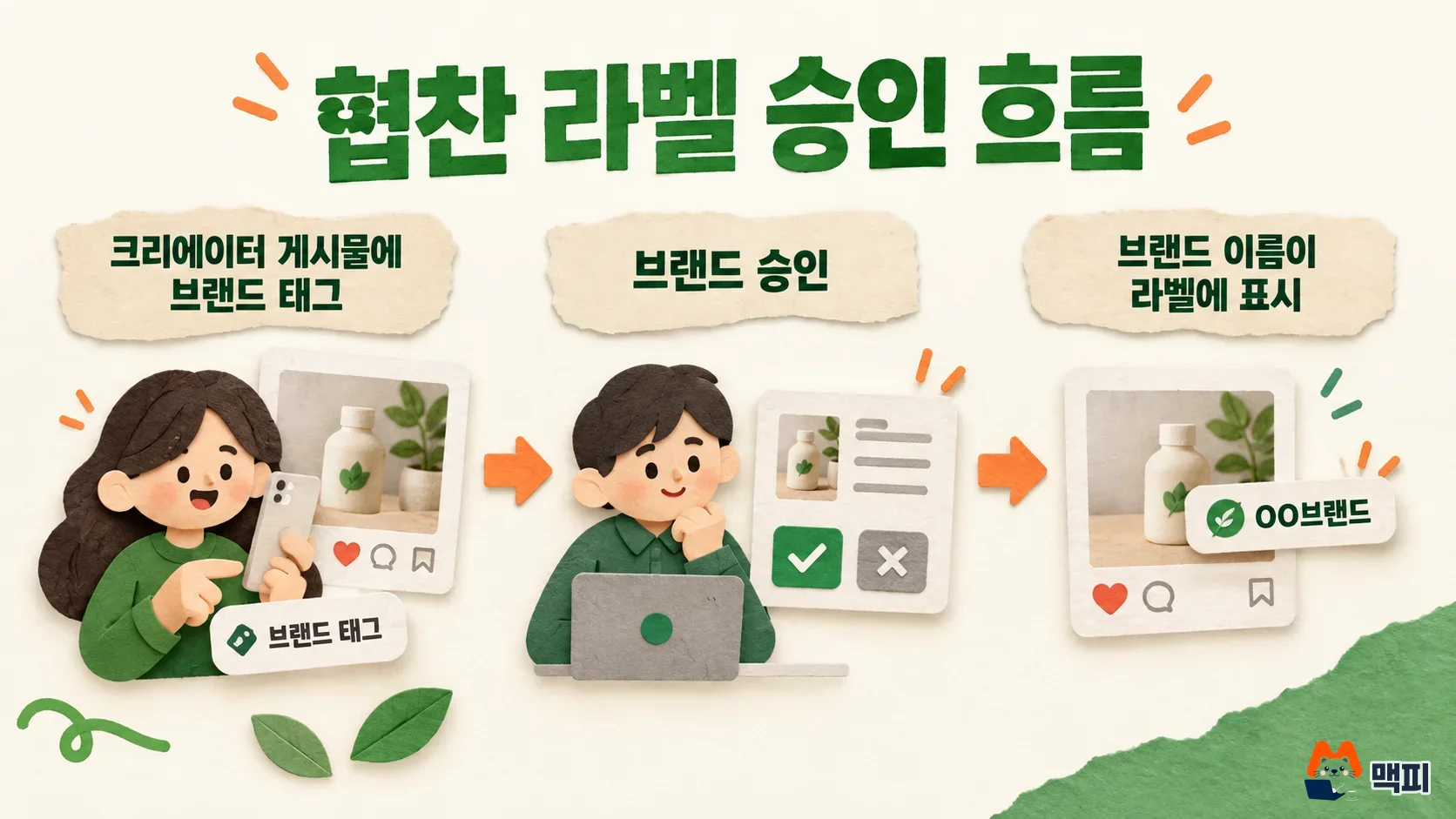
When a creator tags a brand for the first time, the brand receives an approval request. Until the brand approves, only the label appears, without the brand name. Once the brand approves, the brand name is added to the label. If the brand declines, the label disappears. After the post is published, the brand gets a notification and can see the insights for that content. If the creator removes the brand from the label, the brand can no longer see the insights.
YouTube influencer sponsorship: how to mark paid promotion
YouTube asks you to tell YouTube if a video includes product placement, sponsorship, or a direct endorsement. The YouTube Help Center gives these steps.
- Sign in to YouTube Studio on a computer.
- In the left menu, click Content and open the target video.
- Click Show more and select Yes, it contains paid promotion.
- Click Save.
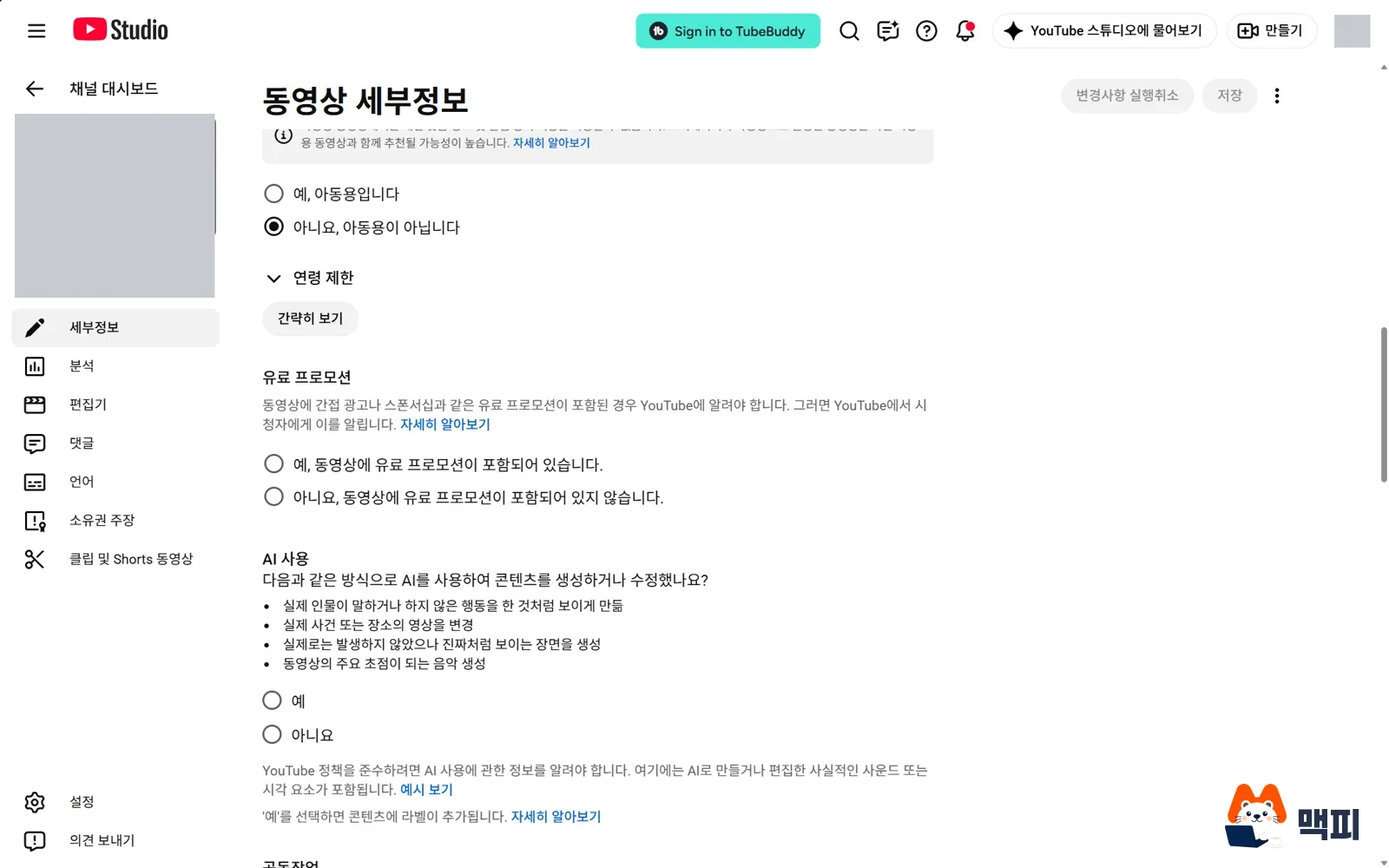
Once selected, a disclosure message automatically appears to viewers for about 10 seconds at the start of the video. Ads still run on the video, but ads that conflict with a brand partner's ads may be replaced with other ads. On the YouTube Kids app for children, the video is removed. The page does not spell out Korean disclosure requirements. It tells creators and brands to check local laws.
Create partnership ads with ad codes or account-level permission
A partnership ad is an ad run together with a creator or another brand. The top of the ad shows both accounts, the advertiser and the partner. To create one, the partner must grant permission, and there are two ways to do it.
| Item | Per post (ad code) | Account level |
|---|---|---|
| Who does it | The creator generates a code for each post and shares it | The advertiser sends a request and the creator accepts once |
| After acceptance | Only posts with a code can be used in ads | Later posts can be used in ads without extra requests |
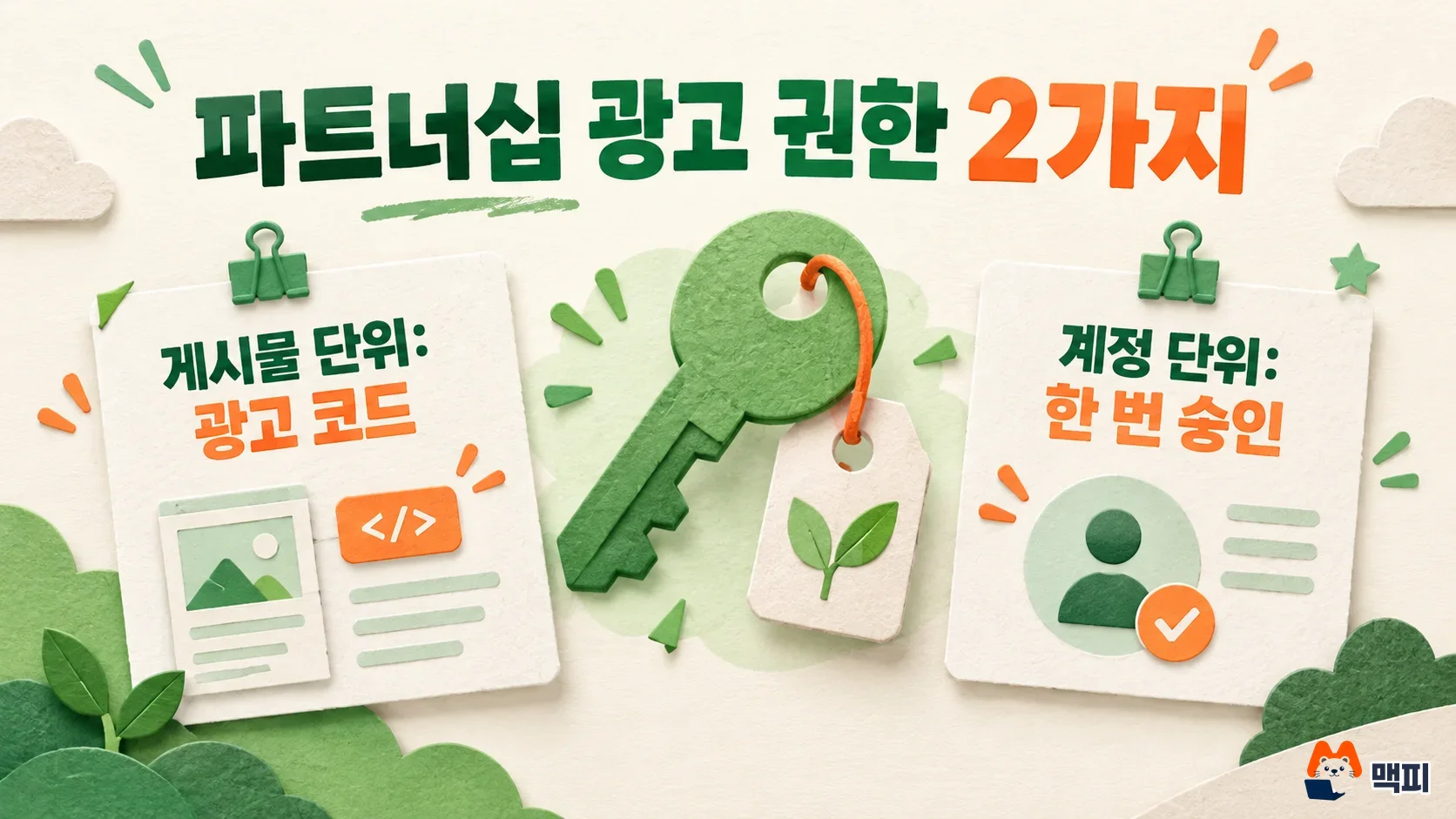
Choose based on how often you will work together. For a one-off collaboration, getting a code for each post is enough. If you plan to run ads with the same creator repeatedly, account-level permission is more convenient, because one acceptance removes the need for a request on every post. This selection rule is the author's own judgment. How the two methods work follows the Meta help pages below.
The creator creates post-level permission. According to the Meta help page, when creating a post, Story, or Reel on Instagram, tap Partnership label and ads, turn on Get partnership ad code, and then share. For a post that is already published, open the three-dot menu and go to the same option. One code can be used by up to 2 partners at the same time. If the toggle is turned off, the code cannot be used for new ads, but ads that are already running keep running. An archived Instagram post can still be used as an ad if the brand partner's promotion permission setting is on. An archived Facebook post cannot be used.
The advertiser requests account-level permission. The steps on the Meta help page are as follows. In Creator Marketing in Meta Business Suite, open Manage permissions on the Creators tab. Click Add partnership, search for the creator's username, select the account, and click Send request. When the creator accepts, it appears as an active partnership. You can then run ads under the creator account's name, or build ads from existing posts in which that account tagged the advertiser.
Once you have permission, create the ad in Ads Manager.
- Click Create and choose a campaign objective. Depending on the objective and placement, partnership ads may not be supported.
- Set the conversion location, budget, schedule, and audience, then move to the ad level.
- Turn on the Partnership ad toggle.
- Paste one of the ad code, post ID, or post URL, or pick the post directly from the representative account.
- Choose the second representative account to appear in the header, finish, and publish.
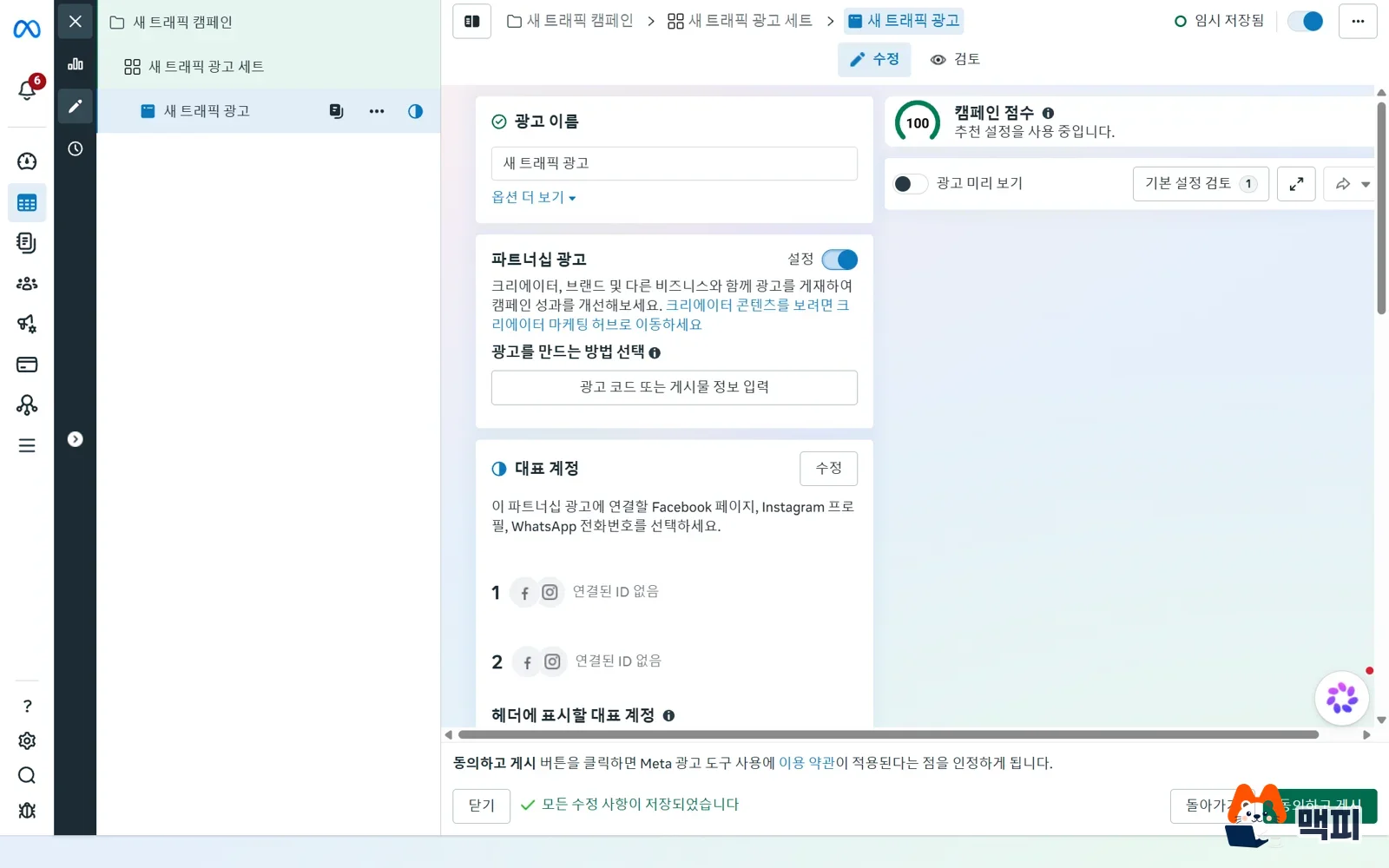
If you publish an ad without permission, Meta puts the ad on hold and sends the creator a permission request, according to the developer documentation. The ad runs only after the creator approves.
Check the sponsorship disclosure and results
In Korea, a review written in exchange for money or free products must state the ad or sponsorship so that consumers can see it at first glance. The standard is the Korea Fair Trade Commission's guide to disclosing economic interests. Separately from turning on the platform's sponsorship label, write the disclosure text for the opening of the post into the contract as well. We cover where to place sponsorship disclosures and what to write for blogs, Instagram, and YouTube channels in a separate article.
After publishing, check three things. First, whether the brand name shows on the sponsored ad label of the Instagram post. Second, whether the paid promotion notice appears at the start of the YouTube video. Third, whether the partnership ad has received an approval notification in Ads Manager. If the label still has no name, brand approval is not finished. If the ad is on hold, the creator permission is still missing, according to the Meta developer documentation.
Frequently asked questions
Can I run a partnership ad with an archived post?
For Instagram posts, yes, if the brand partner's promotion permission setting is on. Once a Facebook post is archived, it cannot be used as a partnership ad.
Do ads stop running if I select paid promotion on YouTube?
Ads keep running. However, ads that conflict with a brand partner's ads may be replaced with other ads.
What if I cannot see the Browse creators tab?
This feature is open to only some businesses. If your account is not eligible, contact creators directly and proceed with the sponsorship label and ad codes.
Before you sign with a creator, write the sponsorship disclosure text and the permitted scope of ad use into the contract, and decide whether you will take an ad code or account-level permission.
Found this useful? Share it
Latest posts
Kakao Share Thumbnail Not Showing? Here's the Fix (JavaScript SDK 2025)
Learn why Kakao Share thumbnails don't appear even with a valid imageUrl, and fix it using scrapImage to convert your URL into a KAGE CDN URL. Step-by-step guide.
How to Generate CRM User Manuals in 20 Minutes with Claude Code Sub-Agents
Learn how Claude Code sub-agents can analyze your CRM codebase and auto-generate user manuals and visual guidebooks in just 20 minutes. See the real-world results.
GEO Generative Engine Optimization: The Complete 2025 AI Marketing Strategy Guide
Learn what GEO (Generative Engine Optimization) is, how it differs from traditional SEO, and discover 5 proven AI marketing strategies to get cited by AI search engines in 2025.
Related projects
Get new posts by email
Insights on marketing, analytics, and dev, delivered to your inbox.