
Why Naver AI Briefing skips only your business
When Naver AI Briefing does not show up, first decide whether it is the Place version or the web search version. For Place, check business category, review count, and the AI information setting. For web, check noindex and the canonical URL, in that order. When competitors appear and you do not, it is hard to know where to start. Think of a signboard in front of a local restaurant street. The signboard introduces busy shops with accurate information first, and skips shops that are closed or list the wrong address. Naver works in a similar way. Place AI Briefing uses data written by users, and web search AI Briefing uses sources chosen by weighing trustworthiness. There is no public way to ask for your name to be put on the signboard. So all we can do is meet the conditions that supply the material and check that no setting blocks it.
Under the name AI Briefing, two different things are actually running. The checklist order splits along this line.
Two kinds of AI Briefing: web search and Place
Web search AI Briefing is closely tied to AI search optimization (AEO and GEO) (in Korean). It summarizes the answer to a query and shows the sources next to it. Place AI Briefing summarizes place information when someone searches a store name. In June 2025, Naver announced its AI search direction and said it would expand AI Briefing by area, such as information, shopping, local, and finance.
| Type | Where it appears | Source material | What the business can do |
|---|---|---|---|
| Place AI Briefing | Place search results for a store name, and the Home tab of the business detail page | Data written by Naver users (reviews and similar) | Manage business info, build up reviews, set show or hide |
| Web search AI Briefing | Naver search results (integrated search) | Web documents and sites chosen as sources | Check index status, set a canonical URL, focus on a topic |

If you run a local store, start with Place. If you run informational articles or shopping mall guide pages, start with web. If both apply, checking Place first is faster, because you can tell right away whether you meet the conditions.
Three things to check when Place AI Briefing is missing
The Naver Smart Place help center says in its Place AI Briefing exposure guide that the service currently covers some categories, such as restaurants and cafes, and businesses with many reviews. It only says the covered categories will expand later, with no schedule. So the first check is whether your category is covered now. If it is not, no setting will fix it.
Second is review count. Reviews are the typical example of user-written data that Place AI Briefing summarizes. The same guide says the service is not provided if the review count does not meet the standard. The threshold number is not public. If your store has almost no reviews, building them up is something you can do while you wait for AI Briefing. The official guidance does not describe ways to increase reviews, so the safe approach is to simply invite visiting customers to leave them on their own.
Third is the case where a briefing already appears but contains wrong content. AI Briefing is built from user-written data, so you cannot edit the text directly. Instead, you can set show or hide under Business info > AI information in the Smart Place management page. This setting is visible only to businesses that have AI Briefing, and after you save it, it is reflected in search results within 1 day.

To verify, search your store name on Naver and see whether a summary is attached to the Place result. If you switched to hidden, search the same way after the stated 1 day and confirm it is gone.
What to check to be picked as a web search AI Briefing source
For web search, Naver has not published each item it uses to select sources. The stated direction is official status and expertise that fit the query. In its September 2025 post, the official Naver Search blog explained that it uses language models and vision models to look at a site's nature, the trustworthiness of its content, and public perception together. It also said the most reliable source differs by search intent. Its examples were the Seongnam city government site for a Seongnam local gift certificate query, and the Ministry of Employment and Labor site for parental leave pay. The same post said this technology would be extended to AI Briefing in stages.
In November of the same year, Naver announced an A/B test of a trust-focused integrated ranking model. It mixes web, blog, cafe, Knowledge iN (Naver's Q&A service), and video documents in one area, while placing sources with high credibility, official status, and expertise higher. It said the test was being rolled out in order to only some users. The standard Naver stated is official status and expertise per query. So it is reasonable to read that a site that steadily builds content in one field is more likely to be considered as a source for questions in that field. This is a judgment drawn from public information, not a guaranteed rule. It also helps to know that on Naver, building search authority with data works better than backlinks.
What you can check right away is the basics of the crawling stage. If you have not registered your site yet, it is better to start with Naver Search Advisor registration and sitemap submission. According to the Naver Search Advisor guide on preferred URLs and robots meta tags, when the same content opens at several addresses, you set the canonical URL as an absolute path with link rel="canonical". And if noindex is in the robots meta tag, that page is removed from search results. noindex is a signal asking to remove the page from search results. The canonical URL is a signal that tells search which one address to list when the same content opens at several addresses. Check the page source to make sure a test-time noindex from when you built the site is not still there.
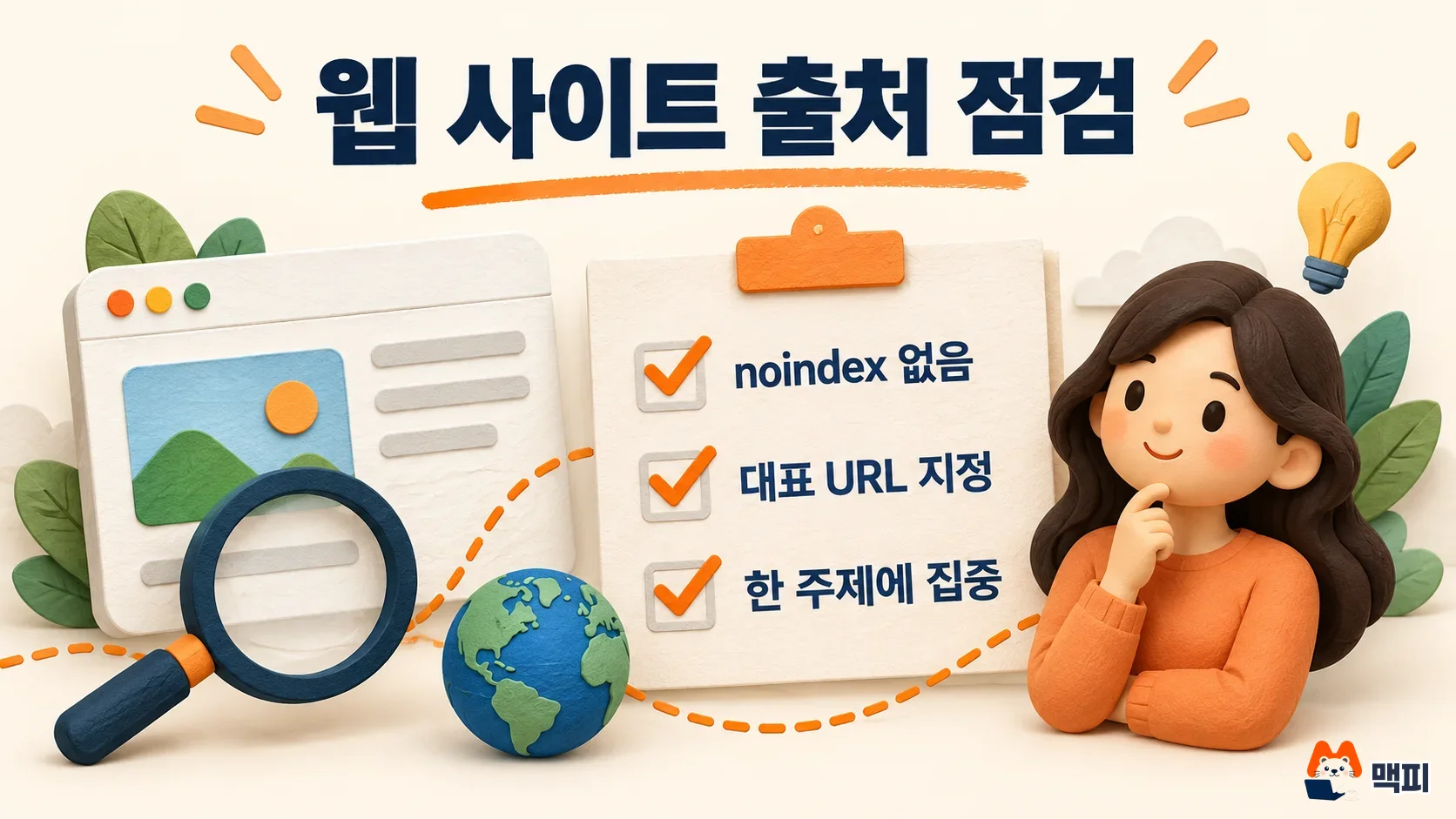
One more thing to look at is the nosourceinfo value. According to the Naver Search help center source description guide, a site's AI source information is built from meta information such as the title and description. Search Advisor says that if you put nosourceinfo in the robots meta tag, the AI-generated source description is not provided. This value blocks only the source description, so leave it out if you want your site introduction to be shown. If a source description is generated wrongly, you can submit a request through the search information error correction request on the guide page. Not every report leads to action, though.
How to verify after the checks
Verify with a small experiment. Pick 5 questions that your content answers and search them on Naver word for word. Once a week, record in a table whether AI Briefing appears and whether your address is in the source list. For web, search the exact question your content answers, see whether AI Briefing appears, and if it does, check whether your address is in the source list. Not showing up once or twice is not a failure. Naver decides exposure, and passing all the checks above does not guarantee it. Instead, after you fix a noindex or canonical URL problem, search the same questions again over a set period and record the change. That lets you tell which action worked.
The source description guide says you can see a site's AI source information by tapping the more menu (︙) at the top right of the search result body. So also check how the source information looks in results where your site appears as a source. For Place, the success criterion is a summary showing in the store name search results. If your category is not covered or reviews are lacking, you can only wait. Check back now and then to see whether the Place AI Briefing exposure guide changes the covered categories.
Common mistakes
The first mistake is looking for the settings screen without checking whether your category is covered. The AI information menu appears only for businesses that have AI Briefing, so a missing menu does not mean you missed a setting. The second is writing more content while noindex is still in place. If the page is out of search, adding more content cannot make it a source. The third is trying to fix wrong text in AI Briefing. Place AI Briefing text cannot be edited, and only the hide setting is available.
Frequently asked questions
Can I pay for ads to appear in Naver AI Briefing?
Naver AI Briefing itself is not an ad product. It is a search result summary feature. The official guidance covered in this article has no way to pay for exposure.
What should I do if AI Briefing shows wrong information?
You cannot edit the text of Place AI Briefing, but you can switch it to hidden under AI information in business info. If a website's source description is wrong, use the search information error correction request in the source description guide.
Can a blog post also become an AI Briefing source?
The guide on the trust-focused integrated ranking test says blog and cafe documents are shown together with web documents in one area. That does not mean they will always be picked as a briefing source.
Found this useful? Share it
Latest posts
Kakao Share Thumbnail Not Showing? Here's the Fix (JavaScript SDK 2025)
Learn why Kakao Share thumbnails don't appear even with a valid imageUrl, and fix it using scrapImage to convert your URL into a KAGE CDN URL. Step-by-step guide.
How to Generate CRM User Manuals in 20 Minutes with Claude Code Sub-Agents
Learn how Claude Code sub-agents can analyze your CRM codebase and auto-generate user manuals and visual guidebooks in just 20 minutes. See the real-world results.
GEO Generative Engine Optimization: The Complete 2025 AI Marketing Strategy Guide
Learn what GEO (Generative Engine Optimization) is, how it differs from traditional SEO, and discover 5 proven AI marketing strategies to get cited by AI search engines in 2025.
Related projects
Get new posts by email
Insights on marketing, analytics, and dev, delivered to your inbox.