
ROI stands for Return On Investment. It is a metric that shows, as a percentage, how much profit is left compared with the money you spent. Marketing ROI is calculated on total cost, which includes not only ad spend but also product cost, shipping, and payment fees. If the result is above 0%, you made a profit. The Google Ads help page also describes ROI as the ratio of revenue to cost.
ROI meaning: why does your bank balance stay flat when ROAS is high
Sometimes an ad report shows a ROAS of 400%, but when you settle the accounts at month end, almost no money is left. It is like a shopper who puts 50,000 KRW of goods in a cart. The shop owner does not keep 50,000 KRW. You have to subtract the cost of the goods, packaging, and card fees to find what is really left. ROAS looks at revenue against ad spend only, so it looks good on the ad screen. ROI works like the shop owner's math. It subtracts all the money that went in and looks at the profit that remains. Still, ROI is only as accurate as the cost items you enter, so decide before you calculate how far to include labor and rent.
So use ROAS to judge ad efficiency, and use ROI to decide whether to keep running the ads. We covered the meaning and calculation of ROAS in a separate article. This article focuses on ROI calculation and how to read it.
Marketing ROI formula: subtract total cost from revenue, then divide by total cost
Marketing ROI is calculated as (revenue - total cost) ÷ total cost × 100. The formula in the Google Ads help page is (revenue - cost of goods sold) ÷ cost of goods sold. For a business that sells products, this cost of goods sold includes both the product cost and the ad spend. The help page example is a product that costs 100,000 KRW to make and sells for 200,000 KRW, with 6 units sold through Google Ads. Revenue is 1,200,000 KRW. Total cost is 800,000 KRW, which is 600,000 KRW of product cost plus 200,000 KRW of ad spend. So ROI is (1,200,000 - 800,000) ÷ 800,000 = 50%.
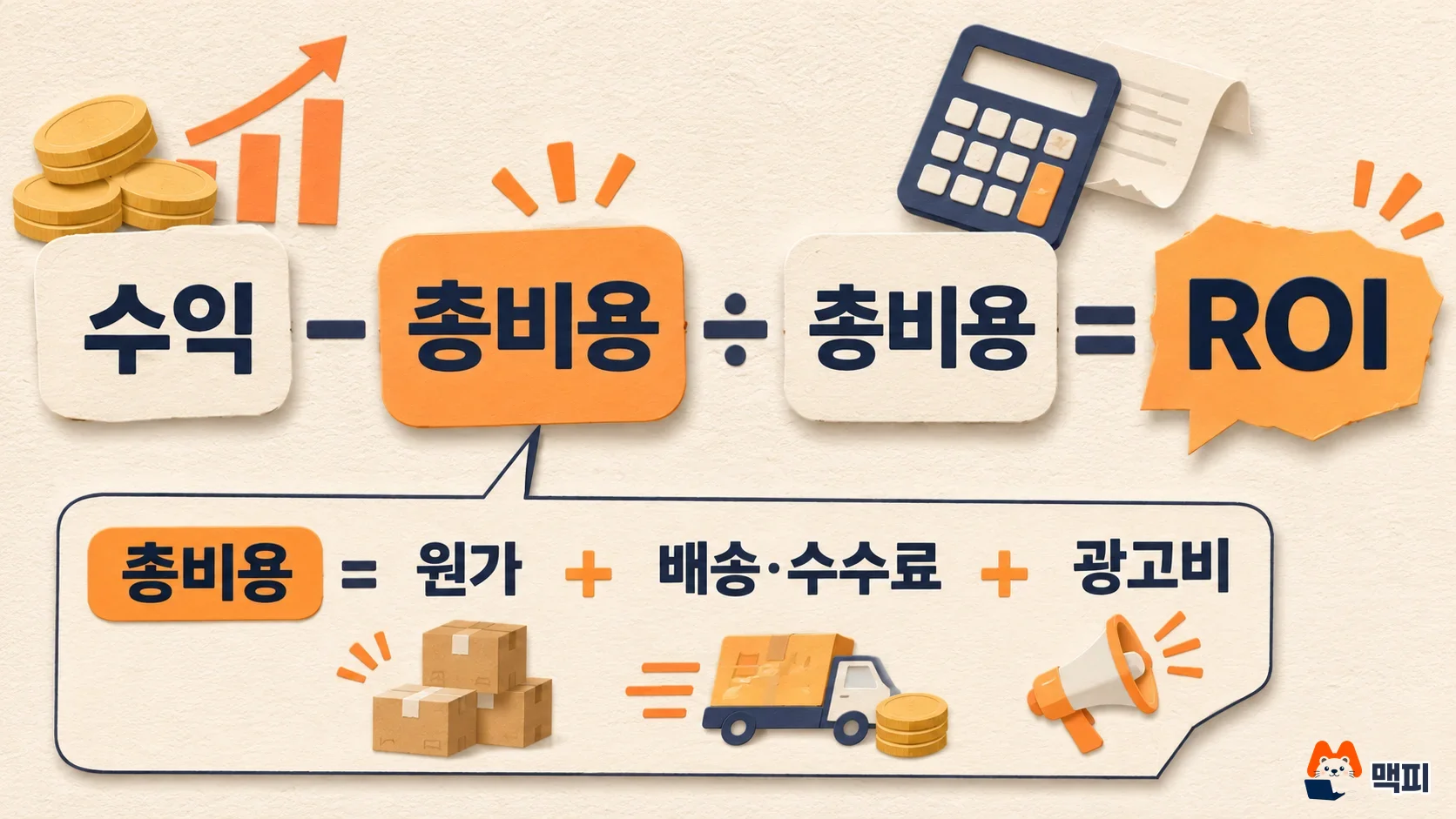
The Google help example has no shipping or payment fees. These per-order costs are still real costs, so this article includes them in total cost. The table below follows the calculation order of the help page example.
| Step | Help page example value | Calculation |
|---|---|---|
| Revenue (sales) | 1,200,000 KRW | 200,000 KRW × 6 units |
| Product cost | 600,000 KRW | 100,000 KRW × 6 units |
| Ad spend | 200,000 KRW | Google Ads cost |
| Total cost | 800,000 KRW | Product cost + ad spend |
| ROI | 50% | (1,200,000 - 800,000) ÷ 800,000 |
An ROI of 50% means, as the Google Ads help page puts it, that every 1,000 KRW you spend brings back 1,500 KRW. If profit is larger than total cost, ROI can go above 100%. If revenue is lower than total cost, ROI turns negative.
ROAS vs ROI: the same ads produce different numbers
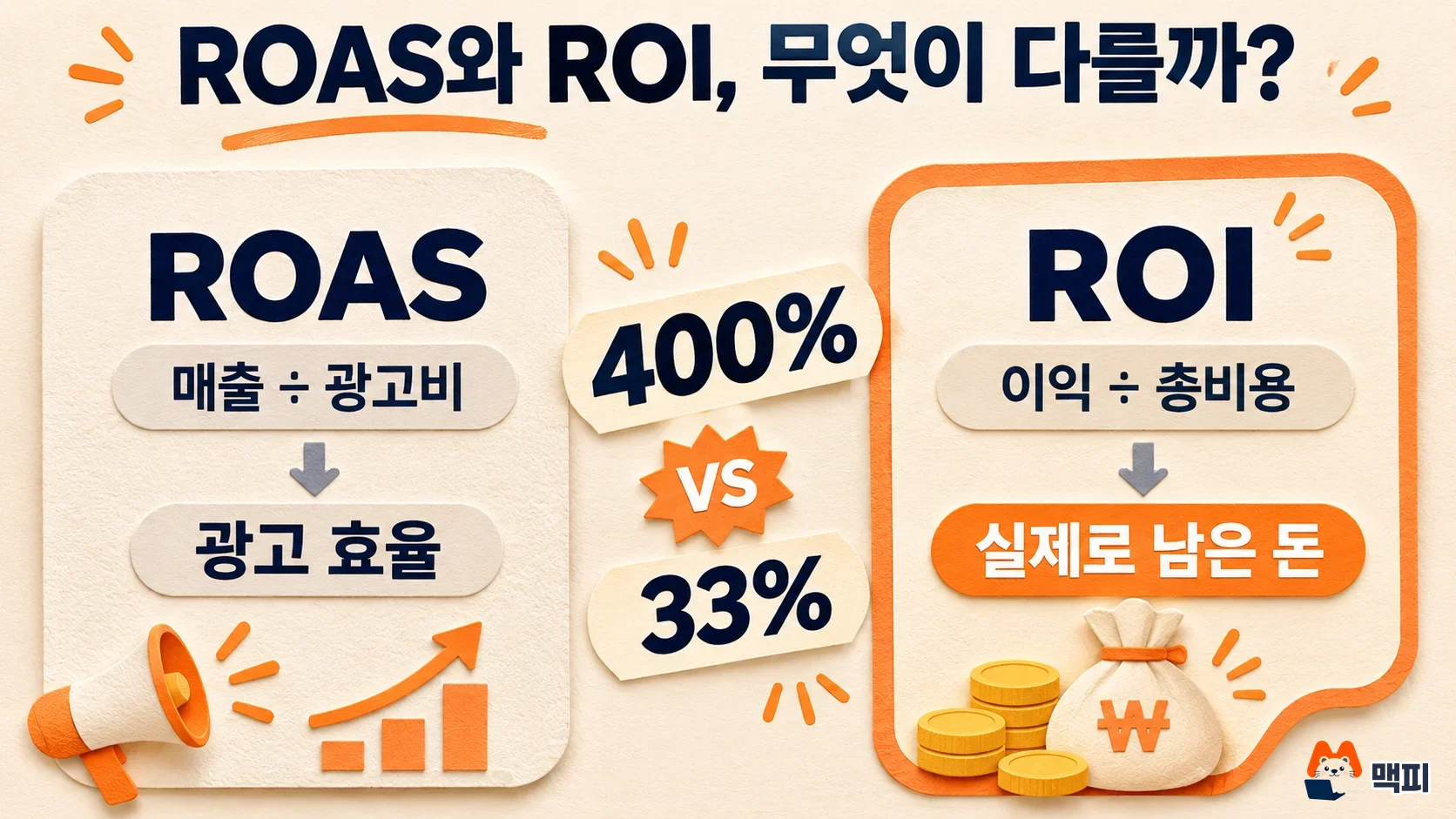
ROAS is revenue against ad spend. ROI is profit against total cost. The example below uses three assumptions for a product with a selling price of 50,000 KRW, a product cost of 20,000 KRW, and combined shipping and payment fees of 5,000 KRW, sold with an ad spend of 1,000,000 KRW. These are not real ad results. They are numbers to show the calculation.
| Campaign | Units sold | Revenue | Total cost | ROAS | ROI |
|---|---|---|---|---|---|
| A | 80 units | 4,000,000 KRW | 3,000,000 KRW | 400% | 33.3% |
| B | 50 units | 2,500,000 KRW | 2,250,000 KRW | 250% | 11.1% |
| C | 40 units | 2,000,000 KRW | 2,000,000 KRW | 200% | 0% |
Total cost is the per-unit product cost plus shipping and fees (25,000 KRW) multiplied by units sold, plus the 1,000,000 KRW ad spend. Campaign A has a ROAS of 400%, but its ROI is 33.3%. Campaign C has a ROAS of 200% and an ROI of 0%, so the ads leave no money behind. This product leaves 25,000 KRW per unit, which is 50% of the selling price, so a ROAS of 200% is the break-even point.
If you put the same three campaigns in a chart, the height gap between the ROAS bar and the ROI bar is clear at a glance.
In one line: ROAS is the number for ad efficiency, and ROI is the number for the money you actually keep.
According to the Google Ads help page, target ROAS bidding is used to maximize conversion value, such as sales revenue or profit margin. To use this bidding, conversion value tracking must be set up first. If you switch conversion value from revenue to margin, the value gets smaller, so you should lower your target ROAS to match.
ROI calculation steps and where to check
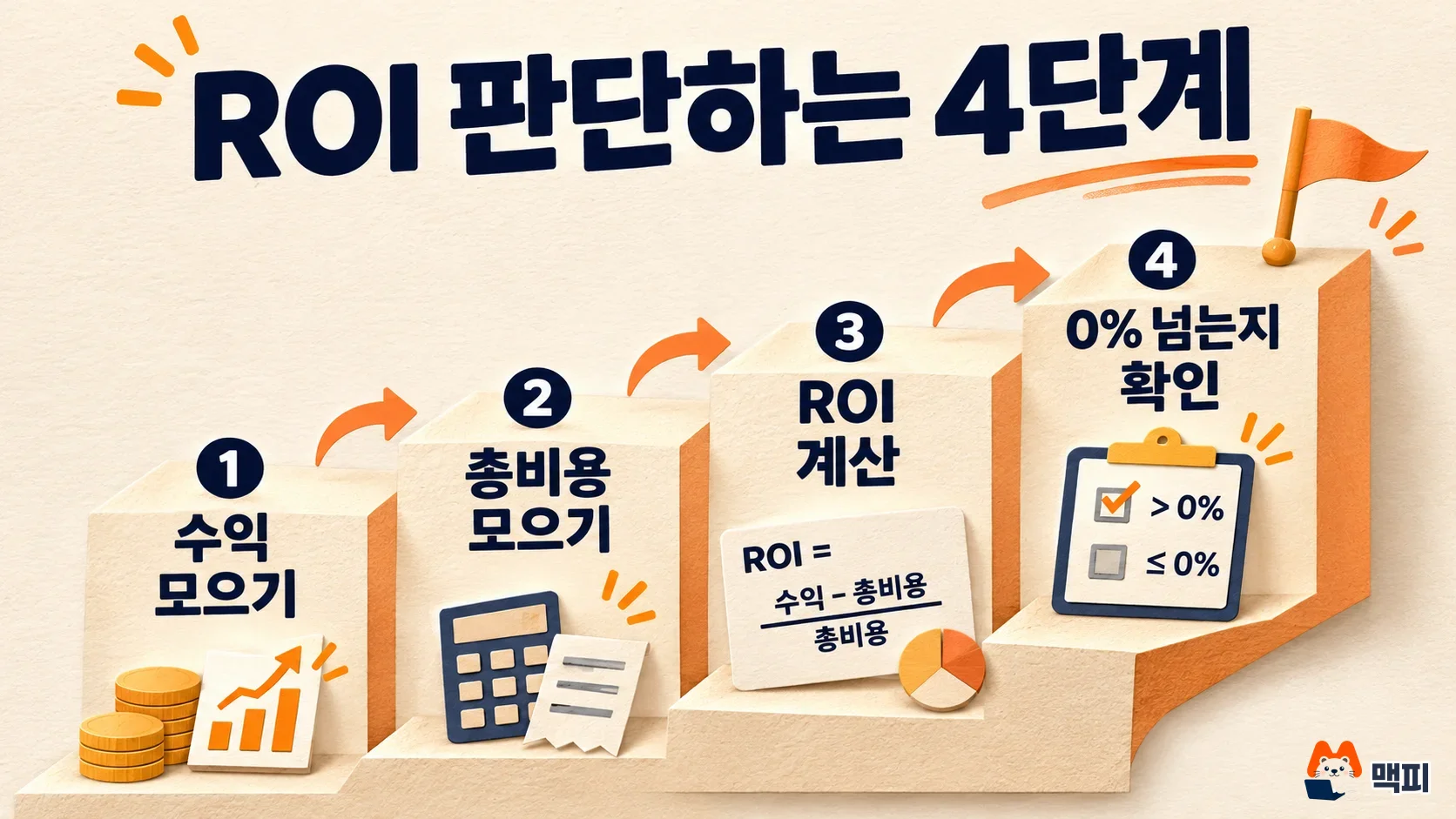
To calculate ROI, set a period first, then collect revenue and costs for that same period. If the periods do not match, for example one month of ads against a full year of costs, the result will be badly off.
- Set the period and scope to calculate. For example, "October, orders that came from Meta ads."
- Collect the revenue for that period. It is more accurate to use settled revenue, not the conversion value shown on the ad screen.
- Collect total cost. Include product cost, shipping, payment fees, and ad spend. If there are refund or return costs, subtract them as well.
- Calculate (revenue - total cost) ÷ total cost × 100. In a spreadsheet, if revenue is in cell B2 and total cost is in B3, enter
=(B2-B3)/B3and set the cell format to percent. For campaign A in the assumed example above, entering 400 in B2 and 300 in B3 gives 33.3%. - Check whether the result is above 0%. If it is, you kept money after the ads. If it is 0% or below, cut ad spend or fix product margin and conversion rate first.
In the Google Ads interface, the Conv. value / cost (conversion value per cost) column in the campaign table is total conversion value divided by total cost, so it shows efficiency on the ad side. For this column to match your revenue, conversion tracking must carry the actual order amount. According to the conversion value help page, if you do not add a dynamic value to the tracking code, the default value you entered is applied equally to every conversion. So when you check ROI, compare this column against settled revenue once.
Ads that collect inquiries or sign-ups calculate ROI a little differently. The Google Ads help page explains that in this case, ad spend is the cost of goods sold, and the amount generated through leads (potential customers) is the revenue. The help page example is that 1 in 10 leads becomes a sale and each sale is worth 20,000 KRW, so the average revenue per lead is 2,000 KRW. You compare this value with the cost per conversion, which is the cost of getting one lead.
Common mistakes when reading ROI
- Counting only ad spend as cost. If you leave out product cost and shipping and fees, ROI looks higher than it really is, and you keep running ads at a loss. Decide your cost items once and calculate on the same basis every month.
- Mixing up revenue and profit. If you put revenue in the numerator, you get a value close to ROAS. The numerator is profit, which is revenue minus total cost.
- Looking only at the value of a one-time buyer. In a business with many repeat purchases, the first-purchase ROI may be negative while long-term profit is still positive. In that case, look at customer lifetime value (LTV) too.
- Using the industry average ROI as your target. Margin rates and fixed costs differ from shop to shop, so someone else's average is not a standard. First calculate your own break-even ROAS and an ROI of 0%.
For how to set your overall target metrics, see how to set marketing KPIs. For how ad spend works in general, continue with the performance marketing overview.
Frequently asked questions
What ROI percentage is good?
There is no official passing line. The only firm rule is that above 0% means profit. The ROI you need depends on business size and target profit, so set your monthly fixed costs and target profit first, then work backward from there.
Can ROI go above 100%?
Yes. If you earn 1,500,000 KRW in profit on 1,000,000 KRW of total cost, ROI is 150%.
Should I set my target on ROI or ROAS?
Set the automated bidding target in ROAS, like Google Ads target ROAS. Then check whether that ROAS turns into profit using break-even ROAS and ROI.
Found this useful? Share it
Latest posts
Kakao Share Thumbnail Not Showing? Here's the Fix (JavaScript SDK 2025)
Learn why Kakao Share thumbnails don't appear even with a valid imageUrl, and fix it using scrapImage to convert your URL into a KAGE CDN URL. Step-by-step guide.
How to Generate CRM User Manuals in 20 Minutes with Claude Code Sub-Agents
Learn how Claude Code sub-agents can analyze your CRM codebase and auto-generate user manuals and visual guidebooks in just 20 minutes. See the real-world results.
GEO Generative Engine Optimization: The Complete 2025 AI Marketing Strategy Guide
Learn what GEO (Generative Engine Optimization) is, how it differs from traditional SEO, and discover 5 proven AI marketing strategies to get cited by AI search engines in 2025.
Related projects
Get new posts by email
Insights on marketing, analytics, and dev, delivered to your inbox.