
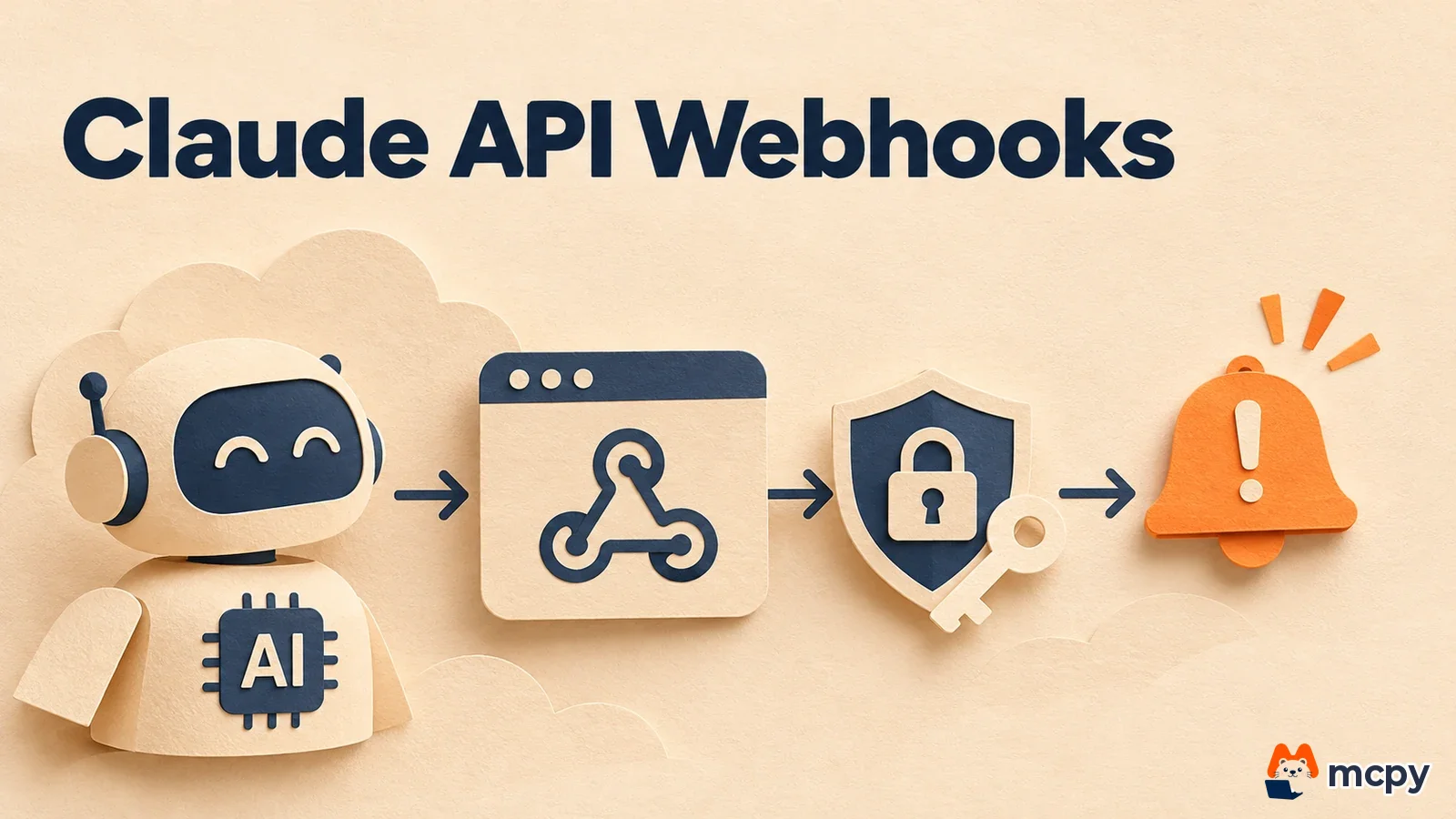
Claude API webhooks have reported encryption key errors since November 16, 2026. Anthropic said in the Claude Platform release notes that it added two events to organization webhooks (beta). external_key.failed fires when the key management service keeps rejecting a customer-managed encryption key (CMEK). external_key.recovered fires when that key works again. Most Claude users are not affected. This is news for admins and security owners at organizations that have turned on CMEK.
Organization webhooks (beta) gained the external_key.failed (key rejection started) and external_key.recovered (key recovered) events on November 16, 2026.
Organization webhooks are already enabled for organizations that can use CMEK. Other organizations must ask their Anthropic account team. Organizations with HIPAA readiness enabled cannot use them.
Do not rely on these events alone. If no requests use the key, no alert arrives, so also set up alerts for the Messages API cmek_key errors and run periodic checks.
Which organizations need this alert and which do not
CMEK lets you encrypt the data Anthropic stores with your own key, created in AWS KMS, Google Cloud KMS, or Azure Key Vault. According to the official CMEK docs, you control the key, so you can rotate it, audit its usage, and cut off Anthropic's access. To turn it on, you contact your Anthropic account team, and an Organization Admin in Claude Platform does the setup.
| Who you are | Applies? | What to do |
|---|---|---|
| An individual using the Claude app on a subscription plan | Not applicable | Nothing |
| A Claude Platform organization with CMEK on | Applies | An admin registers a webhook URL and builds a handler to receive the alerts |
| An organization that needs webhooks without CMEK | Must ask the account team for access | User profile events are not sent yet, so the events arriving now are key events |
| An organization with HIPAA readiness enabled | Cannot use them | Requests return a 404 error |
According to the prerequisites in the organization webhooks docs, organizations with HIPAA readiness enabled cannot use them, organizations that can use CMEK already have them on, and everyone else must ask the account team. The same docs say user profile events (such as user_profile.enforcement_action_opened) live in the same webhook, but Anthropic does not send those yet. The events that actually arrive today are the encryption key events. The news from October 20, when the webhook feature first launched, is in the release notes.
When external_key.failed and recovered are sent
The organization webhooks docs explain that the Admin API calls a CMEK key an external key, which is why the event names start with external_key.
| Event | When it is sent | Example |
|---|---|---|
external_key.failed | The key management service keeps rejecting Anthropic's use of the key | Someone disabled the key or removed Anthropic's access |
external_key.recovered | The key works again after a failed event was sent | The key was re-enabled or access was restored |
The event body contains only the key ID (data.id, starting with ekey_) and the organization ID. It has no workspace name, because one key can be used by several workspaces. created_at is not the time the key failed. It is the time Anthropic first tried to send the event. You cannot send a test event on demand. Events start only when a real rejection happens. When a key fails or recovers, Anthropic usually also emails the organization members who have key management permission.
Delivery time has conditions. If each workspace that uses the key sends about one Messages API request per minute, the failed event arrives within 30 minutes of the key being disabled or access being removed. The recovered event arrives about 30 minutes after the key starts working again. With fewer requests, events arrive later. Requests can still succeed when the failed event arrives. According to Anthropic's key lifecycle docs, disabling a key or removing access can take up to 1 hour to take effect, and requests can succeed during that time.
Validate the key first when an event arrives
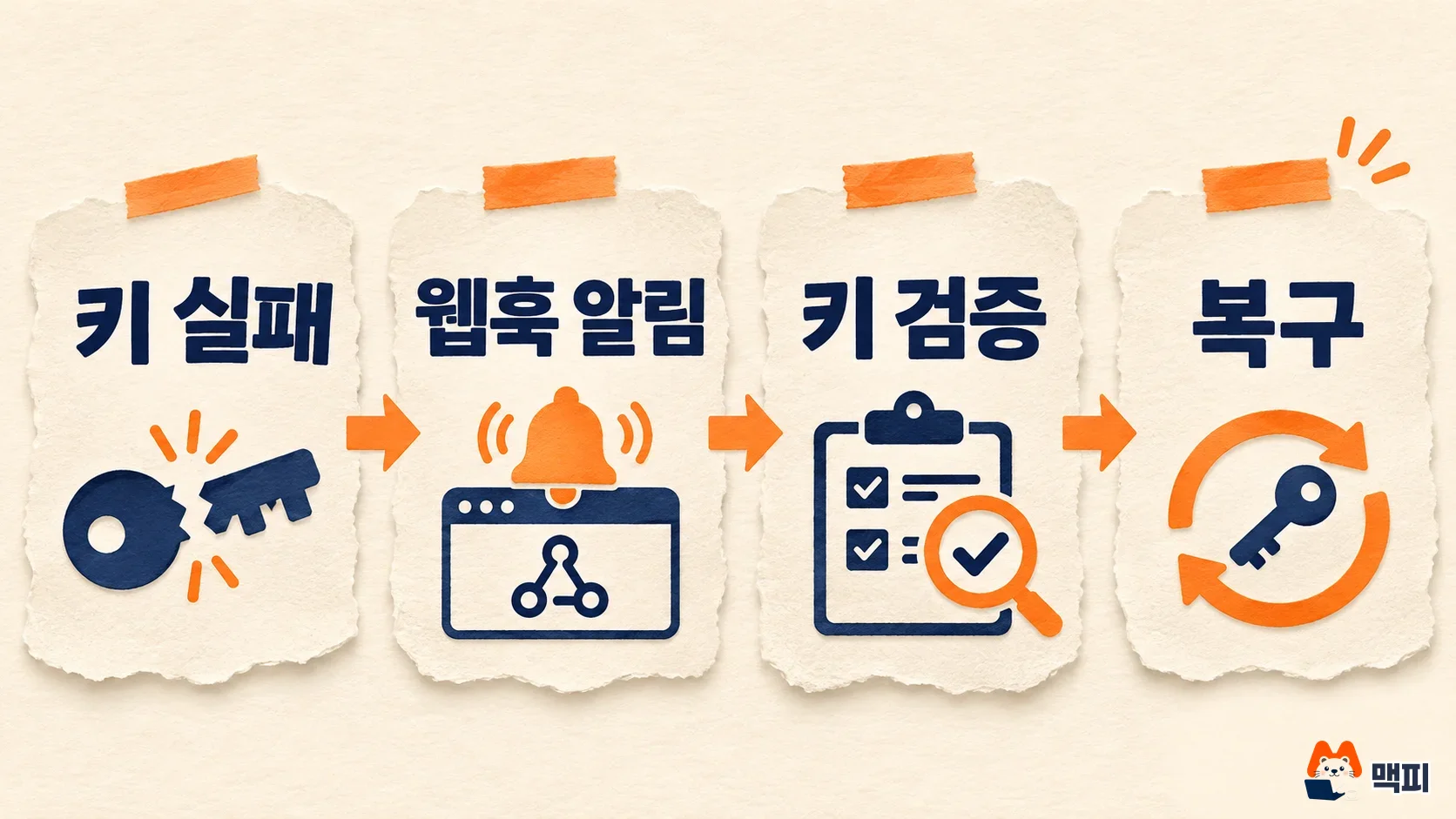
Under the delivery rules, your handler should verify the signature, return a 2xx within 5 seconds, and do slow work afterward. The key event response procedure is as follows.
- Return a 2xx when you receive the event. Any 2xx works.
- Call the key validation API (
POST /v1/organizations/external_keys/{external_key_id}/validate) with an Admin API key or anorg:admintoken. Use the event'sdata.idas the ID. - If the response
statusisfailureand the error message says to retry, do so and validate again. If the message is different, look for a fix in the CMEK troubleshooting docs. - A
successis not the end. Validation tests only one workspace, so you must check every workspace that uses the key.
To check workspaces, list them with include_default=true, pick the ones whose external_key_id is that key, and send one Messages API request in each workspace using an API key that works in that workspace. Read the results as shown in the table below.
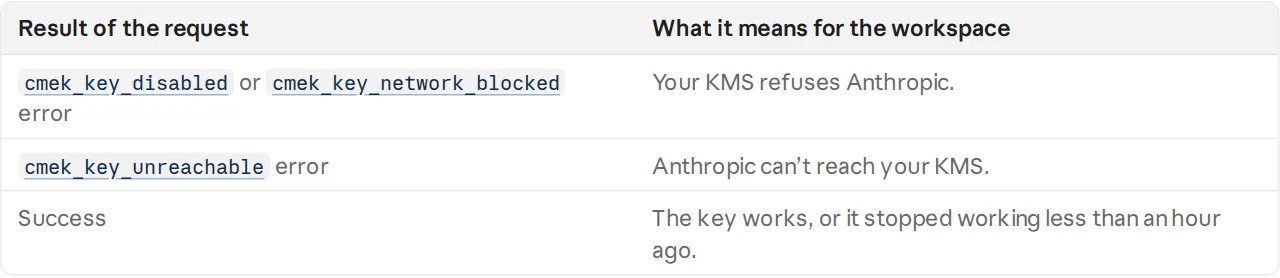
| Request result | What it means for that workspace |
|---|---|
cmek_key_disabled or cmek_key_network_blocked error | The key management service is rejecting Anthropic |
cmek_key_unreachable error | Anthropic cannot reach the key management service |
| Success | The key works, or it stopped working less than 1 hour ago |
If you get a success but a failed event just arrived, send the same request again 1 hour after the failed event. Errors can linger for a few minutes after a fix, so repeat the same check after you fix the key, and do not wait for the recovered event. The recovered event may never come.
Register Claude API webhooks and the settings developers should check
Register through the Admin API at /v1/organizations/webhooks, or, if you have the admin organization role, on the Organization tab of the webhooks page in the Claude Console. The console shows the signing secret (starting with whsec_) only once, when you create or rotate it, so save it somewhere safe right away. Every API request needs the anthropic-beta: webhooks-2026-10-07 header. The SDKs and CLI add it automatically. Without this header you get a 404.
| Item | Condition |
|---|---|
| URL format | HTTPS, port 443, public domain (IP addresses not allowed) |
| Events to receive | List external_key.failed and external_key.recovered in enabled_events. At least one is required |
| Count limit | 32 per organization (disabled endpoints count too) |
| Duplicate URLs | Two active endpoints cannot use the same URL (409) |
| Required permission | Listing needs developer or higher. Creating, editing, and deleting need admin |
According to the official docs, delivery follows the Standard Webhooks spec and carries the webhook-id, webhook-timestamp, and webhook-signature headers. You can verify the signature with any library for that spec. The same event can arrive twice, so filter duplicates by event ID. If delivery fails, Anthropic retries a few times over several minutes, and if every try fails, it drops the event. That means a handler outage of even a short time can lose events. If your handler responds with a 3xx, the URL resolves to a private IP, or failures continue, Anthropic automatically disables the endpoint and does not resend later events.
If you also use the Admin API changes from October, read the authentication notes in Claude Admin API user sign-out beta as well.
When Claude API webhooks alerts do not arrive, and regular checks
The official docs say do not treat this event as your only signal. The table below lists the cases where you can miss an event.
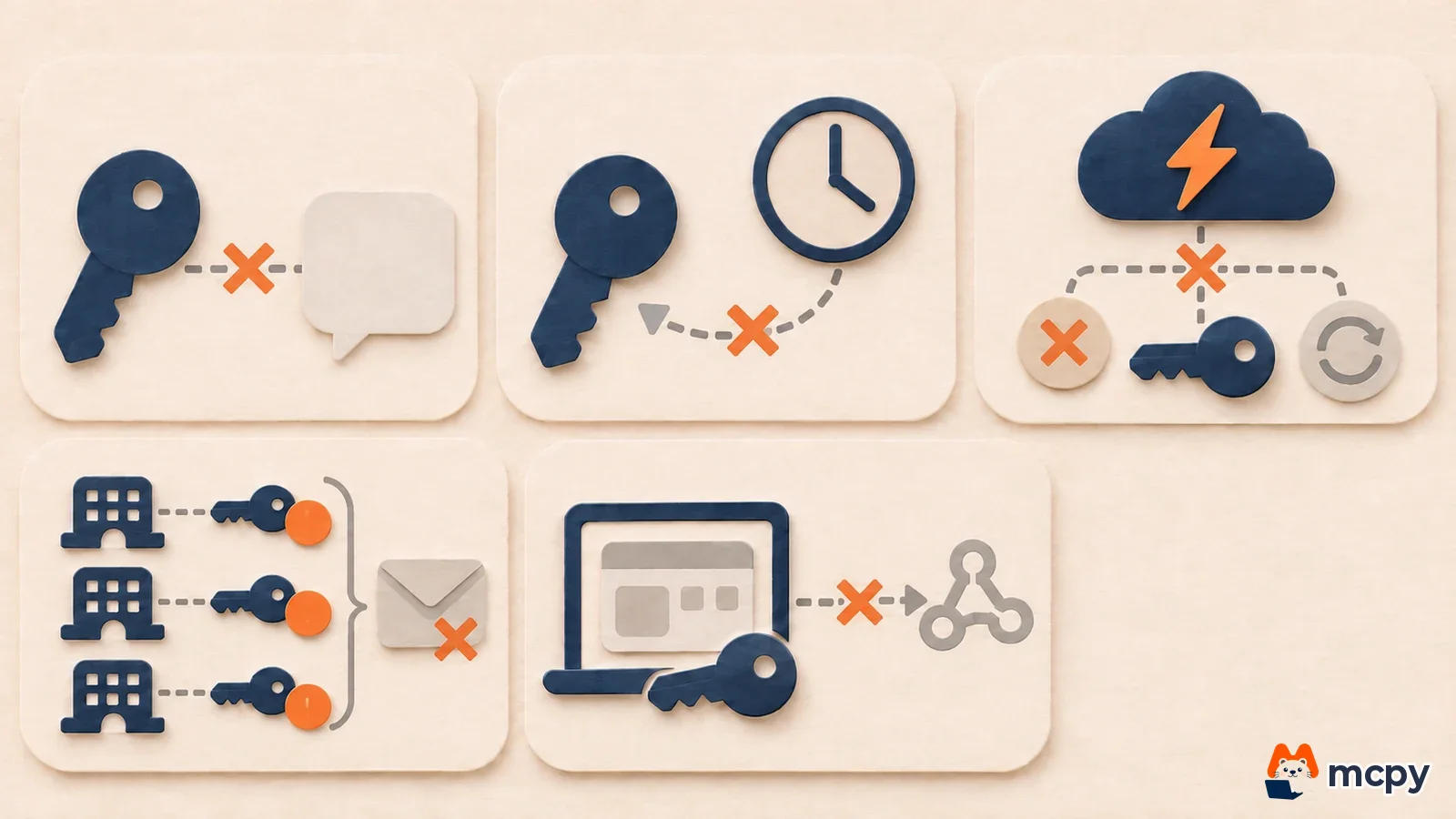
| Case | What you can miss |
|---|---|
| No requests use that key | The failed event. Anthropic notices a rejection only when a request uses the key |
| No requests for about a day after the last rejection | The recovered event. Anthropic stops waiting for a success |
| The key management service has an outage or times out | Both events. An outage is not a rejection |
| Keys from many organizations fail at about the same time | Both events and the email. The cause may be Anthropic or the cloud provider |
| The default workspace's key fails and that key encrypts your endpoint's values | All events until the key works again, including the failed event itself |
The last row is especially easy to miss. According to the docs, Anthropic stores an organization's endpoints in the default workspace. If that workspace uses CMEK, the endpoint's name, description, and signing secret are encrypted with that key. In that case, when the key is blocked, delivery itself fails, and Anthropic drops the events it could not send. If you delete the key, this failure is permanent and you cannot create a new endpoint either. Because the webhook's alerts can die along with the key failure, you should not make the webhook your only way to monitor key status.
So the advice has three parts. First, set alerts on the three errors the Messages API returns: cmek_key_disabled, cmek_key_network_blocked, and cmek_key_unreachable. Second, about once a day, check that the endpoint state is enabled, list the keys, and call validation for each key. Third, run the same check when you first add an event type, after a handler outage, and after you re-enable an endpoint. Anthropic does not notify you if you miss an event or if an endpoint is disabled or skipped. This check cadence follows the approach in the catch up on missed events section.
What happens when a key is blocked is described in the key lifecycle docs. If you disable a key or remove access, Messages API requests in the workspaces that use that key fail with cmek_key_disabled (a 400 error). If you re-enable the key, data access returns, but the failed requests are not retried. If you delete a key, Anthropic cannot recover it. A key you have attached cannot be removed or replaced.
Checks to run before you rely on it
This is a way to test in a staging organization before you go live. The official docs say there is no test event, so you must deliberately disable a test key, and you must not do this with a production key. Create a separate test workspace and key, and keep sending about one request per minute. Then disable the key and use your handler logs to confirm the failed event arrives within 30 minutes, and re-enable it and confirm the recovered event arrives within about 30 minutes. If no event arrives, check the endpoint state and signature verification first. The measure of success is not that an alert arrives. It is that you receive the alert and then judge the key status correctly with the validation call.
Frequently asked questions
Do I need to apply separately to use organization webhooks?
Organizations that can use CMEK already have organization webhooks enabled. Other organizations must ask their Anthropic account team for access, and organizations with HIPAA readiness enabled cannot use them.
If the recovered alert does not arrive, is the key still blocked?
Not necessarily. The recovered event may not arrive if there are no requests for about a day after the last rejection. Do not wait for the alert. Check directly with key validation and a request in each workspace.
What happens to requests that failed while the key was blocked?
According to the official docs, requests that fail while the key is disabled are not retried. When you re-enable the key, access to the data the key protects returns.
Found this useful? Share it
Latest posts
Kakao Share Thumbnail Not Showing? Here's the Fix (JavaScript SDK 2025)
Learn why Kakao Share thumbnails don't appear even with a valid imageUrl, and fix it using scrapImage to convert your URL into a KAGE CDN URL. Step-by-step guide.
How to Generate CRM User Manuals in 20 Minutes with Claude Code Sub-Agents
Learn how Claude Code sub-agents can analyze your CRM codebase and auto-generate user manuals and visual guidebooks in just 20 minutes. See the real-world results.
GEO Generative Engine Optimization: The Complete 2025 AI Marketing Strategy Guide
Learn what GEO (Generative Engine Optimization) is, how it differs from traditional SEO, and discover 5 proven AI marketing strategies to get cited by AI search engines in 2025.
Related projects
Get new posts by email
Insights on marketing, analytics, and dev, delivered to your inbox.