
Coupang Rocket Growth is a fulfillment service. The seller sends products to a Coupang logistics center, and Coupang handles packing, delivery, inventory management and customer service (CS). As of October 10, 2026, according to the Coupang Marketplace Rocket Growth introduction, the sales commission is the same as seller-fulfilled delivery. Inbound/outbound fees and delivery fees by product size are added on top.
Coupang Rocket Growth: how it differs from seller-fulfilled marketplace delivery
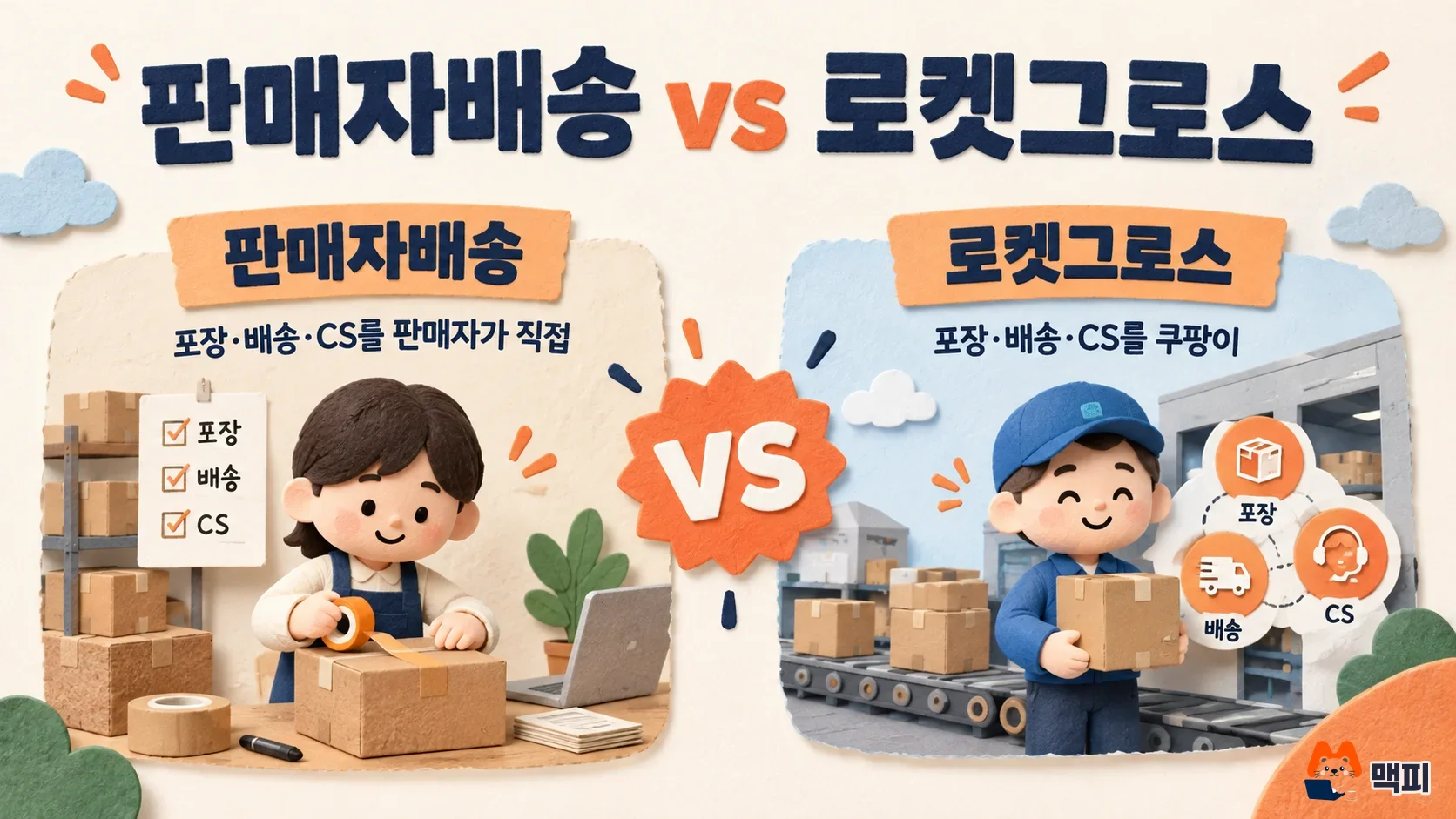
With Rocket Growth, a seller on Coupang Marketplace (Coupang's open marketplace in Korea) hands logistics over to Coupang. The Rocket Growth introduction page describes it as a service that passes logistics, packing, delivery, inventory management and CS to Coupang. The seller still sets the price, the stock quantity, and whether returned items are resold.
Unlike seller-fulfilled delivery, where you pack each item and ship it by courier yourself, your work shrinks to inbound preparation and managing price and stock. In exchange, inbound/outbound fees and delivery fees are charged separately.
| Item | Seller-fulfilled (Marketplace) | Rocket Growth |
|---|---|---|
| Packing and delivery | Seller | Coupang |
| Inventory storage | Seller | Stored at a Coupang logistics center |
| CS and returns | Seller | Coupang (the seller sets whether returned items are resold) |
| Sales commission | Rate by category | Same as seller-fulfilled |
| Logistics cost | Paid by the seller directly | Inbound/outbound fee, delivery fee, storage fee and more paid to Coupang |
How to join Coupang Rocket Growth: from signup to inbound
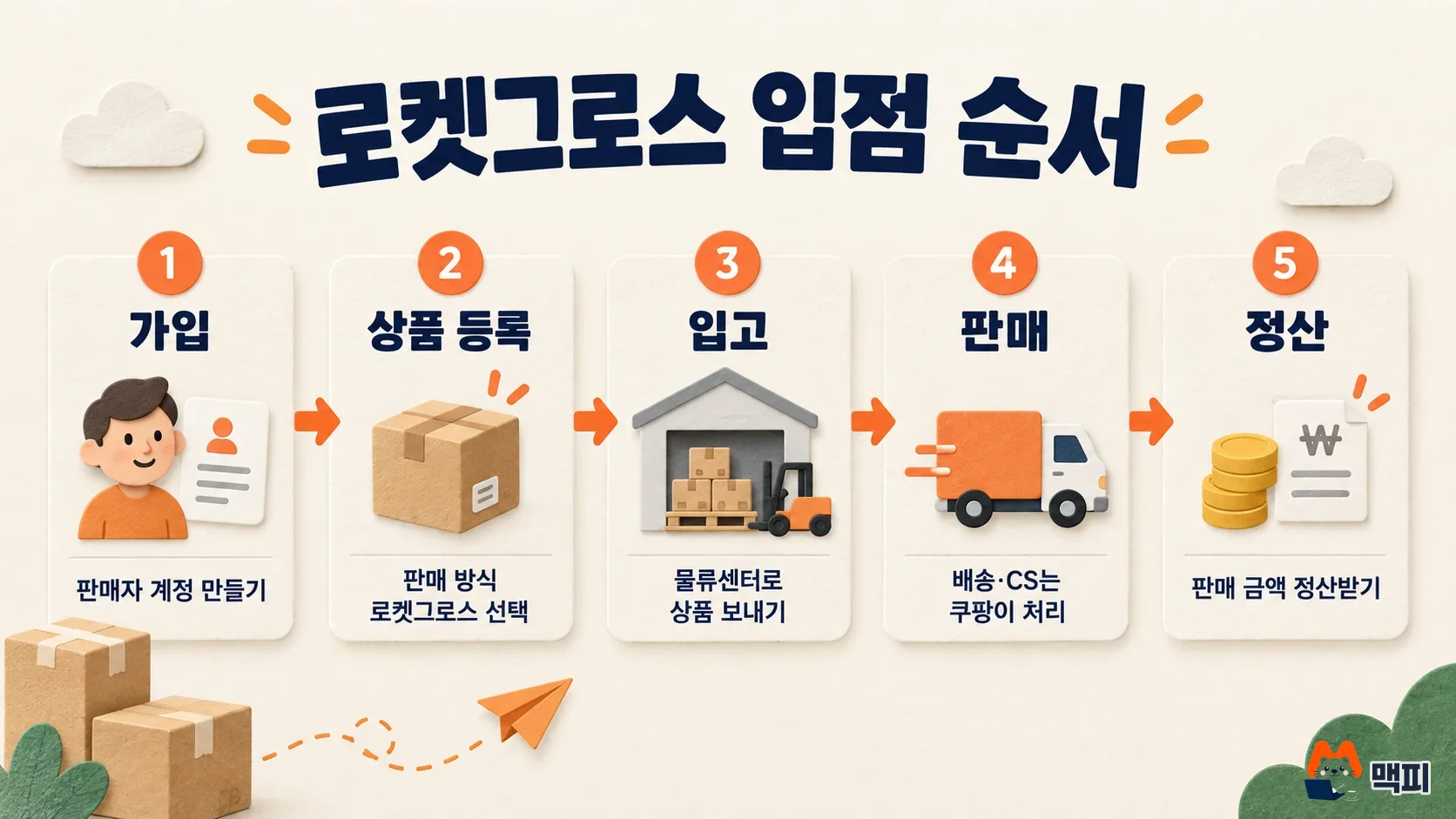
Rocket Growth runs in this order: seller signup, product registration, inbound, sales, settlement. According to the Rocket Growth introduction page, you do not need to sign up separately if you already have a Coupang WING account (WING is Coupang's seller admin).
- Seller signup and business verification: The first step on the Prepare to Sell page is business verification. Get your business registration certificate from Hometax (Korea's national tax portal) as an individual or a corporation. File your mail-order business report on Government24 (Korea's online government services portal), then upload the purchase safety service confirmation downloaded from Coupang WING as a required document.
- Product registration: When you register a product, choose Rocket Growth as the sales method. If the product is already listed on the marketplace, use the Rocket Growth add-sales option.
- Create an inbound: Create an inbound in the Rocket Growth menu in WING. Pack the products into boxes for the inbound date and send them to the Coupang logistics center.
- Sales and settlement: Coupang handles delivery, inventory management, CS and returns. Settlement runs monthly or weekly, as on the marketplace.
After you create an inbound, first check that it appears in the list under the Rocket Growth menu in WING, and that the product's sales method is set to Rocket Growth.
Coupang Rocket Growth fees and cost structure
Rocket Growth costs fall into three groups: the sales commission, basic costs (inbound/outbound fee and delivery fee), and other costs (storage fee, return pickup fee, return restocking fee, removal fee). At settlement, you receive the final selling price minus the sales commission, extra costs such as ad spend, and the Rocket Growth service fee. The sales commission follows the same standard as seller-fulfilled delivery. The rate differs by category, so check the rate for your category in WING before inbound.
Inbound/outbound fees and delivery fees rise as the product gets bigger. The Rocket Growth cost guide lists these starting amounts per unit. The final amount depends on the category, size type and selling price.
According to the cost guide page, the inbound/outbound fee tops out at 1,375 KRW from medium size up, but the delivery fee climbs to 5,600 KRW for extra large items. Large products carry a bigger share of delivery cost. It is safer to calculate your margin first: the selling price minus the commission and both fees.
Storage and return-related costs are free up to a set limit under the promotion.
| Item | Free range under the basic promotion |
|---|---|
| Storage fee | 30 days per inbound (45 days for clothing, shoes and accessories) |
| Return pickup fee | 20 cases per month (returning several units of the same product counts once) |
| Return restocking fee | 20 units per month |
| Removal fee | 20 units per month |
The cost guide page says Coupang announces changes to free and discount promotions in advance. Ad spend is part of the extra costs deducted at settlement. Coupang ad center setup is covered in How to start Coupang ads.
Rocket Growth Saver: 99,000 KRW per month, worth checking for high-return products
Rocket Growth Saver is a subscription benefit that lowers return and storage costs for 99,000 KRW per month. Here is what the Saver Pack benefits page says.
| Benefit | Details |
|---|---|
| Return pickup and restocking fees | Return fees incurred after you subscribe are free with no limit, regardless of the order date |
| Storage fee | 60 days free for both existing stock and new inbound (includes the basic 30 and 45 days) |
| Fast settlement | Next-day settlement with no fee up to 5,000,000 KRW per month, with 90% of sales paid out first (requires a Hana Bank account and debit card, and is limited if internal criteria are not met) |
As the official guide states, Saver benefits renew automatically on the 1st of each month, and you can cancel at any time. If you join mid-month, the fee is prorated for the remaining days. Cancellation takes effect on the 1st of the next month, and the cost for the remaining period is not refunded.
Under the basic promotion, return pickup is already free for 20 cases per month and storage is free for 30 days. If your returns are low and your stock turns fast, you may not need Saver. If your products get returned often, like clothing, or stock sits close to 60 days, compare last month's return pickup, restocking and storage costs against 99,000 KRW using the cost history in WING, then decide.
Products you cannot list on Rocket Growth, and what to check before joining
The Rocket Growth introduction page lists these as prohibited items: fresh, chilled and frozen food, products with certain chemical ingredients, high-pressure gas aerosol products, products whose width, length and height add up to more than 250cm or that weigh more than 30kg, and appliances or furniture that need installation service. Sellers with a suspension history on Coupang may be restricted from joining.
Eligible categories cover 11 areas, including fashion and accessories, sports and leisure, appliances, digital and beauty, furniture and home decor, kitchenware and household goods. Before inbound, measure your product's size and weight and check which size type in the table above it falls into. That gives you an early estimate of the cost.
Common mistakes when starting Rocket Growth
| Mistake | Problem it causes | How to fix it |
|---|---|---|
| Sending inbound without checking the size type | The bigger the product, the more the delivery fee rises, up to 5,600 KRW, which cuts your margin | Before inbound, check the size type from product size and weight, and calculate margin after costs |
| Treating the free promotion range as a permanent benefit | Stock kept past 30 days per inbound (45 days for clothing, shoes and accessories) incurs storage fees, and promotion terms can change | Send only the quantity that sells within 30 days, and watch Coupang's promotion notices |
| Preparing products without checking the prohibited conditions | Products over 250cm (width + length + height) or 30kg, and fresh, chilled or frozen food, cannot be listed | Check these conditions and the category list before you list the product |
| Joining Saver with few returns | 99,000 KRW per month is a fixed cost, and the cost for the remaining period is not refunded after cancellation | Before joining, compare last month's return and storage costs against 99,000 KRW |
Frequently asked questions
Can I switch a product I already sell on the marketplace to Rocket Growth?
Yes, according to the Rocket Growth introduction page. Existing marketplace products have a Rocket Growth add-sales option, so you can add the Rocket Growth sales method without registering the product again.
How do I pay for ads on Rocket Growth?
According to Coupang's settlement guide, ad spend is not paid separately. It is included in the extra costs deducted at settlement. You receive the final selling price minus the sales commission, ad spend and the Rocket Growth service fee.
When do I get paid on Rocket Growth?
Settlement runs monthly or weekly, as on the marketplace. If you join Saver, you can receive 90% of sales the next day, up to 5,000,000 KRW per month.
If you are starting out, check one product's size type and category commission rate in WING and calculate its margin. Then create an inbound with just that one product and confirm it appears in the Rocket Growth menu.
Found this useful? Share it
Latest posts
Kakao Share Thumbnail Not Showing? Here's the Fix (JavaScript SDK 2025)
Learn why Kakao Share thumbnails don't appear even with a valid imageUrl, and fix it using scrapImage to convert your URL into a KAGE CDN URL. Step-by-step guide.
How to Generate CRM User Manuals in 20 Minutes with Claude Code Sub-Agents
Learn how Claude Code sub-agents can analyze your CRM codebase and auto-generate user manuals and visual guidebooks in just 20 minutes. See the real-world results.
GEO Generative Engine Optimization: The Complete 2025 AI Marketing Strategy Guide
Learn what GEO (Generative Engine Optimization) is, how it differs from traditional SEO, and discover 5 proven AI marketing strategies to get cited by AI search engines in 2025.
Related projects
Get new posts by email
Insights on marketing, analytics, and dev, delivered to your inbox.