
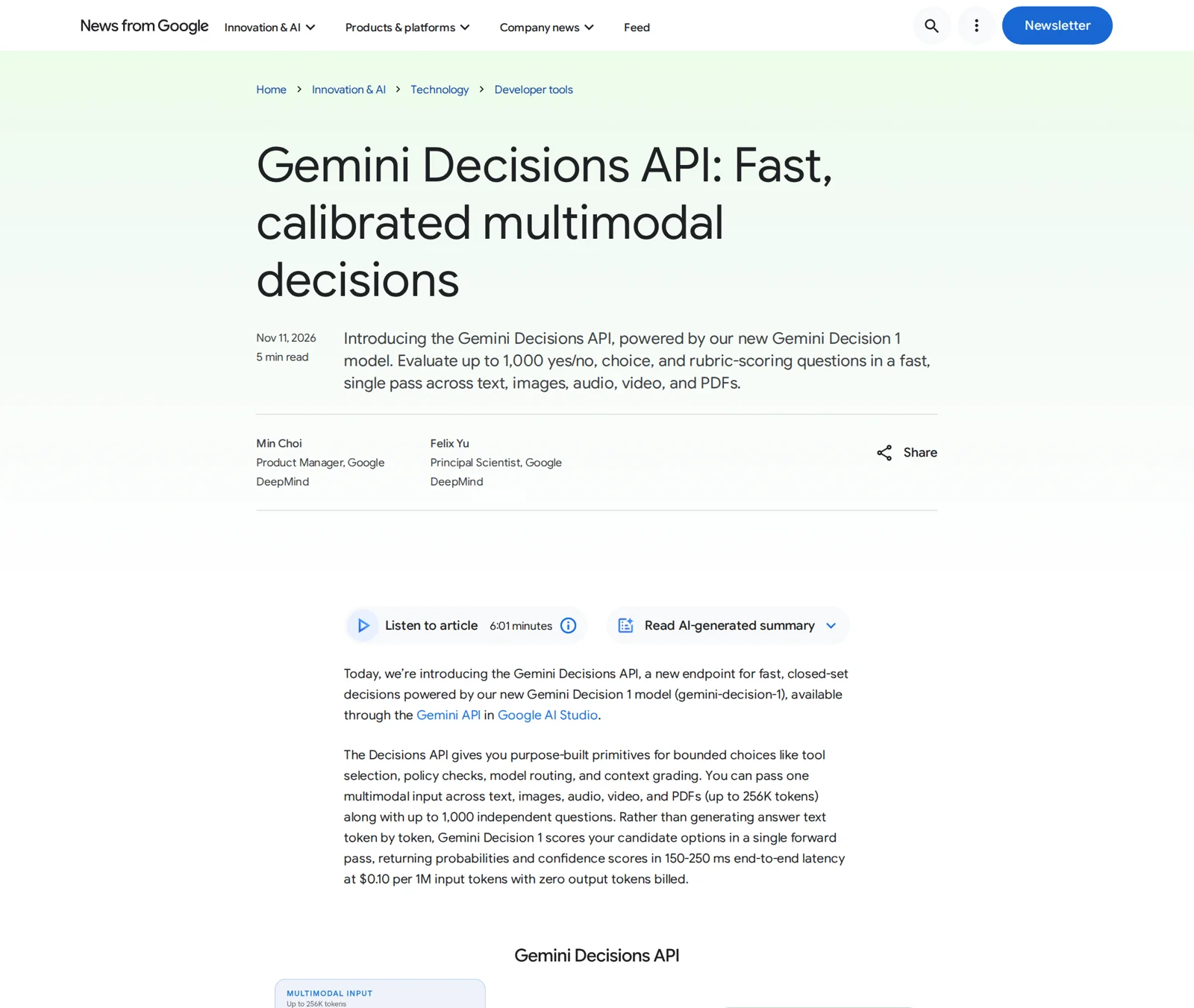
The Gemini Decisions API is a new Google API released on November 11, 2026 (US time). Instead of writing an answer, it replies to questions like "yes or no", "pick one of several options", and "score 0 to 3" with a probability and a confidence value. It is not a feature regular users switch on. It is a building block for people who make apps that sort customer inquiries or choose which model to send a task to. In its announcement, Google says it already uses this block inside Gemini Notebook and Google Search. Pricing is $0.10 per 1 million input tokens and $0 for output.
The new model Gemini Decision 1 (gemini-decision-1) answers up to 1,000 questions in one call and attaches a 0 to 1 confidence value to each answer.
Input costs $0.10 per 1 million tokens and output tokens cost $0. Shared input is counted only once, no matter how many questions you ask. End-to-end latency is 150~250ms.
It is available in the Gemini API and Google AI Studio. Gemini on Google Cloud is listed as "coming soon". AI Studio has a free tier.
Is there anything I need to do about this news?
| I am | Takeaway |
|---|---|
| Someone who only uses chatbots and apps | Nothing to do. According to the announcement, Gemini Notebook cut latency on everyday questions by up to 40% with this API |
| A marketer or solo business owner who sorts customer inquiries and reviews | Run a few of your own inquiries for free in the AI Studio playground |
| A developer who does classification or routing with a chat model today | Worth comparing accuracy and cost on the same inputs |
| A team that only uses Google Cloud (Vertex) | Wait for now. Google only said "coming soon" |
What the Gemini Decisions API does: it answers with probabilities, not text
A normal Gemini call builds its answer by writing one token after another. The Decisions API scores a set of predefined candidates in a single computation and returns probabilities. In its official announcement, Google lists tool selection, policy violation checks, model routing (deciding which model a question goes to), and context evaluation as target tasks.
There are three question types. In the official API docs, the type names are noul (yes/no), choice, and score. One request takes a single input, such as a photo, a text, or a call recording, and you can attach several questions to it.
| Type | What it does | What it returns | Conditions |
|---|---|---|---|
noul | Yes/no judgment | Probability of yes (0 to 1) and confidence | True/false descriptions are optional |
choice | Pick one of the options | The chosen option, probability per option, and confidence | 2 to 255 options |
score | Score against an ordered rubric | Weighted average score, probability per level, and confidence | 2 to 255 levels (2 to 10 recommended), starting from 0 |
According to the API docs, confidence is an estimate of the probability that the top answer is correct. For a yes/no question, it equals the larger of the probability of yes and 1 minus that value. The announcement also says to use confidence to send unclear cases to a fallback process or human review.
Pricing and speed: $0.10 input, $0 output
The price in Google's announcement is $0.10 per 1 million input tokens and $0 for output. A token is the unit a model uses to process text, and it is not the same as one character. There are no separate charges for thinking tokens or for speech and text recognition. Even if you attach 10 questions to the same input, the input is computed once.
Here is a worked example. If one customer inquiry is 2,000 tokens and you ask 10 questions, only 2,000 tokens are counted per inquiry. With 100,000 inquiries a month, 2,000×100,000=200 million tokens, and 200 million÷1 million×$0.10=$20. The amount is the same whether you attach one question or ten. Note that the question text also counts as input tokens, so long questions push the total above this estimate.
The announcement gives end-to-end latency of 150~250ms, with a median of 50~100ms for the model computation alone. It says latency barely changes when questions grow from 1 to 100. This latency figure applies only to contexts of 16K tokens or less.
In its announcement, Google states that, on a shared benchmark set, Gemini Decision 1 with the Decisions API is about 5 times cheaper than Gemini 3.5 Flash-Lite with the Interactions API. Most of the gap comes from output tokens costing $0. The announcement does not state the benchmark name, the scores, or the compared amounts in text, so readers cannot verify this number themselves. The claim of higher accuracy also comes from evaluations Google chose, so it is safer to compare on your own data.
Where it is used: Google's examples and marketer use cases
These are the examples given in the announcement.
| Product | What the Decisions API does |
|---|---|
| Gemini Notebook | Chooses which model tier and thinking level handles each incoming question. Latency on everyday questions reportedly dropped by up to 40% |
| Google Search | Used as a safeguard to detect malicious behavior in MCP tools |
| Google Labs CC | Picks one reaction from more than 200 emoji |
| Stitch (experimental canvas) | Builds wireframes and applies voice and touch edits |
The examples below are not from Google. We built them from the API's structure. Good fits include choosing whether an inquiry email is about a refund, shipping, or a product question (choice), judging whether a review is a complaint (noul), and scoring from 0 to 3 how close an ad line is to banned wording (score). This API only picks among set candidates. It is not for text generation, summarization, or conversation.
Make your first Gemini Decisions API call: start with one yes/no question
This is the smallest call shown in the API docs. Get a Gemini API key from AI Studio. You need the Python SDK (google-genai) version 3.2 or later.
from google import genai

client = genai.Client(http_options={"api_version": "v1beta"})

result = client.decisions.create(
    model="gemini-decision-1",
    input="The blue mug I ordered on Monday arrived cracked on Wednesday.",
    questions={
        "is_damaged": {
            "type": "noul",
            "instructions": "Did the item arrive damaged?",
        },
    },
)

answer = result.answers["is_damaged"]
print(f"P(yes)={answer.noul:.2f} confidence={answer.confidence:.2f}")
If it works, one line prints the probability of yes and the confidence, like "P(yes)=0.99 confidence=0.99" (these numbers come from the docs' sample response, and real values differ per input). You can also confirm there is no output charge by checking that total_output_tokens is 0 in the usage of the result object. If you want to look first without writing code, you can try the same input in the AI Studio playground that Google built.
For a choice question, put the options in criteria. For a score question, write the descriptions in order from the lowest level. Run about 20 of your own inquiries and count how many differ from your human labels. That tells you whether it is usable.
Limits to know before you use it
These are the notes from the official docs that are easiest to misread, picked out here.
- Yes/no probabilities only range from 0.01 to 0.99. If you set a threshold above 0.99, it will never trigger.
- A choice question spreads probability across the options even when none of them fits. Set a confidence threshold, filter the scope first with a separate yes/no question, or add an "other" option. Option keys are sorted alphabetically and the earlier key wins ties, so avoid keys that carry positional meaning, such as
none_of_the_above. - A score is a probability-weighted average, so it can land between levels (for example 1.12). Look at the per-level probabilities too.
- Questions are scored independently, and one question cannot see another question's answer.
- YouTube links and
gs://addresses cannot be used as input. Context caching, the Batch API, and Flex/Priority inference are not supported either. - Context is 262,144 tokens for the input and all questions combined, and up to 1,000 questions. Input blocked by a safety filter returns an HTTP 400 error instead of an answer.
- Do not trust user-written text. The docs warn that sentences inside the input may try to change their own classification result.
For recent changes on the Gemini API side, see our post on request storage being on by default. For setting spending limits, see the post on Google Cloud spend caps. If you hand tools to agents, the post on Gemini API computer use going GA is worth reading next.
Frequently asked questions
Can I try it for free?
In its announcement, Google says AI Studio has a free tier for prototyping. The announcement does not give the limit numbers, so check the pricing and limits screen in AI Studio.
Does it work on Vertex (Google Cloud)?
Not yet. The announcement says Gemini support on Google Cloud is "coming soon" and offers an interest sign-up form. For now it only works in the Gemini API (v1beta).
Can I use it with LangChain or OpenRouter?
The announcement says integrations with OpenRouter, LangChain, Vercel, LiteLLM, Pydantic AI, Pipecat, LiveKit, and OpenCode are rolling out in stages. Check each tool's docs to see how far its support goes.
Found this useful? Share it
Latest posts
Kakao Share Thumbnail Not Showing? Here's the Fix (JavaScript SDK 2025)
Learn why Kakao Share thumbnails don't appear even with a valid imageUrl, and fix it using scrapImage to convert your URL into a KAGE CDN URL. Step-by-step guide.
How to Generate CRM User Manuals in 20 Minutes with Claude Code Sub-Agents
Learn how Claude Code sub-agents can analyze your CRM codebase and auto-generate user manuals and visual guidebooks in just 20 minutes. See the real-world results.
GEO Generative Engine Optimization: The Complete 2025 AI Marketing Strategy Guide
Learn what GEO (Generative Engine Optimization) is, how it differs from traditional SEO, and discover 5 proven AI marketing strategies to get cited by AI search engines in 2025.
Related projects
Get new posts by email
Insights on marketing, analytics, and dev, delivered to your inbox.