
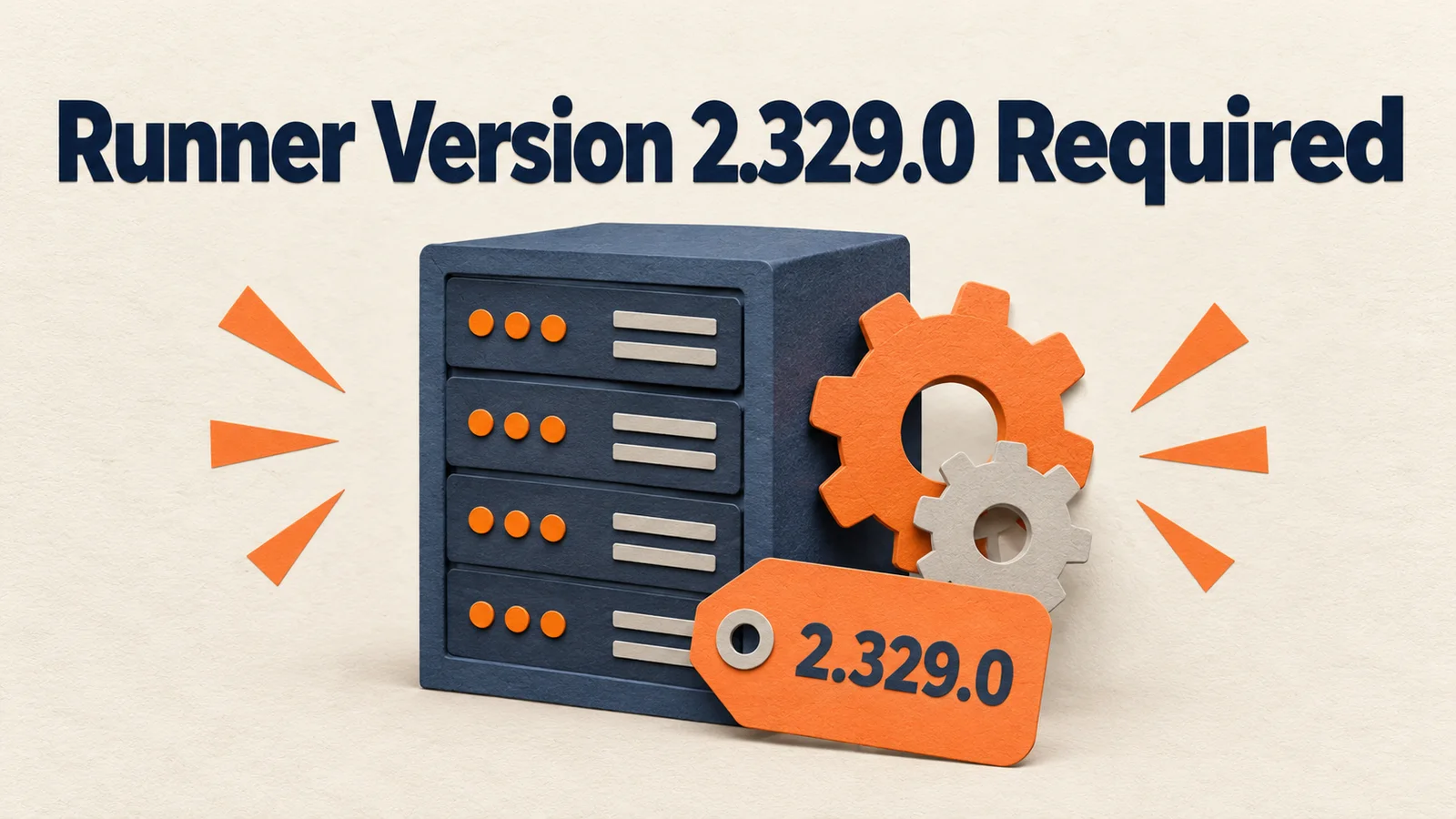
Starting September 29, 2026, self-hosted runners below 2.329.0 can no longer register on GitHub Enterprise Cloud. Runners that are already registered will stop receiving jobs if they fall below the execution minimum. Being on 2.329.0 or higher does not make you safe. The execution minimum is higher than the registration minimum, and it works together with a rule that you must adopt new runner releases within 30 days. The enforcement date originally announced as September 25 moved to the 29th in a September 28 notice, but the requirements are unchanged.
The short version in three lines
- This applies to GitHub Enterprise Cloud. Enterprise Server is not affected.
- The registration minimum is 2.329.0. The job execution minimum is higher and rises over time.
- Runners with auto-update turned off, and ephemeral runners launched from old images, are at risk. That is my own inference.
I wrote this after reading the GitHub September 28 changelog, the June 12 timeline notice, and the runner update policy docs. I did not deliberately let a runner go stale to reproduce the stoppage. The checks and recovery steps below are practical procedures derived from the official rules.
The date moved four days later and the requirements stayed the same
Here is the schedule from the June 12 notice. Enterprise Cloud with Data Residency was July 31. Standard Enterprise Cloud was September 25. The September 28 notice moved full enforcement for standard Enterprise Cloud to Tuesday, September 29.
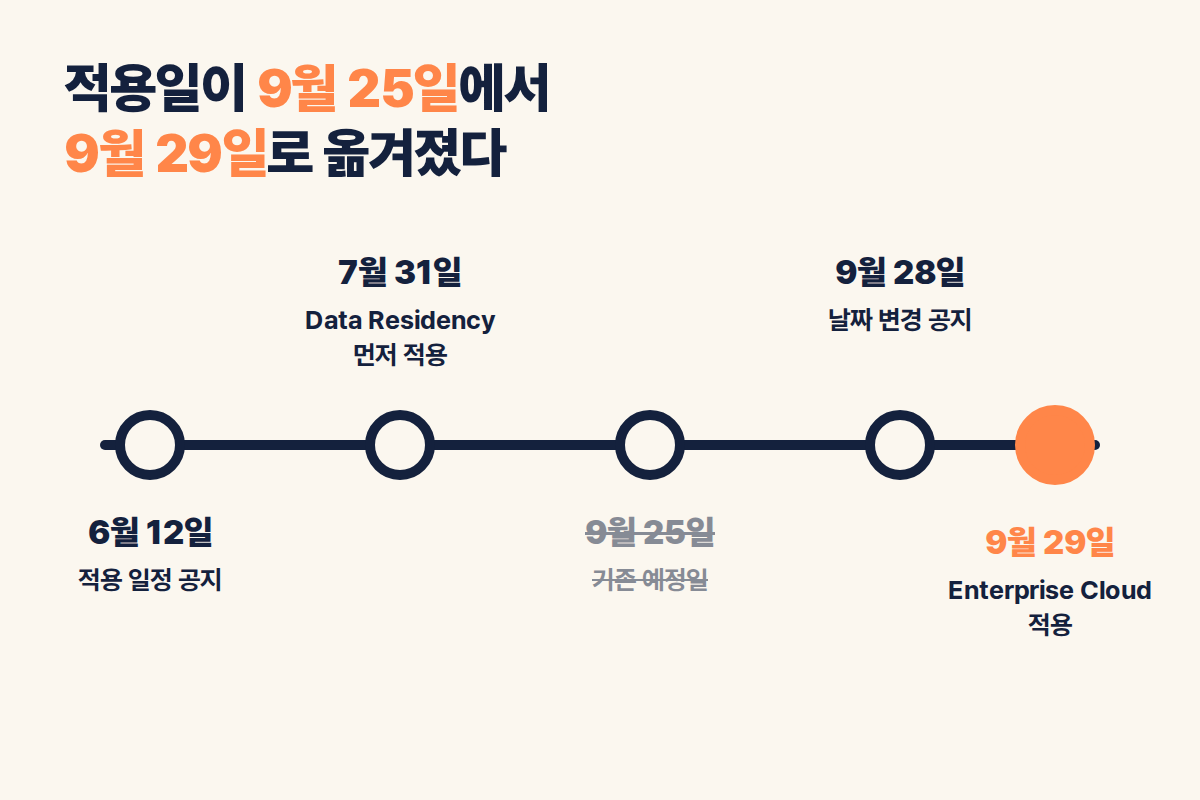
The June notice said GitHub would run phased brownouts starting about four weeks before enforcement. The window is 11 a.m. to 3 p.m. US Eastern time. During daylight saving time, that is roughly midnight to 4 a.m. in Korea (my own calculation). I could not confirm the day-by-day brownout schedule this time. If a nightly batch job failed for no clear reason in that period, check the runner version first.
First, check whether your organization is in scope
The notice names three scopes. GitHub Enterprise Cloud is enforced on September 29. Enterprise Server is not affected. The Data Residency version already started enforcement on July 31.
The notice does not say how other plans, such as Free or Team, are affected by this date change. This article does not judge that either. Check your organization's plan first in your contract or billing page.
There are two baselines, so matching 2.329.0 is not enough
The minimum for registration and re-registration is 2.329.0. This number is fixed.
The minimum for running jobs is different. The notice only says this value is higher than the registration minimum and does not give a specific number. The June notice explains that the execution minimum moves up each time a new runner is released. GitHub Docs states the 30-day rule like this: if you do not update a runner within 30 days of an update being released, the Actions service will not queue jobs to that runner.
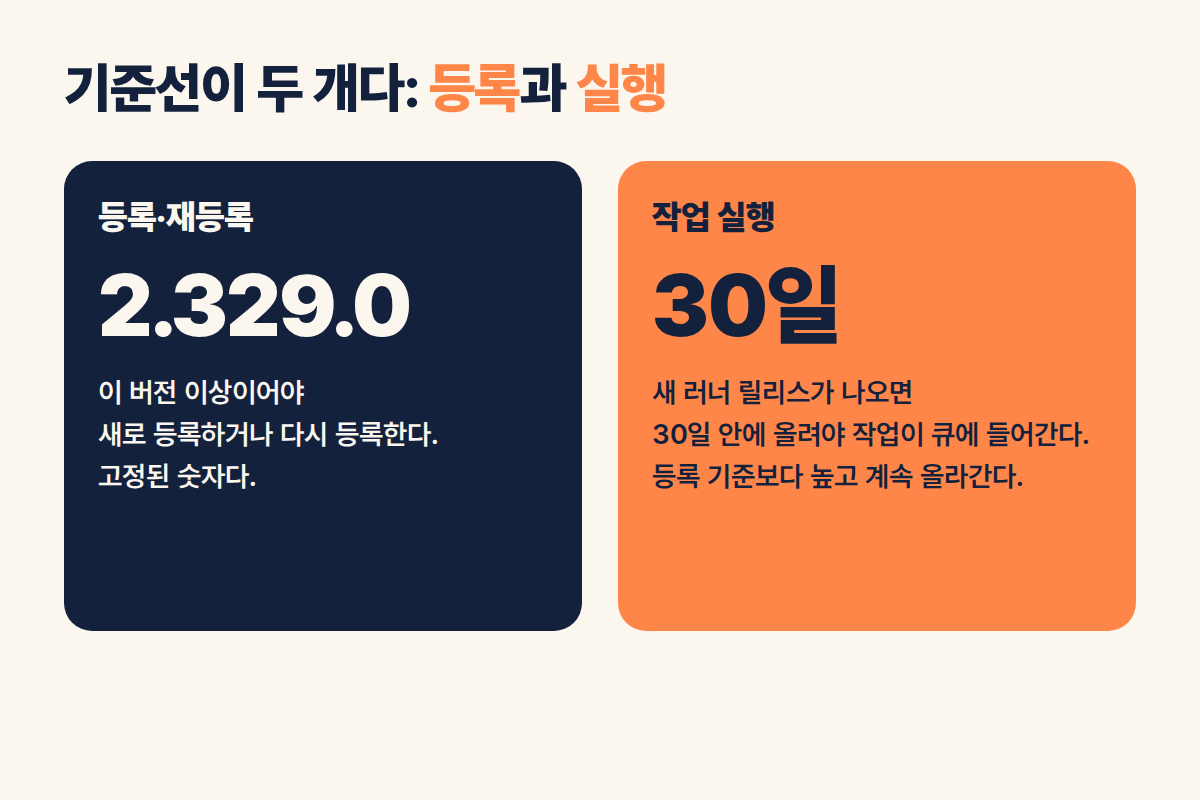
The latest release from the GitHub API is v2.337.0, published on August 26, 2026. Read literally, the 30-day rule means that now, after September 25, a runner below 2.337.0 may already be behind. This is an inference. I could not confirm exactly which version the execution minimum is. If a runner is only just above 2.329.0, it is safer to move it to the latest version.
How to check your runner versions
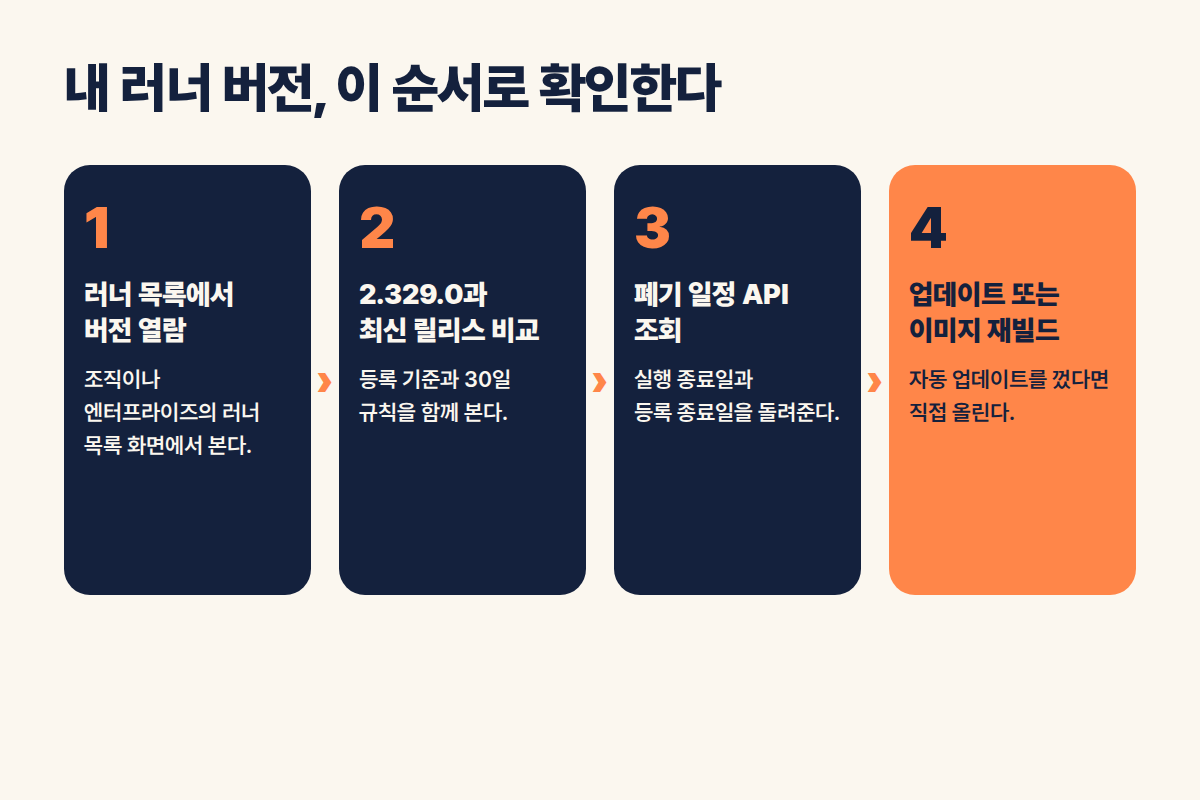
Start by opening the runner list page for your organization or enterprise and see whether versions are shown. If they are not, or if you have dozens of runners, pulling them through the API works better.
# Org-level runner list. First confirm with one call that the response includes a version field
gh api /orgs/ORG/actions/runners --paginate --jq '.runners[] | {name, status, version}'
If the field is empty, check the version directly on the runner host. I did not build this command by checking it against the sample response in the REST API docs. Verify it against a real response once before you rely on it.
You can also trace versions through the audit log. The June notice lists the events org.register_self_hosted_runner, repo.register_self_hosted_runner, and enterprise.register_self_hosted_runner. These show the version at registration time, which may differ from the current version.
On September 3, an API for querying deprecation schedules was added. According to the September 3 changelog, you call GET /actions/runners/deprecations/{version} at the repository, organization, or enterprise level. The response includes runner_version, runtime_deprecates_at, and registration_deprecates_at. The path prefix differs by level, so confirm it in the REST docs. Passing in one version at a time gives you the execution end date for each version. If you build alerts on this value, the next enforcement will not catch you off guard.
Auto-update runners and pinned runners are in different situations
By default, runners update themselves. The docs explain that a runner updates when a job is assigned, or within a week of a release if it is idle. Runners left on this default are generally fine. The June notice also said auto-updating runners meet the baseline automatically.
The problem is runners registered with --disableupdate. This option is used in containers and ephemeral runners to control update timing by rebuilding the image yourself. If you baked the image four months ago, every new runner that starts will try to register with an old version.
Consider a marketing data team that runs GTM server container deployments or BigQuery load scripts on an internal runner. They built the runner image in June and are still using it. If new runners fail to register after this enforcement date, the nightly load job waits in the queue, and the morning dashboard shows yesterday's numbers. This is a hypothetical to show the mechanism, not a real incident. For filtering internal traffic out of loaded GA4 data, see Why GA4 internal traffic stays in BigQuery and how to filter it with a query (in Korean).
If runners have already stopped, recover in this order
- Find which runner pool the waiting jobs are piling up in. Runners that are offline, or jobs that stay queued, are the candidates.
- Check the version on the affected runner host. The list above or the API is the fastest way.
- Replace it with the latest runner. Restart it with auto-update on, or install the latest package fresh.
- If the registration was dropped, run
config.shagain with a new registration token to re-register. - If a version is pinned in your image or deployment scripts, fix it and rebuild the image.
- Rerun the jobs left in the queue, and record whether they succeeded and how long they took.
These six steps are a practical order derived from the official rules. For re-registration and install commands, follow the latest procedure in the GitHub runner docs.
Confirmed facts versus inference
The confirmed facts are these. Full enforcement for standard Enterprise Cloud moved to September 29. Runners below 2.329.0 cannot register or re-register. Existing runners below the execution minimum stop receiving jobs. Enterprise Server is not affected, and Data Residency started on July 31. A new deprecation schedule API exists.
The inferences are these. Runners below 2.337.0 may already be caught by the 30-day rule. Ephemeral runners that use old images will probably be hit first. Some things I could not confirm: the exact version of the execution minimum, the day-by-day brownout schedule, and whether plans other than Enterprise Cloud are affected.
Frequently asked questions
Does this apply if I use Enterprise Server?
No. The notice says it is not affected.
Am I safe if I am on 2.329.0 or higher?
No. 2.329.0 is the registration minimum. To receive jobs, a runner must also clear the execution minimum, which rises with new releases and the 30-day rule.
Were any runners already blocked on September 25?
The change notice said full enforcement starts on September 29. Whether there were brownouts or individual failures before that, you can only tell by opening your own Actions run history.
A checklist you can copy as is
Write one line for each runner pool: pool name, owning organization, operating mode (persistent or ephemeral), auto-update status, current version, image build date, and owner. If you turned auto-update off, set the image rebuild cycle shorter than 30 days after a release. Use the deprecation schedule API to query runtime_deprecates_at for each version, and set an alert for when the remaining days drop below 14. The 14 days is a buffer I picked arbitrarily.
Official sources
- Self-hosted runner version enforcement date has moved (2026-09-28)
- Minimum version enforcement timeline for self-hosted runners (2026-06-12)
- GitHub Actions: Early September 2026 updates (2026-09-03)
- Self-hosted runners docs
- Self-hosted runners REST API docs
Official docs last checked: September 29, 2026. The images are generated diagrams that explain concepts and are not actual GitHub screens.
Found this useful? Share it
Latest posts
Kakao Share Thumbnail Not Showing? Here's the Fix (JavaScript SDK 2025)
Learn why Kakao Share thumbnails don't appear even with a valid imageUrl, and fix it using scrapImage to convert your URL into a KAGE CDN URL. Step-by-step guide.
How to Generate CRM User Manuals in 20 Minutes with Claude Code Sub-Agents
Learn how Claude Code sub-agents can analyze your CRM codebase and auto-generate user manuals and visual guidebooks in just 20 minutes. See the real-world results.
GEO Generative Engine Optimization: The Complete 2025 AI Marketing Strategy Guide
Learn what GEO (Generative Engine Optimization) is, how it differs from traditional SEO, and discover 5 proven AI marketing strategies to get cited by AI search engines in 2025.
Related projects
Get new posts by email
Insights on marketing, analytics, and dev, delivered to your inbox.