

GPT-6.1 Sol costs $2 per 1 million input tokens and $10 per 1 million output tokens on the API. That is one fifth of GPT-6 Astra ($10 input, $50 output). OpenAI released the model in ChatGPT Work and Codex on September 29, 2026, and the API model ID is gpt-6.1-sol. At an assumed 1,400 KRW per dollar, 1 million input tokens cost 2,800 KRW and 1 million output tokens cost 14,000 KRW.
The pricing applies from the announcement date, September 29, 2026. This article is current as of September 30, 2026. The launch coverage does not mention regional limits, so availability in Korea is not confirmed. I read the price and specs directly from the OpenAI GPT-6.1 Sol model page and the API pricing page. The launch post (Introducing GPT-6.1 Sol) was blocked when I wrote this, so I could not read it directly. I cross-checked availability with TechCrunch and an Investing.com article. The first signal was a post on X from the head of OpenAI Codex.
The short version in three lines
- Price: $2 input, $0.10 cached input, $10 output per 1 million tokens. Astra is $10, $1 and $50.
- Availability: Plus, Pro, Business, Enterprise and Edu users can use it in ChatGPT Work and Codex. On the API it is
gpt-6.1-sol. - Still unknown: whether free and Go plans get it, any Korea-specific terms, and the release date and price of ultrafast mode are not confirmed.
GPT-6.1 Sol pricing is one fifth of Astra
These are the standard rates on the OpenAI pricing page, in dollars per 1 million tokens. A token is the unit a model uses to read and write text, and the bill scales with the token count.
| Model | Input | Cached input | Output |
|---|---|---|---|
| GPT-6.1 Sol | $2 | $0.10 | $10 |
| GPT-6 Sol | $2 | $0.20 | $10 |
| GPT-6 Astra | $10 | $1 | $50 |
| GPT-6 Luna | $0.10 | $0.01 | $0.50 |
Compared with the existing GPT-6 Sol, input and output prices are unchanged and only cached input is cut in half. That is where the new model gets cheaper. Compared with Astra, input, output and cached input are all one fifth or less.

Batch and flex requests cost half the standard rate ($1 input, $5 output). Fast mode, which pays for quicker responses, costs 2x the standard rate ($4 input, $20 output). A long request with more than 272,000 input tokens is billed entirely at $4 input and $15 output.
Read performance claims as OpenAI's claims, separate from measured results. OpenAI says the model comes close to Astra on coding agents, computer use and office document work. MCPY did not rank performance in this article. As of September 30, when this was written, I had found no independent benchmark. You need to run your own tasks to see whether you get the same results.
Here is how the 95% cached input discount works
The "95% cache read discount" in the tweet means the cached input rate of $0.10 is 5% of the standard input rate ($2). Cached input is what you pay when you resend the same opening section (system prompt, long document, codebase) and the model reuses the part it has already processed.

The principle is simple. If the start of a request matches the previous request character for character, that part is read from the cache. Agents that attach the same long instructions every time, and Codex jobs that read the same repository repeatedly, get a higher cache hit rate. If the opening changes each time, for example because it contains a date or a request number, the cache cannot be used.
The model page also lists a cache write rate of $2.5. Which requests are charged this rate is not confirmed, so I left it out of the calculation example in this article.
Where to use it: ChatGPT Work, Codex or the API
Availability comes in three routes. The first two come from launch coverage and the third from the model page.
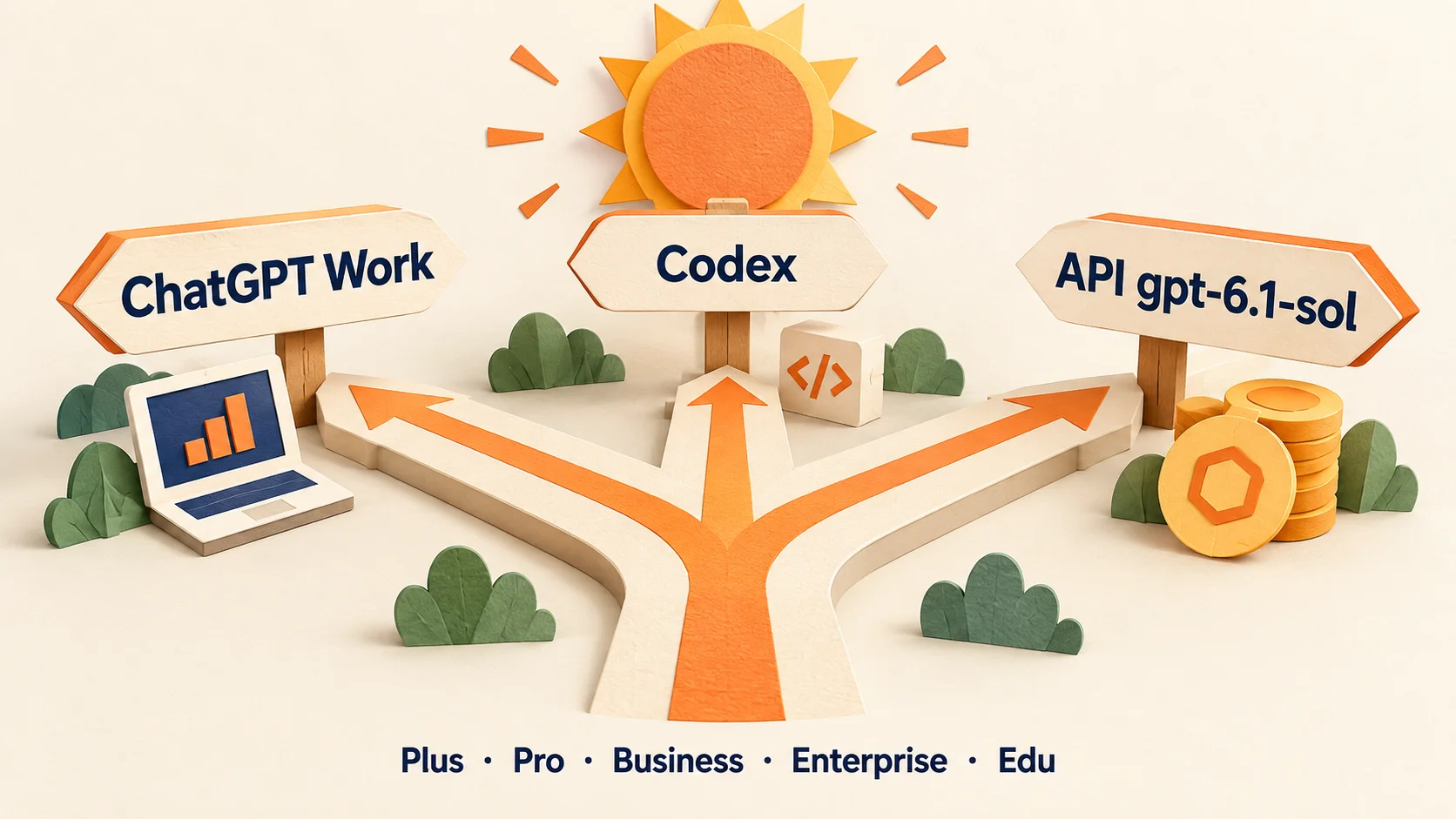
- ChatGPT Work: available to Plus, Pro, Business, Enterprise and Edu users from September 29. According to the coverage, availability in the regular chat screen has not been mentioned yet.
- Codex: available on the same plans. Whether it becomes the default model for coding agent work is not confirmed.
- API: the model ID is
gpt-6.1-sol. It supports Responses, Chat Completions and Batch. The context window is 1.05 million tokens, the maximum output is 128,000 tokens, and the knowledge cutoff is April 30, 2026.
Ultrafast mode is advertised as 8x faster token generation. The tweet says "Astra from today, 6.1 Sol soon." The release date and usage consumption of 6.1 Sol ultrafast are not confirmed. I also could not verify in the official help pages how plan usage limits differ from Astra.
What it costs in Korean won
API prices are published only in dollars. The figures below assume 1,400 KRW per dollar. Your actual charge depends on your card issuer's exchange rate, fees and VAT handling. How VAT is added for Korean business payments must be checked in the OpenAI billing settings. The difference between KRW and easy-pay support for ChatGPT subscriptions and API credit payments is covered in our article on paying for ChatGPT web subscriptions in KRW in Korea.
As an example, take a job that reads and edits one code repository. Assume 1 million input tokens, of which 800K hit the cache, and 100K output tokens.
| Model | Calculation | USD | KRW (1,400 per dollar) |
|---|---|---|---|
| GPT-6.1 Sol | 200K×2 + 800K×0.10 + 100K×10 (unit price per 1 million tokens) | $1.48 | about 2,070 KRW |
| GPT-6 Sol | 200K×2 + 800K×0.20 + 100K×10 | $1.56 | about 2,180 KRW |
| GPT-6 Astra | 200K×10 + 800K×1 + 100K×50 | $7.80 | about 10,920 KRW |

The same job costs 5.3 times as much on Astra. This calculation assumes both models use the same number of tokens and reach the same result. In practice, 6.1 Sol may try more or retry more on hard tasks. MCPY uses this only as a unit price comparison. We recommend running a few of your own jobs and checking the real cost per job in the logs.
Common mistakes and checks before you pay
- Applying "one fifth" to every item: one fifth of Astra holds for standard unit prices. Fast mode (2x) and requests over 272,000 tokens (2x input, 1.5x output) change the math.
- Confusing it with the existing GPT-6 Sol: input and output prices are the same. The reasons to switch are the performance claims and the cached rate.
- Reading it as a cut in ChatGPT subscription fees: this price is the API token rate. I found no announcement that the monthly price of Plus or Pro is changing.
- Assuming the cache applies automatically: if the start of the request changes every time, you do not get the cached input rate.
Here is the order to follow the first time you use it.
- If you have a ChatGPT subscription, check whether GPT-6.1 Sol appears in the model picker in Work or Codex. If it does not, it is a plan or app version issue, so check the target audience again in the OpenAI ChatGPT release notes.
- If you use the API, change the model ID to
gpt-6.1-soland run the same three requests side by side with Astra. - From the usage fields in the response, note the input, cached input and output token counts and multiply them by the unit prices in the table above.
- Fix the start of your requests and confirm that cache hits actually appear, then consider batch or fast mode.
Prices and limits change often. Before you pay, open the OpenAI pricing page once more and confirm the unit prices match this article.
Official links
- GPT-6.1 Sol model page (specs and price)
- OpenAI API pricing (batch, flex, fast, long context)
- Introducing GPT-6.1 Sol (launch announcement)
- Post by the head of OpenAI Codex (September 29, 2026, early signal)
Found this useful? Share it
Latest posts
Kakao Share Thumbnail Not Showing? Here's the Fix (JavaScript SDK 2025)
Learn why Kakao Share thumbnails don't appear even with a valid imageUrl, and fix it using scrapImage to convert your URL into a KAGE CDN URL. Step-by-step guide.
How to Generate CRM User Manuals in 20 Minutes with Claude Code Sub-Agents
Learn how Claude Code sub-agents can analyze your CRM codebase and auto-generate user manuals and visual guidebooks in just 20 minutes. See the real-world results.
GEO Generative Engine Optimization: The Complete 2025 AI Marketing Strategy Guide
Learn what GEO (Generative Engine Optimization) is, how it differs from traditional SEO, and discover 5 proven AI marketing strategies to get cited by AI search engines in 2025.
Related projects
Get new posts by email
Insights on marketing, analytics, and dev, delivered to your inbox.