
GPT-6.1 Terra is OpenAI's new model built around computer use: it looks at the screen and handles work with the mouse and keyboard. API pricing is $1 per 1 million input tokens and $5 per 1 million output tokens. Plus, Pro, Enterprise and Edu users can use it today in ChatGPT Work and Codex. Developers call it with the API model ID gpt-6.1-terra (as of October 27, 2026, OpenAI Introducing GPT-6.1 Terra).
What changed GPT-6.1 Terra arrived with stronger computer use and visual reasoning. At $1 input and $5 output, it costs half as much as GPT-6.1 Sol.
Who is affected Teams that want AI for screen-heavy work such as filling forms, editing video and drafting documents, plus Codex and API users.
What to do now Run one task you already do with your current model through Terra. Compare cost and error counts.
GPT-6.1 Terra computer use: what changed
The hardest part of handing work to AI is passing along the clicks a person used to make. Give a new hire an expense report form and they look at the screen and fill in each field. A computer use model does the same: it reads the screen, finds the field and types. This release gives you a reason to re-pick the model for repetitive work like this. But even if the model sees and clicks well, a person is still responsible for undoing a wrong click.
The OpenAI announcement describes Terra as "a fast, efficient model that adds more natural writing to visual reasoning that reads screens in fine detail and precise computer use." It says the model is strong at the communication and computer tasks that fill a workday, such as proposal drafts, reading technical drawings, filling forms and editing video.
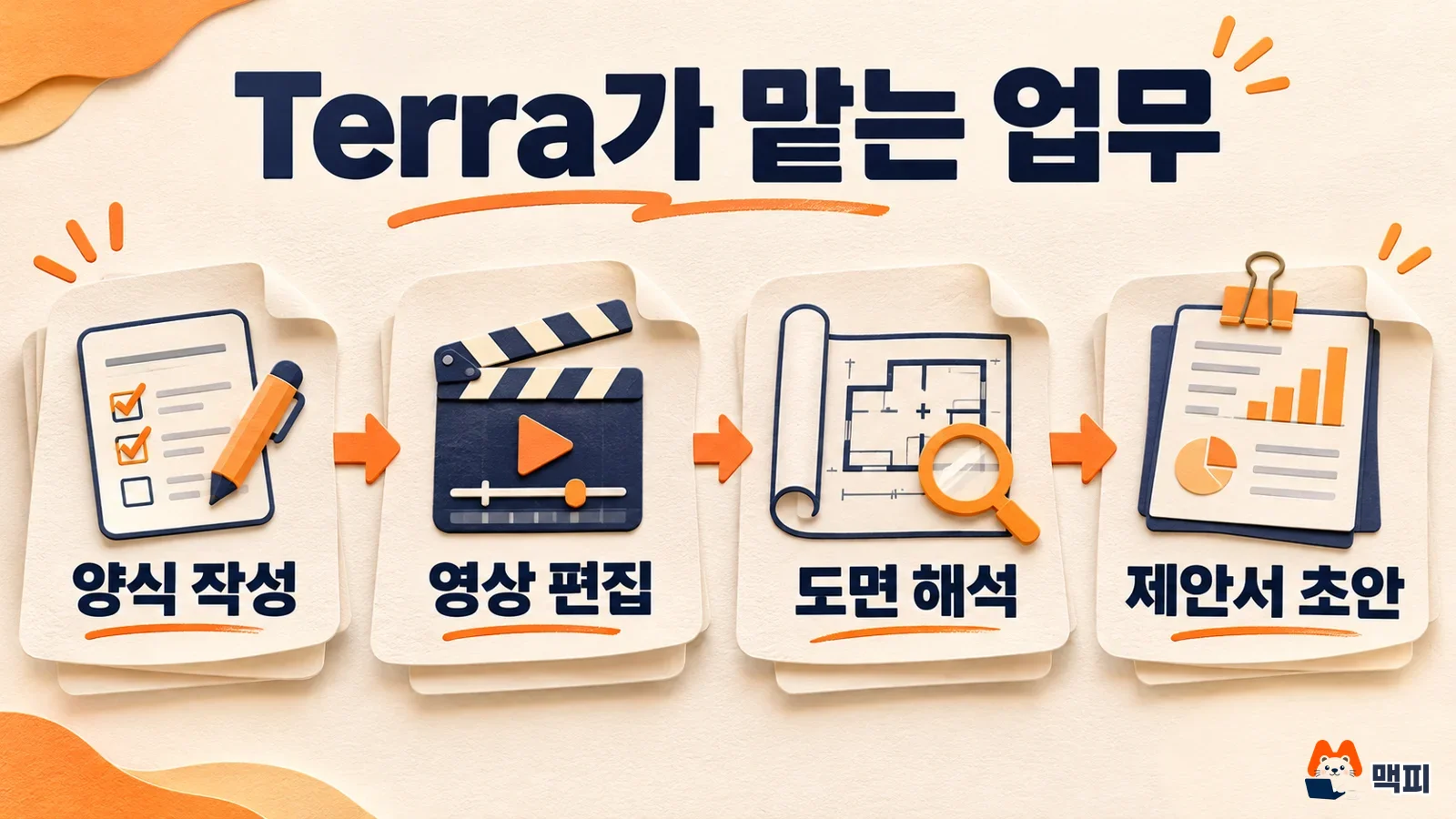
The performance figures are values that the OpenAI announcement reports from its own measurements. On Terminal-Bench 4.0, a terminal task benchmark, Terra solved 50.3% of tasks. The previous model, GPT-5.6 Terra, has a public score of 21.5%. In an internal prompt test designed to induce mistakes, the error rate at a low reasoning level fell from 53.6% to 16.7%. OpenAI says it measured computer use with Agents' Last Exam, a set of professional tasks such as turning architectural drawings into 3D models and reviewing an animated film scene by scene to build a timecode log for a restoration team.
GPT-6.1 Terra price: how it differs from Sol
According to the OpenAI announcement, Terra's standard API price is $1 per 1 million input tokens, $0.05 for cached input and $5 for output. Based on our earlier post, GPT-6.1 Sol price and Astra comparison, Sol costs $2 for input and $10 for output, so Terra is half the price on both. OpenAI says that for the same usage in ChatGPT Work and Codex, Terra handles more tasks than GPT-5.6 Terra, and far more than Sol or GPT-6 Astra.
For the same 1 million tokens, you pay $1 less on input and $5 less on output. If your team runs hundreds of repetitive tasks a day, this gap shows up directly in your monthly bill.
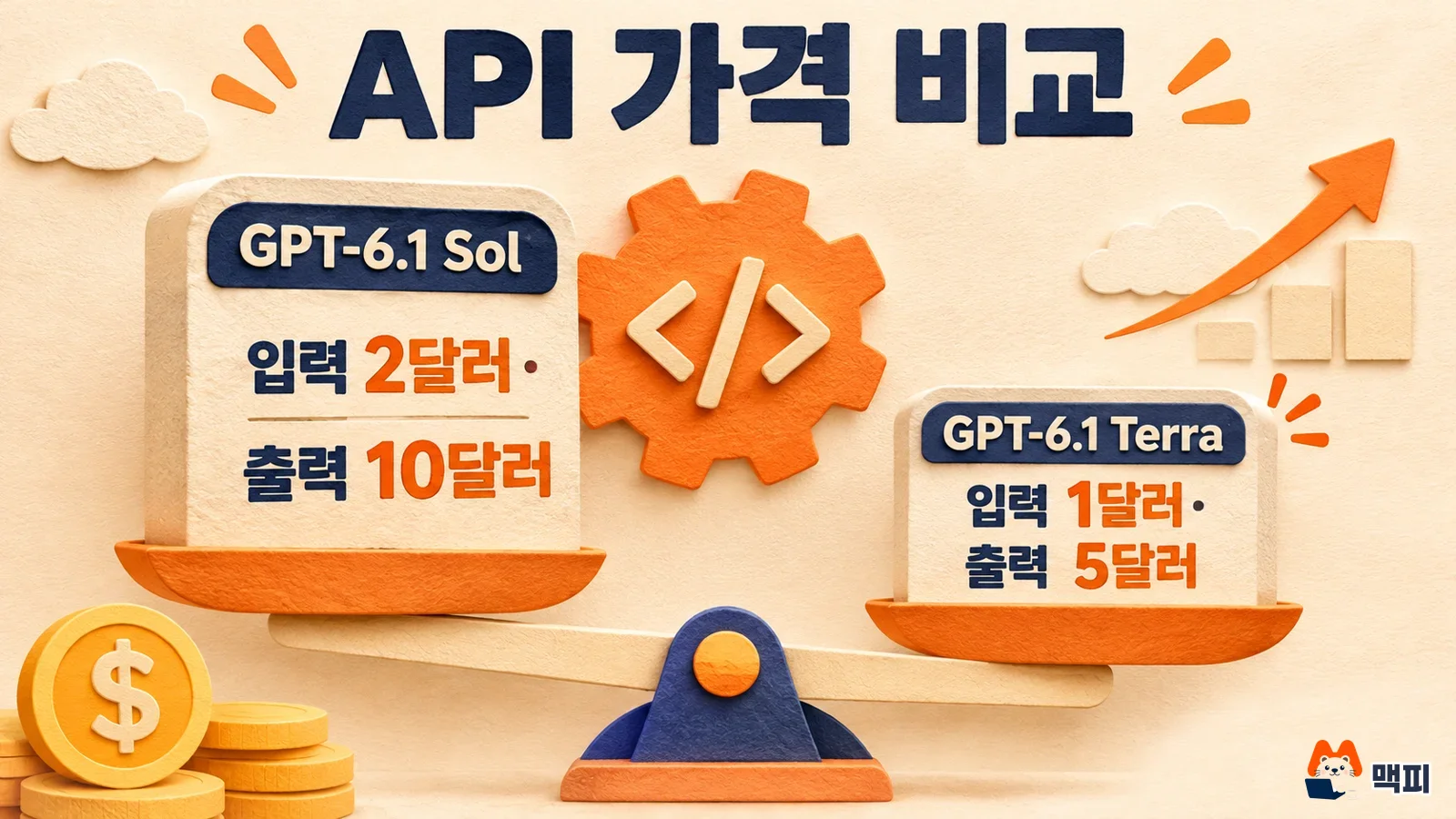
In Korean won, assuming 1 dollar is 1,400 won, 1 million input tokens cost 1,400 won and 1 million output tokens cost 7,000 won. Exchange rates and VAT vary at the time of payment. To cut cost, first check whether the cached input rate ($0.05) applies to tasks that repeat the same instructions.
Does this apply to your work: availability and safeguards
Based on the OpenAI announcement, availability is as follows.
| Item | What OpenAI announced |
|---|---|
| ChatGPT | Available to Plus, Pro, Enterprise and Edu users in ChatGPT Work |
| Codex | Available to users on the same plans |
| API | Model ID gpt-6.1-terra |
| Free and Go plans | Not mentioned in the announcement |
| Regional limits | Not mentioned in the announcement |
To find out whether you can use it in Korea, check whether Terra appears in the model picker of your own account. For the API, check whether the model is listed on the OpenAI API pricing page. On safety, OpenAI says Terra meets the Critical level, the highest tier in the cybersecurity category of its Preparedness Framework, and keeps the safeguards built for GPT-6 Astra. It also says Terra resisted well in prompt injection tests, where malicious instructions try to pull the model away from the user's task, but it did not publish the numbers.
A model that operates the screen directly can reach buttons that are hard to undo, such as pay, delete and send. It is safer to start with read-heavy tasks or a test account. For the permission structure of an always-on agent, see our post ChatGPT Dots conditions and cautions.
What to do now
- Pick one screen-based task you already hand to AI (for example, entering 20 forms).
- Run the same task with your current model and with Terra. Keep the instructions and input material identical.
- Record the number completed, the number entered incorrectly and the token usage (cost).
- If errors drop and cost stays the same or falls, switch that task to Terra first.
One simple table is enough for the record. Use columns for model, items processed, items a person fixed and total tokens, then compare the same columns across the two models. If 20 items feels like too much, run 5 first to check that your instructions work. The success measure is not a benchmark score. It is whether the number of items a person has to fix went down in your own work. OpenAI's figures come from internal evaluations, so measure again with your own data.
What to watch next
The OpenAI post does not give exact scores for some benchmarks such as OSWorld 2.1, and it does not say whether the Free plan or any regions are included. Check these as the OpenAI help pages and the API model page are updated. For the broader flow of announcements, see OpenAI DevDay 2026 recap.
Frequently asked questions
Should I use GPT-6.1 Terra or GPT-6.1 Sol?
If your work involves a lot of screen operation and document tasks and cost matters, try Terra. If the work leans on complex reasoning, try Sol. Compare both on the same task to decide. There is no official statement that either one is always better.
Do I need to turn on computer use separately?
The announcement does not describe a separate setting. First check whether Terra appears in the model picker in ChatGPT Work or Codex.
Found this useful? Share it
Latest posts
Kakao Share Thumbnail Not Showing? Here's the Fix (JavaScript SDK 2025)
Learn why Kakao Share thumbnails don't appear even with a valid imageUrl, and fix it using scrapImage to convert your URL into a KAGE CDN URL. Step-by-step guide.
How to Generate CRM User Manuals in 20 Minutes with Claude Code Sub-Agents
Learn how Claude Code sub-agents can analyze your CRM codebase and auto-generate user manuals and visual guidebooks in just 20 minutes. See the real-world results.
GEO Generative Engine Optimization: The Complete 2025 AI Marketing Strategy Guide
Learn what GEO (Generative Engine Optimization) is, how it differs from traditional SEO, and discover 5 proven AI marketing strategies to get cited by AI search engines in 2025.
Related projects
Get new posts by email
Insights on marketing, analytics, and dev, delivered to your inbox.