
Meta Social Technologies MCP is a connection server that lets an AI agent handle app setup on the Meta developer platform. Meta's October 26, 2026 announcement adds app creation, business portfolio linking, and use case additions such as WhatsApp. Before this, the server mostly checked app status, set up webhooks, and diagnosed errors. Meta said on its developer blog that "the server now handles setup too" (New on Social Technologies MCP, October 26, 2026).
What changed Six new tools let an agent create a Meta app, find or create a business portfolio, link the app to it, and add use cases.
Who is affected Developers setting up a Meta API integration such as WhatsApp for the first time, and ad managers who hand that setup to contractors or agencies.
What to do now If your agent is already connected, reconnect the MCP so it loads the new tools. If your team is new to it, separate dev apps from production apps and start with read permission only.
Meta MCP app creation: what changed
Anyone starting a Meta API integration has to create an app, link a business portfolio, and add features across several screens. It is like moving into a new home and applying for electricity, gas, and internet at separate counters, then finding one agency that handles all of it. Social Technologies MCP lets an agent do the same work in one conversation. Even when you delegate to an agency, you are still the one who signs the form. So write tools ask for your confirmation on every run.
On the official developer blog, Meta said the 6 new tools cover the whole app lifecycle.
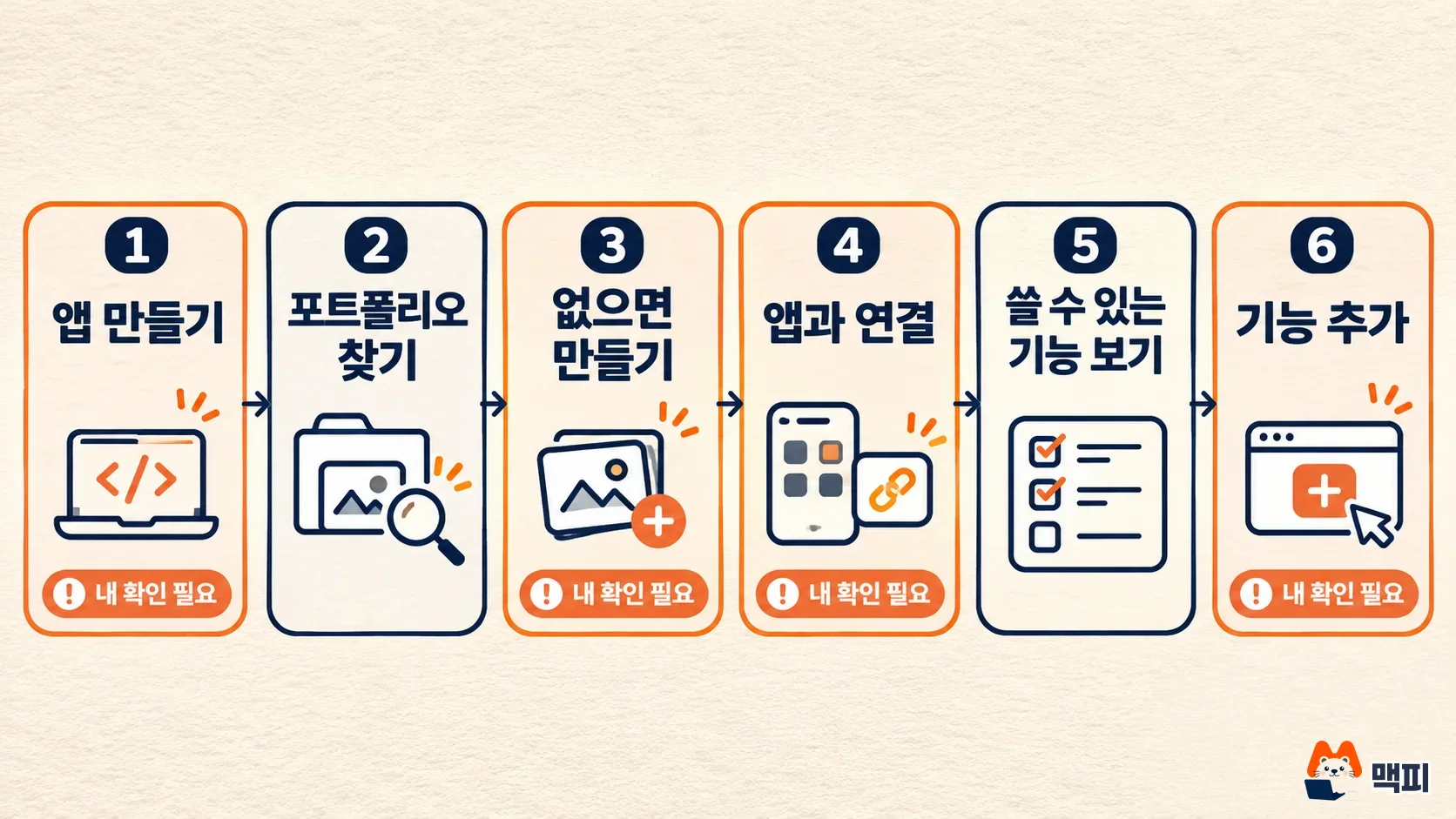
| Step | What the new tool does |
|---|---|
| 1 | Create a new app |
| 2 | Find an existing business portfolio |
| 3 | Create a new portfolio if none fits |
| 4 | Link the app to the portfolio |
| 5 | List the use cases available for the linked app |
| 6 | Add a use case (for example, WhatsApp business messaging) |
According to Meta's post, 4 of these are write tools, and each one asks for the user's confirmation every time it runs. The app creation result does not include the app secret. You have to retrieve the secret yourself from the app dashboard.
Does this apply to you: the three Meta MCP servers
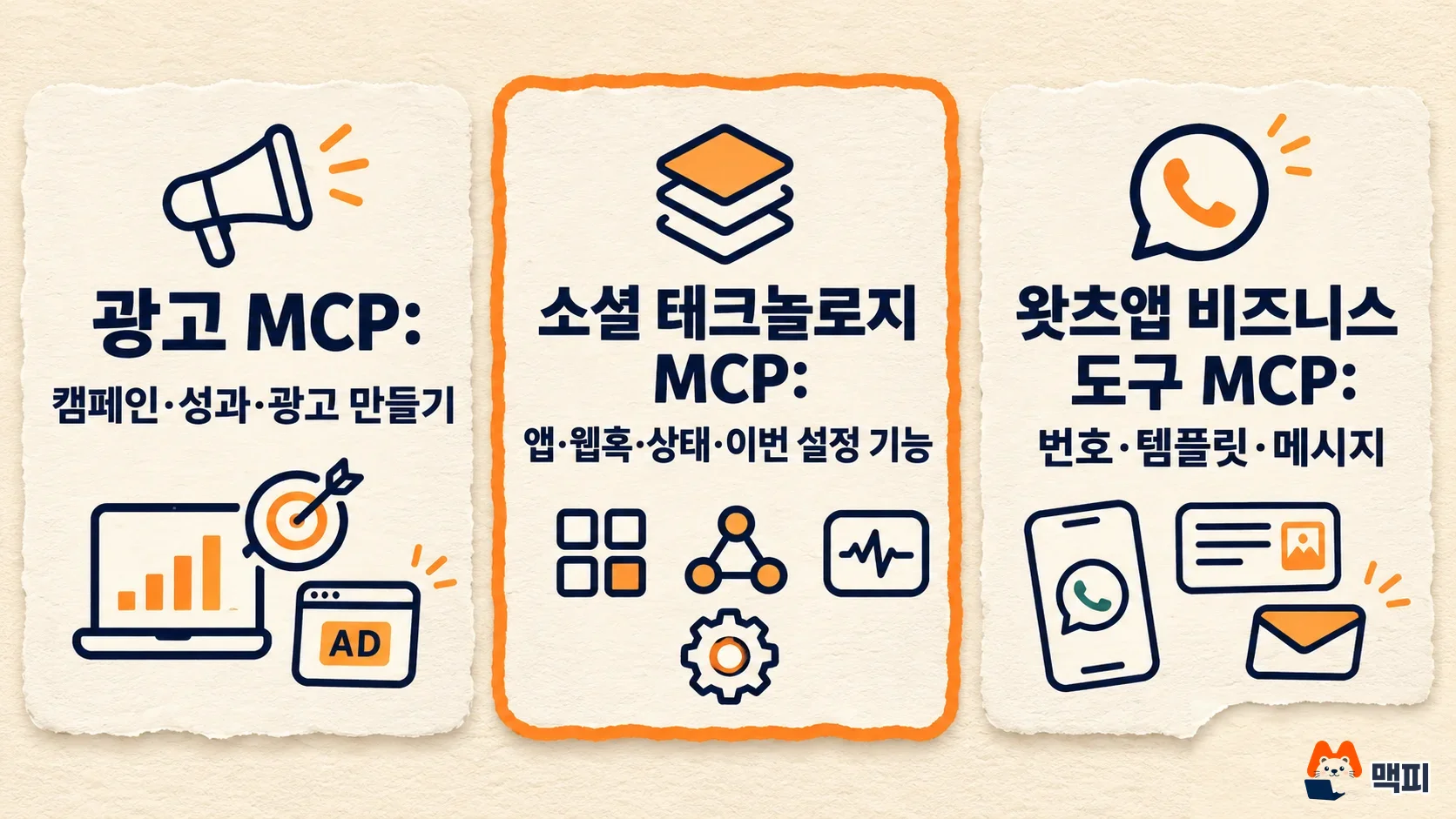
Meta splits its remote MCP servers into three. This announcement is about the middle one only. If you want to manage ad campaigns, connecting this server will not let you create ads.
| Server | What it handles |
|---|---|
| Meta Ads MCP | Campaign performance analysis, creating and editing ads, campaigns, and catalogs, running experiments |
| Social Technologies MCP (formerly Developer Tools MCP) | App and integration management, webhook setup, compliance checks, app status and API status checks, developer docs search |
| WhatsApp Business Tools MCP | Number registration, message template management, webhook setup, sending messages |
Per the official docs, sending WhatsApp messages belongs to WhatsApp Business Tools MCP. What grew this time is the step before that: preparing the app and portfolio. The rollout is gradual, so the new tools may not show up right away on some accounts.
What to do now after connecting Meta MCP
- If Social Technologies MCP is already connected, disconnect it in your client and reconnect so the agent finds the new tools. This is the guidance in the official post.
- If you are connecting for the first time, enter the server address in your client's Connectors or MCP settings, log in with your Meta account, and choose which apps to allow on the consent screen. Supported clients are Claude Desktop, Claude Code, ChatGPT web, Codex, and Cursor (Meta MCP docs).
- Ask the agent which tools it can use and check that all 6 new tools appear. If they are missing, the rollout has not reached your account yet.
- When you ask it to create a new app, a confirmation request arrives. Read it and approve. Check the app dashboard to see that the new app is in your list. As the official post explains, the app secret never appears in the conversation, so retrieve it yourself from the app dashboard.
Permissions have two levels, read and manage, and you set them per app. The Meta MCP docs advise granting manage permission only when you need changes, and keeping dev apps separate from production apps. There is also a warning to avoid manage permission for agents that read outside content. Instructions hidden in webhook data or web pages (prompt injection) can trick an agent. Every few months, review the connected servers on the business integrations screen in your facebook.com settings, and remove any you no longer use.
There are creation limits too. According to the official post, app and business portfolio creation has per-user safety limits. Failed validations and confirmations that were declined or timed out can count toward the limit. When a confirmation window appears, it is better to read it and approve or decline right away.
What to watch next
Meta said that skills (SKILL.md) and MCP plugins for these integrations will be added to the GitHub repository facebook/agentic-tools. The repository has install instructions for Claude Code, Cursor, and Codex, and the server address is https://mcp.facebook.com/devtools. Once new skills are published, the way you ask for the whole app setup sequence in one go may change. Pricing, Korean language support, and availability dates by country are not stated in the official post.
Frequently asked questions
Can Meta MCP also create ad campaigns?
The tools added this time are for app and business portfolio setup. Creating and editing campaigns and ads is handled by Meta Ads MCP.
Does the agent tell me the app secret?
No. Meta does not return the app secret in the app creation result. It has you check it yourself in the app dashboard so the secret never passes through the conversation.
What if the new tools do not show up in the list?
The rollout is gradual, so some accounts may not have access yet. If they still do not appear after you disconnect and reconnect, check again in a few days.
Found this useful? Share it
Latest posts
Kakao Share Thumbnail Not Showing? Here's the Fix (JavaScript SDK 2025)
Learn why Kakao Share thumbnails don't appear even with a valid imageUrl, and fix it using scrapImage to convert your URL into a KAGE CDN URL. Step-by-step guide.
How to Generate CRM User Manuals in 20 Minutes with Claude Code Sub-Agents
Learn how Claude Code sub-agents can analyze your CRM codebase and auto-generate user manuals and visual guidebooks in just 20 minutes. See the real-world results.
GEO Generative Engine Optimization: The Complete 2025 AI Marketing Strategy Guide
Learn what GEO (Generative Engine Optimization) is, how it differs from traditional SEO, and discover 5 proven AI marketing strategies to get cited by AI search engines in 2025.
Related projects
Get new posts by email
Insights on marketing, analytics, and dev, delivered to your inbox.