
BigQuery ObjectRef is a value that points to a file in Cloud Storage, such as an image, audio file or PDF. It lets you treat a file like a cell in a table and pass it to a Gemini model from SQL. Google Cloud announced the general availability (GA) of ObjectRef and multimodal data analysis in its October 22, 2026 blog post (Google Cloud blog). To use ObjectRef, first choose how files are read (direct access or a connection), then create the value with OBJ.MAKE_REF and pass it to an AI function.
ObjectRef fits when files sit in a bucket and numbers sit in a table
Use ObjectRef when product images are in a bucket and sales are in a table, so you cannot ask "does the product in this image break the rules?" in one line of SQL. Think of a library. The book text is on the shelf, and the table only holds the call number. With the call number, a librarian fetches the book for you. ObjectRef plays the role of the call number, and BigQuery acts as the librarian that fetches the file and hands it to Gemini. A call number only tells you the location, so you still need separate permission to fetch the file.
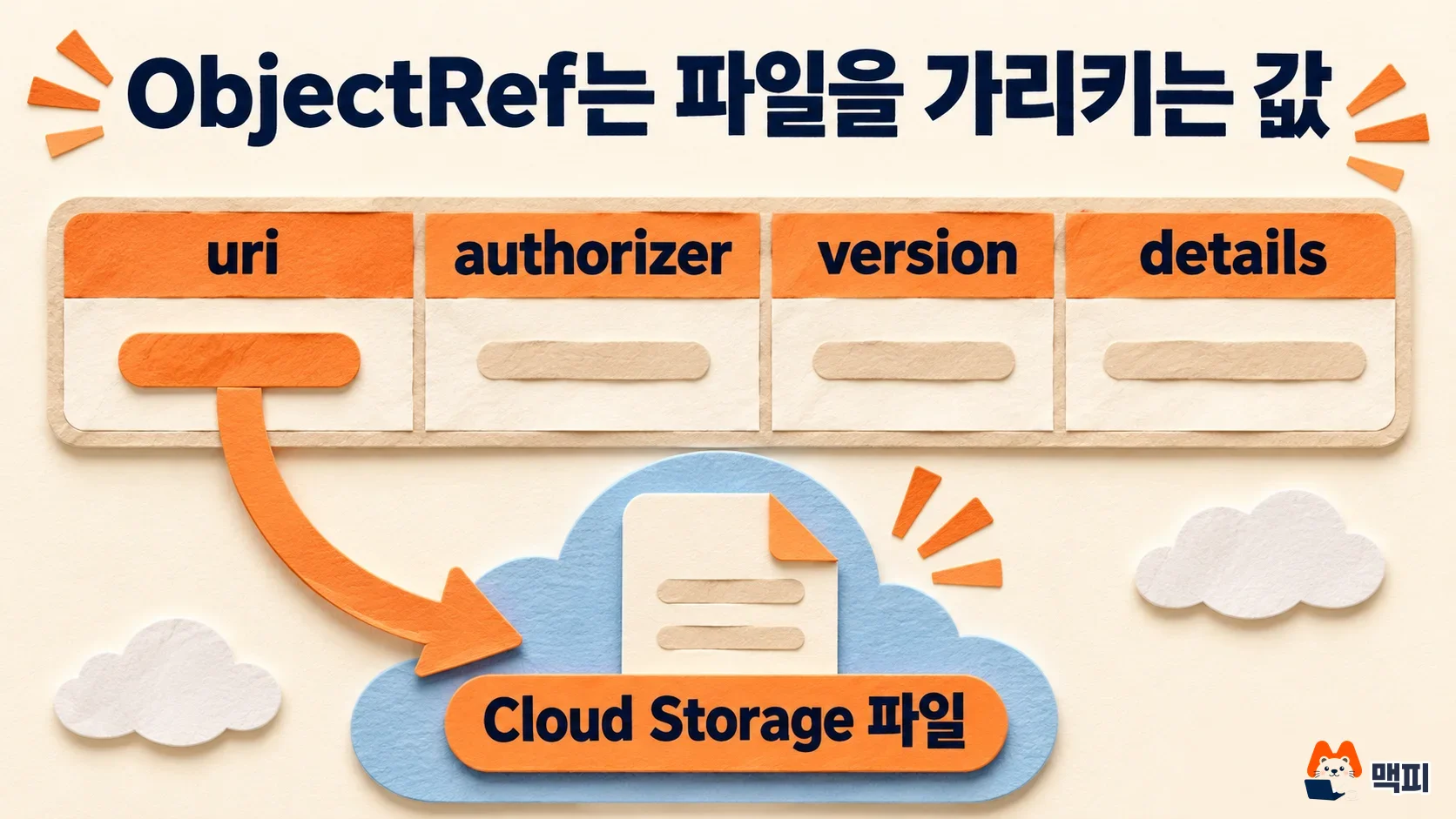
According to the official documentation, ObjectRef is a STRUCT type with a predefined structure that references a Cloud Storage object. It has four fields (ObjectRef documentation).
| Field | Value it holds |
|---|---|
| uri | File address (required). Example: gs://bucket/folder/file.png |
| version | Object generation (file version) |
| authorizer | Connection ID used to read the file. NULL if none |
| details | Cloud Storage metadata or error information (JSON) |
GA changes three things: no connection needed, and many files in one call
Three things changed with GA. First, you can now query ObjectRef directly with the user's own IAM permissions (End User Credentials), so ad-hoc analysis works without a connection. In preview, a BigQuery connection was required. Google still recommends connections for production pipelines that run as a service account. Second, you can create ObjectRef values from object tables, Cloud Storage insights datasets, and string URIs in regular tables. Third, you can group ObjectRef values into an array to compare several documents or analyze an image sequence in a single call (Google Cloud blog).
Google says it is GA in all BigQuery editions and on-demand pricing. AI functions use Optimized Mode by default to reduce the number of tokens consumed.
Create an ObjectRef with one line of OBJ.MAKE_REF
If your table already has string URIs, create an ObjectRef with the OBJ.MAKE_REF function. The file type is detected automatically. If you use an object table, the table's ref column already contains the ObjectRef.
-- 문자열 URI에서 만들기
SELECT product_id, OBJ.MAKE_REF(image_uri) AS image_ref
FROM ecommerce.vendor_uploads;

-- 연결을 지정해 만들기 (형식: 리전.연결이름)
SELECT OBJ.MAKE_REF(image_uri, "us.myconnection") AS image_ref
FROM ecommerce.vendor_uploads;

-- 버킷 폴더를 객체 테이블로 만들기
CREATE EXTERNAL TABLE mydataset.images
WITH CONNECTION `us.myconnection`
OPTIONS (uris=["gs://mybucket/images/*"], object_metadata="SIMPLE");
The connection format and the object table example above use syntax from the official documentation (ObjectRef documentation). The ref column of an object table uses the connection you specified when creating the table as its authorizer.
ObjectRef permissions: choose between direct access and connection access
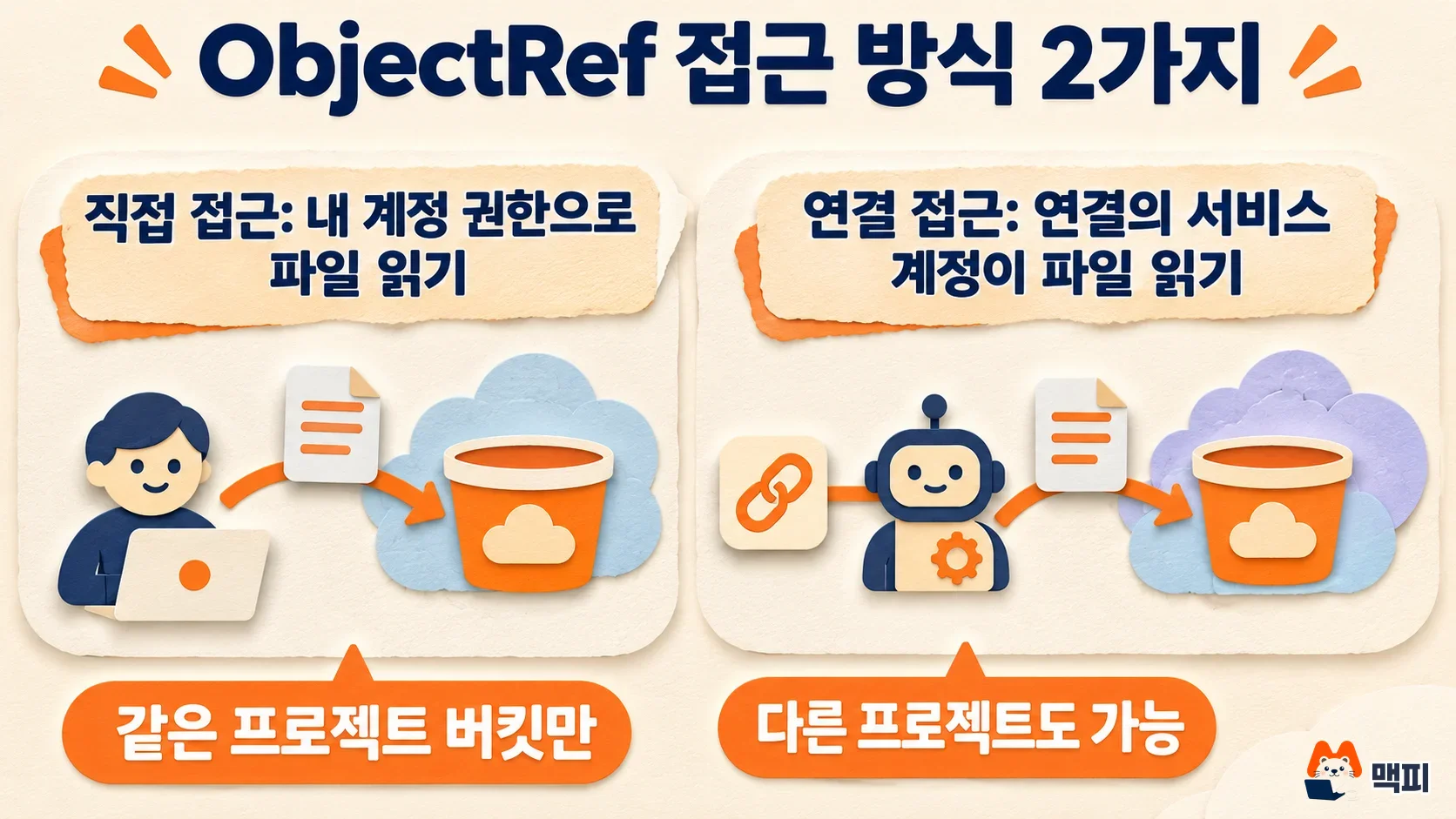
The two methods differ in whose permissions are used to read the file. Following Google's guidance, direct access fits a one-off analysis, and connection access fits a pipeline that runs regularly under a service account. Only connection access can read buckets in other projects, which is another way to decide.
| Item | Direct access | Connection (delegated) access |
|---|---|---|
| authorizer | NULL | Connection ID specified |
| Who reads the file | The user who ran the query | The connection's service account |
| Required permissions | Object read permission for the user | Storage Object Viewer or similar for the service account, BigQuery ObjectRef Reader or similar for the user |
| Bucket in another project | Same project only when using AI functions without a connection | Possible |
The table follows what the official documentation describes (ObjectRef documentation). When you use AI.GENERATE with a connection, the connection's service account also needs the Agent Platform User role. Inside a VPC Service Controls perimeter, AI functions cannot process connection-based ObjectRef values, so use direct access with OBJ.MAKE_REF(uri) instead.
Write image analysis queries with ObjectRef: classify, filter and generate
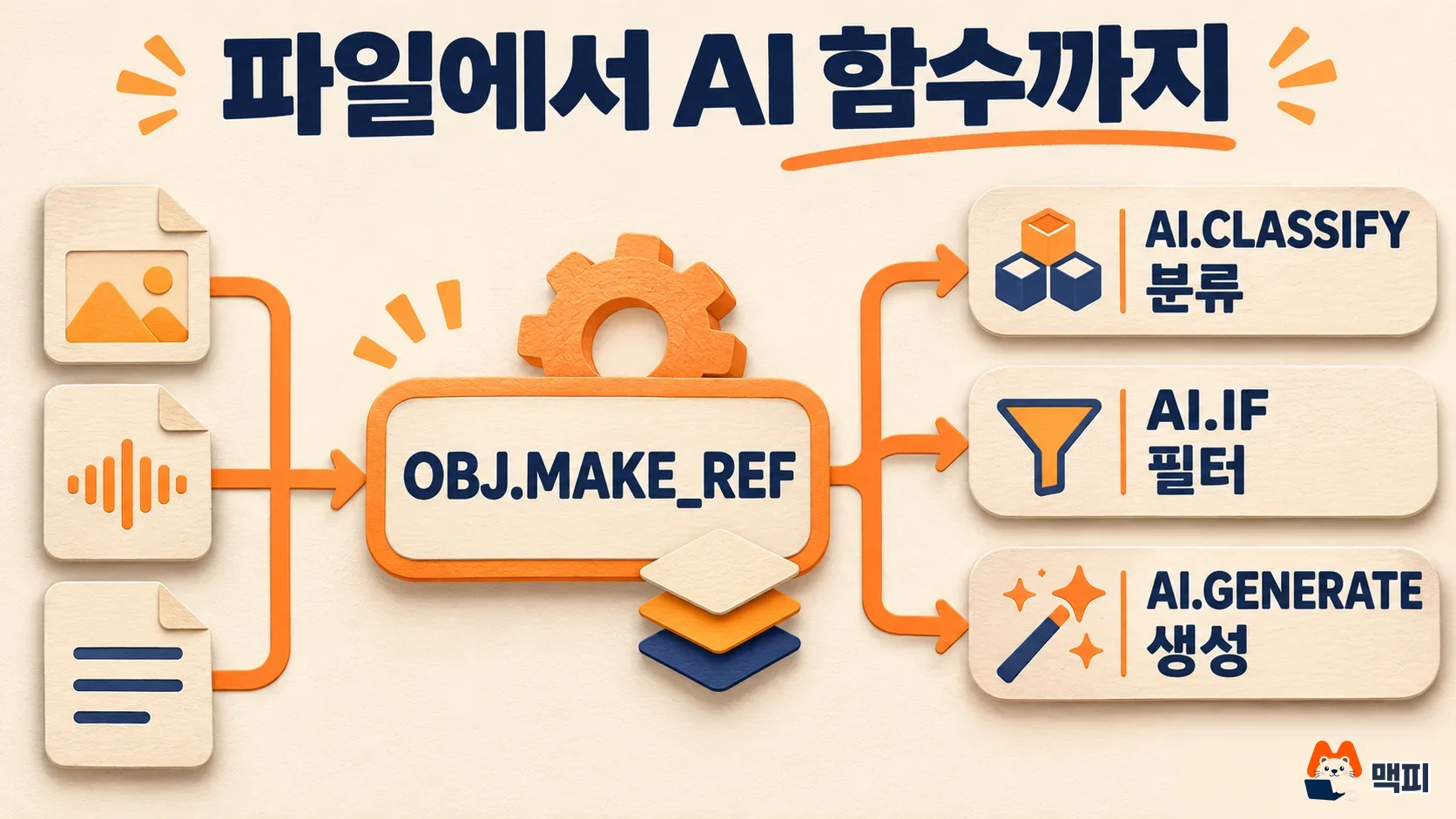
Once you have an ObjectRef, pass it straight into an AI function as input. The Google blog names AI.CLASSIFY (classification), AI.IF (filtering in a WHERE condition), AI.GENERATE (text and structured output generation) and AI.AGG (summarizing multiple rows) as the main functions.
The main example of filtering by image is the product policy check query from the official blog. It picks out only the product images uploaded yesterday that contain a restricted item.
SELECT product_id, seller_id
FROM ecommerce.vendor_uploads
WHERE upload_date >= CURRENT_DATE() - 1
  AND AI.IF(
    "Does this product image contain a restricted item or policy violation?",
    OBJ.MAKE_REF(image_uri)
  );
The second example in the Google blog uses audio. Convert the addresses of call center recordings with OBJ.MAKE_REF, then give AI.CLASSIFY a list of categories such as "lost card" and "payment declined". This creates an inquiry type column. If you need structured results, specify output_schema in AI.GENERATE. If you pass an array of ObjectRef values, you can also run phishing detection that compares a screenshot of the official login page with a screenshot of a suspicious page in one call (Google Cloud blog). AI.AGG, which summarizes multiple rows into one, has its syntax and limits covered separately in how to use the BigQuery AI.AGG function.
Check that your first run worked correctly
AI functions call the model for every row, so it is safer to start with a small table of a few files. The official tutorial says costs come from three things: BigQuery processing, Cloud Storage reads and model calls (multimodal SQL tutorial).
- SELECT the OBJ.MAKE_REF result column and check that the uri field holds the file address.
- Check that details.errors in the ObjectRef does not contain code, message or source. If permissions or the address are wrong, the error is recorded here.
- Compare the AI function results with a few original files by eye. If the classification matches the file content, increase the number of target rows.
- Before increasing target rows, decide whether you need a daily usage cap. If so, set a per-project AI token quota.
If you need practice data, Google's multimodal SQL tutorial walks through image description generation, category assignment and embedding search using a public sample (Cymbal pet store images). If writing a query from scratch feels heavy, you can start with the Gemini button in the SQL editor, which turns comments into SQL.
Common mistakes when ObjectRef throws errors
- Pointing to a bucket in another project while using AI functions without a connection: direct access reads only buckets in the project where the query runs. Switch to connection (delegated) access for files in other projects.
- Not granting read permission to the connection's service account: without a role such as Storage Object Viewer, the service account cannot read the file, and the error appears in details.errors.
- Using an object table's ref column as is inside a VPC Service Controls perimeter: this column always uses a connection as its authorizer, so it fails. Recreate the value with OBJ.MAKE_REF(uri) and process it with direct access (ObjectRef documentation).
Frequently asked questions
Can ObjectRef point to files outside Cloud Storage?
The official documentation defines ObjectRef as a type that references Cloud Storage objects (ObjectRef documentation). The documentation does not describe a way to point to other storage.
Can I use AI.GENERATE without creating a connection?
Yes. With direct access, where the authorizer is NULL, the file is read with the permissions of the user who ran the query. In this case the bucket and object must be in the same project where the query runs (ObjectRef documentation).
If an ObjectRef value changes, does the original file change?
An ObjectRef is a value that holds information pointing to a file, such as uri and version. With the authorizer argument of OBJ.MAKE_REF, you can change the connection used for access or remove it by setting NULL. This changes how the file is read (ObjectRef documentation).
Found this useful? Share it
Latest posts
Kakao Share Thumbnail Not Showing? Here's the Fix (JavaScript SDK 2025)
Learn why Kakao Share thumbnails don't appear even with a valid imageUrl, and fix it using scrapImage to convert your URL into a KAGE CDN URL. Step-by-step guide.
How to Generate CRM User Manuals in 20 Minutes with Claude Code Sub-Agents
Learn how Claude Code sub-agents can analyze your CRM codebase and auto-generate user manuals and visual guidebooks in just 20 minutes. See the real-world results.
GEO Generative Engine Optimization: The Complete 2025 AI Marketing Strategy Guide
Learn what GEO (Generative Engine Optimization) is, how it differs from traditional SEO, and discover 5 proven AI marketing strategies to get cited by AI search engines in 2025.
Related projects
Get new posts by email
Insights on marketing, analytics, and dev, delivered to your inbox.