
Google Universal Cart is a shopping cart that collects products from multiple merchants in one place, alerts you to price changes and helps you check out directly on Google. On October 15, 2026, Google said on its official blog that it had launched the feature in the US in Google Search AI Mode and the Gemini app. The announcement gives no plan for a Korea launch. Korean sellers and ad managers have no settings to change right now. Checking that your product data is ready is enough.
What changed In AI Mode and the Gemini app, shoppers can add products from several merchants to one cart, see price drop alerts and card benefits, and buy directly with Google Pay. It launched in the US on October 15, 2026.
Who is affected Merchants selling to US consumers and the people who run their Shopping ads. Stores that target Korean consumers are not directly affected right now.
What to do now Clean up your product data (price, stock, identifiers) and your checkout and return information in Merchant Center, and read the UCP checkout requirements Google publishes.
What changed with Google Universal Cart
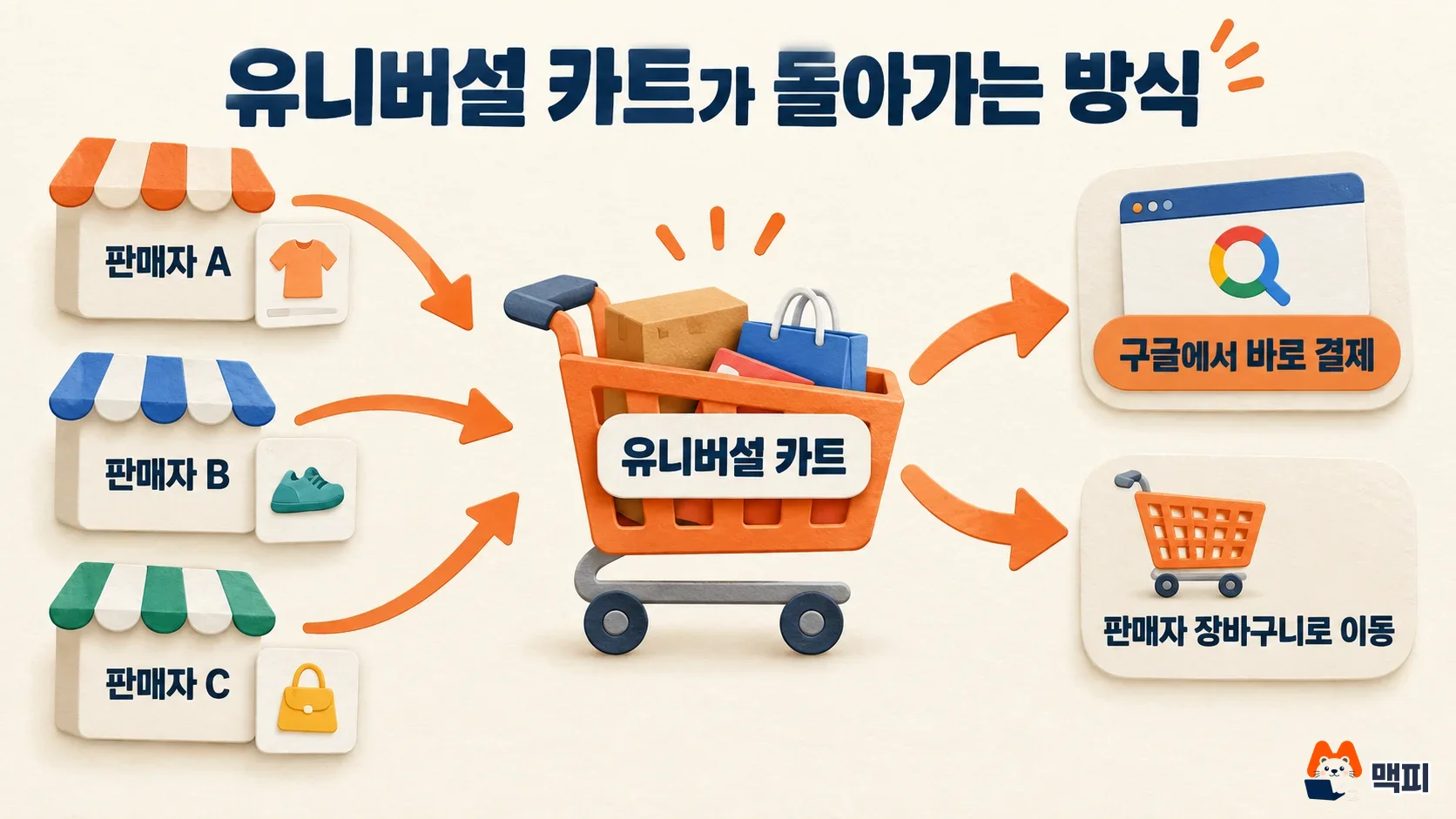
According to the Google announcement, Universal Cart is the new hub for Google Shopping. Shoppers can add products from different merchants to a single cart in AI Mode or the Gemini app. Google uses the more than 6 billion product listings in the Shopping Graph to notify them when a price drops or an item is back in stock. The cart shows card benefits for cards saved in Google Wallet and also shows promo codes.
There are two ways to pay. Shoppers can check out directly from the cart with Google Pay, or move the item to the merchant's own site cart and pay there. Direct checkout is powered by the Universal Commerce Protocol (UCP). The Google announcement states that the merchant remains the seller of record and provides order confirmation and customer support directly. Participating merchants named include Nike, Sephora, Target, Walmart and many Shopify merchants. On the same day, Search Engine Roundtable also reported on the launch.
| Feature | Details |
|---|---|
| Add | Collect products from several merchants in one cart |
| Alerts | Notifications for price drops and restocks |
| Benefits | Shows Google Wallet card benefits and promo codes |
| Checkout | Pay directly with Google Pay or move to the merchant cart |
Does this apply to your store: countries and merchant requirements
Based on the Google announcement, the US is the only launch region. For UCP checkout, which powers direct purchase, the Google Merchant Center Help article limits it to eligible products in the US, Canada and Australia. It says the program is currently open only to selected merchants and partners. Korea is not on this country list.
For the direct checkout button to appear, you need to add the native_commerce attribute (whether a product can be purchased through checkout) to your products in Merchant Center. Payment is processed with cards saved in Google Wallet, so you also need a Google Pay & Wallet Console account. To apply, you submit the UCP integration interest form described in the Help article and then complete the technical implementation. It is an early access program that opens in stages.
What to do now: a checklist for merchants and ad managers
If you sell only to Korean consumers, there are no ad settings to change because of this launch. For Korean shopping visibility, keep following how to start Naver Shopping Search Ads and check your bids (Naver is Korea's largest search engine). If you are preparing to sell abroad, or want to get ready for AI shopping surfaces early, run through the steps below. This order is the author's recommendation, not a procedure Google requires.
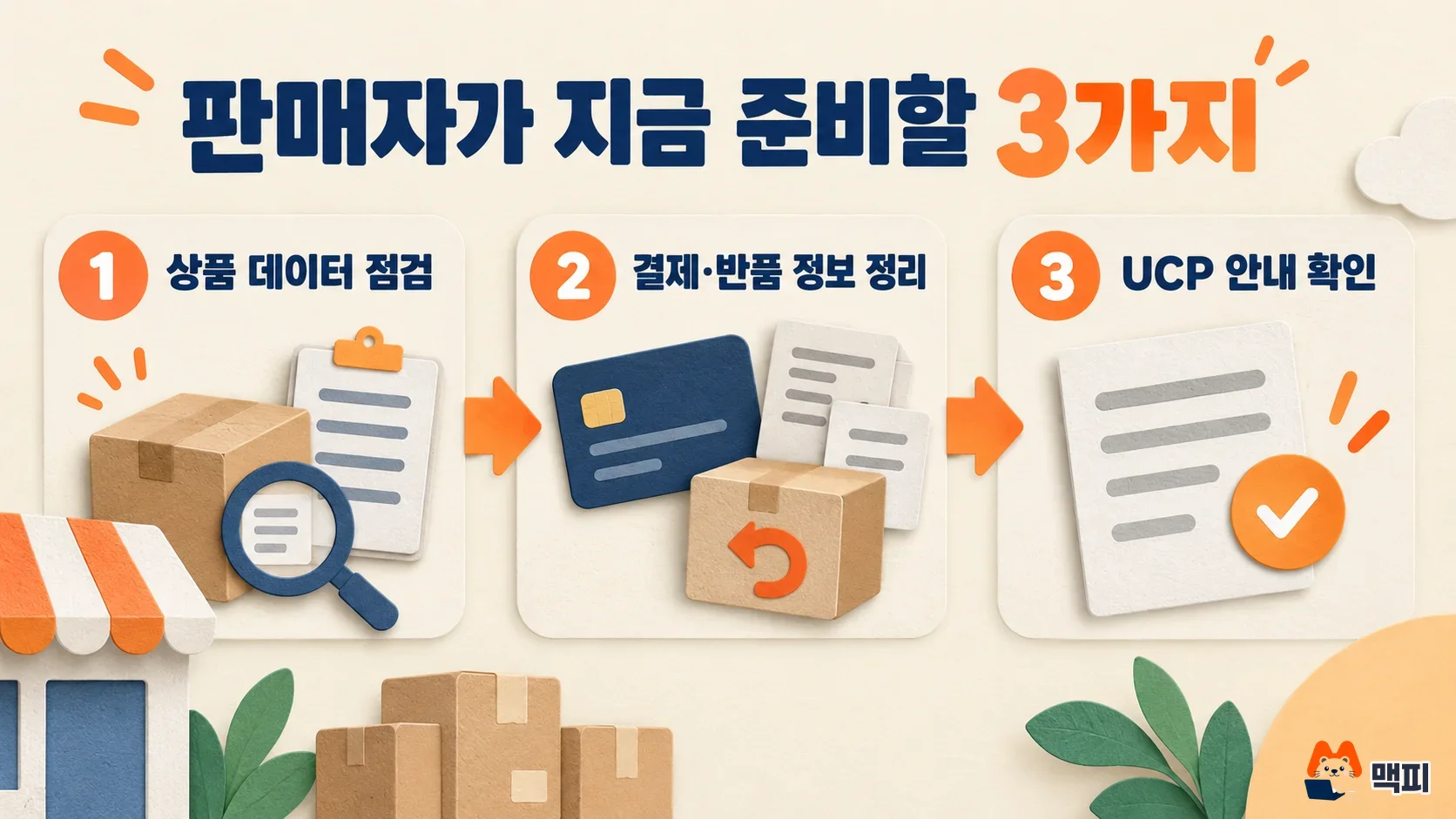
- Product data: Open one product in your Merchant Center product list and compare its price, stock, product identifier and variants (color, size) against the product page.
- Checkout and return information: Confirm that your return policy and customer support contact are entered in Merchant Center.
- UCP guidance: If you sell in the US, Canada or Australia, read the requirements in the Merchant Center Help article and decide whether you should submit the interest form.
For the full flow of AI agents comparing and buying products, and how to prepare product pages, see what agentic commerce means and how to prepare your store's product pages. Step 1 is done when every value matches on the product you compared.
There are three common mistakes. First, looking for Universal Cart or the direct checkout button in a Korean account. Both the Google announcement and the Help article say that only the US and a few other countries are covered for now. Second, assuming that changing ad settings alone turns on direct checkout. The Help article says the button appears only when the product has the native_commerce attribute. Third, assuming that submitting the interest form opens access right away. The Help article explains that access is currently open only to selected merchants and partners.
One check is simple. Download your product attribute list from Merchant Center and look for a native_commerce column. If the column is missing, no product is marked for direct checkout yet. You need to go through the application process in the Google Help article before you can use the attribute.
What to watch next
The Google Help article says UCP checkout is expanding in stages as an early access program. Covered countries and merchant requirements may change. Whether it comes to Korea, and how the cart connects to Shopping ad surfaces, will have to be confirmed in Google's next announcement. You can follow changes in the Merchant Center Help article and the Google ads and commerce blogs.
Google Universal Cart FAQ
Can I use Universal Cart in Korea?
Not right now. Google said it launched only in the US, and the Help article lists the US, Canada and Australia as the countries covered by UCP checkout.
What happens to the merchant when a shopper pays through Universal Cart?
The merchant remains the seller of record. Google said the merchant provides order confirmation and customer support directly.
Do I need to set up Shopping ads again?
The announcement does not mention any ad setting changes. To use direct checkout, you need the product attribute in Merchant Center and a Google Wallet payment account.
Found this useful? Share it
Latest posts
Kakao Share Thumbnail Not Showing? Here's the Fix (JavaScript SDK 2025)
Learn why Kakao Share thumbnails don't appear even with a valid imageUrl, and fix it using scrapImage to convert your URL into a KAGE CDN URL. Step-by-step guide.
How to Generate CRM User Manuals in 20 Minutes with Claude Code Sub-Agents
Learn how Claude Code sub-agents can analyze your CRM codebase and auto-generate user manuals and visual guidebooks in just 20 minutes. See the real-world results.
GEO Generative Engine Optimization: The Complete 2025 AI Marketing Strategy Guide
Learn what GEO (Generative Engine Optimization) is, how it differs from traditional SEO, and discover 5 proven AI marketing strategies to get cited by AI search engines in 2025.
Related projects
Get new posts by email
Insights on marketing, analytics, and dev, delivered to your inbox.