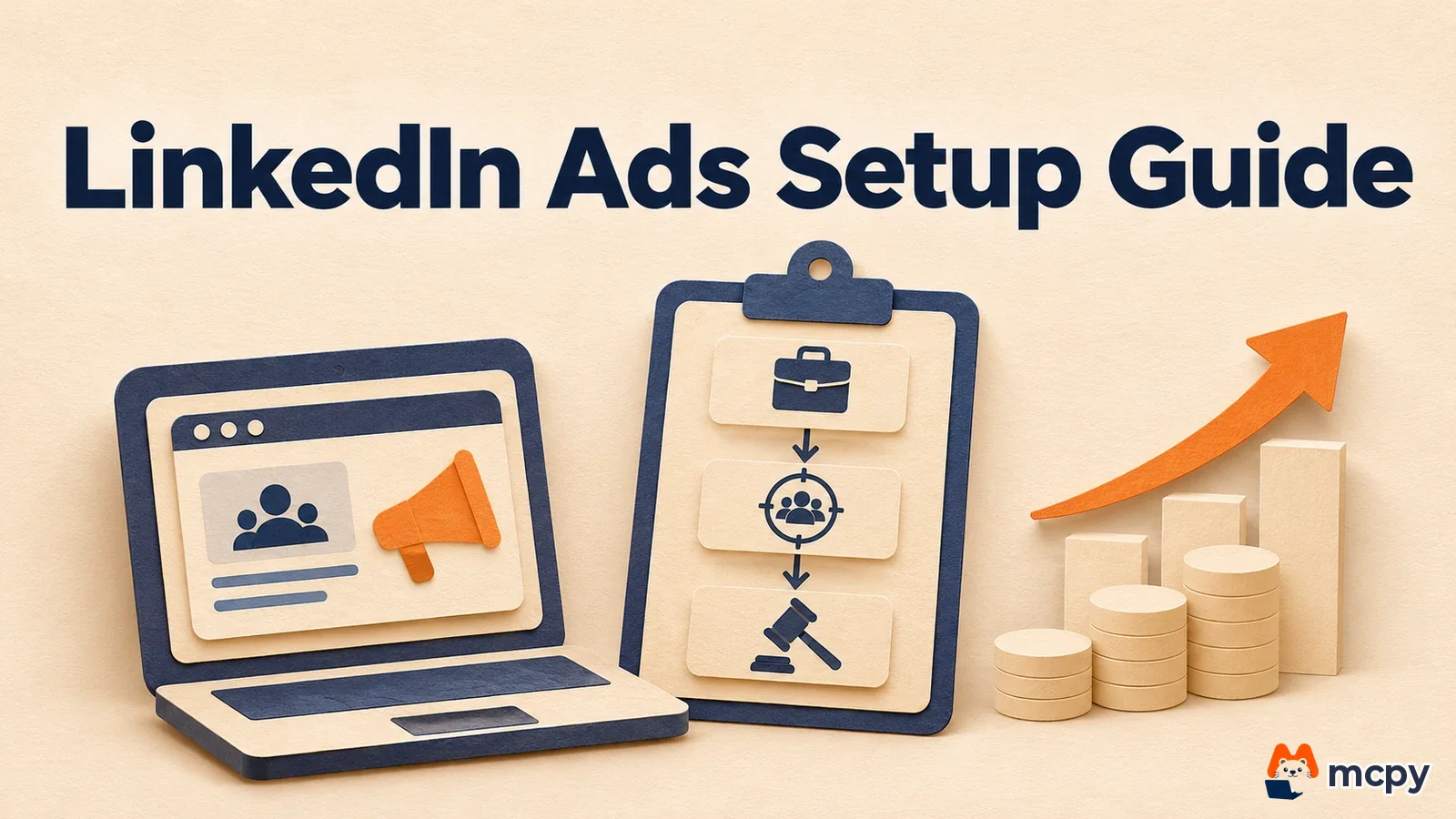
LinkedIn ads are B2B ads that pick an audience by the job title, seniority and company details members put in their profiles, then show the ads in the feed and other placements. After you create an ad account, you build them in Campaign Manager in this order: objective, audience, format, budget and bid, then the ad. The daily budget can start at $10 for any format (as of November 6, 2026).
What makes LinkedIn ads different
Selling to companies is closer to finding one person who makes the buying decision. Ads cast wide by interest tend to reach onlookers before that person. At an industry meetup, name badges show title and company, so you only talk to the people you want to meet. LinkedIn works the same way, using the profiles members wrote themselves as targeting criteria. But if you narrow the audience too much, the ad set cannot be saved.
According to the LinkedIn Help page, targeting options are split into job experience, company and demographics. To run an ad set, you need an audience of at least 300 members. If it is narrower, an "Audience Too Narrow" message appears and blocks saving and the next step.

| Category | Criteria you can choose |
|---|---|
| Job experience | Job title, job function, seniority, years of experience, member skills |
| Company | Company size, industry, company name, revenue, growth rate, funding stage, business type, service area |
| Demographics and other | Age, gender, device, education, member groups, interests |
You can set location in two ways. Permanent location is the long-term region listed in the profile. Recent location is the short-term region judged by IP address. The expected audience for recent location is usually smaller, so the help page recommends permanent location, or the option that combines both, to widen reach. You can pick only 1 profile language per ad set. To target both Korean and English profiles, you need to split the ad sets.
If you target members in Korea, add a Korean region to the location and check the expected audience shown on the ad set screen against the 300-member rule. Here is a check you can try yourself. On the ad set screen, enter only the location and write down the expected audience number. Then add job title and company size one at a time and write the number down again each time. If "Audience Too Narrow" appears the moment the number drops below 300, that condition cut the audience too much. If you close the screen without saving, the ad is not created. Budget guidance is in US dollars, so if your account currency is Korean won, check the converted amount on the Campaign Manager budget input screen.
If your audience is general consumers rather than business buyers, another channel may fit better, such as how to start TikTok ads, which centers on short-form video.
How to create LinkedIn ads step by step
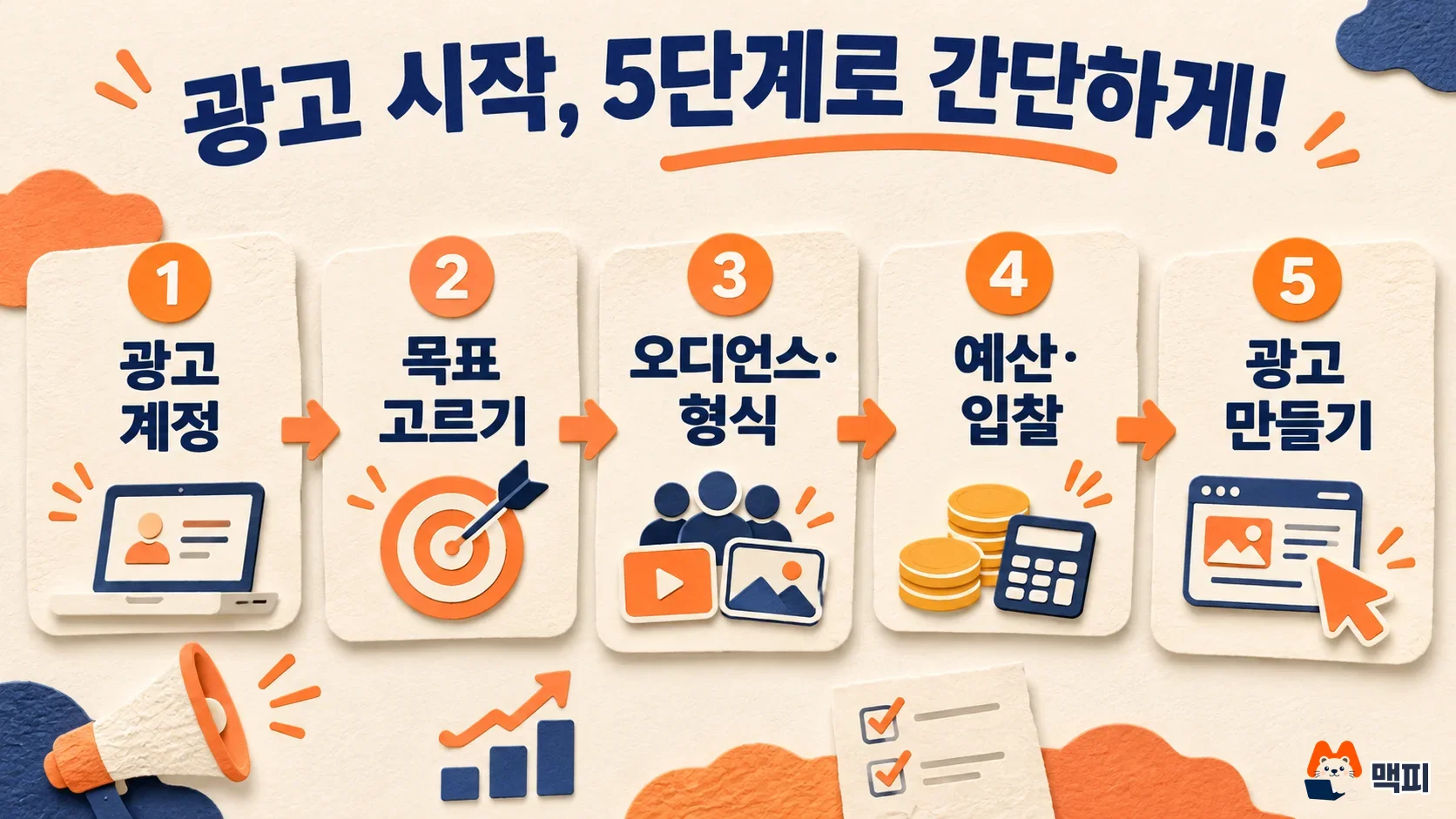
LinkedIn's campaign setup guide says to create an ad account first, decide your marketing strategy, set the campaign level and the ad set level, and create the ad last. In the strategy step, you decide the objective, audience, placement, ad format, budget and schedule in advance.
- Create an ad account. Campaign setup only starts once you have an ad account.
- At the campaign level, set the objective, budget and schedule. This step is optional, and the values are shared by the ad sets below.
- In the ad set, choose the objective, targeting, ad format, placement, budget and schedule. If you already set the objective and budget at the campaign level, you do not choose them again in the ad set.
- Create a new ad that fits the ad format, or pick an existing ad.
When you create ads from a company page, check your permissions too. LinkedIn's Sponsored Content guide explains that to create Sponsored Content ads you must be a super admin, content admin or Sponsored Content poster admin on the page, and at least a creative manager on the linked ad account.
How to choose a LinkedIn ads objective
You choose an objective from three groups: awareness, consideration and conversion. Once you pick an objective, the optimization result the system aims for is set with it. The recommended optimization goals from the LinkedIn objectives guide are below.
| Group | Objective | Recommended optimization goal |
|---|---|---|
| Awareness | Brand awareness | Reach |
| Consideration | Website visits | Landing page clicks |
| Consideration | Engagement | Engagement clicks |
| Consideration | Video views | Video views |
| Conversion | Lead generation | Qualified leads |
| Conversion | Website conversions | Website conversions |
| Conversion | Job applicants | Landing page clicks |
| Conversion | Talent leads | Talent leads |
According to the LinkedIn objectives guide, lead generation collects inquiries with a Lead Gen Form that is pre-filled with LinkedIn profile information. Talent leads are available only to companies with an active LinkedIn Recruiter contract. In MCPY's judgment, for a first ad, choosing between lead generation (collecting inquiries) and website visits (sending people to your own site) lets you read the result after the click as one flow. Check the page people land on after clicking the ad using the criteria in the landing page checklist article.
LinkedIn ads allow one ad format per campaign
The feed ad formats described in LinkedIn's Sponsored Content guide are as follows.
| Format | Features |
|---|---|
| Single image | Shows 1 image directly in the feed |
| Carousel image | Swipe through several images. A CTA button is available only on carousels that use a lead gen form |
| Video | Shows a video in the feed |
| Document | Promotes a document directly in the feed |
| Single job | Promotes 1 posted job listing. Only the applicant objective can be selected |
| Event | Promotes a page event or an external event |
A campaign can use only one format. To mix single image and video ads in one campaign, choose the flexible ads option during setup. According to the same guide, single image, carousel, document and video ads can also run on the Audience Network, which is placements outside LinkedIn.
LinkedIn ads budget and bidding setup
According to the LinkedIn budget guide, the minimum daily budget is $10 for all ad formats, and the minimum total budget for a new campaign is $100. After the campaign starts, it is adjusted to $10 multiplied by the number of days it runs. The default recommended budgets in the same guide are $25 for new advertisers and $50 to $100 for existing advertisers (in USD). You can set the daily budget and total budget separately or together, and LinkedIn recommends using the total budget.
You choose from three bidding strategies. Here is LinkedIn's bidding strategy guide turned into a table.
| Strategy | Billing | Bid setting | Best when |
|---|---|---|---|
| Maximum delivery | Per impression (CPM) | No bid or cost cap | You want to spend the full budget and get the most results |
| Cost cap | Per impression (CPM) | Enter a cost cap per result | You want to control the cost per lead |
| Manual bidding | CPC, CPM, CPV or CPS depending on objective and format | Set the bid per result yourself | You want the finest control over bidding |

There is no fixed cost per result. The price is set by auction. If you choose cost cap or manual bidding, Campaign Manager shows a recommended range that estimates what other advertisers pay to reach the same target. The higher your bid, the more competitive it is and the more likely you are to use up your budget. The LinkedIn bidding guide explains that a new ad set goes through a learning phase, and results can vary during this period. So starting with maximum delivery and moving to cost cap once you can see the cost per result is a low-stress order, because you do not have to guess a bid. This order is MCPY's judgment, not an official recommendation.
How to check LinkedIn ads conversion tracking
To see whether inquiries or signups grew after the ad spend, install the Insight Tag on your site and create a conversion rule. According to the LinkedIn Insight Tag guide, you get the code in Campaign Manager by going to Analyze, then Insight Tag. For installation, you choose between pasting the code into your site's global footer by hand and using a tag manager such as Google, Tealium or Adobe. Do not add the code to pages that handle sensitive personal data, such as health or finance. It can take up to 24 hours for the tag to become active, depending on site traffic.
The steps in the conversion tracking setup guide are: in the left menu, go to Measure, then Conversion tracking, click Create conversion, and choose Insight Tag conversion. Set the rule name, action type (for example Download or Lead), conversion value, click and view attribution window and attribution model. Then choose the tracking method from Website actions, Manual conversions setup or Tag manager, review the ad sets to link, and click Create.
You check success in the Status column on the Conversion tracking page. If the status is Unverified, you need to check the connection. The status only updates when traffic reaches your site, so the guide says to open the page where you installed the tag yourself. When it works, it should become Active. Right after installation, check again after a day. To see the same visits in Google Analytics, you can learn how to add UTM to ad links in the UTM parameters GA4 check article. If UTM is new to you, read UTM parameter basics and common mistakes first.
Next steps you can take today
- On your company LinkedIn page, check that your role is super admin, content admin or Sponsored Content poster admin.
- In Campaign Manager, create an ad account, then install the code from Analyze, Insight Tag on your site.
- After a day, check that the Conversion tracking Status is Active. Then set the objective and audience and create the ad set.
LinkedIn ads FAQ
How much do LinkedIn ads cost per click? Depending on the format and bidding strategy, you are billed per impression or per click. There is no fixed cost per result, and the price is set by auction. The recommended range on the bid setting screen is your guide to current competition.
What should I do if "Audience Too Narrow" appears? It means the audience is smaller than 300 members. Loosen the job title or company conditions, or use permanent location instead of recent location to increase the expected audience.
Where do the posts shown in ads come from? LinkedIn describes three ad sources. These are thought leader ads that sponsor public posts from members or employees, ads that sponsor regular posts from a page, and ads you create directly in Campaign Manager.
Found this useful? Share it
Latest posts
Kakao Share Thumbnail Not Showing? Here's the Fix (JavaScript SDK 2025)
Learn why Kakao Share thumbnails don't appear even with a valid imageUrl, and fix it using scrapImage to convert your URL into a KAGE CDN URL. Step-by-step guide.
How to Generate CRM User Manuals in 20 Minutes with Claude Code Sub-Agents
Learn how Claude Code sub-agents can analyze your CRM codebase and auto-generate user manuals and visual guidebooks in just 20 minutes. See the real-world results.
GEO Generative Engine Optimization: The Complete 2025 AI Marketing Strategy Guide
Learn what GEO (Generative Engine Optimization) is, how it differs from traditional SEO, and discover 5 proven AI marketing strategies to get cited by AI search engines in 2025.
Related projects
Get new posts by email
Insights on marketing, analytics, and dev, delivered to your inbox.