
Gemini file generation lets you make PDF and Excel files right in chat
As of October 30, 2026, Gemini file generation is a feature where you type "make me this kind of file" in the chat box and Gemini builds a PDF, Excel sheet, slide deck or similar file for you. According to the Google blog, you no longer need to copy content into a separate app and redo the formatting. If you have ever spent time pasting an answer into a document app and fixing tables and headings, this feature removes exactly that work. It is like handing an order slip to a restaurant and getting the dish on a plate, instead of taking the recipe home and cooking it yourself. Gemini also turns what you worked out in the conversation straight into a file. Still, you need to open the result and check that it matches your intent, and you may need to fix numbers or sentences.
The feature arrived in two stages. According to Google Workspace Updates, file generation launched on April 27, 2026, and the Google blog says all Gemini app users worldwide can use it. Then on October 29, 2026, the ability to preview and edit generated files directly in chat was added.
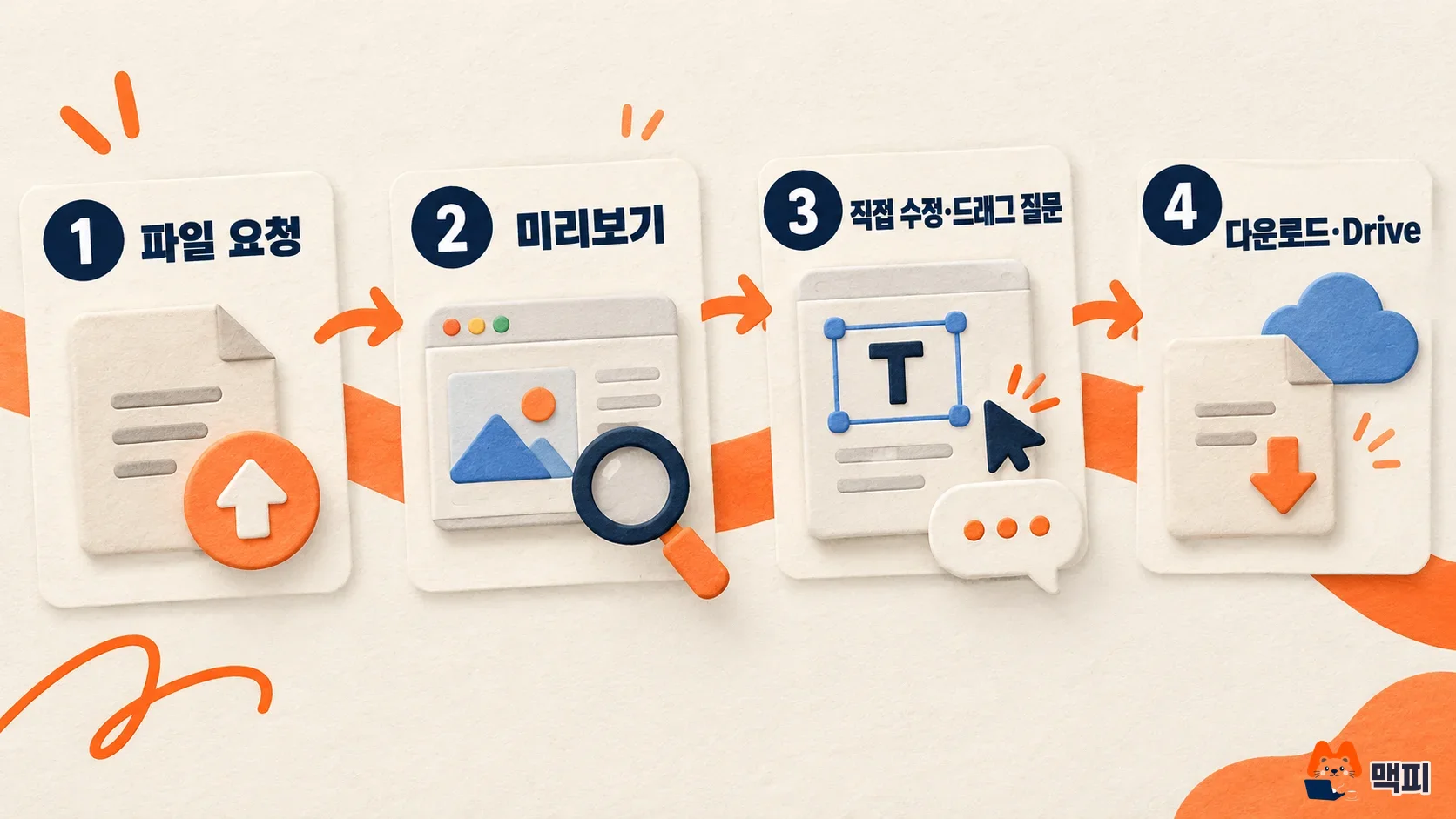
File formats you can create with Gemini
The formats Gemini is said to support are listed in the table below. They are grouped straight from the Google Workspace Updates list. Just name the format that fits the program you use.
| Format | Opens in | Pick it when |
|---|---|---|
| Google Docs, Sheets, Slides | Google Docs, Sheets, Slides | You edit together with teammates in Google Drive (preview and edit on the web) |
| PDF viewer | The document is only sent, not edited, or you tweak it on mobile | |
| .docx | Microsoft Word | The other person uses Word |
| .xlsx, .csv | Excel, data tools | You continue spreadsheet calculations or load the data into another system |
| LaTeX(.tex), TXT, RTF, Markdown(.md) | Text editor | Light writing such as paper formatting, notes or blog drafts |
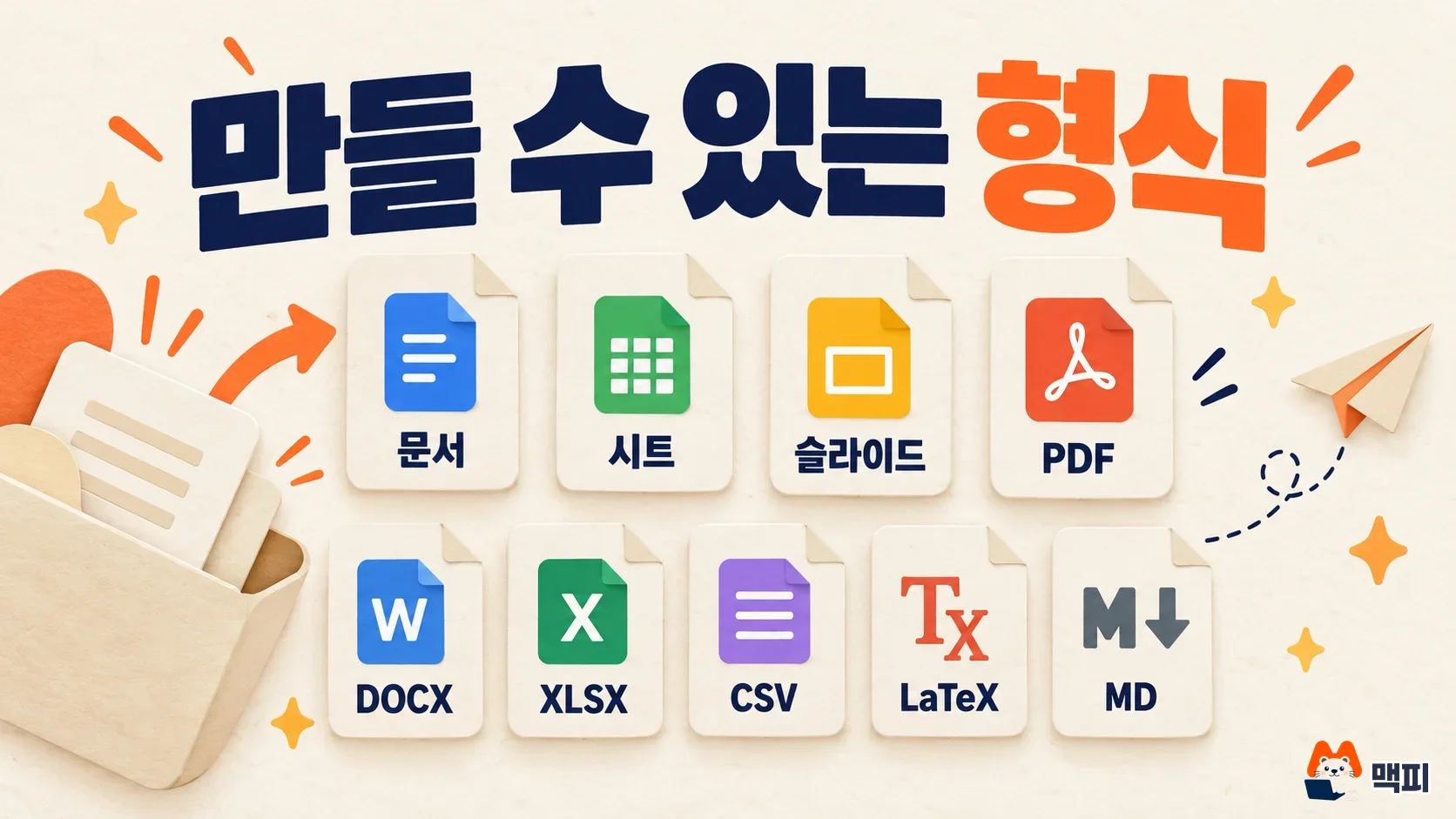
How to create a file in Gemini in 4 steps
- Sign in to gemini.google.com with your Google account.
- Following the file generation guide in Google Help, write the file format, content and length you need in one sentence in the input box. Example: "Make next month's marketing budget proposal as an Excel file with columns for item, amount and notes."
- Once the file is created, check whether a preview opens inside the chat.
- If the content is right, download it or export it to Drive. If it is off, ask for a fix in the same conversation, such as "Change the amount in row 3 to include VAT."
One request can create only one file. According to Google Workspace Updates, Gemini currently generates one file per prompt. If you need both Excel and PDF, send two separate requests. For a report that needs research first, a handy order is to build a research report with Gemini Deep Research and then ask again for that content as a PDF or slides. Google Help also has a separate page on how to create files in chat, so you can compare it if menu names change.
At first, test with a small request such as "an Excel file with 3 columns for name, department and amount, and 3 rows of sample data." Judge success by two things. A file preview should appear in the chat, and when you open the downloaded file in the matching program, the table columns and title should be as you requested. Do not trust the numbers from the preview alone. Calculate key values such as totals by hand at least once.
How to preview and edit the files you create
The October 29, 2026 announcement made it possible to preview and edit files inside the chat. According to the Google blog, you can expand the file to full screen and edit it by typing directly. You can also drag over text to ask a question about just that part, or ask Gemini to fix it. The blog's example uploads handwritten lecture notes to make a PDF study guide, then drags over some sections to refine the text or visuals.
Mobile has limits. The support scope from the Google blog is in the table below. Only PDF can be previewed and edited on both web and mobile. The rest work on the web only.
| Format | Web | Mobile |
|---|---|---|
| Preview and edit | Preview and edit | |
| Google Docs, Sheets, Slides, Markdown, TXT, code | Preview and edit | Web only |
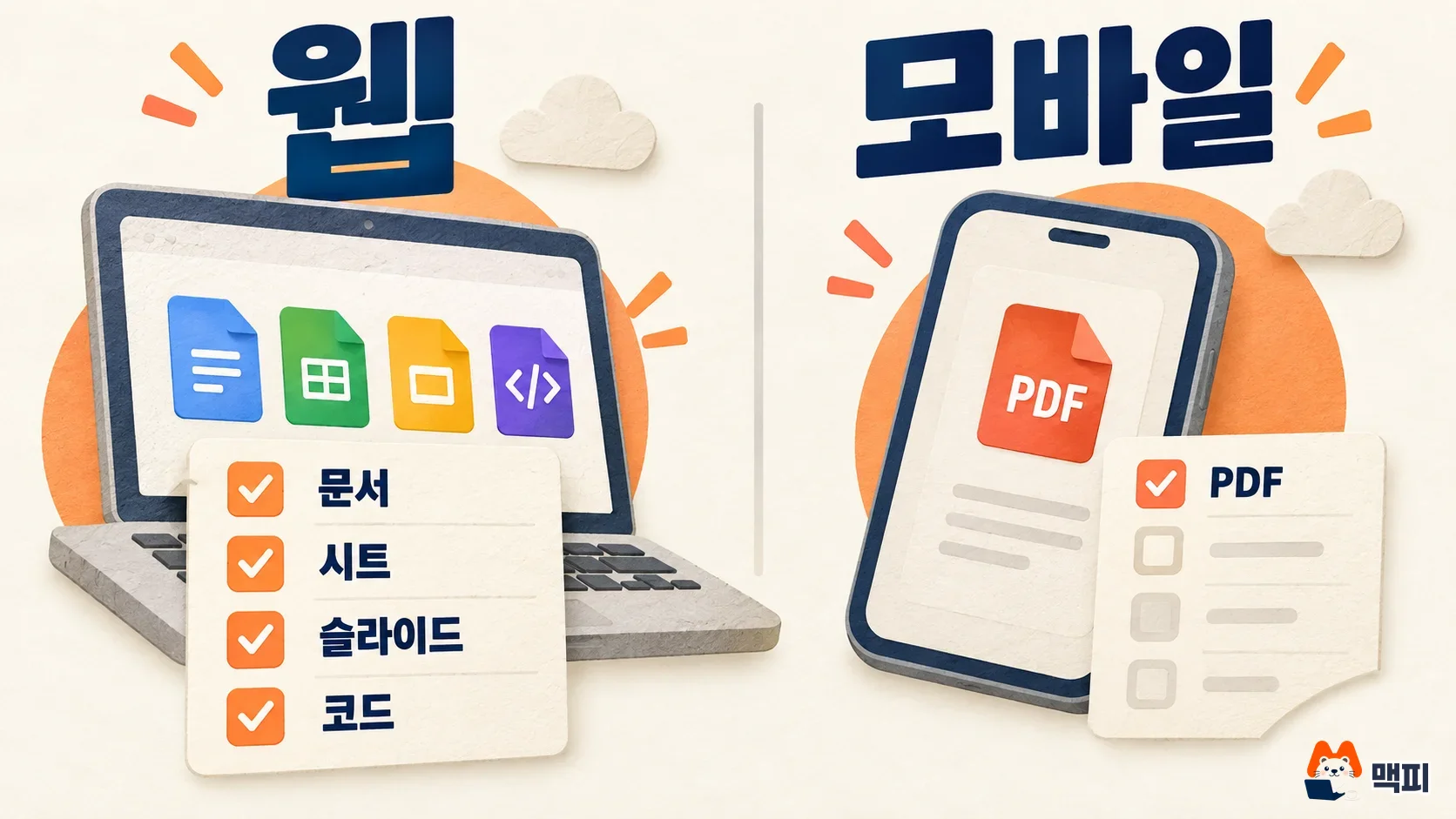
If you need to fix a sheet from your phone on the commute, ask Gemini to make the change by voice or text on mobile. Direct typing edits are better done on a computer.
Download and Drive export, plus what to know
The Google blog says you can download most formats straight to your device or export them to Drive. It does not say which formats are exceptions. If a format shows no export button, ask again for the same content as a PDF or docx.
If you use a work account, also check the admin settings. Google says there is no separate admin control for this feature, and the setting that turns the Gemini app on or off is covered in the admin help page. The feature where Gemini handles tasks for you across several apps is covered separately in our Gemini Agent overview. For material that must not leave your company, such as customer lists or contracts, check your internal security policy before uploading.
Frequently asked questions
Should I get Excel (.xlsx) or Google Sheets?
Choose .xlsx if the other person uses Excel. Choose Sheets if you edit together in Google Drive. Also keep in mind that direct editing in chat is web only for Sheets and similar formats.
Can I create several files at once?
For now it is one file per prompt. Split your requests by format. If you want to upload sources and ask questions about them, our NotebookLM guide may fit better.
Can I create files with a free account?
The Google blog says file generation is available to all Gemini app users worldwide. According to Workspace Updates, eligible users include personal Google accounts, Workspace individual subscribers and all Workspace customers.
Found this useful? Share it
Latest posts
Kakao Share Thumbnail Not Showing? Here's the Fix (JavaScript SDK 2025)
Learn why Kakao Share thumbnails don't appear even with a valid imageUrl, and fix it using scrapImage to convert your URL into a KAGE CDN URL. Step-by-step guide.
How to Generate CRM User Manuals in 20 Minutes with Claude Code Sub-Agents
Learn how Claude Code sub-agents can analyze your CRM codebase and auto-generate user manuals and visual guidebooks in just 20 minutes. See the real-world results.
GEO Generative Engine Optimization: The Complete 2025 AI Marketing Strategy Guide
Learn what GEO (Generative Engine Optimization) is, how it differs from traditional SEO, and discover 5 proven AI marketing strategies to get cited by AI search engines in 2025.
Related projects
Get new posts by email
Insights on marketing, analytics, and dev, delivered to your inbox.