
Gemini Tasks is a feature where Gemini makes phone calls, analyzes bills and even completes shopping payments for you. On November 18, 2026, Google said on the Google Korea blog that it will roll out the feature in 6 countries, including Korea, for free and without a subscription. Anyone aged 18 or older with a personal Google account is eligible, and the final steps, such as paying or sending, only go through after you approve them.
Gemini Tasks is rolling out in 6 countries (the US, Korea, Japan, Canada, Australia and India) without a Google AI subscription, and it runs on the new Gemini 4 Hydrogen model.
You can run up to 15 tasks at once, an approval request appears before purchases, sends and form submissions, and you can set a maximum spend limit for shopping in advance.
Handing off tasks by text message and email forwarding (gemini@google.com) open in the US first, so Korean users start on the web or the mobile app.
Conditions for using Gemini Tasks in Korea
In Korea you can use it without a Google AI subscription. The Google Gemini Apps Help Center says it is available without a Google AI subscription in South Korea, the US, Australia, India, Japan and Canada. In other supported countries, except the European Economic Area, Nigeria, Switzerland and the UK, a Google AI Pro or Ultra subscription is required. The announcement only says it is available "starting now, in stages" and gives no date. If you do not see it on your account yet, that may not be an error. It may simply mean the staged rollout has not reached you.
| Condition | Details |
|---|---|
| Age | 18 or older |
| Account | Personal Google account. Work or school accounts cannot use it for now |
| Setting | Gemini Apps Activity must be turned on |
| Where to use | Mobile app, Gemini app for Mac, web (gemini.google.com) |
| Cost | Free without a subscription in Korea. Limits are based on compute and grow with higher subscription tiers |
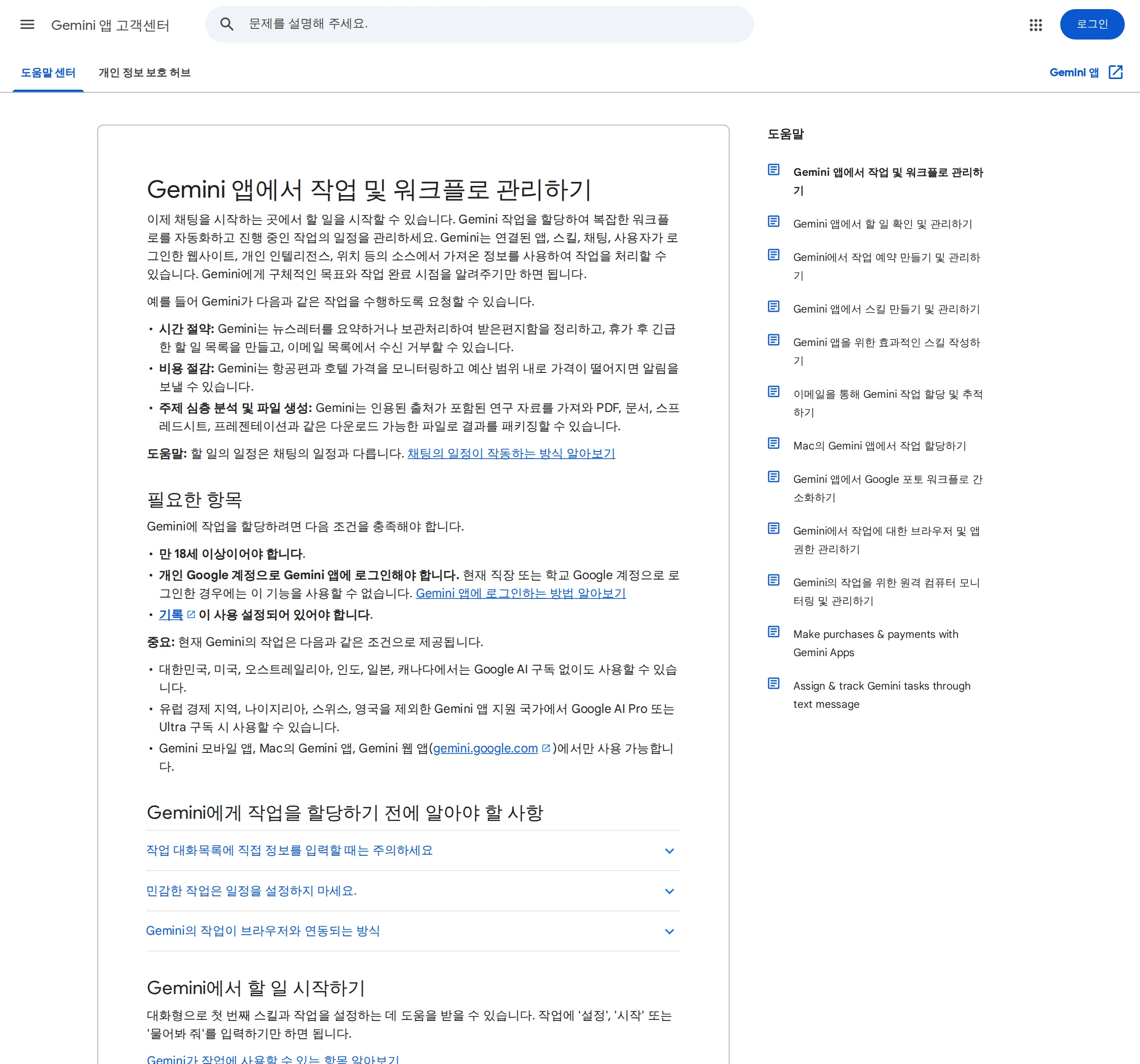
The account is the first place Korean users will run into trouble. If you are signed in with a work account, switch to a personal account. If you had turned Activity off, turn it on first. Keep in mind that turning it on means your conversations are saved to your account.
Phone calls, bill analysis and shopping: what you can hand off
The announcement gives five examples. Reading it together with the English Google blog post published the same day makes the limits clearer.
| What you hand off | What Gemini does | What you do |
|---|---|---|
| Business booking | Calls several businesses at once to ask about availability and books a slot that fits your open time in Google Calendar. When the call connects, it says right away that it is an AI | Confirm before the booking is final |
| Bill analysis | Signs in to a utility company portal with Google Password Manager, reads past statements and finds why the bill went up | Approve the sign-in and check the result |
| Shopping | Compares products with the Google Shopping Graph, applies discount codes and pays through Google Pay | Set a maximum spend limit and approve before the buy button |
| Grocery order | Adds a list you sent as a photo or text to your Instacart cart | Confirm before ordering |
| Schedule cleanup | Puts events from several emails into your calendar at once and sends invitations to family | Confirm before invitations go out |
A business may refuse calls from an AI. The English announcement says the phone feature does not work yet in the US states of Indiana, Louisiana, Minnesota, Montana and Nebraska. Neither announcement nor the Help Center says which industries or languages phone calls will cover in Korea. So you need to try one yourself to see whether phone booking appears on your Korean account.
| Item | Value |
|---|---|
| Countries with free access | 6 |
| Connected apps (or more) | 60 |
| Tasks running at once (max) | 15 |
Payment safeguards: approval requests and spend limits
Gemini does not pass steps involving money or personal data on its own. The Help Center says it is designed to ask you to review and confirm when sending messages, deleting data, sharing sensitive information, making purchases, handling financial transactions, submitting web forms, and signing in with Google or Password Manager. The announcement also says it asks for confirmation or advance approval before pressing a "buy" button. For frequent actions such as adding items to a cart, you can choose "Always allow". Even so, it still stops when sensitive information is being sent, even if you chose "Always allow".
For shopping, you set a maximum spend limit in advance. Say you set a limit of 50,000 KRW (an illustrative amount) and ask, "Find gift options for next week and order one." According to the English announcement, Gemini is designed to buy only within the budget you set. Google handles payment through AP2 (the Agent Payments Protocol), and the announcement names Mastercard, Visa and, coming soon, American Express cards as examples. Cards are processed as digital tokens, and card points and buyer protections still apply, it says. The announcement does not say whether Korean card issuers are supported.
Tasks run in a virtual machine, or sandbox, that is isolated at the hardware level for each user. Google describes this as one of several layers of defense, along with prompt injection filters. Prompt injection is an attack that uses text hidden in a web page to give an AI unintended instructions. The announcement says a task may not finish or may end differently than you expected, and some sites hand the final button click back to you. In that case, it tells you to leave feedback with a thumbs down on the response.
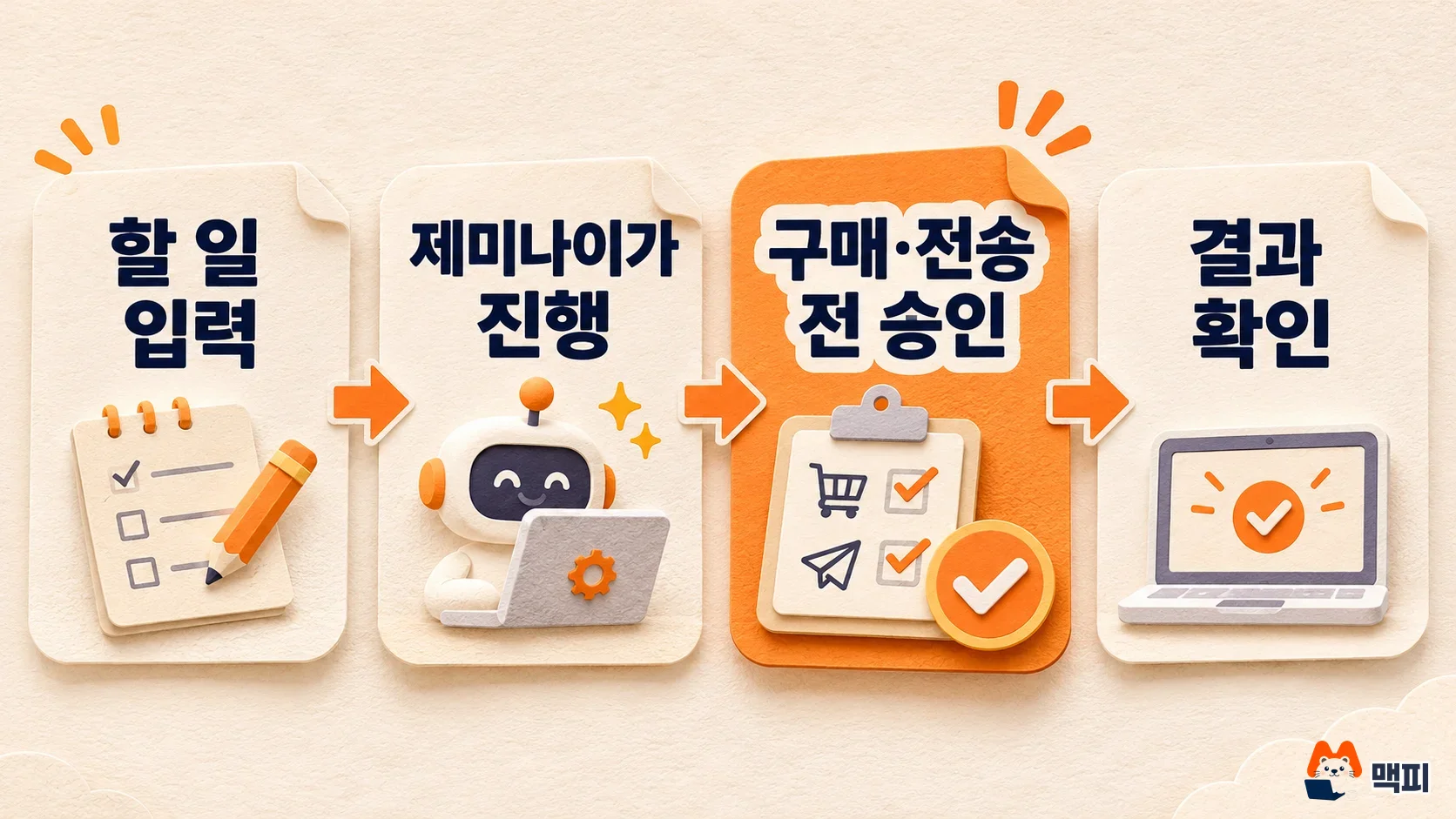
How to turn on Gemini Tasks and check it works
- Sign in to gemini.google.com or the mobile Gemini app with your personal Google account.
- Check that Gemini Apps Activity is turned on.
- The announcement says to switch the toggle at the top of the home screen from Chat to Tasks. The English Help Center says to press the Task button under the text box. The Korean Help Center calls the same button "Hal il" ("to do"). The labels differ, but it is the same feature.
- Write what you want done in a sentence. You can set a schedule, and you can attach files or skills. If this is your first time, type "setup" and it walks you through your first skill and task settings in conversation.
- After you submit, you can still add instructions while it runs. To stop, press stop in the input box.
You can check that it is working in two ways. First, you see the Chat and Tasks switch on the home screen. Second, when you give it a task, a progress status is shown, and an approval request appears right before payment or sending. Google says it designed Tasks to ask for approval before the buy button. So if you see a screen where payment goes ahead without an approval request, stop it right away and leave feedback with a thumbs down on the response.
It is safer to start with something that involves no money. Begin with a job that takes a person 10 minutes, such as "list the payment dates of this month's subscription services" or "put the schedules from 3 emails into the calendar", and compare the result with your own check. Once the result is right and the approval steps appear as intended, widen it to shopping or booking.
Limits and how to turn it off
You can run up to 15 tasks at once. If 15 tasks are already running, scheduled tasks do not run either. For example, if you scheduled a news summary for 8 AM every day and 15 other tasks are running at that time, that day's summary will not run. Usage is based on compute, so heavier tasks use it up faster, and Gemini tells you when you are close to the limit. Google has not published the exact number of uses for free users in Korea.
To stop a scheduled task, tap the schedule chip in the task thread, then More, then Pause. Remote browser data is deleted when you press Delete in the Browser section of settings. If you turn off task mode, remote browser and code execution data are deleted and scheduled tasks stop running. The task list and files are not deleted at that point.
Common mistakes and what Korean users should know
| Mistake | Problem | How to fix it |
|---|---|---|
| Signing in with a company Google account | The Tasks button does not appear or cannot be used | Switch to a personal account. The Help Center says work and school accounts are not supported |
| Trying with Activity turned off | You cannot start a task | Turn on Gemini Apps Activity |
| Trying to hand off by text or email | Not open in Korea yet | As the announcement says, text and gemini@google.com forwarding come to the US first. Start on the web or the app |
| Searching only for the name "Tasks" | Labels differ by screen, so you cannot find it | The announcement says Tasks, the English screen says Task, and the Korean Help Center says "Hal il" ("to do") |
| Trusting scheduled tasks and leaving them | Scheduled tasks do not run when 15 tasks are already running | Clean up duplicate tasks in the list |
Korean users should remember two more things. In Korea you use it without a subscription, but for the limit difference with paid subscriptions the Help Center only says "higher subscription tiers get more", with no exact numbers. Also, Google has not broken down by country how things like calls to Korean businesses, Korean cards and US service integrations such as Instacart will open in Korea. Judge the features you need by the results of trying them yourself.
How it differs from similar AI assistants
Services that let you hand off calls, orders and bookings by chat already exist. As covered in the Pickle AI article, Pickle AI also lets you hand off bookings, orders and calls for free in Korea, and you check an approval card before payment. The difference is how limits work. Pickle AI resets its daily limit at 4 AM, while Gemini Tasks uses a compute-based limit with a cap of 15 tasks at once. If you already use Google Calendar, Gmail and Google Wallet, Gemini has the lighter integration burden. If you do not use those services, its advantage shrinks. If you cannot decide, give both services the same job and compare where the approval step appears and how many times each one fails.
What developers and businesses should watch
Google said developers can apply to join the connected apps platform. This is a path for businesses that want to attach their service as a connected app for Gemini tasks. Shop operators should also keep an eye on the Universal Commerce Protocol (UCP) integration, which was announced as a next step. Google said it will use this to improve the shopping experience. The model in this update is Gemini 4 Hydrogen, and API pricing is covered in the Gemini 4 Hydrogen general availability article.
There is one thing to do today. Open the Gemini app with your personal account, check whether Tasks appears, and test with one job that involves no money to see whether the approval step shows up. If you do not see it, wait for the staged rollout and check again in a few days.
Frequently asked questions
Are Gemini Tasks and Gemini Agent the same?
No. Gemini Agent is a work agent that Google Cloud released for businesses, while Tasks is an app feature you use with a personal Google account. The business version is in the Gemini Agent guide.
Is the limit larger with Google AI Pro?
The Help Center says usage grows with higher subscription tiers. For prices by plan, see the Gemini plan comparison article.
Does it work with a company Google account?
Not for now. You cannot use it while signed in with a work or school account, and you need a personal account.
Found this useful? Share it
Latest posts
Kakao Share Thumbnail Not Showing? Here's the Fix (JavaScript SDK 2025)
Learn why Kakao Share thumbnails don't appear even with a valid imageUrl, and fix it using scrapImage to convert your URL into a KAGE CDN URL. Step-by-step guide.
How to Generate CRM User Manuals in 20 Minutes with Claude Code Sub-Agents
Learn how Claude Code sub-agents can analyze your CRM codebase and auto-generate user manuals and visual guidebooks in just 20 minutes. See the real-world results.
GEO Generative Engine Optimization: The Complete 2025 AI Marketing Strategy Guide
Learn what GEO (Generative Engine Optimization) is, how it differs from traditional SEO, and discover 5 proven AI marketing strategies to get cited by AI search engines in 2025.
Related projects
Get new posts by email
Insights on marketing, analytics, and dev, delivered to your inbox.