The vacuum steam iron is the newest keyword group in Naver New Product Search, a weekly bid-based ad that shows the image, video and description of products launched within the last 6 months at the very top of mobile search results on Naver, Korea's largest search engine. In a November 16 notice, Naver said it will add Electronics/Appliances > Home Appliances > Vacuum Steam Iron to the biddable keyword groups from round 50 of 2026. Bidding for this round opens on Tuesday, November 17, and ads are shown from December 7. Brands that launched a vacuum steam iron should have their creatives and contract ready before bidding opens on the 17th. Source: Naver Search Ads notice "New Product Search Round 202650: 1 Keyword Group Added".
Starting with New Product Search round 50 (exposure begins December 7), Naver added one keyword group: vacuum steam iron.
Bidding opens on Tuesday, November 17. Groups are not added or changed in rounds where bidding has already opened.
Vacuum steam iron brands can bid with products that are within 180 days of launch as of December 7, which means products launched after June 10.
Vacuum steam iron schedule: round 49 and round 50
The notice lists only the name of the keyword group, not the detailed search terms. It says detailed keywords may change without separate notice, but also says nothing is added or changed in rounds where bidding has already opened. Round 49 (bidding November 10, exposure November 30) follows the same pattern: exposure starts on the Monday 20 days after bidding opens.

The screen shows the following. For round 49, an infant car seat carrier was added first, in the November 9 notice.
| Round | Bidding opens | Exposure starts | Added keyword group | Notice date |
|---|---|---|---|---|
| Round 202649 | November 10 (Tue) | November 30 | Living/Home > Childbirth/Parenting > Infant carrier car seat | November 9 |
| Round 202650 | November 17 (Tue) | December 7 | Electronics/Appliances > Home Appliances > Vacuum Steam Iron | November 16 |
Where Naver New Product Search appears and how it works
According to the Naver Ads help center, when someone searches a generic keyword for a product or service in mobile integrated search, New Product Search shows the image, video and description of items newly released or renewed within the last 6 months at the top of the results. Ads can run for one week, and up to 2 brands rotate on the first screen of one area.
If you buy only 1 slot, your ad appears for half of the search volume of that group. If you buy both slots, your ad is the only one shown for the full search volume. For example, if searches for a keyword group total 1,000 a day, one slot means your ad shows first in about 500 of them on average (a calculation example, not real search volume). The help page also explains that not seeing your ad on every search is not an error but a result of this structure.
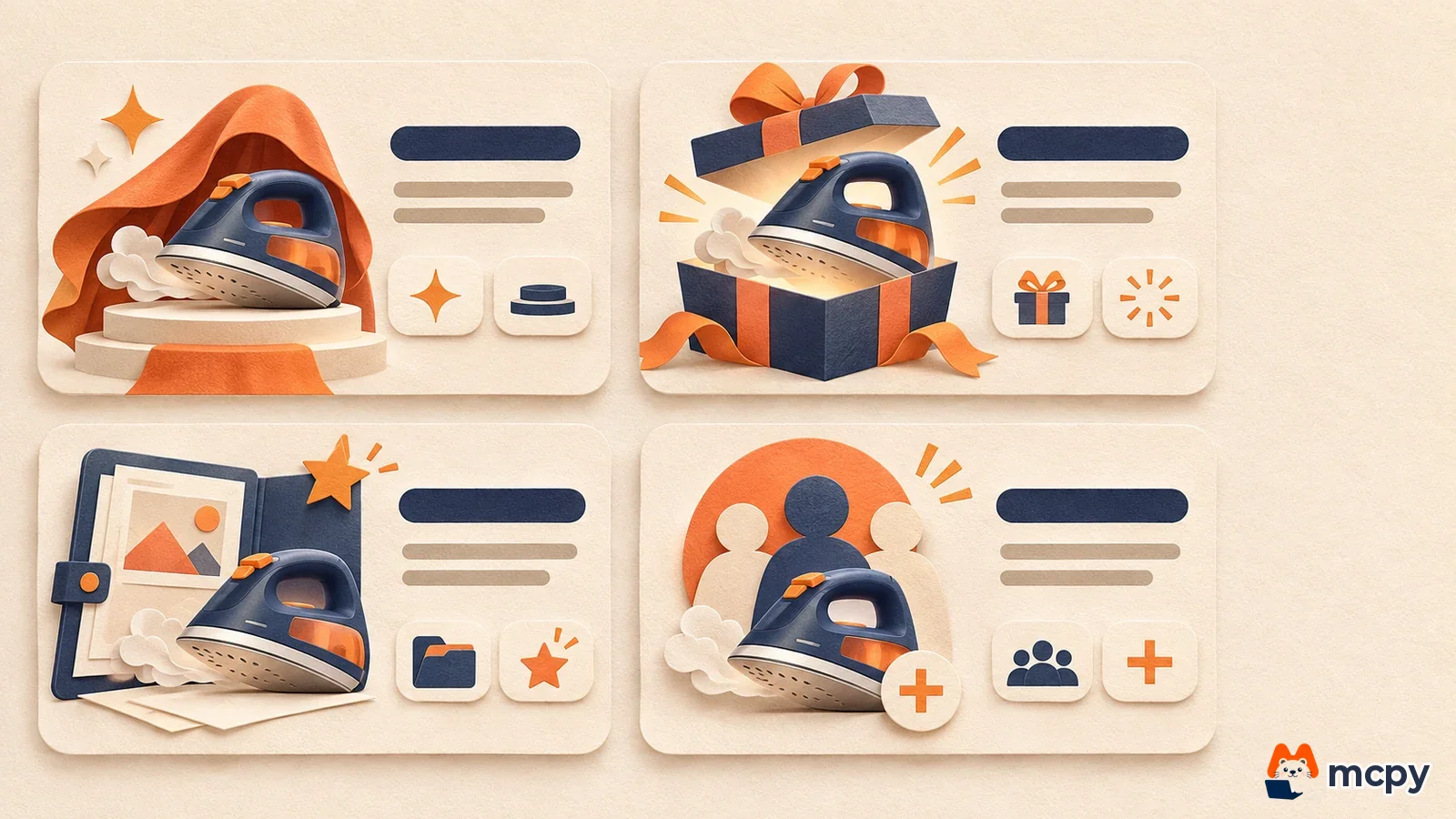
The cards in the figure are, from the left, "New product intro", "New release", "New work intro" and "New recruitment". The help page says it provides 3 text templates suited to each category's product traits, and that you can pick the wording that shows the product is within 6 months of launch: new product intro, new (revised) release, new work intro or new recruitment. Each card has two sublinks below it, and the creative must include either "View details" or "New product review".
How to check if your vacuum steam iron is eligible to bid
The creative registration help page says you can register a creative only if the launch date is within 180 days (about 6 months) of the ad start date. Counting back 180 days from December 7, the start date of round 50, gives June 10. A product launched or renewed after June 10 can be used in this round's creative. A product launched earlier does not meet this condition. Because the standard is the ad start date, the cutoff moves 7 days later with each following round.
The creative conditions confirmed in the official help page are below. All numbers in this table come from the New Product Search ad creative registration help page.
| Item | Condition |
|---|---|
| Number of creatives | Up to 5 per ad group. If there are several, they rotate at equal rates |
| Main image | Product image required, no text inside the image, landing URL must be owned by the advertiser |
| Main text | Subtitle 1 to 14 characters, title 1 to 12 characters, each description line 1 to 14 characters, product name in the subtitle or title |
| Sublinks | 1 to 6 characters each, 2 by default and up to 3, the first must be "View details" or "New product review" |
| Launch date | Within 180 days of the ad start date |
New Product Search bidding and contract steps, and where to check
You can apply for a contract only after the ad group, creative and keyword all pass review. The help page says review takes 1 to 2 business days, so it is safer to upload the creative before the Tuesday when bidding opens. Follow the contract application help page for the steps.
- Go to Naver Ads > Search Ads > Tools > Brand/New Product Search Contract Management.
- In the "New product search type" tab, click [New contract] and enter the contract name, ad group, keyword group and bid price.
- Register the bid contract with [Create contract]. Applications are blocked if the bid is lower than the minimum starting price, if the round is already closed, or if you already have an application for the same round and channel.
- Winning bids are announced at 9 a.m. of each round and payment is at 4 p.m. You need a Biz Money balance to apply.
The same help page also says a New Product Search contract can be managed only when a biddable round is assigned to it. After you win, check results in the "New product search type" tab of the same contract management screen. This tab shows contract status, ad round, winning bid announcement date, bid price, winning price, impressions, clicks and click-through rate (contract check and management help page). After exposure starts, search the group's keywords on mobile to confirm the ad appears. With 1 slot the ad shows for only half of the search volume, so do not assume an error just because you do not see it once.
How it differs from Powerlink and Brand Search
All three products use the top area of Naver search results, but they are bought in different ways. The values below are what Naver states on its product introduction page and help pages.
| Product | Device | How you buy | Billing | Target |
|---|---|---|---|---|
| New Product Search | Mobile | Weekly bidding per keyword group | Winning bid (bid contract) | Products within 180 days of launch |
| Brand Search | PC and mobile | Fixed-fee contract, minimum ad spend KRW 1,000,000, period 7 to 90 days | Fixed-fee contract by period | Brand keywords |
| Powerlink | PC and mobile | Keyword bidding | Cost per click (CPC) | No restriction |
Sources are the Naver Search Ads product introduction and the help pages above. A new product has to reach people who do not yet search for the brand name. So New Product Search, which catches people typing a product type such as "vacuum steam iron", fits the goal better than Naver Brand Search ads, which buy brand keywords. Its purpose also differs from Naver Powerlink, where you adjust the cost per click.
Frequently asked questions
Does New Product Search also appear in PC search?
The placement on the product introduction page is mobile. It appears only on mobile, at the top of Naver integrated search results.
What if my product launched more than 6 months ago?
A creative can be registered only if the launch date is within 180 days of the ad start date, so an older product cannot use New Product Search. For older products, use other search ads such as Powerlink or Brand Search.
Will more keyword groups be added to a round where bidding has already opened?
The notice says nothing is added or changed in rounds where bidding has already opened. Check the next round's notice for new groups.
Found this useful? Share it
Latest posts
Kakao Share Thumbnail Not Showing? Here's the Fix (JavaScript SDK 2025)
Learn why Kakao Share thumbnails don't appear even with a valid imageUrl, and fix it using scrapImage to convert your URL into a KAGE CDN URL. Step-by-step guide.
How to Generate CRM User Manuals in 20 Minutes with Claude Code Sub-Agents
Learn how Claude Code sub-agents can analyze your CRM codebase and auto-generate user manuals and visual guidebooks in just 20 minutes. See the real-world results.
GEO Generative Engine Optimization: The Complete 2025 AI Marketing Strategy Guide
Learn what GEO (Generative Engine Optimization) is, how it differs from traditional SEO, and discover 5 proven AI marketing strategies to get cited by AI search engines in 2025.
Related projects
Get new posts by email
Insights on marketing, analytics, and dev, delivered to your inbox.